















STS22ICMARWW General Electric Refrigerator - Instructions
Keep searches simple. Use keywords, e.g. "leaking", "pump", "broken" or "fit".
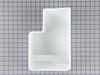
Ice bucket missing
I discovered the ice bucket missing from my rental unit at the beach. I was able to go online with my Blackberry, easily navigate your website using the model number to look up the part information , order it, and have it in place for the next renter.
Without access to a friendly user website, I would have faced considerable delay in getting this part.
Without access to a friendly user website, I would have faced considerable delay in getting this part.
Parts Used:
-
Tom from Bradenton, FL
-
Difficulty Level:Really Easy
-
Total Repair Time:Less than 15 mins
14 of 15 people
found this instruction helpful.
Was this instruction helpful to you?
Thank you for voting!
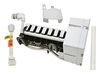
ice maker not making ice
just unscrewed the 3 screws, attached the rounded plug that came with the unit and screwed back only 2 screws. ice magic in about a couple of hours
Parts Used:
-
Cristina from Los Angeles, CA
-
Difficulty Level:Really Easy
-
Total Repair Time:Less than 15 mins
-
Tools:Screw drivers
16 of 22 people
found this instruction helpful.
Was this instruction helpful to you?
Thank you for voting!
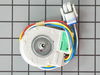
freezer fan failing; veried speed making whirling sounds
First, I removed all the shelves and the light guard. Second, I removed the nuts that held the fan guard and the freezer back in place (2 just under the fan guard and removed the freezer back. Third, lifted fan guard out of way (being very careful not to crack it..... cold plastic). Fourth, unpugged fan from pug then removed nuts that held fan bracket in place...removed fan. fifth, then removed fan blade and remove fan motor from bracket, removed two wires that went to freezer light (pay attention to where they go) and installed them into the new wireing harness. Sixth, installed fan blade on new motor, bolted new assembly in fan bracket, plugged in and reistalled fan into the freezer, replaced fan guard and freezer back (reverse order of above) and then replaced freezer racks. works beautiful.
Parts Used:
-
Jason` from Colchester, CT
-
Difficulty Level:Easy
-
Total Repair Time:1- 2 hours
-
Tools:Nutdriver
14 of 16 people
found this instruction helpful.
Was this instruction helpful to you?
Thank you for voting!
Loud knocking noise with the evaporator fan
I had taken the noise long enough and wanted to get this repaired. I didn't want to pay a repair man hundreds of dollars to do it so i decided to do it myself. I went on to YouTube and found a few videos that showed me how easy it was to do (very helpful).
I wasn't so sure all that noise would come from the Evaporator Fan motor so i ordered it and took the chance. For the small cost, it was worth the try.
All went well accessing the unit and removing the old part. Very fast indeed. However, the snag came when i went to plug in the new part electrical to the existing electrical adapters. The old part had 4 lead connections. The new part had 6. and the wires on the new part were different colors than the existing. I had to use some logic and courage to cut the wires on the new part and rewire the old adapter to this piece. Luckily, i wired everything correctly.
Calling Part Select got me a phone number for the parts manufacturer to help with the splicing but i opted to do it on my own.
The result is i have a noiseless refrigerator again. What should have taken 10 to 15 minutes took half an hour because of the wiring but overall, very easy.
I wasn't so sure all that noise would come from the Evaporator Fan motor so i ordered it and took the chance. For the small cost, it was worth the try.
All went well accessing the unit and removing the old part. Very fast indeed. However, the snag came when i went to plug in the new part electrical to the existing electrical adapters. The old part had 4 lead connections. The new part had 6. and the wires on the new part were different colors than the existing. I had to use some logic and courage to cut the wires on the new part and rewire the old adapter to this piece. Luckily, i wired everything correctly.
Calling Part Select got me a phone number for the parts manufacturer to help with the splicing but i opted to do it on my own.
The result is i have a noiseless refrigerator again. What should have taken 10 to 15 minutes took half an hour because of the wiring but overall, very easy.
Parts Used:
-
lk from carlsbad, CA
-
Difficulty Level:Easy
-
Total Repair Time:15 - 30 mins
-
Tools:Nutdriver, Pliers, Screw drivers
13 of 15 people
found this instruction helpful.
Was this instruction helpful to you?
Thank you for voting!
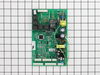
fridge wouldn't cool, frozen food thawed
First my wife and i took the panel off the back, unscrewed the old mainboard, unplugged all the switches from it and prayed that the new one would work. We were without a fridge for 2 weeks beginning 2 days before Christmas!!!!! Gingerly, we put the new board in place, screwed it into the fridge, connected the switches, attached the ground wire, and held our breath as we plugged it back in. Within seconds, the familiar sound of water filling the icemaker was hear and there were cheers all around!!!
Parts Used:
-
John from Milford, UT
-
Difficulty Level:Easy
-
Total Repair Time:30 - 60 mins
15 of 21 people
found this instruction helpful.
Was this instruction helpful to you?
Thank you for voting!
"Moaning Myrtle" syndrome. Refrigerator makes a whooing sound for hours at a time
Checked the internet for reports of similar problems and concluded that it was probably the main control board. Not being particularly handy, I would never have attempted to change the board myself if I had not read the comments and instructions from people on this site. Thanks.
The job was as straight forward as others have described. The only time I had a problem was pushing in the white tab to be able to pull the old board out. That was a bit of a fiddle.
The only thing I found different was the grounding wire. On the original board, this wire was at the bottom of the board and hooked into a wire that ran into the refrigerator. On the new board, the wire was at the top of the board and had a metal loop on it. If I understand it correctly, with the new grounding system the wire is pushed into the space above the board. Then when the back plate is reattached the metal loop makes contact with it , thus grounding the refrigerator.
I chose to run the grounding wire through the original wire into the refrigerator. That meant cutting off the metal loop, slicing in an extra piece of wire to connect the grounding wire on the board to the grounding wire into the refrigerator.
I also now use a surge suppressor for the refrigerator. The “Moaning Myrtle” syndrome started after Hurricane Ike. I suspect the surge when the power was restored damaged the control board. And as so many people seem to have this “Moaning Myrtle” problem, I suspect the control board has little or no surge protection.
The job was as straight forward as others have described. The only time I had a problem was pushing in the white tab to be able to pull the old board out. That was a bit of a fiddle.
The only thing I found different was the grounding wire. On the original board, this wire was at the bottom of the board and hooked into a wire that ran into the refrigerator. On the new board, the wire was at the top of the board and had a metal loop on it. If I understand it correctly, with the new grounding system the wire is pushed into the space above the board. Then when the back plate is reattached the metal loop makes contact with it , thus grounding the refrigerator.
I chose to run the grounding wire through the original wire into the refrigerator. That meant cutting off the metal loop, slicing in an extra piece of wire to connect the grounding wire on the board to the grounding wire into the refrigerator.
I also now use a surge suppressor for the refrigerator. The “Moaning Myrtle” syndrome started after Hurricane Ike. I suspect the surge when the power was restored damaged the control board. And as so many people seem to have this “Moaning Myrtle” problem, I suspect the control board has little or no surge protection.
Parts Used:
-
Stephen from Spring, TX
-
Difficulty Level:Easy
-
Total Repair Time:Less than 15 mins
-
Tools:Nutdriver
13 of 15 people
found this instruction helpful.
Was this instruction helpful to you?
Thank you for voting!
icemaker developed a leak and froze over
My husband did the repair, and even though our refrigerator is roughly 20+ years old, he was able to adapt it to work in all the right spots and we now have ice cubes! I'm very happy we did not have to spend $2000 on a comparable refrigerator.
Parts Used:
-
debbie from chino hills, CA
-
Difficulty Level:Easy
-
Total Repair Time:15 - 30 mins
18 of 30 people
found this instruction helpful.
Was this instruction helpful to you?
Thank you for voting!
Interior light needed replaced
Unplugged the appliance for safety. Removed two 1/4" screws that held the assembly in place. Carefully removed the wire guard that retains the glass shield. Unscrewed old light bulb and replaced with new part. Reversed the steps after cleaning glass cover.
Parts Used:

-
Leo from TWIN FALLS, ID
-
Difficulty Level:Really Easy
-
Total Repair Time:Less than 15 mins
-
Tools:Nutdriver
22 of 43 people
found this instruction helpful.
Was this instruction helpful to you?
Thank you for voting!
Ice maker ot making ice
First I replaced the double valve because the ice maker was not filling with water. It still did not work. Then I replaced the ice maker itself. This worked and was relatively easy to replace. I had to use the water fill "slide" from the old ice maker. The new one was too narrow and it leaked water into the freezer.
Parts Used:
-
Barry from Phoenix, AZ
-
Difficulty Level:Easy
-
Total Repair Time:15 - 30 mins
-
Tools:Nutdriver
18 of 31 people
found this instruction helpful.
Was this instruction helpful to you?
Thank you for voting!
freezer and fridg would not hold the temp correctly. Getting too warm
I had Sears comre and check it out. They wanted $188. for the part and wanted $211 to put it in. They had the part in the truck. The fridg is a GE Profile and only 2 years old. Told them to forget it. Took me literally less than 10 minutes. They did a diagnostics, cost me $77. they told me the problem. I ordered the part here. It came in 3 days and the directions included were awesome. straight forward. Nice to know there is a place to go to avoid getting the shaft from appliance giants. Thank You !
The details: removed the 3 screws, took a picture of the board, didn't need it, unplugged the 6 plugs. pushed 3 clipds holding the board, unscrewed the ground, removed the board, lined up the 3 clips and snapped the new board in place, replugged the plugs and screwed in the ground. Plug the fridg in, done. Literally that easy.
The details: removed the 3 screws, took a picture of the board, didn't need it, unplugged the 6 plugs. pushed 3 clipds holding the board, unscrewed the ground, removed the board, lined up the 3 clips and snapped the new board in place, replugged the plugs and screwed in the ground. Plug the fridg in, done. Literally that easy.
Parts Used:
-
Paul from Troy, NY
-
Difficulty Level:Really Easy
-
Total Repair Time:Less than 15 mins
-
Tools:Screw drivers
11 of 11 people
found this instruction helpful.
Was this instruction helpful to you?
Thank you for voting!
Freezer thawing then re-freezing
The refrigerator was staying in defrost too long allowing the temperature to rise to the point that part of the ice (probably some of the food too) to melt then re-freeze. I first changed out the temp sensor and thermostat because I wanted to try the cheap stuff first but that didn't fix it, I should have gone with the mainboard first as it was the most likely cause. After putting in the new mainboard in the thing has worked perfectly since. The board was extremely easy to change, take the metal cover off with a nut driver. Carefully unplug the wires from old board and remove the board. The board is mounted on some plastic standoffs that expand after passing through the board, some of these came out while i was disconnecting the wires but some were there to stay until I figured out that I needed to squeeze the top of them to release the board. After getting the old board out just put the new one on the standoffs and connect the wires. Put the cover back on and DONE!
NOTES: The new board had some extra connectors that my old one did not, but the correct connectors were still in the old locations. The instructions that came with the board did talk about making some modifications to the refrigerator wiring on certain models, but that didn't apply to me. If I remember right the models requiring modification were all bottom freezer type. But even if you do have to do this the instrucions looked easy, just cut a couple of wires, no splicing or anything.
NOTES: The new board had some extra connectors that my old one did not, but the correct connectors were still in the old locations. The instructions that came with the board did talk about making some modifications to the refrigerator wiring on certain models, but that didn't apply to me. If I remember right the models requiring modification were all bottom freezer type. But even if you do have to do this the instrucions looked easy, just cut a couple of wires, no splicing or anything.
Parts Used:
-
Luther from Navarre, FL
-
Difficulty Level:Really Easy
-
Total Repair Time:Less than 15 mins
-
Tools:Nutdriver, Pliers
12 of 15 people
found this instruction helpful.
Was this instruction helpful to you?
Thank you for voting!
Motherboard burned out
I ordered the part on Sunday and had it by Tuesday. It only took a few minutes to install. Basically, I unplugged the unit and removed the cover over the motherboard with a nutdriver. The wires were easy to unplug and reinstall. There was no way to incorrectly install since they could only fit in the correct position. I reinstalled the panel pluged it back in and now the fridge is working great.
Parts Used:
-
Joe from Redlands, CA
-
Difficulty Level:Really Easy
-
Total Repair Time:15 - 30 mins
-
Tools:Nutdriver
11 of 13 people
found this instruction helpful.
Was this instruction helpful to you?
Thank you for voting!
Refridgerator Freezer stoped making ice
Turned off power, removed cover from Ice maker, checked resistance across thermostat for zero (read open), all other switches read proper value (when activated). Ordered and received thermostat. Removed Ice Maker from freezer, removed two screws holding ice tray to Control Assembly. Removed Thermostat and replaced with new one. Applied Silicone Sealant to face of Thermostat for adhesion to ice tray when assembled. Remounted Ice Tray to Control Assembly and remounted in freezer. Works Great...
Parts Used:
-
Marion from Palm Coast, FL
-
Difficulty Level:Easy
-
Total Repair Time:30 - 60 mins
-
Tools:Screw drivers
17 of 31 people
found this instruction helpful.
Was this instruction helpful to you?
Thank you for voting!
Ice machine wasnt making ice
First I turned the refrigerator and water line off. Then moved to the freezer section, followed the directions, removed the two screws. Directions state to not remove them but I had to in this case. Unplugged the ice maker and removed it from the freezer. I installed the two mounting screws then tried to plug the electrical connection back in but had to use the adaptor cord furnished in the kit. The cord was a little long but I tucked it in and mounted the ice maker. Turned it on then turned the refrigerator and water back on and in a few hours had ice! Very easy to do!
Parts Used:
-
Robert from Auburn, AL
-
Difficulty Level:Really Easy
-
Total Repair Time:Less than 15 mins
-
Tools:Screw drivers
14 of 23 people
found this instruction helpful.
Was this instruction helpful to you?
Thank you for voting!
broken ice maker
removed 3 screws unplug and remove old unit. install two screws install new ice maker, tighten screws plug in and turn on. had ice in 20 min.
Parts Used:
-
robert from bensalem, PA
-
Difficulty Level:Really Easy
-
Total Repair Time:Less than 15 mins
-
Tools:Screw drivers
10 of 12 people
found this instruction helpful.
Was this instruction helpful to you?
Thank you for voting!