















SCA1000HB - Instructions
Keep searches simple. Use keywords, e.g. "leaking", "pump", "broken" or "fit".
Timer, light and control pad worked. Turn table and heat did not work. Oven would not start up.
I first read where someone had the same problem. Their solution was a burned-out fuse. I ordered a new fuse...installed it and that did not solve my problem. I revisted PartSelect and read how Marla (from Arlington, TX)solved her problem. I purchased a secondary switch and when it arrived, I made a copy of Marla's instructions and followed them to the letter. I installed the new secondary switch into the secondary space, put everything back together and the oven STILL DID NOT WORK. I had to take the latching panel apart again and test each switch to see if there was another bad one. I found that the third switch was burned out. So I took the new switch out of the second slot and installed it into the third slot. I tested the switches before reinstalling the latching panel. This time everything worked. So I put everything back together, reinstalled the microwave on the wall, tested it again, and everything worked perfectly.
Parts Used:

-
Pearlie from Beulaville, NC
-
Difficulty Level:A Bit Difficult
-
Total Repair Time:30 - 60 mins
-
Tools:Screw drivers
1 person
found this instruction helpful.
Was this instruction helpful to you?
Thank you for voting!
Microwave wouldn’t heat
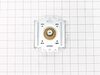
I want to preface this review by stating that I do some DIY from YouTube, but have no experience in electronic repair. The microwave is over the stove with the extendavent. First I unplugged the microwave, removed the vent and started to unscrew the microwave from the mount. I used a power drill to speed things up. I was able to remove the microwave on my own. I unscrewed the lid on the microwave and took the lid off and there is the magnetron. I opened up needle nose pliers to have each end touch the terminals of the capacitor (holds the power, Dangerous). I made sure to keep my hands on the rubber handles and avoid touching the metal part of the pliers. I used the pliers to remove the plug of the capacitor to the magnetron as well. The magnetron has 4 screws (2 top, 2 bottom). There is a magnet that can hold the screws to keep from falling but I’d still recommend a screwdriver with a magnet on the end. The magnetron has another set of wires connected by a metal bracket like a holder, not really connecting any wiring to the magnetron itself. I had to unscrew 1 screw to removed that. Adding everything back on was easy, same steps back. I plugged in the microwave and tested a cup of water before I mounted it back above the stove. Voila! I did need my wife’s help to hold the microwave on the hinge while screwing into the mount. It doesn’t take a lot of muscle for the help. $85 for the part and ~40 mins to fix a $400 microwave!
Parts Used:
-
Rex from ROSEVILLE, CA
-
Difficulty Level:Really Easy
-
Total Repair Time:30 - 60 mins
-
Tools:Pliers, Screw drivers
1 person
found this instruction helpful.
Was this instruction helpful to you?
Thank you for voting!
Microwave failed to head and light, fan, and turntable failed to come on.
Problem was due to a faulty door switch. Replaced with a new switch and the microwave now works fine! Only thing that was tricky was that LG uses the hex screws with a peg in the middle to keep the microwave cover on. Had to use a small screwdriver and pliers (on the screwdriver) to unscrew the screws.
Parts Used:
-
Robert from Cedar Park, TX
-
Difficulty Level:A Bit Difficult
-
Total Repair Time:30 - 60 mins
-
Tools:Nutdriver, Screw drivers
1 of 2 people
found this instruction helpful.
Was this instruction helpful to you?
Thank you for voting!
bulb and reflector assembly replacement
When trying to replace the light bulb for the underneath night light, I damaged the female receptor plug by not inserting it gently and straight on, and thus couldn't insert the bulb. So, I had to replace the receptor which is part of a the reflector assembly with the small attached plug cord. Once I was able to unscrew the glass cover and move the existing reflector panel aside to see how it fit together, it went well and is now working fine. One hint in replacing bulbs is to order the correct one, since there is another bulb for the interior light for the microwave which uses a different bulb. Be sure to order the correct one. Also, push them in gently but firmly right on center.
Parts Used:

-
Joseph M from Northville, MI
-
Difficulty Level:Easy
-
Total Repair Time:30 - 60 mins
-
Tools:Screw drivers
1 of 2 people
found this instruction helpful.
Was this instruction helpful to you?
Thank you for voting!
Door latch assembly
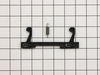
Read other folks on your site on how they did it and I followed their directions. About 30 minutes and it was done. Figured I saved lots of money. Thanks
Parts Used:
-
Garry from HILTON HEAD, SC
-
Difficulty Level:Easy
-
Total Repair Time:30 - 60 mins
-
Tools:Screw drivers
1 of 2 people
found this instruction helpful.
Was this instruction helpful to you?
Thank you for voting!
Light Bulb appeared to be burned out
The Halogen Light Bulbs for lighting the area below the microwave seemed to be burned out. I order new bulbs but by the time they arrived the old bulbs appeared to be working again. Not sure why this happened but I have new bulbs if they become burned out for good at some point.
Parts Used:
-
Peter from CHARLOTTESVLE, VA
-
Difficulty Level:Very Easy
-
Total Repair Time:Less than 15 mins
1 of 2 people
found this instruction helpful.
Was this instruction helpful to you?
Thank you for voting!
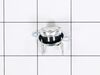
Thermostat quit.
Checked all sensors with a multi-meter, found the thermostat to be the problem, no continuity.
Parts Used:
-
Tony from ITHACA, MI
-
Difficulty Level:Easy
-
Total Repair Time:Less than 15 mins
-
Tools:Screw drivers
1 of 2 people
found this instruction helpful.
Was this instruction helpful to you?
Thank you for voting!
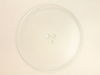
Glass turntable broke when being washed.
Ordered the part on Monday, it was delivered on Wednesday, only paid for standard shipping. All I had to do was put it in, right part, back to new!
Parts Used:
-
Lee from Spartanburg, SC
-
Difficulty Level:Really Easy
-
Total Repair Time:Less than 15 mins
1 of 2 people
found this instruction helpful.
Was this instruction helpful to you?
Thank you for voting!
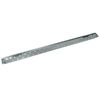
installed new kitchen cabinets
the problem was the mounting bracket that was installed when the house was built ,was not the bracket that came with the microwave. It was used to step the microwave out 3" in front of the other cabinets for the style that they were using then. so when I was installing the new cabinets I didn't want that style, so I ordered the original mounting bracket. It was a perfect fit and the install went great
Parts Used:
-
andrew from HOMOSASSA, FL
-
Difficulty Level:Easy
-
Total Repair Time:15 - 30 mins
1 of 2 people
found this instruction helpful.
Was this instruction helpful to you?
Thank you for voting!
bulbs burnt out and needed to be changed
Ridiculously easy, unscrew, and change bulbs. Having the correct bulbs made all the difference, I did not have to waste time looking for the correct one.
Parts Used:
-
Kathleen from Bedford, NH
-
Difficulty Level:Really Easy
-
Total Repair Time:Less than 15 mins
-
Tools:Screw drivers
1 of 3 people
found this instruction helpful.
Was this instruction helpful to you?
Thank you for voting!
Light Bulbs Failed
Used a phillips screwdriver to remove the screw holding the light cover in place. Removed the two bulbs and replaced them. Closed the cover and tightened the screw
Parts Used:
-
Wilbert from Stephens City, VA
-
Difficulty Level:Really Easy
-
Total Repair Time:Less than 15 mins
-
Tools:Screw drivers
0 of 1 people
found this instruction helpful.
Was this instruction helpful to you?
Thank you for voting!
Bulbs Burnt Out
Removed old bulbs replaced with new. Bulb fit perfect thank you
Parts Used:
-
DOMINICK from VENICE, FL
-
Difficulty Level:Easy
-
Total Repair Time:Less than 15 mins
-
Tools:Screw drivers
0 of 1 people
found this instruction helpful.
Was this instruction helpful to you?
Thank you for voting!
microwave lamp was burned out
took glass cover off being an electrician and saw lamp or bulb was burned out. googled your site and with model number.went on partselect found lamp,orderd it.2 days later lamp arived installed lamp. So easy no running around or making several calls
Parts Used:
-
Timothy from Swampscott, MA
-
Difficulty Level:Really Easy
-
Total Repair Time:Less than 15 mins
-
Tools:Screw drivers
0 of 1 people
found this instruction helpful.
Was this instruction helpful to you?
Thank you for voting!
No heat.
-
Mack from Jacksonville, FL
-
Difficulty Level:Really Easy
-
Total Repair Time:Less than 15 mins
-
Tools:Pliers, Screw drivers
0 of 1 people
found this instruction helpful.
Was this instruction helpful to you?
Thank you for voting!
cover fell apart
removed screw from inside wall. removed leftover board & replaced with new board & screw. good as new!!!
Parts Used:
-
Esther from Brooklyn, NY
-
Difficulty Level:Really Easy
-
Total Repair Time:Less than 15 mins
-
Tools:Screw drivers
0 of 1 people
found this instruction helpful.
Was this instruction helpful to you?
Thank you for voting!