















SCA1000DCC - Instructions
Keep searches simple. Use keywords, e.g. "leaking", "pump", "broken" or "fit".
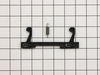
Door latch assembly
Read other folks on your site on how they did it and I followed their directions. About 30 minutes and it was done. Figured I saved lots of money. Thanks
Parts Used:
-
Garry from HILTON HEAD, SC
-
Difficulty Level:Easy
-
Total Repair Time:30 - 60 mins
-
Tools:Screw drivers
1 of 2 people
found this instruction helpful.
Was this instruction helpful to you?
Thank you for voting!
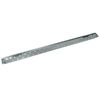
installed new kitchen cabinets
the problem was the mounting bracket that was installed when the house was built ,was not the bracket that came with the microwave. It was used to step the microwave out 3" in front of the other cabinets for the style that they were using then. so when I was installing the new cabinets I didn't want that style, so I ordered the original mounting bracket. It was a perfect fit and the install went great
Parts Used:
-
andrew from HOMOSASSA, FL
-
Difficulty Level:Easy
-
Total Repair Time:15 - 30 mins
1 of 2 people
found this instruction helpful.
Was this instruction helpful to you?
Thank you for voting!
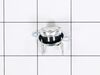
Thermostat quit.
Checked all sensors with a multi-meter, found the thermostat to be the problem, no continuity.
Parts Used:
-
Tony from ITHACA, MI
-
Difficulty Level:Easy
-
Total Repair Time:Less than 15 mins
-
Tools:Screw drivers
1 of 2 people
found this instruction helpful.
Was this instruction helpful to you?
Thank you for voting!
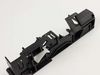
install new latch and spring in door
removed key pad then removed latch assembly and replaced it with new latch assembly.
Parts Used:
-
Clifford from Springfield, VA
-
Difficulty Level:A Bit Difficult
-
Total Repair Time:15 - 30 mins
-
Tools:Pliers, Screw drivers
3 of 10 people
found this instruction helpful.
Was this instruction helpful to you?
Thank you for voting!
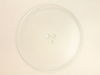
Glass turntable broke when being washed.
Ordered the part on Monday, it was delivered on Wednesday, only paid for standard shipping. All I had to do was put it in, right part, back to new!
Parts Used:
-
Lee from Spartanburg, SC
-
Difficulty Level:Really Easy
-
Total Repair Time:Less than 15 mins
0 of 1 people
found this instruction helpful.
Was this instruction helpful to you?
Thank you for voting!
No heat

-
Edwin from New York, NY
-
Difficulty Level:Really Easy
-
Total Repair Time:15 - 30 mins
-
Tools:Screw drivers
0 of 1 people
found this instruction helpful.
Was this instruction helpful to you?
Thank you for voting!
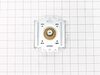
no heat
unplug the unit then pull down , lot of screws are on top. open the cover . you could see the parts that need to replace on the right hand side (heavy side). disconnect wires then test the parts that need to replace by a tester to make sure that it's really broke .then unscrew part and replace .
Parts Used:
-
Nelia from Streamwood, IL
-
Difficulty Level:Really Easy
-
Total Repair Time:30 - 60 mins
-
Tools:Nutdriver, Screw drivers
0 of 1 people
found this instruction helpful.
Was this instruction helpful to you?
Thank you for voting!
Microwave operated but did not heat
Initial failure of over range microwave Aug 3rd. Control Panel worked but no heat. Took to local LG authoriaed local repair place. They fixed it quickly and we re-installed it. Worked fine for 2 months then had similar failure again. Agaim took to same authorized repairer. They kept unit for 3 months but finally concluded theu could not fix it and suggested we contact LG for a partial refund. When they tested the unit during re-assembly in my presence, there was a blue flash and the fuse blew. Since we had built a custom tile mural back splash around this unit, I brought it home, ordered a number of time delay fuses new capacitor and two new high voltage diodes. However, using my Fluke DMM, I checked the existing capacitor and high voltage diode and they checked OK so I just replaced the time delay fuse. The high voltage transformer leads had 2 possible ways to connect to capacitor and diode. Tried one way, plugged unit in and turned it on, and immediatly blew the fuse. Replaced the fuse and reversed the high voltage transformer connections,amd turned unit pn, and it worked perfectly. Since we had experienced several power failures during the time of the original failure, the repairer concluded that power spikes might be at fault, so I also purchased a TrippLite ISOBAR4ULTRA 3300 Joule surge protector between wall outlet and microwave, and re-installed over range. It has worked perfectly since.
Parts Used:

-
Donald from Oak Ridge, TN
-
Difficulty Level:Easy
-
Total Repair Time:1- 2 hours
-
Tools:Screw drivers
3 of 10 people
found this instruction helpful.
Was this instruction helpful to you?
Thank you for voting!
cover fell apart
removed screw from inside wall. removed leftover board & replaced with new board & screw. good as new!!!
Parts Used:
-
Esther from Brooklyn, NY
-
Difficulty Level:Really Easy
-
Total Repair Time:Less than 15 mins
-
Tools:Screw drivers
0 of 1 people
found this instruction helpful.
Was this instruction helpful to you?
Thank you for voting!
No heat.
-
Mack from Jacksonville, FL
-
Difficulty Level:Really Easy
-
Total Repair Time:Less than 15 mins
-
Tools:Pliers, Screw drivers
0 of 1 people
found this instruction helpful.
Was this instruction helpful to you?
Thank you for voting!
Replacement of Magnetron
I UNPLUGGED the microwave and removed the cover, using a phillips and a Torx screwdriver for the machine screws. I set these screws aside, so as not to confuse them with the later encountered screws. I photographed the magnetron to assure proper placement of the 6 phillips machine screws involved in reassembly (marking the the locations on the old magnetron would do as well. I marked the old magnetron "old", to avoid later confusion. I removed the two screws holding the shields to the magnetron. I removed 3 of the 4 screws holding the magnetron to the microwave, leaving one of the top screws. I held the magnetron securely and removed the last screw, pulling out a the part of the magnetron that penetrated the microwave. I installed the new magnetron in reverse order. One problem I encountered was locating one of the six screws, which had been pulled into the old magnetron by magnetism.
Parts Used:
-
Benjamin from Anchorage, AK
-
Difficulty Level:Really Easy
-
Total Repair Time:15 - 30 mins
-
Tools:Screw drivers
0 of 1 people
found this instruction helpful.
Was this instruction helpful to you?
Thank you for voting!
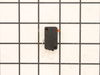
Door Interlock Switch Failed
Removed cover, diagnosed problem, ordered part from Parts Select, received part in 2 days, replaced part, tested and replaced oven into built in space.
Parts Used:
-
Michael from Littleton, CO
-
Difficulty Level:A Bit Difficult
-
Total Repair Time:More than 2 hours
-
Tools:Pliers, Screw drivers
Was this instruction helpful to you?
Thank you for voting!
Timer operated normally, but the microwave did not heat water or cook food.
Our GE Profile Advantium 120 Series Over-the-Range Microwave stopped working. We called GE Service. The first available appointment was two weeks after our call. The technician charged $99, gave us a form stating that the Magnetron and Diode Cable as defective and quoting an additional price of $362 to furnish and install these parts. He said that it would be another two weeks before he could do the work. Instead I ordered the parts from you and had them within two days. The parts you furnished were identical to the original parts in our unit. They arrived within two days. I installed the parts without removing the microwave from the wall. The most difficult part was inserting the magnetron mounting screws into openings in the rather tight space available. I was able to do this by using plastic pacaging tape to hold the screws onto the end of a short Phillip screw, Prior to iserting each screw I pushed it through the sticky side of a piece of packaging tape. I then folded the sticky surface over the shank of the screw. Once a screw was seated, but before it was fully tightened, I used needle nose pliers to pull off the tape. The unit now functions perfectly.
Parts Used:
-
Peter from Severna Park, MD
-
Difficulty Level:Difficult
-
Total Repair Time:More than 2 hours
-
Tools:Pliers, Screw drivers
Was this instruction helpful to you?
Thank you for voting!
When trying to run, intermittently, the light would come on but the tray wouldn't rotate or cook. When the door was open, the tray would intermittently rotate.
I pulled out the unit and found 2 interlock switches that are depressed when the door closes. After cycling the door open/closed I found that one of the switches occasionally would stay depressed. The repair was easy (after I took off the panels so I could get to the switch) I simply removed 2 screws that attached the interlock switch assemblies to the main unit. Then I popped out the defective switch and popped in the new one. This did indeed fix my problem.
Parts Used:
-
Sam from Chandler, AZ
-
Difficulty Level:Easy
-
Total Repair Time:15 - 30 mins
-
Tools:Nutdriver, Screw drivers
Was this instruction helpful to you?
Thank you for voting!
Microwave portion did not work, Halogen lights and fans did.
The primary door latch switch contacts were not closing properly. I broke the latch bracket while removing the switch. It is only a plastic clip that holds the switch in place. I replaced the switch and bracket. The Advantium now works in all modes.
Parts Used:
-
Gary from Mahopac, NY
-
Difficulty Level:Really Easy
-
Total Repair Time:15 - 30 mins
-
Tools:Pliers, Screw drivers
Was this instruction helpful to you?
Thank you for voting!