















SBDE520SW Amana Refrigerator - Instructions
Keep searches simple. Use keywords, e.g. "leaking", "pump", "broken" or "fit".
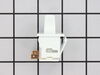
Switch was not working after a repairman had fixed something else
Please bear in mind I am 65 years old & it was harder to get up & down off the floor then to change the switch. Was very easy - watched video, unplugged unit. I used the putty knife at the right front corner to work loose, when it came loose had to loose the left side a little. The unit pulled out easily. detached the wired that had a single plug with 2 prongs on it. Attached the plug, pushed new switch into place. There was no way you could place wires on wrong prong. When done, plugged refrigerator back in & checked if working. I CAN SEE THE LIGHT and the food in the freezer now. Thank you for making an easy repair.
Parts Used:
-
Jackie from Nova, OH
-
Difficulty Level:Really Easy
-
Total Repair Time:Less than 15 mins
0 of 4 people
found this instruction helpful.
Was this instruction helpful to you?
Thank you for voting!
broke and lost the cam-hinge adj part
The repair went excellent! The part search was easy and shipped and delivered very quick!
Parts Used:

-
Michael from New Brighton, MN
-
Difficulty Level:Really Easy
-
Total Repair Time:Less than 15 mins
-
Tools:Nutdriver, Socket set
0 of 4 people
found this instruction helpful.
Was this instruction helpful to you?
Thank you for voting!
Ice Stripper was broke off, leaving the mounting tabs still inside their respected spaces in the ice-maker
Had to remove the ice-maker (also easier than trying to work inside the freezer letting all the cold air out). A few mounting screws and an electrical connection in the back. After it was out you will need to remove the cover (not the superficial cover that just pries off) where the gear is behind it, just far enough so you can get the mounting tabs on the ice-stripper in. In order to to move this cover out, after removing the screws (the obvious), you'll need needle nose pliers to ever so slightly squeeze the plastic clips together that hold the plastic movable bracket and the metal ice level arm/switch, so it will pop out. Once you have room to put the ice stripper in, it should just all snap back together, then proceed in reverse to put it all back together.
Parts Used:

-
Jason from Draper, UT
-
Difficulty Level:A Bit Difficult
-
Total Repair Time:30 - 60 mins
-
Tools:Pliers, Screw drivers
2 of 10 people
found this instruction helpful.
Was this instruction helpful to you?
Thank you for voting!
Both light bulbs had been replaced, but lights did not turn on.
I tried to remove the old light switch using a putty knife and a hammer. It was hard to compress the plastic tabs to pull it back through the hole, but all of a sudden, the lights came on. I guess banging on the switch freed-up the contacts. The new switch is now a spare part in case I need it.
Parts Used:
-
Richard from Arlington, MA
-
Difficulty Level:A Bit Difficult
-
Total Repair Time:30 - 60 mins
-
Tools:Pliers, Screw drivers
Was this instruction helpful to you?
Thank you for voting!
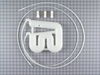
Musty taste to water from refridgerator water dispenser.
Replaced cold water dispenser reservoir. Removed back access panel on bottom of refridgerator. Cut hoses using a wire cutter and removed old reservoir. Installed new unit (one screw). Routed hoses through bottom of refridgerator. Cut length to allow hose splicing just beneath resevoir. Connected hoses using hose splicers provided with the part. Musty taste is better if a couple glasses of water are run through the unit before drinking each time. Previously the water never got better. I think more hoses need to be replaced in the door to fully solve the problem. Repair took less than 30 minutes.
Parts Used:
-
Edward from Washington, MI
-
Difficulty Level:Easy
-
Total Repair Time:15 - 30 mins
-
Tools:Nutdriver, Screw drivers
Was this instruction helpful to you?
Thank you for voting!
Broke the arm off the food compartment rocker switch
After receiving the new part almost immediately,using two screw drivers, removed the broken switch from the plastic frame. Be careful not to scratch or otherwise tear the plastic...very pliable. Since the original switch was factory installed and the wires were packed in fiberglass insulation, the switch came out but the wires and clips were still in place and could not reach the new switch. It was necessary to pull them down with bent long nose pliers...used a lot of "pull" but the wires held up.Connected the switch, turned the power on and there was light! Reports from other users really took the uncertainty out of the task.
Parts Used:
-
David from St. Pete Beach, FL
-
Difficulty Level:A Bit Difficult
-
Total Repair Time:15 - 30 mins
-
Tools:Pliers, Screw drivers
Was this instruction helpful to you?
Thank you for voting!
Wheel Broke

-
kenneth e. from phx., AZ
-
Difficulty Level:A Bit Difficult
-
Total Repair Time:15 - 30 mins
Was this instruction helpful to you?
Thank you for voting!
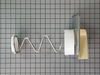
Auger would get jammed with ice in dispenser
Replacing the auger assembly was easy. Unfortunately it did not fix the problem, which was a weak auger motor. The motor would not turn the auger when a piece of ice would go into the area where the blades push it out. It would instead stop the motor and make it screech. This happened with every third piece of ice. Replacing the motor, which I bought elsewhere (couldn't find on this site) fixed the problem.
Parts Used:
-
Michael from Corpus Christi, TX
-
Difficulty Level:Really Easy
-
Total Repair Time:15 - 30 mins
-
Tools:Nutdriver
Was this instruction helpful to you?
Thank you for voting!
broken part
-
Jack from Rockaway Beach, MO
-
Difficulty Level:Really Easy
-
Total Repair Time:15 - 30 mins
-
Tools:Nutdriver, Screw drivers
Was this instruction helpful to you?
Thank you for voting!
Switch didn't work
followed the video as instructed. Saved two repairman calls, one to find the problem, one to install. Net savings was about $130.00
Parts Used:
-
Don from Laramie, WY
-
Difficulty Level:Easy
-
Total Repair Time:15 - 30 mins
Was this instruction helpful to you?
Thank you for voting!
Ice cubes would not come out
I removed 2 screws and lifted out the old part and replaced it with the new one, I am 79 years old and it only took about 25 minutes to have ice cubes again.
Parts Used:
-
Beverly from Chino Valley, AZ
-
Difficulty Level:Really Easy
-
Total Repair Time:15 - 30 mins
-
Tools:Screw drivers
Was this instruction helpful to you?
Thank you for voting!
Not cooling and making a clicking noise every 2-3 minutes
Looked up issue on the internet and found that other folks had the same problem and said it was probably the compressor starter. This is actually two parts, a capacitor and a capacitor relay. Wasn't sure which was causing the problem so made sure I ordered the part number which inscluded both. One plugs into the other. Easy enough to just unplug the parts from the side of the compressor. Plugged in the new parts and compressor kicked on. Evrything working as normal. No one locally had parts in stock so overnighted from Partselect.
Parts Used:
-
John from Norton, MA
-
Difficulty Level:Easy
-
Total Repair Time:15 - 30 mins
-
Tools:Nutdriver, Screw drivers
Was this instruction helpful to you?
Thank you for voting!
The ice maker auger was sprung out of alignment by ice cubes jammed at the rear of the ice basket (drawer).
The problem had occurred twice before and the metal auger could no longer be reliably forced back into alignment with its end cap. It was time for a replacement. I opted to replace the entire auger assembly including the crusher blade - a total of three individual parts in this assembly. With the Amana model and serial number in hand, I logged into PartSelect and found the ice maker part(s) in the fridge schematic diagram. I ordered the assembly which arrived early. It is easy to disassemble. Remove the ice drawer from the freezer, minus the ice, and place it upside down on a work surface. You only have to remove four screws; the two on the front bottom of the ice drawer and the two screws holding the little L-shaped brackets that receive those two bottom screws. Tip: To avoid any confusion during reassembly, just take a picture of each step of your disassembly. You can do it Noonan.
Parts Used:
-
Robert from Oskaloosa, IA
-
Difficulty Level:Easy
-
Total Repair Time:15 - 30 mins
-
Tools:Nutdriver, Screw drivers
Was this instruction helpful to you?
Thank you for voting!
Ice would not dispense
Reomove Ice bin from unit.remove plastic front. Remove the 2 bottom screws of dispenser assembly. removed old assembly. position new assembly. Replace bottom 2 screws.reinstall plastic front and reinstall into unit.
Parts Used:
-
Gregory from Willow Park, TX
-
Difficulty Level:Really Easy
-
Total Repair Time:15 - 30 mins
-
Tools:Nutdriver
Was this instruction helpful to you?
Thank you for voting!
broken roller
-
mark from marcella, AR
-
Difficulty Level:Really Easy
-
Total Repair Time:15 - 30 mins
-
Tools:Screw drivers
Was this instruction helpful to you?
Thank you for voting!