















RG45CW1 Frigidaire Range - Instructions
Keep searches simple. Use keywords, e.g. "leaking", "pump", "broken" or "fit".
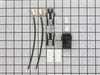
the burner stop working
-
Anthony J from HAMMONTON, NJ
-
Difficulty Level:Really Easy
-
Total Repair Time:15 - 30 mins
-
Tools:Screw drivers
2 of 2 people
found this instruction helpful.
Was this instruction helpful to you?
Thank you for voting!
Knobs for the three timers on the appliance console deteriorateddue to age.
The repair was very simple and easy. All I hqad to do was remove the old knobs and attach the new ones. No tool was required.
Parts Used:
-
Vincent from Bonita Springs, FL
-
Difficulty Level:Really Easy
-
Total Repair Time:Less than 15 mins
3 of 5 people
found this instruction helpful.
Was this instruction helpful to you?
Thank you for voting!
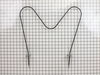
Shorted out baking element.
Took out bottom drawer and unplugged power cord, slid unit out to reach back panel,removed front door( 2 Phillips screws) making it easier to reach back of oven, removed screws inside of oven holding element in place, took plate off rear and removed the spade connectors with needle nose pliers. Slid new element into oven and replaced screws inside of oven. Connected the two spade wires on the back and replaced rear panel. Slid unit back in place and plugged the 220v power cord back in. Straightforward and very simple! It took 3 times longer to clean the oven while it was disconnected than it did to replace the element.!
Parts Used:
-
Monty from WILKESBORO, NC
-
Difficulty Level:Really Easy
-
Total Repair Time:30 - 60 mins
-
Tools:Nutdriver, Pliers
2 of 2 people
found this instruction helpful.
Was this instruction helpful to you?
Thank you for voting!
The bottom Heating element burned out.
I pulled out the stove from the wall and unplugged it. I then used a socket set with a long extension which made it easier to reach the rear wall of the stove. After removing the screws i gentle pulled the element forward and exposed the clips and wires. I removed the clips. The wires seemed to want to slip back into the hole so I used clothes pins to hold them in place. After I received the new element (Two Days) I reversed the process. Using a socket set it is very easy to tighten the screws to much. Be careful to just snug the screws. I plugged the unit back in and slid it back in place and turned it on.
Parts Used:
-
steven from EPPING, NH
-
Difficulty Level:Really Easy
-
Total Repair Time:Less than 15 mins
-
Tools:Socket set
2 of 3 people
found this instruction helpful.
Was this instruction helpful to you?
Thank you for voting!
oven heating element
I just removed two screws. Pulled the element out, unhooked the wires. plugged the wires into the new element screwed it in and was done
Parts Used:
-
Simon from New Port Richey, FL
-
Difficulty Level:Really Easy
-
Total Repair Time:Less than 15 mins
-
Tools:Nutdriver
1 person
found this instruction helpful.
Was this instruction helpful to you?
Thank you for voting!
The old element caught fire.
Unscrew the old one and unplug the wire leads. Then plug in the new one and bolt back up.
Parts Used:
-
Kyle from Jacksonville, FL
-
Difficulty Level:Really Easy
-
Total Repair Time:Less than 15 mins
-
Tools:Nutdriver
1 person
found this instruction helpful.
Was this instruction helpful to you?
Thank you for voting!
Lower element wouldn't heat
First I removed the two screws that hold the element in place. I then pulled the element out about 3 inches and disconnected the two wires, replaced witht he new element
Parts Used:
-
John from Elizabethville, PA
-
Difficulty Level:Really Easy
-
Total Repair Time:Less than 15 mins
-
Tools:Nutdriver
1 person
found this instruction helpful.
Was this instruction helpful to you?
Thank you for voting!
Bake element burned into two pieces.
Pulled stove out, removed screws that hold the element in place. Then pulled element out a few inches, diconnected the two wires. I connected the wires to the new element and put everything back to right. It was quick and easy.
Parts Used:
-
Joe from Alton, IL
-
Difficulty Level:Really Easy
-
Total Repair Time:Less than 15 mins
-
Tools:Screw drivers
1 person
found this instruction helpful.
Was this instruction helpful to you?
Thank you for voting!
The bake element burned out
I turned off the circuit breaker to the range. Next I removed the two screws that fastened the element to the rear of the oven. Then I pulled the element out far enough to be able to reach the spade clips and disconnected the element. I connected the replacement element to the clips and fastened it to the rear of the oven with the two screws. I turned the circuit braker on and the element functioned properly.
Parts Used:
-
Kenneth from Lake Luzerne, NY
-
Difficulty Level:Really Easy
-
Total Repair Time:Less than 15 mins
-
Tools:Screw drivers
1 person
found this instruction helpful.
Was this instruction helpful to you?
Thank you for voting!
Oven Baking Element Burned Through Causing It to Break Into Two Pieces
First my husband removed the two screws that held the heating element into place. I had tried it with pliers which didn't work well. But with the proper socket the screws came loose easily. He pulled the heating element out a few inches and detached the wires. He then slipped the wire over the new heating element and screwed the new element into place. Now we can bake again. Very easy and we received the part quickly.
Parts Used:
-
Melody from Moberly, MO
-
Difficulty Level:Really Easy
-
Total Repair Time:Less than 15 mins
-
Tools:Pliers, Socket set
1 person
found this instruction helpful.
Was this instruction helpful to you?
Thank you for voting!
Bake element split and quit heating
If I didn't need my oven ASAP, I would not even have attempted to do this repair before my husband came home. But he wasn't going to be home for hours, and I needed it now!
First, I took off the back panel. Slid off the wire connectors. Then moved to the inside of the oven and unscrewed the two screws that secure the element to the oven, and pulled the old one out. Put the new one in and reconnected the wires from the back, and replaced the back panel.
That was it! It worked great!! Very simple.
I called my husband immediately to tell him of my great accomplishment!! I was so proud of myself!
Thanks,
Vicki
First, I took off the back panel. Slid off the wire connectors. Then moved to the inside of the oven and unscrewed the two screws that secure the element to the oven, and pulled the old one out. Put the new one in and reconnected the wires from the back, and replaced the back panel.
That was it! It worked great!! Very simple.
I called my husband immediately to tell him of my great accomplishment!! I was so proud of myself!
Thanks,
Vicki
Parts Used:
-
Charles from Garrettsville, OH
-
Difficulty Level:Easy
-
Total Repair Time:Less than 15 mins
-
Tools:Screw drivers
1 person
found this instruction helpful.
Was this instruction helpful to you?
Thank you for voting!
Baking element went out
Removed back cover, unhooked wires, unscrewed and removed bad baking element. Reverse order to install. Less than 15 min. repair job.
Parts Used:
-
Brandon from Lexington, NC
-
Difficulty Level:Really Easy
-
Total Repair Time:Less than 15 mins
-
Tools:Screw drivers
2 of 4 people
found this instruction helpful.
Was this instruction helpful to you?
Thank you for voting!
Heating element cracked.
First unplugged the stove, then removed the screws holding the element in place. Next I pulled the element out until the wires were visible and unplugged them. After removing the old element, I plugged the new one in and positioned it with the screws. Plug the stove back in and done.
Parts Used:
-
Scott from Great Falls, MT
-
Difficulty Level:Easy
-
Total Repair Time:Less than 15 mins
-
Tools:Nutdriver
2 of 4 people
found this instruction helpful.
Was this instruction helpful to you?
Thank you for voting!
Oven bake element would'n heat
Removed the racks first. Then removed the two screws that held the element in place.
I then pulled the element out about three inches
exposing the connecting wires.Each wire has a female slide type connector just disconect each one and then connected the new element .
Attach new element by reptacing the two screws.
I then pulled the element out about three inches
exposing the connecting wires.Each wire has a female slide type connector just disconect each one and then connected the new element .
Attach new element by reptacing the two screws.
Parts Used:
-
James from Wyndmoor, PA
-
Difficulty Level:Really Easy
-
Total Repair Time:Less than 15 mins
-
Tools:Screw drivers
1 person
found this instruction helpful.
Was this instruction helpful to you?
Thank you for voting!
Oven element burned out
Really easy--unscrew screws, pull element out, unclip wire connection. Re-clip to new burner, put back in--done. Saved a $100 tech trip PLUS double mark up on part!
Parts Used:
-
Dr. Johanna V. from North Conway, NH
-
Difficulty Level:Really Easy
-
Total Repair Time:Less than 15 mins
-
Tools:Pliers, Wrench set
1 person
found this instruction helpful.
Was this instruction helpful to you?
Thank you for voting!