















RESF3330DB Samsung Range - Instructions
Keep searches simple. Use keywords, e.g. "leaking", "pump", "broken" or "fit".
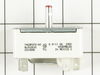
Burner heat does not turn down
Turn off breaker.
Remove knob, pulls off. Pulled stove away from wall.
Removed front panel with switches attached.
There are screws in front and back.
Removed screws that hold switch in place.
Transferred wires one at at time to get proper location.
Reverse process for reassembly
Gary in Ohio
Remove knob, pulls off. Pulled stove away from wall.
Removed front panel with switches attached.
There are screws in front and back.
Removed screws that hold switch in place.
Transferred wires one at at time to get proper location.
Reverse process for reassembly
Gary in Ohio
Parts Used:
-
Gary from Blanchester, OH
-
Difficulty Level:Easy
-
Total Repair Time:15 - 30 mins
-
Tools:Screw drivers
9 of 9 people
found this instruction helpful.
Was this instruction helpful to you?
Thank you for voting!
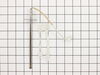
1998 oven unit flashing F3
SHUT OFF BREAKER FOR OVEN! pulled oven out to get at backside,removed 3 screws on back coverplate,removed 2 screws inside oven at sensor in top left corner of oven,disconnected plastic clip at back ,pulled old sensor through hole.replaced sensor with new in reverse order. 15minutes tops.
Parts Used:
-
chris from houston, TX
-
Difficulty Level:Really Easy
-
Total Repair Time:Less than 15 mins
-
Tools:Screw drivers
10 of 14 people
found this instruction helpful.
Was this instruction helpful to you?
Thank you for voting!
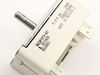
Burner would only cook on high setting or not heat up at all.
Shut off power to stove. Moved stove out. Loosened screws in top and middle back of stove and removed cover. Took mental note of color order of each wire and unhooked each wire from old switch and reattached to new switch in exact order of color of wire as original. Remounted cover on back of stove and reattached screws. Turned on power and turned on burner and tested burner for heat. Turned off burner, slid stove back and bingo - done. Saved a lot of money.
Parts Used:
-
Judy from West Salem, IL
-
Difficulty Level:A Bit Difficult
-
Total Repair Time:30 - 60 mins
-
Tools:Screw drivers
9 of 13 people
found this instruction helpful.
Was this instruction helpful to you?
Thank you for voting!
my oven would not heat to proper temp
I slide the range out and unplugged it from the outlet. I removed the back of the oven ( 8 screws ) using a cordless drill and phillips bit then with a phillips screwdriver I removed the oven sensor (2 screws) then I installed the new sensor , reinstalled the oven back , plugged the range in , slide it back into place and that was it. This repair took about 10 mins and the oven works perfectly. Thanks !
Parts Used:
-
mark from CHAMBERLAIN, SD
-
Difficulty Level:Very Easy
-
Total Repair Time:Less than 15 mins
-
Tools:Screw drivers
6 of 6 people
found this instruction helpful.
Was this instruction helpful to you?
Thank you for voting!
Replacement of bad switch
I marked all wires separately attaching a paper strip with tape to each connector and made a separate small chart where each wire should attach to the bottom of the switch. On this particular model there are three or four colored wires and two have both double and single connections to the same switch so the small chart told me where a single or double connector would attach even if I lost the attached taped information. Then since wires were marked separately, even if paper was lost I could still proceed with no outside help.
I had the luxury of leaving the breaker shut off while waiting for part to arrive. After arrival which was only a couple of days, I raised the stove top and let it rest on a small board maybe 1.5 feet so it would keep itself up.
The under assembly was already taken loose before so I just removed the broken switch taking all wires loose, which are already marked and replaced the switch with the new one. Gently placing each wire at its place after removing the tape for that connection. After all four wires were connected I held the switch up in place while screwing the two set screws into place. Then reattached the bottom assembly cover and then let the top down and reattached the four screws, one in each stove hole to attach the stove top to the under assembly. I then reattached one element and flipped the breaker switch on. No sound or problems so I tried the element and all is well. Reattached all elements and the project is done. PartSelect.com made this repair easy and economical. Replacement would have been 4x the part and shipping. Thanks.
I had the luxury of leaving the breaker shut off while waiting for part to arrive. After arrival which was only a couple of days, I raised the stove top and let it rest on a small board maybe 1.5 feet so it would keep itself up.
The under assembly was already taken loose before so I just removed the broken switch taking all wires loose, which are already marked and replaced the switch with the new one. Gently placing each wire at its place after removing the tape for that connection. After all four wires were connected I held the switch up in place while screwing the two set screws into place. Then reattached the bottom assembly cover and then let the top down and reattached the four screws, one in each stove hole to attach the stove top to the under assembly. I then reattached one element and flipped the breaker switch on. No sound or problems so I tried the element and all is well. Reattached all elements and the project is done. PartSelect.com made this repair easy and economical. Replacement would have been 4x the part and shipping. Thanks.
Parts Used:
-
Don from Roanoke, VA
-
Difficulty Level:Easy
-
Total Repair Time:15 - 30 mins
-
Tools:Screw drivers
8 of 13 people
found this instruction helpful.
Was this instruction helpful to you?
Thank you for voting!
Oven sensor caused cooling fan to run continuously. Had to flip breaker to get it to turn off..
Left oven off. Located sensor in pdf manual. Unscrewed mount, pulled sensor out to access connector. Disconnected old sensor, checked continuity(resistance) on ohms with multimeter. No continuity; connected new sensor, screwed mount back into place, turned on oven and baked cookies to check operation & it worked perfectly.
Parts Used:
-
Aubrey from EADS, TN
-
Difficulty Level:Really Easy
-
Total Repair Time:Less than 15 mins
-
Tools:Screw drivers
5 of 5 people
found this instruction helpful.
Was this instruction helpful to you?
Thank you for voting!
6" surface heating coil remained warm when "off"
Removed the large lower back panel of range (6-8 phillips screws) which holds upper control back panel in place. Removed upper control back panel (2 screws), exposing infinite switch electrical connections. At front face of control panel, removed (pulled off) control knob, exposing 2 phillips screws holding switch in place. (NOTE: A sleeve is on the switch arm or maybe remains inside the control knob). Look for this sleeve. Without it, the knob will NOT seize the switch rotary arm.
Removed each wire connection individually, one at a time, installing it in the proper position on the new switch.
Reverse all procedures to put things back together. A very simple, straight-forward operation.
Removed each wire connection individually, one at a time, installing it in the proper position on the new switch.
Reverse all procedures to put things back together. A very simple, straight-forward operation.
Parts Used:
-
William C. from Sealy, TX
-
Difficulty Level:Easy
-
Total Repair Time:30 - 60 mins
-
Tools:Screw drivers
8 of 15 people
found this instruction helpful.
Was this instruction helpful to you?
Thank you for voting!
power light on, but burner not getting hot
It was really easy. It took about 5 minutes to remove the screws holding the back in place. Another couple of minutes to remove the switch, and a few more minutes to change the wires over one at a time. Then 5 more minutes to put it all back together again, and plug it back in, and it just worked. Really simple.
Parts Used:
-
Aaron from Weymouth, MA
-
Difficulty Level:Really Easy
-
Total Repair Time:Less than 15 mins
-
Tools:Screw drivers
7 of 13 people
found this instruction helpful.
Was this instruction helpful to you?
Thank you for voting!
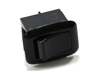
multiple size burner would only go to small size
popped out the old one with a screwdriver discconnected two wires, reconnected the wires to the new rocker sitch and popped in the new one..
Parts Used:
-
David from Westminster, CO
-
Difficulty Level:Really Easy
-
Total Repair Time:Less than 15 mins
-
Tools:Screw drivers
5 of 8 people
found this instruction helpful.
Was this instruction helpful to you?
Thank you for voting!
Oven was not correctly heating to set temperature
Removed the approximatly 10 screws that hold on both the upper and lower pieces of sheet metal that cover the back of the oven. Removed the screw holding in the temp sensor. Unplugged and removed the old sensor. Plugged in and installed the new sensor (using one of the included adapter wires supplied with the sensor). Put the 2 pieces of sheet metal back on and plugged in the oven.
Parts Used:
-
Trace from Ofallon, MO
-
Difficulty Level:Really Easy
-
Total Repair Time:Less than 15 mins
-
Tools:Nutdriver
4 of 5 people
found this instruction helpful.
Was this instruction helpful to you?
Thank you for voting!
Oven erratic, not heating correctly, timer beeper sounding
The video indicating •unscrew old sensor, •pull wiring, •unplug old sensor, and •plug in replacement was good until I pulled the old one and saw wire nuts behind the small square hole! After some research, I learned that the nuts COULD come through that small hole with use of needle nose pliers. One of the wire nuts had the edges pinched off (chipped) in the process. Then I learned about ceramic wire nuts, which I'd never previously encountered. Very important if you don't want to melt your nuts! I cut and stripped the end of a disconnect plug to the stove wiring and now I have a plug in place; which, hopefully, I'll never need to use.
Parts Used:
-
Dave from SANTA BARBARA, CA
-
Difficulty Level:A Bit Difficult
-
Total Repair Time:30 - 60 mins
-
Tools:Pliers, Screw drivers
3 of 3 people
found this instruction helpful.
Was this instruction helpful to you?
Thank you for voting!
one electric burner does not get hot
swap a known good coil around and still did not work. then measured voltage across the switch terminals and found out one leg was opened. Ordered a new switch which looked alike. The new switch could handle more current than the old one. Turned out that all terminals of the new switch were same size while the old one had 1 smaller size. Used the dremer tool to file it to fit the wire terminal. Also the burner knob had different grove type . Just forced it in.
Parts Used:
-
dinh from austin, TX
-
Difficulty Level:Easy
-
Total Repair Time:15 - 30 mins
-
Tools:Screw drivers
5 of 10 people
found this instruction helpful.
Was this instruction helpful to you?
Thank you for voting!
Indicator Lens melted and fell back into the control panel
I took the back panel off, removed the old lens, installed the new lens. How easy to order from home, receive the part, do the repair and pay less than it costs to simply drive to the parts house. Cool....
Parts Used:

-
Philip from Houston, TX
-
Difficulty Level:Really Easy
-
Total Repair Time:Less than 15 mins
-
Tools:Screw drivers
3 of 4 people
found this instruction helpful.
Was this instruction helpful to you?
Thank you for voting!
ovens wouldn't maintain temperature after preheat cycle
unplugged oven. removed 2 screws that hold the sensor in place, then removed the dozen or so screws that hold on the rear panel, unplugged sensor and fed wire through insulation. identified and installed correct harness adapter then fed new wire and connecter through insulation and connected to adapter. installed sensor retaining screws.plugged oven back in and tested function.no dice. unplugged oven once again. removed oven control panel and upon inspection of printed circuit board discovered 3 solder joints had failed. dang. resoldered failed joints and also sweetened up a few others that looked suspect. reinstalled controller, replaced all retaining hardware, and plugged in the oven. tah-dah!! works like a charm now. moral of the story is check the pc board first and save $50 for unneeded pats!!! or buy the controller from parts direct for $260ish. btw a roll of solder and soldering iron from an auto parts store cost around $10, learned to solder on you-tube $0. amazing all the home appliances yo can fix if you're not afraid to take a few screws out and poke around a bit. CHEERS!
Parts Used:
-
sherri from elk horn, IA
-
Difficulty Level:A Bit Difficult
-
Total Repair Time:30 - 60 mins
-
Tools:Screw drivers
3 of 4 people
found this instruction helpful.
Was this instruction helpful to you?
Thank you for voting!
After cleaning, F1-1 error flashed and neither oven worked
First I called a repairman and left a message. That was 3 weeks ago. So, I 'googled' the error message and determined what part I thought I needed. Ordered the part on Wednesday evening and it was there when I got home from work on Friday. I unpacked the part, got a phillips screwdriver and then watched the repair video on your website. About 20 minutes later I pushed my stove back in place and the flashing said 'set time'. Then I checked both ovens, and have since used both, and everything works!!
Parts Used:
-
Georgene from Rock City, IL
-
Difficulty Level:Easy
-
Total Repair Time:15 - 30 mins
-
Tools:Screw drivers
3 of 5 people
found this instruction helpful.
Was this instruction helpful to you?
Thank you for voting!