















RBS360DM2BB General Electric Range - Instructions
Keep searches simple. Use keywords, e.g. "leaking", "pump", "broken" or "fit".
Oven on range did not work properly
My oven bake element melted one day. I had my husband replace it and for a short while it worked. Then it quit but then our broil element would not shut off. My husband said that it might be the heat sensor. We checked here in town and that element cost over $80. Since we have order from Parts Select before we decide to do so again. When we received the heat sensor my husband replaced it taking out the original heat sensor. This did not work as the broil element still would not turn off. I call the repair man and I found out that the initial melt down of the bake element also effected the main circut board that had to e replaced.
Parts Used:

-
Dinah from Juneau, AK
-
Difficulty Level:Very Difficult
-
Total Repair Time:More than 2 hours
-
Tools:Socket set
10 of 13 people
found this instruction helpful.
Was this instruction helpful to you?
Thank you for voting!
Oven not holding a consistant temperature. Found the replacement part easily on you website.Thanks to your photo.
First turned off power at breaker box. Pulled stove out to remove the half dozen hex screws on the back panel.(some nuts were stripped)Removed old oven sensor inside oven held by one hex screw and replaced it with the new part. Oven works great now! Repair job was done by husband Mike.
Parts Used:
-
Cindy from Murrells Inlet, SC
-
Difficulty Level:Easy
-
Total Repair Time:15 - 30 mins
-
Tools:Nutdriver
10 of 14 people
found this instruction helpful.
Was this instruction helpful to you?
Thank you for voting!
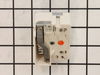
Burner went to "HI" after control knob turned past "MED"
Removed the screws holding the back in place, then pulled off the control knob and removed the two screws holding the infinity switch. Swapped the leads from the old to the new switch and reinstalled everything. Worked like a champ!
Parts Used:
-
Joel from Colorado Springs, CO
-
Difficulty Level:Really Easy
-
Total Repair Time:Less than 15 mins
-
Tools:Screw drivers, Socket set
9 of 12 people
found this instruction helpful.
Was this instruction helpful to you?
Thank you for voting!
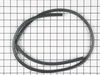
Oven gasket pulled from clips.
Removed old gasket and pried out clips with screwdriver. Installed new gasket.
Parts Used:
-
John from Clayton, MI
-
Difficulty Level:Really Easy
-
Total Repair Time:Less than 15 mins
-
Tools:Screw drivers
12 of 22 people
found this instruction helpful.
Was this instruction helpful to you?
Thank you for voting!
Heat sensor malfunction
Disconnect power, then remove racks from oven, locate heat sensor by the broiler element. Use ratchet with extension and correct socket to remove the bolt directly under the heat sensor, pull the sensor out till you see the plug, disconnect the plug and then connect new sensor to it push wire back thru and then rebolt the new sensor on, thats it...
Parts Used:
-
Diane from BUTLER, PA
-
Difficulty Level:Really Easy
-
Total Repair Time:Less than 15 mins
-
Tools:Socket set
7 of 7 people
found this instruction helpful.
Was this instruction helpful to you?
Thank you for voting!
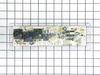
Cooktop oil fire melted plastic parts; control defaced
Some of the original TO-9 switches were fused by the heat. I made them functional again with a cutter on a rotary tool, but to make the repair properly, I ordered the new control unit and the faceplate graphics. Note the guide tabs at the bottom and right edges when replacing the graphics. Don't plan on reusing your old graphics (unless you are a wizard at removing the very strong adhesive).
To gain access to the part, remove the 2 screws (part 715) in the bottom of the control assembly with a stubby screwdriver. Using a nut driver, remove the two screws (part 1000) on the back at the corners, being careful not to drop them behind the oven. Pull out at the bottom, then move the whole unit toward you. Note the position of the wires. A digital photo can help here. Remove the wiring and 4 screws holding the clear plastic TO-9. Put the screws in the new unit in the same holes and rewire. Put the assembly in place top-first and align the screw holes. Finding the same thread placement for the lower screws can be tricky, so start them gently.
To gain access to the part, remove the 2 screws (part 715) in the bottom of the control assembly with a stubby screwdriver. Using a nut driver, remove the two screws (part 1000) on the back at the corners, being careful not to drop them behind the oven. Pull out at the bottom, then move the whole unit toward you. Note the position of the wires. A digital photo can help here. Remove the wiring and 4 screws holding the clear plastic TO-9. Put the screws in the new unit in the same holes and rewire. Put the assembly in place top-first and align the screw holes. Finding the same thread placement for the lower screws can be tricky, so start them gently.
Parts Used:
-
John from Gaston, OR
-
Difficulty Level:Easy
-
Total Repair Time:15 - 30 mins
-
Tools:Nutdriver, Screw drivers
12 of 22 people
found this instruction helpful.
Was this instruction helpful to you?
Thank you for voting!
The broiler element wouldn't work.
After I ordered a new element unit, I read the "do it yourself" review on the page. I took the back off of the range and found the broken wire. I found that I had the same problem with the wiring, and that maybe the element was not the problem. I went to Lowe's and purchased a female spade connector, because no one would sell me one through the parts department. All I did was cut off the wire at the end of the burned section, stripped back about 1/2 inch of the wire and put on the new spade connector. I took off the origonal connector/crimp, and slipped on the new one. (You do have to make sure that the wiring doesn't touch the range back) The element was not the problem, so the origonal one still works fine. I may keep the element I ordered, just to have it if this one goes out. I didn't even need to remove the screws from the element inside the oven. It can all be done from the back of the range.
Parts Used:

-
Lajuanna from O'Fallon, IL
-
Difficulty Level:Easy
-
Total Repair Time:30 - 60 mins
-
Tools:Nutdriver, Pliers
7 of 8 people
found this instruction helpful.
Was this instruction helpful to you?
Thank you for voting!
Oven is off 10 degrees
I changed out the sensor and still same problem. Change out Thermosat and still same problem.
I call the help number and emailed the help but I got nothing but have to many calls because of the virus situation.
Still need help.
I’m an electrician and I don’t want to call a service technician and pay that big bill.
Can anyone there help me out, if so please call.
Ike Stanton
678-525-6644
I call the help number and emailed the help but I got nothing but have to many calls because of the virus situation.
Still need help.
I’m an electrician and I don’t want to call a service technician and pay that big bill.
Can anyone there help me out, if so please call.
Ike Stanton
678-525-6644
Parts Used:
-
Ike from LOGANVILLE, GA
-
Difficulty Level:Very Difficult
-
Total Repair Time:30 - 60 mins
-
Tools:Screw drivers
7 of 8 people
found this instruction helpful.
Was this instruction helpful to you?
Thank you for voting!
The oven did not get up to or hold the correct temperature
This should have been a very easy fix. But, as I tried to pull out the old temperature sensor, the wire would not come out. I was afraid to pull too hard because I did not want to break the wire. So, I coxed it out easily until I could see the plastic connector. Then, the old wire pulled free from the connector leaving the end of the connector inside the back of the oven. I then had to fish the end of the wire around with the piece of wire through the very small hole in the back of the oven. Once I got it close to the hole, I was able to grab the connector with some needle nose plyers. Connecting the new sensor and reinstalling everything was easy and the oven now works just fine.
Parts Used:
-
Robert from ARROYO GRANDE, CA
-
Difficulty Level:Really Easy
-
Total Repair Time:30 - 60 mins
-
Tools:Pliers, Screw drivers
6 of 6 people
found this instruction helpful.
Was this instruction helpful to you?
Thank you for voting!
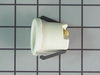
Replace Oven light socket and light bulb in kitchen Range
1) Turn off power at circuit breaker panel
2) Slide out Range from wall
3) Unplug Range
4) Remove back panel and unplug electrical connections to socket
5) From front of oven, remove glass cover over old oven light bulb and remove flange that holds socket and bulb
6) Remove old socket from mounting flange and discard.
7) Place new socket into mounting flange
8) Screw mounting flange and new socket into the oven from front. Reattach electrical connections from back.
9) Screw in new light bulb from front
10) Replace existing glass cover over new light bulb and snap wire holder in place
11) Replace back panel
11) Plug in range
12) Slide range back to original position
13) Turn on power
Works like a charm! Thanks for having the parts after 30 years!
2) Slide out Range from wall
3) Unplug Range
4) Remove back panel and unplug electrical connections to socket
5) From front of oven, remove glass cover over old oven light bulb and remove flange that holds socket and bulb
6) Remove old socket from mounting flange and discard.
7) Place new socket into mounting flange
8) Screw mounting flange and new socket into the oven from front. Reattach electrical connections from back.
9) Screw in new light bulb from front
10) Replace existing glass cover over new light bulb and snap wire holder in place
11) Replace back panel
11) Plug in range
12) Slide range back to original position
13) Turn on power
Works like a charm! Thanks for having the parts after 30 years!
Parts Used:

-
Ronald from TUCSON, AZ
-
Difficulty Level:A Bit Difficult
-
Total Repair Time:30 - 60 mins
-
Tools:Pliers, Screw drivers, Socket set, Wrench set
6 of 6 people
found this instruction helpful.
Was this instruction helpful to you?
Thank you for voting!
F2 error; over heating, unknown reason
-
Tim from LEAVENWORTH, WA
-
Difficulty Level:Very Easy
-
Total Repair Time:15 - 30 mins
-
Tools:Nutdriver, Screw drivers
6 of 6 people
found this instruction helpful.
Was this instruction helpful to you?
Thank you for voting!
Oven temperature would not go above 240 degrees
Pulled the oven out and unplugged it. Removed five screws and the back cover. Disconnected the electrical connection. Removed one screw and pulled the sensor out. Installed the sensor and screw. Made the electrical connection on the back, replaced the cover and five screws. Plugged the electrical cord back in and tested the oven temperature compared to the setting. Worked great. My wife then made a small batch of muffins to test it out and they were good.
Parts Used:
-
Glenn from Grapevine, TX
-
Difficulty Level:Really Easy
-
Total Repair Time:15 - 30 mins
-
Tools:Nutdriver
7 of 9 people
found this instruction helpful.
Was this instruction helpful to you?
Thank you for voting!
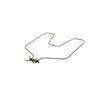
The oven was not getting very hot because the bake element had stopped working (broiler element was fine).
I turned off the breaker to the stove, took the oven racks out, used my pliers to remove the nuts that hold the bake element in place, then used the pliers to disconnect the old element from the wires in the back of the stove. Connected the new element, screwed the nuts back in, flipped the breaker back on, and turned on the oven. Ten minutes, tops.
Parts Used:
-
Linda from Bella Vista, AR
-
Difficulty Level:Really Easy
-
Total Repair Time:Less than 15 mins
-
Tools:Pliers
6 of 7 people
found this instruction helpful.
Was this instruction helpful to you?
Thank you for voting!
8" element shorted out
First replaced the 8" burner element-still did not work.
second: replaced the TERMINAL BLOCK KIT still did not work.
third : finally replaced switch: very easly-make sure you do not take off any of the wires on the back of the switch-take new switch and replace each wire on the same location than remove the old switch and replaced wired new on with the two screws.
second: replaced the TERMINAL BLOCK KIT still did not work.
third : finally replaced switch: very easly-make sure you do not take off any of the wires on the back of the switch-take new switch and replace each wire on the same location than remove the old switch and replaced wired new on with the two screws.
Parts Used:
-
David from Highlands, NJ
-
Difficulty Level:Really Easy
-
Total Repair Time:Less than 15 mins
-
Tools:Nutdriver, Screw drivers
6 of 8 people
found this instruction helpful.
Was this instruction helpful to you?
Thank you for voting!
Oven in accurate temp too low.
Open the oven , remove one screw holding the sensor remove the sensor and replace the sensor.
Parts Used:
-
Joseph from LIBERTY HILL, TX
-
Difficulty Level:Really Easy
-
Total Repair Time:Less than 15 mins
-
Tools:Nutdriver
6 of 8 people
found this instruction helpful.
Was this instruction helpful to you?
Thank you for voting!