















RB80 - Instructions
Keep searches simple. Use keywords, e.g. "leaking", "pump", "broken" or "fit".
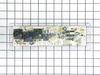
Yje electronic control panel was shorted out. I orderd a new one and in a timely mannor your service delivered the part via Fed Ex.
The repair was simple. All wires were color coded and the new part had the same color codes marked. Simply unplugged the wires from the bad part and plugged them into the new part a reinstalled the part to the back panel of the range.
Parts Used:
-
Gary from Wichita, KS
-
Difficulty Level:Really Easy
-
Total Repair Time:15 - 30 mins
-
Tools:Nutdriver
28 of 36 people
found this instruction helpful.
Was this instruction helpful to you?
Thank you for voting!
Everything worked on the microwave, except it would not heat anything.
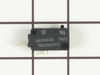
The microwave had been working fine until one day when the timer counted down but the heating motor (or whatever you call it) would not come on. So the timer would count down but nothing inside would get hot. I did not know what it was for sure but decided to take it apart and look. Once I had the control panal off, I found three small wired switches inside. One of these switches appeared to have shorted out. So I searched online and found Partselect.com. I found a matching switch , ordered it (arrived in couple days), put it in, and VOILA it works! Thanks Partselect.com.
Parts Used:
-
Randy from Ottawa, IL
-
Difficulty Level:Easy
-
Total Repair Time:15 - 30 mins
-
Tools:Screw drivers
27 of 34 people
found this instruction helpful.
Was this instruction helpful to you?
Thank you for voting!
When opening door, the microwave would turn on
I've been fixing and taking things apart since I was a kid. I hoped that it was a bad switch in the door. Got out my test meter and check the 3 different switches. All 3 tested good, but one was a bit hit and miss. It would work if the microwave was on its side and wouldn't when it was set flat. I found the switch online and installed it. Took care of the problem.It was a whole lot cheaper than buying a new microwave. Thanks! Bill Brown, Fridley, MN
Parts Used:
-
William from Fridley, MN
-
Difficulty Level:Easy
-
Total Repair Time:Less than 15 mins
-
Tools:Screw drivers
23 of 29 people
found this instruction helpful.
Was this instruction helpful to you?
Thank you for voting!
Broiler burnt out.
Removed screws using nut driver. Pulled element way forward until wires came through. Pondered how to detach burned out element from wires. Chickened out, call neighbor who grasped things firmly with two hands and pulled. Old element came loose. Popped in new element. Cursed the screws that wouldn't align with holes to support element; finally did it. Screwed element plate in place. Put oven door back on, plugged it in and turned it on hoping that we hadn't reversed the wires. Job accomplished.
Parts Used:

-
ellen from centennial, CO
-
Difficulty Level:Easy
-
Total Repair Time:15 - 30 mins
-
Tools:Nutdriver
20 of 24 people
found this instruction helpful.
Was this instruction helpful to you?
Thank you for voting!
Oven Element had burned out
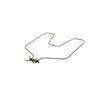
My husband did it, we unplugged the stove first then he removed the damaged element replaced it with the new plugged it back in and we were in buisness. I like that this was an acutual part for my stove(not some universal thing) and it arrived very quickly.
Parts Used:
-
Jeanette from Salem, IA
-
Difficulty Level:Easy
-
Total Repair Time:Less than 15 mins
-
Tools:Screw drivers, Socket set
18 of 20 people
found this instruction helpful.
Was this instruction helpful to you?
Thank you for voting!
Left rear element would not get hot.
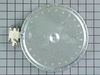
FIRST TURN OFF THE CIRCUIT BREAKERS THAT POWER THE COOKTOP!! Remove the cooktop from the counter by removing the screws from the mounting straps under the counter. Then remove the screws that hold the glass cooktop to the frame and lift off the glass top. Next lift up the bad element and unplug one wire from the bad element and plug it into the new element. Make sure to put it on the exact same terminal of the new element. Do this for all the wires. Remove the two mounting tabs from the old element and put them on the new element. Turn on circuit breakers and your done.
Parts Used:
-
John from Hopewell Junction, NY
-
Difficulty Level:Easy
-
Total Repair Time:15 - 30 mins
-
Tools:Nutdriver, Screw drivers
19 of 25 people
found this instruction helpful.
Was this instruction helpful to you?
Thank you for voting!
Oven wouldn't heat
Remove upper rear cover (4 hex screws), then I removed the 4 phillips screws that mount the control panel, I memorized the wire positions (easy since they are color coded) unplug the wires and remove the old control panel. The face plate of the control panel did not come off easily and the adhesive pulled off some of the white paint, leaving an unsightly clear edge. So I used white-out, and painted the areas where the finish had pulled off. It worked beautifully, and the color match is perfect. Then I reapplied the face plate, put the new control panel in position, connected wires, screwed screws, repositioned rear cover, screwed screws, plugged it in and it was done. The longest pare of the job was waiting for the white-out to dry.
Parts Used:
-
Jeffrey from Hilton Head, SC
-
Difficulty Level:Really Easy
-
Total Repair Time:1- 2 hours
-
Tools:Nutdriver, Screw drivers
17 of 19 people
found this instruction helpful.
Was this instruction helpful to you?
Thank you for voting!
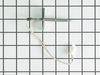
defective temp. sensor
Removed oven from cabinet. unblug old sensor pluged in new and reinstalled oven. Esay repair though wish oven was designed so did not have to pull itout of cabinet which requires disconect electric cabel
Parts Used:
-
Armand from COVENTRY, CT
-
Difficulty Level:Easy
-
Total Repair Time:30 - 60 mins
-
Tools:Screw drivers
20 of 30 people
found this instruction helpful.
Was this instruction helpful to you?
Thank you for voting!
When baking at temps > 400 the oven would beep with an error code F5 and shut off
I downloaded the installaion manual from the web for this model. First htings first, I located the circuit breaker for the oven and turned it off. Removed the lower trim piece from the bottom, next lifted the oven door off its hinges and set it to the side. I then wrapped a couple of small towels around the hinges for the door as per the manual (the hinges can pinch a finger). I then removed the four screws which secured the oven into the cabinet. Next I slid the oven forward allowing me access to the rear. I removed the pieces from the rear to gain access to the sensors connector, and unpl;ugged the sensor. Went around to the front and unscrewed the 2 screws securing the sensor and removed it. I then installed the new sensor, replaced the rear covers, slid the oven back into the cabinet, secured the four screws, snapped on the lower trim, remounted the oven door, and turned the breaker on. Oven working fine now.
Parts Used:
-
Jack from Cypress, TX
-
Difficulty Level:Easy
-
Total Repair Time:30 - 60 mins
-
Tools:Nutdriver, Screw drivers
16 of 20 people
found this instruction helpful.
Was this instruction helpful to you?
Thank you for voting!
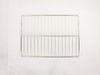
Oven rack missing when I purchased the house
I was very pleased with how quickly the new oven rack arrived and it was a perfect fit. Thanks.
Parts Used:
-
Patricia from Houston, TX
-
Difficulty Level:Really Easy
-
Total Repair Time:Less than 15 mins
18 of 28 people
found this instruction helpful.
Was this instruction helpful to you?
Thank you for voting!
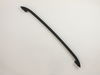
the oven handle broke during delivery
I remove the damage handle from the oven door,Then i install the new door handle with no problem.The tools i used was a hand nut driver and a phillip #3driver.
Parts Used:
-
william from new orleans, LA
-
Difficulty Level:Easy
-
Total Repair Time:Less than 15 mins
-
Tools:Nutdriver, Screw drivers
15 of 19 people
found this instruction helpful.
Was this instruction helpful to you?
Thank you for voting!
Interior light needed replaced
Unplugged the appliance for safety. Removed two 1/4" screws that held the assembly in place. Carefully removed the wire guard that retains the glass shield. Unscrewed old light bulb and replaced with new part. Reversed the steps after cleaning glass cover.
Parts Used:

-
Leo from TWIN FALLS, ID
-
Difficulty Level:Really Easy
-
Total Repair Time:Less than 15 mins
-
Tools:Nutdriver
22 of 43 people
found this instruction helpful.
Was this instruction helpful to you?
Thank you for voting!
Oven was not reaching or maintaining temperature.
Took off oven door and removed racks. Removed the cover on the back side (5 screws removed with nut driver) Pulled sensor out the front side of the oven. Threaded the new sensor through and put all back together.
Parts Used:
-
Raymond from Madrid, IA
-
Difficulty Level:Really Easy
-
Total Repair Time:15 - 30 mins
-
Tools:Nutdriver
14 of 20 people
found this instruction helpful.
Was this instruction helpful to you?
Thank you for voting!
Broiler element was burned out
After turning the power off to the range, it was as simple as removing the screws for the broiler itself and the bracket and plugging in the new element. Yes, it was that easy.
Parts Used:
-
Ursula from Suffolk, VA
-
Difficulty Level:Really Easy
-
Total Repair Time:Less than 15 mins
-
Tools:Nutdriver
11 of 11 people
found this instruction helpful.
Was this instruction helpful to you?
Thank you for voting!
microwave would not start
-
JULIA from JACKSONVILLE, FL
-
Difficulty Level:Really Easy
-
Total Repair Time:Less than 15 mins
-
Tools:Screw drivers
13 of 18 people
found this instruction helpful.
Was this instruction helpful to you?
Thank you for voting!