















PVM9179SK2SS General Electric Microwave - Instructions
Keep searches simple. Use keywords, e.g. "leaking", "pump", "broken" or "fit".
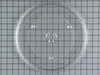
Tray cracked after only 4 months of use
Replacement tray was installed. It was larger than the original tray, but it fits in.
Parts Used:
-
Florence from Lake Forest, IL
-
Difficulty Level:Really Easy
-
Total Repair Time:Less than 15 mins
3 of 4 people
found this instruction helpful.
Was this instruction helpful to you?
Thank you for voting!
Dropped and broke the cooking tray
New one arrived very quickly.
Right part. Right on time. Fit like it should.
Excellent service.
Right part. Right on time. Fit like it should.
Excellent service.
Parts Used:
-
DAVID from IRVINE, CA
-
Difficulty Level:Really Easy
-
Total Repair Time:Less than 15 mins
4 of 7 people
found this instruction helpful.
Was this instruction helpful to you?
Thank you for voting!
Glass light lens cover was cracked
I first read the previously posted directions from other customers that were sent with my part order confirmation, which were all very helpful. Then, I basically used a screw driver to unscrew the screw holding the lens cover in place - be careful as it is a very tiny screw and it can easily fall behind your oven. You might want to place a large piece of cardboard over the space between oven and wall, as I did, so that you don't lose the screw in case it falls. Next I pried open the prongs, carefully slid out the cracked lens, and slid the new lens in place, pushed back the prongs and put the screw back in. I found that it was easier to use my fingers to first place and tighten the screw because it is very small and will keep falling out of place if you try to just use the screwdriver. Good luck!
Parts Used:
-
Marion from GILBERTSVILLE, PA
-
Difficulty Level:Very Easy
-
Total Repair Time:Less than 15 mins
-
Tools:Screw drivers
2 of 2 people
found this instruction helpful.
Was this instruction helpful to you?
Thank you for voting!
broken
-
Janet from Fort Worth, TX
-
Difficulty Level:Really Easy
-
Total Repair Time:Less than 15 mins
3 of 5 people
found this instruction helpful.
Was this instruction helpful to you?
Thank you for voting!
Frost build up on bottom to ice bin and delivery chute in door creating ice blockage
Remove the ice bin.
Turn the ice maker selection to "OFF"
Use small flat blade screwdriver to open the plastic ears on the electic plug in connectiion
Use #2 Phillips screwdriver to remove the screw on the front left side of the ice maker
Pull the ice maker forward until free of the two studs in the left side rear of the freezer wall
Check to see if the supplied water chute is the correct size for your application, if not remove the water chute from the old ice maker and place it on the new one.
Place the new ice maker in the freezer connecting the slots on the left read with the studs on the left wall
NOTE; IF THE ICE MAKER DOES NOT APPEAR TO BE LEVEL HORIZONTALLY REMOVE IT AND CAREFULLY REINSTALL IT TO ACHIEVE LEVEL
NOTE: ENSURE THE WATER DELIVERY TUBE RESTS IN THE RECEIVER TRAY
Reconnect the electrical plug ( needle nose pliers may be helpful in aligning the male plug with the female plug)
Move the selector from "OFF" to "ON"
Replace the ice bin and close the freezer door
Turn the ice maker selection to "OFF"
Use small flat blade screwdriver to open the plastic ears on the electic plug in connectiion
Use #2 Phillips screwdriver to remove the screw on the front left side of the ice maker
Pull the ice maker forward until free of the two studs in the left side rear of the freezer wall
Check to see if the supplied water chute is the correct size for your application, if not remove the water chute from the old ice maker and place it on the new one.
Place the new ice maker in the freezer connecting the slots on the left read with the studs on the left wall
NOTE; IF THE ICE MAKER DOES NOT APPEAR TO BE LEVEL HORIZONTALLY REMOVE IT AND CAREFULLY REINSTALL IT TO ACHIEVE LEVEL
NOTE: ENSURE THE WATER DELIVERY TUBE RESTS IN THE RECEIVER TRAY
Reconnect the electrical plug ( needle nose pliers may be helpful in aligning the male plug with the female plug)
Move the selector from "OFF" to "ON"
Replace the ice bin and close the freezer door
Parts Used:

-
Ronald from PONCA CITY, OK
-
Difficulty Level:Really Easy
-
Total Repair Time:15 - 30 mins
-
Tools:Pliers, Screw drivers
3 of 5 people
found this instruction helpful.
Was this instruction helpful to you?
Thank you for voting!
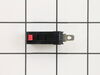
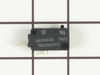
Still runs even the door was open
Pulled it from the wall remove the front vent covers removed the control panel remove the door switches by a special screw driver bit which looks a star remove the electrical terminals pressed the plastic clip pulled the switch replaced it with new one then followed initial steps backward
Parts Used:
-
Erwin from CONROE, TX
-
Difficulty Level:Really Easy
-
Total Repair Time:30 - 60 mins
-
Tools:Pliers
2 of 3 people
found this instruction helpful.
Was this instruction helpful to you?
Thank you for voting!
Microwave will not start
Removed three screws from the top front cover and slide it out and following I removed the touch panel and the housing that holds the switches and replaced the bad one.
Parts Used:
-
Carlos from GLENDALE, NY
-
Difficulty Level:Very Easy
-
Total Repair Time:15 - 30 mins
-
Tools:Nutdriver, Screw drivers
3 of 6 people
found this instruction helpful.
Was this instruction helpful to you?
Thank you for voting!
microwave Quit working but lights worked
-
Rick from Muncie, IN
-
Difficulty Level:Really Easy
-
Total Repair Time:15 - 30 mins
-
Tools:Screw drivers
5 of 12 people
found this instruction helpful.
Was this instruction helpful to you?
Thank you for voting!
light lens broke a couple of years ago
unscrewed the screw, pried up metal tabs that hold in light lens. took out broken pieces, slid in new light lens re-secured tabs with fingers, screwed in the screw again.
Parts Used:
-
KAREN from MANSFIELD, MA
-
Difficulty Level:Really Easy
-
Total Repair Time:Less than 15 mins
-
Tools:Screw drivers
3 of 6 people
found this instruction helpful.
Was this instruction helpful to you?
Thank you for voting!
rotating plate broke
-
regina from weston, FL
-
Difficulty Level:Really Easy
-
Total Repair Time:Less than 15 mins
2 of 3 people
found this instruction helpful.
Was this instruction helpful to you?
Thank you for voting!
Broken lens
remove two screws bend out flaps remove broken glass install new glas bend flaps back to hold glass install two screws. Done.
Parts Used:
-
Norman from Voorheesville, NY
-
Difficulty Level:Really Easy
-
Total Repair Time:Less than 15 mins
-
Tools:Screw drivers
1 person
found this instruction helpful.
Was this instruction helpful to you?
Thank you for voting!
Microwave would run but not heat
Removed the control panel, one screw at the top. Removed 2 screws on the door switch holder and removed the door switch. VERY EASY.
Parts Used:
-
Timothy from MAYSVILLE, GA
-
Difficulty Level:Really Easy
-
Total Repair Time:Less than 15 mins
-
Tools:Screw drivers
1 person
found this instruction helpful.
Was this instruction helpful to you?
Thank you for voting!
Previoous glass lens was broken
This repair was easy and could be done by anyone. If you undertake to do this replacement, remember to slowly bend the medal tabs back that hold the lens. Handled roughly these tabs could break off.
This repair can be don in under 5 minutes, easily !!
This repair can be don in under 5 minutes, easily !!
Parts Used:
-
Tommy from Santa clarita, CA
-
Difficulty Level:Really Easy
-
Total Repair Time:15 - 30 mins
-
Tools:Screw drivers
1 person
found this instruction helpful.
Was this instruction helpful to you?
Thank you for voting!
Microwave would run when door was opened, tripped breaker, wouldn't run at times, door opening and close would help/hurt operation
The breaker was tripped but fuse was ok on testing. I kept the fuse for possible future repairs. To access door switches and fuse on this model JVM1850CF001, remove 2 phillips screws at top. Then slide the grill to the left (toward hinges) about 1 cm and it should easily come off forwardly. Remove phillips screw underneath grill attaching the main panel. Lift the panel 1 cm and it will easily come off forwardly - I let it hang by the electrical cords. Now you can see/discharge capacitor(s). Remove 2 star screws inside door to loosen/remove/access door switch frame. 3 switches are held in the frame by plastic tabs - one tab per switch. One is primary and 2 are secondary door switches. I removed each switch one at a time by lifting tab, pulled off the electrical connector and filed the male metal connection on each switch. I replaced the switch with a loose button (loose and didn't click as crisply compared to the other switches) with a new secondary door switch. It was the lower secondary switch. Worked like a charm after that.
Parts Used:
-
Mark from FORT COLLINS, CO
-
Difficulty Level:Easy
-
Total Repair Time:30 - 60 mins
-
Tools:Pliers, Screw drivers
1 person
found this instruction helpful.
Was this instruction helpful to you?
Thank you for voting!
Not heat
-unplug
-remove top and front covers
-unplug wire connectors from heating assembly
-remove heating assembly from metal stand and push out of the way
-remove metal stand from dry
-pull out heating assembly
-install new one in reserve order
-remove top and front covers
-unplug wire connectors from heating assembly
-remove heating assembly from metal stand and push out of the way
-remove metal stand from dry
-pull out heating assembly
-install new one in reserve order
Parts Used:
-
Kip from POWELL, OH
-
Difficulty Level:Very Easy
-
Total Repair Time:15 - 30 mins
-
Tools:Screw drivers, Socket set
1 person
found this instruction helpful.
Was this instruction helpful to you?
Thank you for voting!