















PFS22MIWABB General Electric Refrigerator - Instructions
Keep searches simple. Use keywords, e.g. "leaking", "pump", "broken" or "fit".
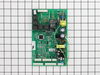
Refrigerator ran too much, condensor fan not running
Removed cover plate on rear of unit - 3 screws
Removed connectors and ground wire
Removed board (use needle-nose pliers to compress plastic mountig posts)
Replaced board, inserted connectors, attached ground wire, put cover on
Everything worked properly
Removed connectors and ground wire
Removed board (use needle-nose pliers to compress plastic mountig posts)
Replaced board, inserted connectors, attached ground wire, put cover on
Everything worked properly
Parts Used:
-
Dan from Ellicott City, MD
-
Difficulty Level:Really Easy
-
Total Repair Time:15 - 30 mins
-
Tools:Pliers, Screw drivers
3 of 3 people
found this instruction helpful.
Was this instruction helpful to you?
Thank you for voting!
Cabinet very hot on sides, freezer not 0, running continuously.
Diagnosis of symptoms was condenser fan not running, due to faulty main board.
First: removed the cover over the main board, which was too hot to touch. Bad design flaw, no ventilation for the board, which I believe made it fail. We got another year of service with the cover removed.
Second: after reading people's experiences here, ordered the board and popped it in. (Note: needed a pliers to compress each of the 4 plastic studs holding the board in.) Works like a champ.
Third: did NOT replace the cover. At our altitude the air can't conduct enough heat to prevent cooking the board. Need to allow circulation.
First: removed the cover over the main board, which was too hot to touch. Bad design flaw, no ventilation for the board, which I believe made it fail. We got another year of service with the cover removed.
Second: after reading people's experiences here, ordered the board and popped it in. (Note: needed a pliers to compress each of the 4 plastic studs holding the board in.) Works like a champ.
Third: did NOT replace the cover. At our altitude the air can't conduct enough heat to prevent cooking the board. Need to allow circulation.
Parts Used:
-
Philip from Los Alamos, NM
-
Difficulty Level:Really Easy
-
Total Repair Time:15 - 30 mins
-
Tools:Pliers, Screw drivers
3 of 3 people
found this instruction helpful.
Was this instruction helpful to you?
Thank you for voting!
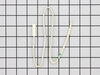
refriderator not cooling consistetly
1 opened door 2. pryed cover off from cieling 3.cut and stripped wires on 4. sodered wires from old wires to new sensor. 5 insulated conection.6 put cover back on. This did not fix the problem it was the control moduel.
Parts Used:
-
randall from coopersville, MI
-
Difficulty Level:Easy
-
Total Repair Time:Less than 15 mins
-
Tools:Pliers, Screw drivers
4 of 6 people
found this instruction helpful.
Was this instruction helpful to you?
Thank you for voting!
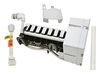
My ice breaker started leaking and making noise anf the stripper broke.
I ended up needing to order a new ice maker because the one I had is discontinued. I'm a 65yr old grandma and I did it myself!!!! The hardest part was finding the tool to loosed the nuts. I took the old one out and just put the new one right in it's place. Easy as pie.
Parts Used:
-
Marie from Elk Grove Village, IL
-
Difficulty Level:Really Easy
-
Total Repair Time:15 - 30 mins
-
Tools:Nutdriver
4 of 6 people
found this instruction helpful.
Was this instruction helpful to you?
Thank you for voting!
Ice maker filled too full and ice froze in the basket and a piece was broke on the icemaker itself.f
-
Karen from SAN ANTONIO, TX
-
Difficulty Level:Really Easy
-
Total Repair Time:15 - 30 mins
-
Tools:Screw drivers
3 of 3 people
found this instruction helpful.
Was this instruction helpful to you?
Thank you for voting!
No ice or water at the despenser. Compressor would turn off when the dispenser lever was pushed. There was also a loud buzzer sound for a couple of weeks prior to the board failing.
Pulled out the fridge and unplugged electric cord. Took off the back lower right side panel. Unplugged all the connectors and removed the motherboard. Replaced the motherboard and reconnected connectors. Replaced the panel and plugged it in. Works great!
Parts Used:
-
Pat from Pensacola, FL
-
Difficulty Level:Easy
-
Total Repair Time:Less than 15 mins
-
Tools:Nutdriver
3 of 3 people
found this instruction helpful.
Was this instruction helpful to you?
Thank you for voting!
Defrost not working coil iced up
Removed back wall cover over coil. Defrost all ice with a hair dryer. Cut white wires and replaced Temperature Sensor. It has been working for a week and no trouble at this time. If you have this system on your GE refrigerator do this before replacing the motherboard. I must admit I was thinking that was the trouble. Motherboard was replaced after 5 years old now 5 years later my thinking is this a 5 year problem. So try the Temperature Sensor.
Parts Used:
-
charles from SCOTTSDALE, AZ
-
Difficulty Level:Very Easy
-
Total Repair Time:30 - 60 mins
-
Tools:Nutdriver
3 of 3 people
found this instruction helpful.
Was this instruction helpful to you?
Thank you for voting!
Freezer would not freeze and fridge would not cool after power outages
I used a volt/ohm meter and checked for power to compressor and start run relays, diagnosis- was remove and replace motherboard
Parts Used:
-
Cecilia from NATALIA, TX
-
Difficulty Level:Really Easy
-
Total Repair Time:15 - 30 mins
-
Tools:Screw drivers
3 of 3 people
found this instruction helpful.
Was this instruction helpful to you?
Thank you for voting!
Made ice would not eject from ice holder bin
removed broken bin , slid new ice bin in closed door. I bought the complete part.
Parts Used:
-
Lynn from MOUNTAIN HOME, ID
-
Difficulty Level:Very Easy
-
Total Repair Time:Less than 15 mins
3 of 3 people
found this instruction helpful.
Was this instruction helpful to you?
Thank you for voting!
Ice maker didn't work.
Replaced icemaker assembly. Only 3 Phillips screws to remove the old assembly. Pretty much an exact swap. Was easy to replace but the connecting cable on the new replacement assembly wasn't very easy to make fit. Had to force it into a location that would be out of the way and allow everything to operate properly. That connecting cable should be more flexible and adapt to the fridge a little more friendly.
Parts Used:
-
Amanda from New Albany, MS
-
Difficulty Level:Easy
-
Total Repair Time:15 - 30 mins
-
Tools:Screw drivers
3 of 4 people
found this instruction helpful.
Was this instruction helpful to you?
Thank you for voting!
Making an owl sound from the icemaker side
Simple; Removed the panel, unplugged the cable connections to the mother board with a rat nosed plier.
Then to remove board you must squeeze closed the 4 plastic retainer clips in each corner, or they can accidentally be pulled off with the board.
Removed the board, re-attached the new board on the clips, then the cable connectors, then the panel.
Plugged in the refrige and it has been silent ever since.
Follow the instructions and anyone can do it.
Then to remove board you must squeeze closed the 4 plastic retainer clips in each corner, or they can accidentally be pulled off with the board.
Removed the board, re-attached the new board on the clips, then the cable connectors, then the panel.
Plugged in the refrige and it has been silent ever since.
Follow the instructions and anyone can do it.
Parts Used:
-
james from vista, CA
-
Difficulty Level:Really Easy
-
Total Repair Time:15 - 30 mins
-
Tools:Nutdriver, Pliers
3 of 4 people
found this instruction helpful.
Was this instruction helpful to you?
Thank you for voting!
Refridgerator was not cooling
First, I removed the cover plate from behind the fridge. Next, I carefully pulled the main board out (four little clips holding it in) and disconnected the plug in wires. I connected the wires to the new board, popped it back in place and replaced the cover. Very easy to do.
Parts Used:
-
Terry from The Villages, FL
-
Difficulty Level:Easy
-
Total Repair Time:Less than 15 mins
-
Tools:Socket set
3 of 4 people
found this instruction helpful.
Was this instruction helpful to you?
Thank you for voting!
Not cooling, Defrost issues, whining loud noises
Unbolted the back cover, pulled out old board, replaced with new bored and powered back on. It is working great now.
Parts Used:
-
William from Wylie, TX
-
Difficulty Level:Really Easy
-
Total Repair Time:Less than 15 mins
-
Tools:Nutdriver
3 of 4 people
found this instruction helpful.
Was this instruction helpful to you?
Thank you for voting!
Ghostly Sounds From Fan Motor - Variable Speeds All Night - Motherboard Problem
Simple directions were provided. It took more to clean and vaccuum than the actual repair. Yes I replaced the motherboard in a referigerator. Just keep not of the connectors and were they came off from on the original board. Dont just rip them off because the new board has some different connections. So follow the directions and take your time if your not sure. But really it a cinch. No more whoooo sheeesh and howling noises from the referigerator. Thank goodness.
Parts Used:
-
Glenn from PORT JEFFERSON, NY
-
Difficulty Level:Really Easy
-
Total Repair Time:15 - 30 mins
-
Tools:Nutdriver
3 of 4 people
found this instruction helpful.
Was this instruction helpful to you?
Thank you for voting!
icemaker stripper fall a part
instalation was very easy - but the part was 3/4 inch to long and a 1/32 inch to wide.Trimmed it with the "faithfull"
Dremel and it works!The instalation part of the "job" was less then 10 min.
Dremel and it works!The instalation part of the "job" was less then 10 min.
Parts Used:
-
Ted from Harrisonburg, VA
-
Difficulty Level:Easy
-
Total Repair Time:15 - 30 mins
-
Tools:Screw drivers
3 of 4 people
found this instruction helpful.
Was this instruction helpful to you?
Thank you for voting!