















MER5875RAS Maytag Range - Instructions
Keep searches simple. Use keywords, e.g. "leaking", "pump", "broken" or "fit".
No problems encountered
It was easy to remove the old oven door gasket. Just a little tug was all that was needed. Installing new gasket was just as simple as tucking in the gasket end into the hole at the bottom and pushing the clip in the corresponding hole.
TIP: roll the end of the gasket and feed into the hole then use a small tipped screw driver or the point of a needle nose plier to finish installing the ends into the hole at the bottom of the door opening.
TIP: roll the end of the gasket and feed into the hole then use a small tipped screw driver or the point of a needle nose plier to finish installing the ends into the hole at the bottom of the door opening.
Parts Used:

-
Scott from Troy, IL
-
Difficulty Level:Very Easy
-
Total Repair Time:Less than 15 mins
3 of 4 people
found this instruction helpful.
Was this instruction helpful to you?
Thank you for voting!
Indicator Lens melted and fell back into the control panel
I took the back panel off, removed the old lens, installed the new lens. How easy to order from home, receive the part, do the repair and pay less than it costs to simply drive to the parts house. Cool....
Parts Used:

-
Philip from Houston, TX
-
Difficulty Level:Really Easy
-
Total Repair Time:Less than 15 mins
-
Tools:Screw drivers
3 of 4 people
found this instruction helpful.
Was this instruction helpful to you?
Thank you for voting!
left cover for the oven light broke when trying to replace the bulb
Ordered the part. when it arrived-quite speedily, I just unpacked it and put the cotton gasket around the glass and screwed it to the proper place in the oven. Very easy.
Parts Used:

-
Mark from SHOREVIEW, MN
-
Difficulty Level:Very Easy
-
Total Repair Time:Less than 15 mins
2 of 2 people
found this instruction helpful.
Was this instruction helpful to you?
Thank you for voting!
Replacing the bulb in the freezer side
Removed the ice brucket,
Removed the light shield by releasing one screw using a nutdriver.
Replacing the bulb and reinstalled the light shield.
Your web site is one of the best and most helpfull service sites I ever used. Just wish that in the future you will ship parts overseas.
Removed the light shield by releasing one screw using a nutdriver.
Replacing the bulb and reinstalled the light shield.
Your web site is one of the best and most helpfull service sites I ever used. Just wish that in the future you will ship parts overseas.
Parts Used:
-
Yafa (and David) from Bothell, WA
-
Difficulty Level:Easy
-
Total Repair Time:Less than 15 mins
-
Tools:Nutdriver
5 of 11 people
found this instruction helpful.
Was this instruction helpful to you?
Thank you for voting!
Oven would not heat
Spoke to your very helpful staff, who advised me that a likely problem was the oven sensor. I took a chance and ordered the part, which came promptly. Your service video for the part was most helpful in my decision to try the part. Installation was a breeze, but it was the oven controller board that had failed and not the oven sensor. That called for a service professional, who ultimately fixed the problem. Your service though, was excellent and I would highly recommend you to others.
Parts Used:
-
francis from mount holley, VA
-
Difficulty Level:Really Easy
-
Total Repair Time:Less than 15 mins
-
Tools:Screw drivers
2 of 2 people
found this instruction helpful.
Was this instruction helpful to you?
Thank you for voting!
Baking Element melted and stopped working
Unplug appliance, unscrew small cover plate in rear. Disconnect wires from old element, may need to use needle nose pliers to wiggle clips off. Open oven door, remove false bottom to expose baking element. Remove baking element. Install new element, connect wires from rear, and replace covers and false bottom. Plug in appliance and test.
Parts Used:
-
David from Toledo, OH
-
Difficulty Level:Really Easy
-
Total Repair Time:15 - 30 mins
-
Tools:Pliers, Screw drivers
3 of 5 people
found this instruction helpful.
Was this instruction helpful to you?
Thank you for voting!
Replace the oven Sensor
The sensor is mounted in the top right side of the oven.An extra long screw driver helps to avoid damage to the sensor when replacing it.The connectors were the opposite to the old sensor and I did not see that there were adapter cables included. It might help to connect or tie these together as I only expected the sensor and did not look for adapters.I had cut the wires and used wire nuts when I found the adapters.The repairs works fine.
Mike
Mike
Parts Used:
-
Michael from Exeter, NH
-
Difficulty Level:Really Easy
-
Total Repair Time:15 - 30 mins
-
Tools:Nutdriver, Pliers, Screw drivers
3 of 5 people
found this instruction helpful.
Was this instruction helpful to you?
Thank you for voting!
After cleaning, F1-1 error flashed and neither oven worked
First I called a repairman and left a message. That was 3 weeks ago. So, I 'googled' the error message and determined what part I thought I needed. Ordered the part on Wednesday evening and it was there when I got home from work on Friday. I unpacked the part, got a phillips screwdriver and then watched the repair video on your website. About 20 minutes later I pushed my stove back in place and the flashing said 'set time'. Then I checked both ovens, and have since used both, and everything works!!
Parts Used:
-
Georgene from Rock City, IL
-
Difficulty Level:Easy
-
Total Repair Time:15 - 30 mins
-
Tools:Screw drivers
3 of 5 people
found this instruction helpful.
Was this instruction helpful to you?
Thank you for voting!
Oven would over heat and produce a F2 error code on the display. It would not turn off or cool down until I switched the circuit breaker off.
I switched the oven sensor easily enough, but it did not remedy the problem, so we are in the process of replacing the oven since it's about 20 yrs. old.
Parts Used:
-
richard from SAINT MARYS, KS
-
Difficulty Level:Very Easy
-
Total Repair Time:Less than 15 mins
-
Tools:Screw drivers
2 of 2 people
found this instruction helpful.
Was this instruction helpful to you?
Thank you for voting!
Element burn. Not working.
Element was sent by buyer, As they recommended, when model of stove given to them. It was upper right rear. When element came. First took off old element. ...Match both element , new element did not look exactly the same, small variation. It did not come on.. I moved old element from left side to right side . Old element worked on both side .. tried new element on left side also.. still didn't work.. so I called right away and explained.. new element did not work.. not defective, but, just wasn't the right one.. I had a specialist came and check it out also. I was told wrong element.
Parts Used:
-
Marc from SUNRISE, FL
-
Difficulty Level:Really Easy
-
Total Repair Time:Less than 15 mins
-
Tools:Pliers, Screw drivers
2 of 2 people
found this instruction helpful.
Was this instruction helpful to you?
Thank you for voting!
Oven wouldn't heat past 165 degrees
First things first...Unplug the unit...Then remove the center plate from the back of the oven (one screw) and take clips off element. Then on the inside, there are 2 screws near the back on the bottom panel. These were rusted on pretty good, so that's where the vice grips came into play. The entire job would've gone much faster, if I wasn't fighting with these 2 screws...After you remove the screws, tilt up bottom panel and remove. Then you just remove 1 rear screw & 2 bottom screws and slide out the old element. Slide the new one in, secure it with the screws and screw the bottom panel back into place. Go to the rear of the oven, slide the 2 clips on the element and screw rear plate back on. Plug the oven back in and that's it...
Parts Used:
-
Joe from BOYNTON BEACH, FL
-
Difficulty Level:Really Easy
-
Total Repair Time:30 - 60 mins
-
Tools:Screw drivers
2 of 2 people
found this instruction helpful.
Was this instruction helpful to you?
Thank you for voting!
Inner oven door glass cracked.
-
pamela from MONROE, WA
-
Difficulty Level:Really Easy
-
Total Repair Time:30 - 60 mins
-
Tools:Screw drivers
2 of 2 people
found this instruction helpful.
Was this instruction helpful to you?
Thank you for voting!
Cooling fan runs fault code displayed
Removed the two screws holding the sensor to the rear oven wall. pulled out sensor wire. It was caught on other wires behind the oven. removed the three screws holding the 8" inspection plate in the center of the rear panel. Carefully move the insulation and reach in to grasp the back end of the sensor wire. Once free from the snag it easily pulls out with the sensor just as stated in the video. using the appropriate adaptor it was easy to re-asseble and and attach to the oven wall. Replace the rear panel with the three screws and it was done
Parts Used:
-
FRANK from CLARENCE CTR, NY
-
Difficulty Level:Easy
-
Total Repair Time:30 - 60 mins
-
Tools:Screw drivers
2 of 2 people
found this instruction helpful.
Was this instruction helpful to you?
Thank you for voting!
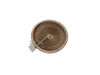
Old dual burner lost one half. It appeared the metal strip that wound into and around the circle, broke right where it came into the inside of the entrance, and I wasn't about to try and break everything open to try and fix it, as it didn't look like soldering would be easy, or that it would fix it.
Verified via ohmmeter that one of the two burners was open and not working. I also tested the switch and that appeared to be working okay. I then took out the old unit and compared it to the new one, and found that they upgraded the new unit. I followed the instructions to match the labeled parts and move the wire to the newer location of that. i.e the old one had 2B and 2A at the top and 1B and 1A at the bottom. The new one had 2B and 1B at the top and 2A and 1A at the bottom. It did come with wire extenders and insulated tubes on top of them, and extra to cover additional. After a couple of tries, I decided which wire I needed to use on which (small connectors to match small, and large to match large.) In a second try I decided to flip it over to have it face up instead of down. Overall, it worked out very well, and I was very pleased when I did the power up test and everything worked as desired.
Parts Used:
-
Chris from WHEATON, IL
-
Difficulty Level:Easy
-
Total Repair Time:30 - 60 mins
-
Tools:Nutdriver, Screw drivers
2 of 2 people
found this instruction helpful.
Was this instruction helpful to you?
Thank you for voting!
Dual inner element stopped working. The ceramic portion had a crack most likely from thermal stress over the years.
First I found a YouTube video for Maytag Range Repair – How to replace the Surface Element with Limiter - 6" - 1200W
The steps are very easy-
1. Open oven door and locate and remove 2 screws holding top cook surface. These are located near the top inside edge
2. Lift surface cook top and then remove 4 screws holding this section to the cook top. This may require 2 people but I was able to hold the cook top and loosen the 4 screws myself. Then put the cook top aside.
3. Take a photo of the element being replaced for wiring connections.
4. Removing the wiring and element holding clips was very easy. I used needle nose pliers for both
5. The clips have to be removed from the old element and put on the new one. Place them in the same locations
6. Make sure to reconnect the wires to the same pin locations. The replacement element I had the red (hot) wire pin 2b was in
A different location so I had to use the extension wire supplied with the new replacement element
7. Put everything back together in reverse order.
Easy peasy, took me about 40 minutes to complete the entire replacement and have it back in place working.
The steps are very easy-
1. Open oven door and locate and remove 2 screws holding top cook surface. These are located near the top inside edge
2. Lift surface cook top and then remove 4 screws holding this section to the cook top. This may require 2 people but I was able to hold the cook top and loosen the 4 screws myself. Then put the cook top aside.
3. Take a photo of the element being replaced for wiring connections.
4. Removing the wiring and element holding clips was very easy. I used needle nose pliers for both
5. The clips have to be removed from the old element and put on the new one. Place them in the same locations
6. Make sure to reconnect the wires to the same pin locations. The replacement element I had the red (hot) wire pin 2b was in
A different location so I had to use the extension wire supplied with the new replacement element
7. Put everything back together in reverse order.
Easy peasy, took me about 40 minutes to complete the entire replacement and have it back in place working.
Parts Used:
-
Dominique from ASHLAND, MA
-
Difficulty Level:Very Easy
-
Total Repair Time:30 - 60 mins
-
Tools:Pliers, Screw drivers
2 of 2 people
found this instruction helpful.
Was this instruction helpful to you?
Thank you for voting!