















MEP5775BAF19 Maytag Range - Instructions
Keep searches simple. Use keywords, e.g. "leaking", "pump", "broken" or "fit".
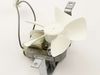
The cooling fan was making extremely loud noises when running
For the Ikea Range isg650ws01, the repair was very easy.
Step 1) Slide the range away from the wall slowly, verifying occasionally to not strain the gas or electric lines
Step 2) Unplug the range
Step 3) There are 2 phillips heads screws holding the rear panel in place. Remove the two screws and remove the panel.
Step 4) The cooling fan is held in place with 2 phillips head screws. Remove the screws and disconnect the electrical cord
Step 5) install the new cooling fan. The electrical plug can only be inserted one direction, so there shouldn't be a concern that you have the plug installed correctly. Match the original orientation of the fan in the unit. Re-install the 2 screws for the fan, and then install the rear cover. There are 2 slots that the panel needs to slide into in the bottom. Finish the install by installing the 2 screws you removed in to hold the rear panel. Plug the range back in and heat to 450°F to validate the repair.
Step 1) Slide the range away from the wall slowly, verifying occasionally to not strain the gas or electric lines
Step 2) Unplug the range
Step 3) There are 2 phillips heads screws holding the rear panel in place. Remove the two screws and remove the panel.
Step 4) The cooling fan is held in place with 2 phillips head screws. Remove the screws and disconnect the electrical cord
Step 5) install the new cooling fan. The electrical plug can only be inserted one direction, so there shouldn't be a concern that you have the plug installed correctly. Match the original orientation of the fan in the unit. Re-install the 2 screws for the fan, and then install the rear cover. There are 2 slots that the panel needs to slide into in the bottom. Finish the install by installing the 2 screws you removed in to hold the rear panel. Plug the range back in and heat to 450°F to validate the repair.
Parts Used:
-
Daniel from DENVER, CO
-
Difficulty Level:Really Easy
-
Total Repair Time:Less than 15 mins
-
Tools:Screw drivers
1 person
found this instruction helpful.
Was this instruction helpful to you?
Thank you for voting!
end cap was broken during a move
i removed one screw that held the broken end cap in place, removed it and replaced it with the new end cap attaching it with the same screw.
Parts Used:

-
laurel from seattle, WA
-
Difficulty Level:Really Easy
-
Total Repair Time:Less than 15 mins
-
Tools:Screw drivers
1 person
found this instruction helpful.
Was this instruction helpful to you?
Thank you for voting!
oven not heating to set temp. 100 degrees too cold
installed part,turned unit on-temp still cold. reset digital control, up 35 degrees, still cold. un-plugged unit,re-connect after 10 min. still cold.
Parts Used:
-
Robert from Funston, GA
-
Difficulty Level:Really Easy
-
Total Repair Time:Less than 15 mins
-
Tools:Screw drivers
2 of 4 people
found this instruction helpful.
Was this instruction helpful to you?
Thank you for voting!
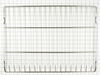
Original rack had melted plastic on it.
-
Linda from BURBANK, CA
-
Difficulty Level:Really Easy
-
Total Repair Time:Less than 15 mins
1 person
found this instruction helpful.
Was this instruction helpful to you?
Thank you for voting!
Baking element went out

-
Deborah from Seattle, WA
-
Difficulty Level:Very Easy
-
Total Repair Time:Less than 15 mins
-
Tools:Screw drivers
1 person
found this instruction helpful.
Was this instruction helpful to you?
Thank you for voting!
No problem installing the sensor
I removed the two mounting screws and pulled the harness through the opening unsnapped the sensor from the harness and installed the new sensor i didn't have to used the adapters the new sensor fitted
Parts Used:
-
tommy from FAYETTEVILLE, NC
-
Difficulty Level:Very Easy
-
Total Repair Time:Less than 15 mins
-
Tools:Screw drivers
1 person
found this instruction helpful.
Was this instruction helpful to you?
Thank you for voting!
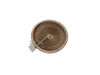
bad burner
My dual zone burner would trip my breaker anytime i tried to turn it on. All the other burners would work fine. I searched online and found a way to test my burner, which was shorted or grounded out. I purchased a new burner from the site...It was as cheap or cheaper than other sites. It showed up a few days quicker than i was expecting..I also replaced the switch to the burner, just as a precaution and to save time since i already had the top glass off of my burners....EASY JOB!
Parts Used:
-
Krystal from Centralia, IL
-
Difficulty Level:Really Easy
-
Total Repair Time:30 - 60 mins
-
Tools:Screw drivers
1 person
found this instruction helpful.
Was this instruction helpful to you?
Thank you for voting!
Oven temperature fluctuates
Replaced the thermostat according to existing videos and had to adjust the thermostat using instuctions in the user manual for model CWE4800ACB.
Parts Used:
-
Larry from SOLON, IA
-
Difficulty Level:Easy
-
Total Repair Time:30 - 60 mins
-
Tools:Screw drivers
1 person
found this instruction helpful.
Was this instruction helpful to you?
Thank you for voting!
Oven Racks were old
-
Sandra M from DISTRICT HTS, MD
-
Difficulty Level:Very Easy
-
Total Repair Time:Less than 15 mins
1 person
found this instruction helpful.
Was this instruction helpful to you?
Thank you for voting!
original fixture required bulb - this fixture (all-in-one) was great
Pulled range out from cabinet-wall to get to back side, everthing was clearly exposed tlhen. Just a matter of installing new fixture, putting back on, reconnected power source - put range back in proper place.
Parts Used:

-
wesley from ODENVILLE, AL
-
Difficulty Level:Really Easy
-
Total Repair Time:30 - 60 mins
-
Tools:Pliers, Screw drivers
1 person
found this instruction helpful.
Was this instruction helpful to you?
Thank you for voting!
Broken Inner Glass Pane
I received my glass panel realy quick from Part Select. It was an eansy job to install the new pane.
It took less than an hour. Thanks for Your prompt service.
It took less than an hour. Thanks for Your prompt service.
Parts Used:

-
Joseph from Lewiston, ID
-
Difficulty Level:Easy
-
Total Repair Time:30 - 60 mins
-
Tools:Screw drivers
3 of 7 people
found this instruction helpful.
Was this instruction helpful to you?
Thank you for voting!
Dual Surface Element went out
Followed the instructions in the video provided by PartSelect, which was very accurate. They only problem I have encountered is that the wiring from the old element compared to the new element do not match up 100%. I had to call Whirlpool today and schedule a Tech to come out and see if they can resolve the problem. Right now, when the burner is turned on, both the inner and outer elements turn on.
Parts Used:
-
Larry from RADCLIFF, KY
-
Difficulty Level:Easy
-
Total Repair Time:30 - 60 mins
-
Tools:Pliers, Screw drivers
1 person
found this instruction helpful.
Was this instruction helpful to you?
Thank you for voting!
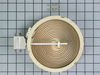
Back left burner went out
I found on youtube Also we marked each wire with masking tape 1A and 1B, 2A and 2B. The wires were the same color.
Parts Used:
-
Jane from BRYAN, TX
-
Difficulty Level:Really Easy
-
Total Repair Time:30 - 60 mins
-
Tools:Socket set
1 person
found this instruction helpful.
Was this instruction helpful to you?
Thank you for voting!
Replaced upper over light and assembly
I had to pull out the oven and balance the oven on two patio tables. Remove the back of the oven. Pull out the light assembly which was burnt. I was unable to remove the casing around the light, so I destroyed it with a pliers. Reinstalling the new light and assembly was easy. What made this job difficult, I could not remove the light assembly from the front of the oven and had to go in from the back.
Parts Used:
-
Thomas from SAN DIEGO, CA
-
Difficulty Level:Very Difficult
-
Total Repair Time:More than 2 hours
-
Tools:Pliers, Screw drivers
1 person
found this instruction helpful.
Was this instruction helpful to you?
Thank you for voting!
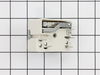
Infinite switch replacement.
I followed the instructions as provided. When I finished I noticed the switch was 1/4 turn out from the off position mark on the stove. So I pulled the stove back out and took the back panel off again pulled the knobs back off took out the screws that held the switches in place and rotated the switch 1/4 turn counter clockwise. Then I replaced all the screws and knobs . Then I replaced the panel and shoved the stove back in place. One of the burners was an eight inch and the switch doesn't work as well as it could. However there was not a direct replacement for the eight inch burner.
Parts Used:
-
William from Kerens, TX
-
Difficulty Level:A Bit Difficult
-
Total Repair Time:1- 2 hours
-
Tools:Pliers, Screw drivers
1 person
found this instruction helpful.
Was this instruction helpful to you?
Thank you for voting!