















LMV2083SW LG - Instructions
Keep searches simple. Use keywords, e.g. "leaking", "pump", "broken" or "fit".
no heat
unplug the unit then pull down , lot of screws are on top. open the cover . you could see the parts that need to replace on the right hand side (heavy side). disconnect wires then test the parts that need to replace by a tester to make sure that it's really broke .then unscrew part and replace .
Parts Used:
-
Nelia from Streamwood, IL
-
Difficulty Level:Really Easy
-
Total Repair Time:30 - 60 mins
-
Tools:Nutdriver, Screw drivers
0 of 1 people
found this instruction helpful.
Was this instruction helpful to you?
Thank you for voting!
Replacement of Magnetron
I UNPLUGGED the microwave and removed the cover, using a phillips and a Torx screwdriver for the machine screws. I set these screws aside, so as not to confuse them with the later encountered screws. I photographed the magnetron to assure proper placement of the 6 phillips machine screws involved in reassembly (marking the the locations on the old magnetron would do as well. I marked the old magnetron "old", to avoid later confusion. I removed the two screws holding the shields to the magnetron. I removed 3 of the 4 screws holding the magnetron to the microwave, leaving one of the top screws. I held the magnetron securely and removed the last screw, pulling out a the part of the magnetron that penetrated the microwave. I installed the new magnetron in reverse order. One problem I encountered was locating one of the six screws, which had been pulled into the old magnetron by magnetism.
Parts Used:
-
Benjamin from Anchorage, AK
-
Difficulty Level:Really Easy
-
Total Repair Time:15 - 30 mins
-
Tools:Screw drivers
0 of 1 people
found this instruction helpful.
Was this instruction helpful to you?
Thank you for voting!
Thermostat needed to be replaced
We had made this determination with the help of a repairman on the phone. I ordered the part and waited for it. It was stuck in West Virginia. After several days after it was expected a repairman fixed my range to the tune of $168. It should have cost $30 (the cost of the part and shipping).
Unfortunately I probably won't order from PartSelect again.
Unfortunately I probably won't order from PartSelect again.
Parts Used:
-
Denise from NORTH BEACH, MD
-
Difficulty Level:Really Easy
-
Total Repair Time:Less than 15 mins
-
Tools:Screw drivers
8 of 25 people
found this instruction helpful.
Was this instruction helpful to you?
Thank you for voting!
light bulb replacement
-
Marianne from CHURCH HILL, MD
-
Difficulty Level:Very Easy
-
Total Repair Time:Less than 15 mins
9 of 29 people
found this instruction helpful.
Was this instruction helpful to you?
Thank you for voting!
Microwave would not heat food, but everything else worked.
Problem was a faulty door latch switch. I easily accessed the switch by removing the control panel, total of 4 screws. After that, just disconnected the three switch door latch assembly and connected the new one. Took about half an hour and was very easy. Unit works perfectly now.
Parts Used:
-
Samuel from Daleville, VA
-
Difficulty Level:Really Easy
-
Total Repair Time:15 - 30 mins
-
Tools:Screw drivers
Was this instruction helpful to you?
Thank you for voting!
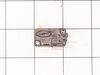
Had to lift on the door for the microwave to run, suspected the door switches.
Ordered the switches from Partselect, arrive in two days. Had trouble removing the plastic connectors from the old switch terminals, one of the plastic protectors broke, but was able to reuse it. It took a little figuring out how to remove the existing switches. Must push in a tab and rotate the switch on a little pin, then remove. Must be careful not to break the plastic tabs holding the switches in place. Replaced all (3) switches at the same time. All in all it was pretty easy.
Parts Used:
-
Arthur from Windham, NH
-
Difficulty Level:Easy
-
Total Repair Time:30 - 60 mins
-
Tools:Pliers, Screw drivers
Was this instruction helpful to you?
Thank you for voting!
Light bulb burned out
I unscrewed the light cover, removed the burned out light bulb and replaced it with one I ordered on Partselect.com. It was very easy.
Parts Used:
-
Craig from Burke, VA
-
Difficulty Level:Really Easy
-
Total Repair Time:Less than 15 mins
-
Tools:Screw drivers
Was this instruction helpful to you?
Thank you for voting!
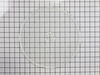
The original rotating glass plate split in half.
Although the repair was as simple as opening the box the plate was delivered in, it was the ease of finding the "right" part for our microwave/convection oven. Thanks to Parts Select it was as easy as the click of the mouse!
Parts Used:
-
Bonnie from New Freedom, PA
-
Difficulty Level:Really Easy
-
Total Repair Time:Less than 15 mins
Was this instruction helpful to you?
Thank you for voting!
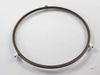
Wheel broke off the turntable assembly
-
Cheryl from Fountain Valley, CA
-
Difficulty Level:Really Easy
-
Total Repair Time:Less than 15 mins
Was this instruction helpful to you?
Thank you for voting!
Melted glass plate
I love this microwave...but occasionally someone puts something in it that melts the glass plate. It takes about 2 minutes to find it on the site and order it...wait a few days...and then a second to put it in. It's great to continue to be able to buy things like this at a reasonable price and to keep good appliances going.
Parts Used:
-
charles from DENVER, CO
-
Difficulty Level:Really Easy
-
Total Repair Time:Less than 15 mins
Was this instruction helpful to you?
Thank you for voting!