Your coupon for will be reflected when you check out!
✖
Your coupon for
✖
Hello!
You're visiting the PartSelect site in U.S.
Would you like to shop on the Canadian site?
Stay on this site
Go to Canadian site
✖
Model Number Locations
1Select Category Type
Select Category Type
2Select Product Type
Select Product Type
3Select {MODEL} Type
Select {MODEL} Type
Sample Model Number Tags
Model numbers can be made up of numbers (1005400, for example) or a combination of letters and numbers (LAT1000AAE). The model number will most likely appear on either a paper sticker or a metal plate. Your appliance's model number tag may look similar to the sample model number tags shown here (model number highlighted in yellow):
Model has been saved to My Models. If you're not signed in, your lists are available on this device and will expire within 30 days.
Model has been saved to My Models.
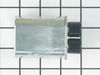
This ceramic microwave fuse is just over an inch in length. It is white in the center, and metal on both ends. This is a 20-amp fuse, and is used to power your microwave. If the touch pad on the micro...
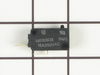
The secondary door switch is a simple on/off mechanism that stops the microwave from operating when the door is open (normally opened). The switch monitors the door latch position, and communicates w...
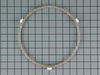
Unplug your microwave before attempting this repair. You will need to remove the grill, which is held into place by two screws at the top of the grill (open your microwave door before doing this). Rem...
This part is the replacement flat cab mounting bolt for your microwave. The bolt is approximately 4 inches long. It is designed to hold the microwave in place in your cabinet. The main reason to repla...
Ask our experts a question about this model and we'll get back to you as soon as possible!
6 questions answered by our experts.
Sort by:
< Prev
1
2
Next >
Search filter:
Clear Filter
Your search term must have 3 or more characters.
Keep searches simple. Use keywords, e.g. "leaking", "pump", "broken" or "fit".
Sorry, we couldn't find any existing answers that matched.Try using some different or simpler keywords, or submit your new question by using the "Ask a Question" button above!
Neal
July 19, 2021
Light out on control panel. Can only bulb be replaced? What part do I need to repair?
For model number JVM3670SK06
Hello Neal, Thank you for the question. The Bulb is only sold as part of the display in the Smart Board, PartSelect Number PS2374126. We hope this helps!
I keep getting an error “keypad shorted service may be needed “ if i turn it off/on might have a chance for the microwave to work properly but then we get the same error again.
For model number JVM3670SK06
Hello Francois, thank you for your question. That error code is in relation to the touch pad on the control panel. Sometimes moisture over time can cause this to fail. Part #: PS752174 is the control panel and touch pad for this unit. Please enter the part number into the site for current price and availability. Good luck with your repair!
1 person found this helpful.
Did this question help you?
Thank you for voting!
Robert
September 3, 2021
I have a GE microwave, all the pad functions light up ,clock works , vent opens lower lights work ,just no turntable and heating . I have pulled the three doors switches have not checked them with an ohm yet but the upper and second have protruding buttons that do depress and then rebound the third button does not have a protruding button but is flush with the body of the switch when i turn it upside down the button falls to become protruded, flip it back upright and it drops back to flush this is the switch that interacts with your lever s/w # ps227843 . Is this switch button broken. Thanks for your help robert
For model number JVM3670SK06
Hello Robert, thank you for writing. You could check your Fuse PS1481237 and your Diode PS239740 as well. If those parts are checking out fine, it may be your Magnetron PS1019593 that is the issue. Good luck with your repair.
Put in glass of water in microwave for 3 minutes on power level 3 it runs for 3 minutes but water does not heat up. Then set it for 3 minutes on power level high, it runs 10 seconds and trips the main breaker no heat to water. What part went bad? Any ideas that might help?
For model number JVM3670SK06
Hello Julia, Thank you for the question. This could be due to faulty switches and capacitors. You can test the Switches to see if they are reading Open or Closed. It will say on the switch what it needs to read on the Switch its self. If the Switch is good, you may have defective Capacitor. If you are not familiar with microwave repair we suggest contacting a repair service. The Microwave can hold a dangerous charge even after being unplugged. We hope this helps!
Turned out the issue was easily solved by replacing a single, inexpensive fuse.
First off, UNPLUG THE MICROWAVE.
The fuse is located under the plastic grill at the top of the microwave. It's held on by two screws. Once you've removed the screws and taken off the plastic grill, you go to the right side of the mic
... Read morerowave and remove another screw that holds a small metal grill in place. Removing the small metal grill is probably the toughest part of this repair. You kind of have to rock it back and forth a bit to get it to release. Once that's off, you can get to the fuse. I removed the burnt out one with a pair of needle nose pliers. I also put a small piece of cardboard under the fuse when I did this so I didn't accidentally drop it into the innards of the microwave. I did the same thing when I replaced the new fuse. I then plugged the appliance back in and made sure it worked. Once that was confirmed, I replaced both grills.
Noted on partselect.com that someone else with this problem, found it to be secondary door switch. There are three door switches in this model, but online info noted that one of the three might feel "soft" (in my case, one switch clicked in a rather "jiggly" way, the other two were strong decisive clicks.) To access the door switches on
... Read more this model was the only difficult part. First use a torx bit to remove the two torx screws below the latches inside the microwave. This frees the latching part inside, that holds the door switches, which you will remove after you take off the control panel. The top grill has to come off before you can remove the door panel. Remove the screws above the grill, on the microwave top cover, The grill on this model is covered with a panel that moves out when it vents. After removing the two top screws, the covered grill vent slides left to remove. Be careful, as the sliding tabs are plastic. Wiggle and jiggle it, to slip it off. Below the removed grill, is a small metal grill with one screw in lower center. Remove that screw, and wiggle that out. You'll then see the one screw that holds on the control panel. Remove this screw, and lift the control panel up to remove. Again, go slowly and gently, as the bottom tabs holding the control panel in, are also plastic and easily broken. Lay the control panel on something, (I used the coffee maker) and pull out the wire bundles tucked on the left, that are attached to the latching panel. Wiggle the latching panel gently to lift it up off of it's plastic tabs and pull it out towards you, so you can see the three door switches. Each switch (part number WB24X829) has a little black switch on it. Feel each switch with either your finger, or a screwdriver to see which one doesn't "click" strongly. The weak one is the one you will replace. The door switches are fitted into a tab, and plugged into their wires. Remove the defective switch, pull out the wires, and replace it with the new switch, plugging back the wires, and slipping it back into it's plastic tabs. Then put everything back together in reverse order. The entire job took me fifteen minutes EXCEPT for figuring out how to slide off the upper grill, which I have told you. A repairman would have cost $150, the part was $18. AND, there's a good chance, the other two switches will get "used up" in the next year or so as well, so I'll be ready next time. Thank you, Partselect, why work all day, to make money, only to give it to somebody else, for fifteen minutes of work. All I needed was the knowledge.