















JVM290BVC01 General Electric Microwave - Instructions
Keep searches simple. Use keywords, e.g. "leaking", "pump", "broken" or "fit".
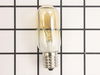
over range top light bulbs burned out
My son had to replace the bulbs because the screw that holds the bulb shield was so tight that I couldn't remove it. It was too difficult for me to do it myself.
Parts Used:
-
Elaine from Pittsburgh, PA
-
Difficulty Level:A Bit Difficult
-
Total Repair Time:Less than 15 mins
-
Tools:Screw drivers
Was this instruction helpful to you?
Thank you for voting!
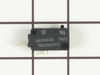
Light worked, timer and control pad worked, but no turntable, no heat, no noises of any sort, just didn't start up
It was a snap using the instructions given. The key is getting into the unit. I did have to use a multimeter to find the failed switch since there are two of that type.
Parts Used:
-
Timothy from Middletown, NJ
-
Difficulty Level:Really Easy
-
Total Repair Time:Less than 15 mins
-
Tools:Screw drivers, Wrench set
Was this instruction helpful to you?
Thank you for voting!
no lights
Remove light cover. Replace bulbs Note. Light bulbs are 40W,Too much heat for bulbs & sockets
Parts Used:
-
DON from CHEHALIS, WA
-
Difficulty Level:Really Easy
-
Total Repair Time:Less than 15 mins
Was this instruction helpful to you?
Thank you for voting!
burn ed out bulbs
I removed light bulb cover shield,took out defective bulbs and replaced with new ones. 5minute repair
Parts Used:
-
DAVID from SUGAR HILL, GA
-
Difficulty Level:Easy
-
Total Repair Time:Less than 15 mins
-
Tools:Screw drivers
Was this instruction helpful to you?
Thank you for voting!
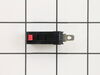
Motor and fan turned on when door was opened.
Loosen the two long anchor bolts that screw into the top of the microwave cabinet. These are usually in a shelf or cabinet directly above the microwave. Tilt the microwave forward enough to remove the 2 Phillips head screws from the top of the microwave cabinet. They are near the front. When these two screws are out, remove the fan vent. Once the fan vent is off, remove one screw that holds the control pad in place. Let it hang down. Just to the left of the control pad, you will see wires leading to three switches that close when the door is closed. Use a torx driver to remove the two screws that hold the switch bracket in place. With the bracket out, unplug the wire harnesses. On the opposite side of the wiring connected, a tab holds each switch in place. Lift the tab and slide the switches out. Usually, the bad switch will be identified by a loose or broken spring. Test them by pressing down on the switch. If you notice the bad switch spring, this is usually the bad one. When you have the new one, simply push it back into the appropriate slot and be sure that the holding tab snaps back in place. Plug the wires back in and re-attach the bracket. Put the control pad back on, then the fan vent. When down with those, push on the bottom of the microwave to lift it back into place and tighten the two anchor bolts in the top.
Parts Used:
-
Neal from White House, TN
-
Difficulty Level:Easy
-
Total Repair Time:15 - 30 mins
-
Tools:Screw drivers
Was this instruction helpful to you?
Thank you for voting!
When opening door the microwave would turn on.
Watched How to repair a Microwave that turns on when the door is opened Video on the web. From this took a shot at the switch was the problem. When I removed the switch it was defective. The small button was in and when you turned the switch upside down the button would drop back into position. Ordered a switch for $25.oo , installed it and the microwave is working fine.
Parts Used:
-
Clarence from Rocky Ridge, OH
-
Difficulty Level:Really Easy
-
Total Repair Time:15 - 30 mins
-
Tools:Screw drivers
Was this instruction helpful to you?
Thank you for voting!
no hot
-
charlie from spring, TX
-
Difficulty Level:Difficult
-
Total Repair Time:30 - 60 mins
-
Tools:Pliers, Screw drivers
Was this instruction helpful to you?
Thank you for voting!
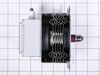
Stopped heating and had a banging noise
I took instant pictures at each step to make sure I put the wires back correctly. Removed the front panel. Discharged the capacitor with a voltage meter. Removed parts in front of the magnetron. Removed and replaced the magnetron. Reassembled. Works find now. Small hands, a flashlight and a magnet (for dropped screws) would help. I did not need the pictures.
Parts Used:
-
Alan from Bonita, CA
-
Difficulty Level:A Bit Difficult
-
Total Repair Time:30 - 60 mins
-
Tools:Screw drivers, Socket set
Was this instruction helpful to you?
Thank you for voting!