Your coupon for will be reflected when you check out!
✖
Your coupon for
✖
Hello!
You're visiting the PartSelect site in U.S.
Would you like to shop on the Canadian site?
Stay on this site
Go to Canadian site
✖
Model Number Locations
1Select Category Type
Select Category Type
2Select Product Type
Select Product Type
3Select {MODEL} Type
Select {MODEL} Type
Sample Model Number Tags
Model numbers can be made up of numbers (1005400, for example) or a combination of letters and numbers (LAT1000AAE). The model number will most likely appear on either a paper sticker or a metal plate. Your appliance's model number tag may look similar to the sample model number tags shown here (model number highlighted in yellow):
Model has been saved to My Models. If you're not signed in, your lists are available on this device and will expire within 30 days.
Model has been saved to My Models.
This ceramic microwave fuse is just over an inch in length. It is white in the center, and metal on both ends. This is a 20-amp fuse, and is used to power your microwave. If the touch pad on the micro...
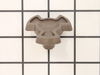
This is a microwave turntable drive motor. This is a genuine OEM replacement part. It accepts a D-shaped drive shaft. The drive motor is located under the glass microwave turntable, and allows the tur...
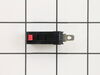
The secondary door switch is a simple on/off mechanism that stops the microwave from operating when the door is open (normally opened). The switch monitors the door latch position, and communicates w...
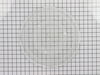
The microwave glass light lens protects the light bulb inside the appliance. It is clear in color and measures approximately 6-1/2 inches long, and 2-1/2 inches wide. You may notice that this part is ...
Unplug your microwave before attempting this repair. You will need to remove the grill, which is held into place by two screws at the top of the grill (open your microwave door before doing this). Rem...
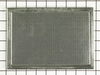
This charcoal filter is designed to capture airborne grease, smoke, and other particles generated during microwave cooking, helping to maintain clean air circulation within the kitchen. Engineered for...
Ask our experts a question about this model and we'll get back to you as soon as possible!
4 questions answered by our experts.
Sort by:
< Prev
1
Next >
Search filter:
Clear Filter
Your search term must have 3 or more characters.
Keep searches simple. Use keywords, e.g. "leaking", "pump", "broken" or "fit".
Sorry, we couldn't find any existing answers that matched.Try using some different or simpler keywords, or submit your new question by using the "Ask a Question" button above!
Liz
December 21, 2019
How do i make it operate at 50% power
For model number JVM1870BF02
Hello Liz and thanks for writing.
For your convenience, we have attached the link to your manual with repair instruction. We hope this helps. Good luck with your repair
https://www.geappliances.ca/en/support/owner-manual-and-install-instruction?search=jvm1860
1 person found this helpful.
Was this helpful?
Thank you for voting!
Gene
November 26, 2024
Is there a charcoal filter in this model? If so, how do I replace it?
For model number JVM1870BF02
Hi Gene, Thank you for contacting us. The Charcoal Filter for this model is listed as PartSelect #: PS224009. At the top of the vent grill, there will be 2 screws holding it in place. Remove the screws and pop the vent grill off. The filter just slips in place. We are sure this will help!
Need to get door apart to replace the handle that came loose. Can you help me? Thank you very much, Lester
For model number JVM1870BF02
Hi Lester,
Thank you for your question. This is fairly easy repair to do. You will need a Phillips head screw driver and Torx 10 screw driver. Before you begin any repair please unplug the appliance from the electrical outlet or turn the circuit breaker off. Using the Phillip's head screw driver unthread the 2 screws securing the vent grille. Tilt the grille to release the tabs at the bottom of the grille and remove it. Using the Torx 10 screw driver take the top hinge screw out. Slide out the top of the door from the hinge and lift the door up off of the bottom hinge. Repeat the steps in reverse to install the new door and restore power to the microwave. The microwave should now work for you. We hope this helps. Thank you and have a great day!
Was this helpful?
Thank you for voting!
David
January 25, 2025
Microwave power seems to fluctuate. The internal light gets dim then bright again. You can here the Fan and Magnetron noise decrease then increase again. Sometimes everything but the Magnetron turns on..? Is this a bad Magnetron? Transformer? Something else? Control board..?
For model number JVM1870BF02
Hi David,
Thank you for your question. If the power in microwave is fluctuating, make sure that the microwave is not sharing the same circuit with another appliance. If it is, plug in into a different electrical outlet. Also make sure that the power cord is securely plugged into the outlet. If the microwave is on its own dedicated circuit, then you should check the fuse, the diode, the magnetron, the door switches, and the capacitor. Before removing and inspecting these parts, please unplug the microwave from the electrical outlet. You will also need to release the charge from the capacitor. We have included a link on how to do so, and a link on how to test these parts. We hope this helps!
Turned out the issue was easily solved by replacing a single, inexpensive fuse.
First off, UNPLUG THE MICROWAVE.
The fuse is located under the plastic grill at the top of the microwave. It's held on by two screws. Once you've removed the screws and taken off the plastic grill, you go to the right side of the mic
... Read morerowave and remove another screw that holds a small metal grill in place. Removing the small metal grill is probably the toughest part of this repair. You kind of have to rock it back and forth a bit to get it to release. Once that's off, you can get to the fuse. I removed the burnt out one with a pair of needle nose pliers. I also put a small piece of cardboard under the fuse when I did this so I didn't accidentally drop it into the innards of the microwave. I did the same thing when I replaced the new fuse. I then plugged the appliance back in and made sure it worked. Once that was confirmed, I replaced both grills.
First I unscrewed the screws that were holding the panel underneath. Then I removed the panel and removed the screws that held the turntable motor in place. Then replaced the old motor with the new and screwed everything back into place.