













JVM1190SY002 General Electric Microwave - Instructions
Keep searches simple. Use keywords, e.g. "leaking", "pump", "broken" or "fit".
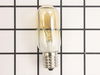
Over Stove Light Bulb Out
Took screw holding lens cover out, dropped cover down, unscrewed old bulb, screwed new bulb in socket. Screwed cover back in place. This is the third bulb in this socket, the other bulb is original.
Parts Used:
-
DALE from ST PETERSBURG, FL
-
Difficulty Level:Really Easy
-
Total Repair Time:Less than 15 mins
-
Tools:Screw drivers
Was this instruction helpful to you?
Thank you for voting!
Light bulb burned out
Easy as can be. Removed one screw on the glass cover, removed two burned out bulbs and reinstalled two new bulbs, reinstalled the cover and all is well now. The best part - my 'supervisor' is happy that she can see to cook again!
Parts Used:
-
Bob from La Crescenta, CA
-
Difficulty Level:Really Easy
-
Total Repair Time:Less than 15 mins
-
Tools:Screw drivers
Was this instruction helpful to you?
Thank you for voting!
replace micro/hood combo stove light
simply unscrewed protective lens cover, and swapped bulbs--these bulbs are great--last for years
Parts Used:
-
PATRICIA from ALEXANDRIA, VA
-
Difficulty Level:Really Easy
-
Total Repair Time:Less than 15 mins
-
Tools:Screw drivers
Was this instruction helpful to you?
Thank you for voting!
Not heating
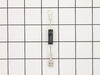
Removed the above stove microhood. Removed the side panels & the top panel. Diode located on right hand side of microwave. Removed with screwdriver & replaced new diode. It's best to get the microwave schematic online to pinpoint location of the part.
Parts Used:
-
Debra from Concord, CA
-
Difficulty Level:Easy
-
Total Repair Time:Less than 15 mins
-
Tools:Nutdriver, Screw drivers
Was this instruction helpful to you?
Thank you for voting!
burn ed out bulbs
I removed light bulb cover shield,took out defective bulbs and replaced with new ones. 5minute repair
Parts Used:
-
DAVID from SUGAR HILL, GA
-
Difficulty Level:Easy
-
Total Repair Time:Less than 15 mins
-
Tools:Screw drivers
Was this instruction helpful to you?
Thank you for voting!
Burned out light bulb in the over-stove microwave
Removed the one phillips screw that holds the light lens in place, drop the lens down for access to the burned out bulb, screw in the new bulb, replace the lens.
Parts Used:
-
George from Arlington, TX
-
Difficulty Level:Really Easy
-
Total Repair Time:Less than 15 mins
-
Tools:Screw drivers
Was this instruction helpful to you?
Thank you for voting!
burnt out bulb /microwave
simply to install new bulb. Unscrewed the under the microwave lamp door with a screwdriver. Inserted new bulb into socket. good to go
Parts Used:
-
gerri from north haven, CT
-
Difficulty Level:Really Easy
-
Total Repair Time:Less than 15 mins
-
Tools:Screw drivers
Was this instruction helpful to you?
Thank you for voting!
diode burnt
-
MANUEL from ESCONDIDO, CA
-
Difficulty Level:Really Easy
-
Total Repair Time:Less than 15 mins
-
Tools:Screw drivers
Was this instruction helpful to you?
Thank you for voting!