















JTP86CFC General Electric Range - Instructions
Keep searches simple. Use keywords, e.g. "leaking", "pump", "broken" or "fit".
Broiler Element Repair
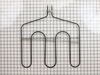
I was attempting to replace the broiler element on the oven, but I discovered that the wiring may be the actual problem. I suggest before you order parts for a broiler repair, that you test the wires to ensure that you have continuity. I will have to trace the wires back to the source (the other element works fine) and see if I can find the problem with the current. I will keep the broiler element I ordered until I can confirm that the old element works.
Parts Used:
-
Robert from SANTA MARIA, CA
-
Difficulty Level:Easy
-
Total Repair Time:15 - 30 mins
-
Tools:Nutdriver
Was this instruction helpful to you?
Thank you for voting!
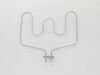
Bake element was broken and needed to be replaced
The repair was very simple. In fact the biggest challenge was finding the correct socket set.
Parts Used:
-
Darthy from Dacula, GA
-
Difficulty Level:Easy
-
Total Repair Time:15 - 30 mins
-
Tools:Pliers, Socket set
Was this instruction helpful to you?
Thank you for voting!
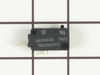
Microwave fan would run when opening the door. Evenutally the mircowave would not run, but the electrical panel was still working
Opened the microwave oven door, unscrewed two screws which held the control panel on, then I removed two of the door switches (each had two screws), and then used the continuity tester to see which one was not operating. It turned out to be the secondary door switch, replaced it and to my amazement, the microwave worked. I have never repaired an appliance before but I didn't want to replace our over-the-stove built in microwave. It was the best day ever when it was working again! The hardest part was getting myself to try the repair.
Parts Used:
-
Julie from Elm Grove, WI
-
Difficulty Level:Really Easy
-
Total Repair Time:15 - 30 mins
-
Tools:Screw drivers
Was this instruction helpful to you?
Thank you for voting!
Microwave worked but oven fan came on when door was opened - should onlly come on when oven is operating.
Removed the microwave with the buit in housing from the cabinet. Removed microwave from built in housing. Removed outer cabinet giving access to remove control panel and smart board where switches are located. Removed control panel to get to smartboard. Removed smart board after disconnecting a few wires to allow easy removal. Individually removed and then tested each switch using multimeter. Found seondary Door Switch (bottom of smart board) operation to be intermittent (switch trip button extremely loose and rattle inside this particular switch) Ordered replacement part which came very quickly on standard shipping order. Put new switch on smart board and remounted, reinstalled control panel and reconnected various wire connectors previously disconnected. Then plugged in oven and tested for opertation - didn't work at all! But, after bleeding off capacior charge by removing connectors and discharging capacitor to ground, then reassembling control board and smart board into oven, then trying agian, it has worked perfectly ever since. Do not understand why capacitor disconnect/discharge was required but suspect this reset the control electronics. Easy fix and hope to get another 12 years out of this appliance which is used multiple times every day. Also have two other identical micorwave ovens, one is 20 years old, but these get used relatively infrequently.
Parts Used:
-
Gerald from Mountain View, AR
-
Difficulty Level:Easy
-
Total Repair Time:15 - 30 mins
-
Tools:Screw drivers
Was this instruction helpful to you?
Thank you for voting!
Unit would not come on.
removed access panal, found soft switch as discribed on your web site. removed and replaced.
Parts Used:
-
Phillip from Umatilla, FL
-
Difficulty Level:Really Easy
-
Total Repair Time:Less than 15 mins
-
Tools:Screw drivers
Was this instruction helpful to you?
Thank you for voting!
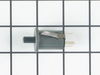
broken switch
This was a wall mounted oven. Turned off breaker. Pulled panel off by removing 6 screws. Pulled connectors off old switch. Removed old switch. Just a friction fit. I used my jack knife to get it moving. Pushed in the new switch and connected wires. (just push on tabs) Put panel back together and turned on breaker. Done, easy.
Parts Used:
-
Bob from Marcy, NY
-
Difficulty Level:Easy
-
Total Repair Time:15 - 30 mins
-
Tools:Screw drivers
Was this instruction helpful to you?
Thank you for voting!
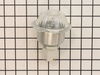
Oven lights were burning out regularly
Replaced the Oven light housing. Unscrewed the two screws that hold the housing in place. Pulled out the housing and disconnected the wire tabs from the light housing tabs. Slid the wire tabs onto the tabs of the new light housing fixture. (Each tab is fitted to the tab in goes on so they can not be mixed up) Pushed the housing fixture back into place and screwed the housing into place.
Parts Used:
-
Douglas from Thornton, CO
-
Difficulty Level:Really Easy
-
Total Repair Time:15 - 30 mins
-
Tools:Socket set
Was this instruction helpful to you?
Thank you for voting!
Light worked, timer and control pad worked, but no turntable, no heat, no noises of any sort, just didn't start up
It was a snap using the instructions given. The key is getting into the unit. I did have to use a multimeter to find the failed switch since there are two of that type.
Parts Used:
-
Timothy from Middletown, NJ
-
Difficulty Level:Really Easy
-
Total Repair Time:Less than 15 mins
-
Tools:Screw drivers, Wrench set
Was this instruction helpful to you?
Thank you for voting!
Powered Off completely
After reading reviews that there was no power what so ever and a fuse replacement will solve the problem, I tried it. Replacing the fuse is very easy (and I am not handy at all). All you have to do is remove the microwave cover from the top by removing two screws, slide the cover to the left and pulling the cover off. Then remove the grill in front of you, by removing one or two screws. The fuse is in front of you, use pliers and be firm but gentle. Replacing the fuse is easy but it did not solve my problem.
Parts Used:

-
Mohammad from Piscataway, NJ
-
Difficulty Level:Easy
-
Total Repair Time:Less than 15 mins
-
Tools:Screw drivers
Was this instruction helpful to you?
Thank you for voting!
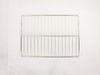
Open door. Put racks in.
-
Harriet from Jacksonville Beach, FL
-
Difficulty Level:Really Easy
-
Total Repair Time:Less than 15 mins
Was this instruction helpful to you?
Thank you for voting!
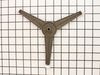
Turntable roller guide broken
Simply remove the broken turntable roller guide from the rotor and put in the new replacement -- less time than opening the box!
Parts Used:
-
Bob from Niskayuna, NY
-
Difficulty Level:Really Easy
-
Total Repair Time:Less than 15 mins
Was this instruction helpful to you?
Thank you for voting!
I had a broken turntable roller quide under the glass plate
opened the microwave door, removed the glass plate, removed the bad roller quide, replaced with the new one, replaced the glass plate and then closed the door. :)
Parts Used:
-
Danny from Glendora, MS
-
Difficulty Level:Really Easy
-
Total Repair Time:Less than 15 mins
Was this instruction helpful to you?
Thank you for voting!
I needed an oven with three racks, mine came with two.
-
BETTY from CYPRESS, TX
-
Difficulty Level:Easy
-
Total Repair Time:Less than 15 mins
Was this instruction helpful to you?
Thank you for voting!
no hot
-
charlie from spring, TX
-
Difficulty Level:Difficult
-
Total Repair Time:30 - 60 mins
-
Tools:Pliers, Screw drivers
Was this instruction helpful to you?
Thank you for voting!
oven temp. was not what setting called for
turned oven off, pulled oven out from wall, removed back of oven, unscrewed sensor from oven replaced with new sensor, put back on, turned power to oven on, tried oven at 425, my temp. gage and the oven temp matched. a very easy fix.
Parts Used:
-
John from Acme, WA
-
Difficulty Level:Easy
-
Total Repair Time:1- 2 hours
-
Tools:Nutdriver
Was this instruction helpful to you?
Thank you for voting!