















JTP45WW2WW General Electric Wall Oven - Instructions
Keep searches simple. Use keywords, e.g. "leaking", "pump", "broken" or "fit".
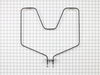
bake element burnt in two pieces
Removed oven from wall. Door slides up and off, and 4 screws into cabinet removed, and oven slides right out onto a coulple kitchen chairs positioned to support the oven. 1 man job to lift. Used nutdriver to remove metal cover on bottom back of oven to expose the slide on electrical connection. Used nutdriver to remove old bake element and install new bake element. Reconnected electrical wires, reinstalled back cover, and then reinstalled oven into cabinet. I actually removed the internal metal cover over the convection fan and element also but probably didn't need to do that to remove and install the new bake element.
Parts Used:
-
Michael from Salem, OR
-
Difficulty Level:Easy
-
Total Repair Time:15 - 30 mins
-
Tools:Nutdriver, Screw drivers
Was this instruction helpful to you?
Thank you for voting!
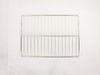
Missing oven rack
-
Damaris from Easton, PA
-
Difficulty Level:Really Easy
-
Total Repair Time:Less than 15 mins
Was this instruction helpful to you?
Thank you for voting!
Bake element broken
1. Switch electricity off at circuit breaker panel. 2. With a helper slide door off hinges and set aside. 3. Remove all oven racks. 4. Using socket wrench remove the two screws attaching element to back of stove. 5. Pull the element from the back of the stove and slide off the 2 electric bayonet clips from the old element. 6. Install new element attaching the new element to the old electrical clips. Note: You may have to crimp down the clips to keep them secure to the new element. 7. Reinstall element screws to back of stove using nutdriver. 8. Insert racks and slide door back onto hinges. 9. Turn back on electricity. 10. Turn on element and let it "burn in" for a few minutes. Note: There will be a slight smell while doing this.
Parts Used:
-
Paula from Oriental, NC
-
Difficulty Level:Really Easy
-
Total Repair Time:Less than 15 mins
-
Tools:Nutdriver, Pliers, Socket set
Was this instruction helpful to you?
Thank you for voting!
no racks to oven
-
Johnette from Baltimore, MD
-
Difficulty Level:Really Easy
-
Total Repair Time:Less than 15 mins
Was this instruction helpful to you?
Thank you for voting!
baking element shorted out
removed twoscrews from rear of oven,undid two spade connections removed element.replaced with new one,thats it.
Parts Used:
-
john from valencia, CA
-
Difficulty Level:Really Easy
-
Total Repair Time:Less than 15 mins
-
Tools:Nutdriver, Pliers
Was this instruction helpful to you?
Thank you for voting!
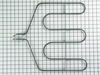
Broiler element fails to heat
Feedback on site warned me that broiler element is only connected to oven wiring with press-on spade lugs rather than screws. Even with care I managed to 'lose' a wire and had to retrieve it with section of stiff coat-hanger wire bent into a hook. Coming off that experience, I soldered the spade terminals together before reassembly to avoid a repeat. New element, however, failed to rectify problem. Professional technician found main control unit defective -- a $300 part including installation, but at least GE still has it available. My advice to others in this situation is to remove old element before ordering a replacement, and test with meter to see if it's defective. It may or may not be worth going beyond an element replacement to you.
Parts Used:
-
Stanley from Bethesda, MD
-
Difficulty Level:A Bit Difficult
-
Total Repair Time:30 - 60 mins
-
Tools:Nutdriver
Was this instruction helpful to you?
Thank you for voting!
Door lock keeps flashing no F9 code after using the self cleaning on the oven when the door is open the motor on the lock stops but the door lock light is still on.
1. shut power off (if it is a built in you will have to go to the house control panel to shut the power off). To ensure that it is off check the clock light prior and after you throw the switch it now should be off. 2. remove screws holding ovens in cabinet should be 8 (Phillips)on the sides of the ovens inside, you have to have to have the doors open to remove 4 top and 4 bottom 3. slide ovens out of cabinet about 4 to 6 inches (do not pull on doors) open the bottom door reach inside of oven and slide to the left and the right while gently lifting. 4. close the bottom door and open the top door. above the door and below the control panel you should see at least 3 screws I removed them with a socket and ratchet, but you can use a wrench or adjustable wrench. 5. on top of the panel you should see two screws (Phillips) on one on each side. remove the screws. 6. The control panel has a small tab in the middle of it, you will now be able to lift the cover that the tab is slid into (tin this is the top of the oven) while you hold the tin cover up about 1/4 inch hold on to the panel tipping the bottom out this should release the tab and allow you to pull the control panel out. Now close the top door and the panel should rest on the handle of the door. 7. looking into the top of oven you should see two limit switches (they are round with two screws holding them down with two wires that slide on the tabs) One of these in my case the one on the right runs the fan while the one in the center runs the door lock. To determine if the switch is faulty remove one of the wires from one of the limit switches and either tape or use a clamp or even a paper clip so the wires on the same limit switch will be touching. 8. now carefully put the control panel back tipping the bottom out to insert the tab in the top cover and put in one of the screws to hold it in place. 9. turn on the power check to see if the door lock is working correctly and the door lock light is out. If it is not working and you hear the fan running then you have jumped the wrong switch. If this is the case shut the power off then return the wire back on the jumped switch and repeat the process with the other limit switch. 10. after you jumped the correct switch the door lock light is off. Check the system with the power on by putting the oven in the self cleaning cycle. The door lock light should start to flash and after the door locks it will stay on steady. Press the stop or off button the door lock light will begin to flash and when the lock is released the door lock light should go out. If the door has been pulled on or forced open the locking device can strip and will only go so far with out locking the door. You will then have to remove the locking device with the motor and replace the motor. With the switch jumped and everything is working then this is the problem shut the power off and replace the switch. Caution there are two limit switches in the bottom oven also one with a reset that is about $50 it is bigger and will not bolt down. The one that is in mine is smaller and cost about $23 make sure that you order the correct one shown in the diagram provided by Parts select. 11. reinstall the control panel should be 3 screws on the bottom and 2 on the top. Open the top oven door and carefully slide the oven back in place pushing on the sides do not push on the oven door. Attach the cabinet screws 8 turn on the power.
Parts Used:

-
Trent from Roseville, CA
-
Difficulty Level:A Bit Difficult
-
Total Repair Time:30 - 60 mins
-
Tools:Screw drivers, Socket set
Was this instruction helpful to you?
Thank you for voting!
The lower burner element broke / burned out
After turning off the electricity, remove the inside rear panel over the fan by removing 4 screws, remove the 2 screws holding in the old heat element. Unscrew the unit from the cabinet by removing 4 wood screws on the front sides. Pull the unit out of the cabinet, I slid it onto 2) 4 x4 pieces of wood to make the reinstall easier. Remove the lower black panel on the outside back, it should have 2 screws and it slides into 2 notches on the back. The back of the element electrical tabs are exposed, pull off the 2 electrical connectors. From the inside carefully pull out the old element, slide the new one in the same space and secure with the 2 screws removed earlier. Attach the 2 electrical clips to the electrical tabs exposed in back and replace the metal cover. Slide the oven back into the cabinet, replace the interior back panel as it was removed and secure the front screws back into the cabinet. Turn on the power and test !
Parts Used:
-
Brad from Clarkston, MI
-
Difficulty Level:A Bit Difficult
-
Total Repair Time:1- 2 hours
-
Tools:Nutdriver, Pliers, Screw drivers
Was this instruction helpful to you?
Thank you for voting!
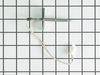
oven continued to get F2, F3 and F5 error messages when ovewn got hot
This repair was quite a bit more difficult then what had been described on the web site. First off, I have a double wall oven that is built in. Sliding it out of the cabinet was difficult and because oven was hard wired, I had to disconnect the actual wiring from the oven back. . Positioning the oven and allowing for it to rest on a support bench was the most difficult part The oven is heavy. Eventually, removing the back and top panels of the oven revealed the sensor connection. I was then able to feed it through the oven and reconnect all the wiring harnesses.. Getting the oven back in the cabinet was equally a challenge. But it did seem to fix the problem with over heating.
Parts Used:
-
Ralph from Redding, CA
-
Difficulty Level:Difficult
-
Total Repair Time:1- 2 hours
-
Tools:Nutdriver, Screw drivers, Socket set
Was this instruction helpful to you?
Thank you for voting!