















JT1000SF2SS General Electric Wall Oven - Instructions
Keep searches simple. Use keywords, e.g. "leaking", "pump", "broken" or "fit".
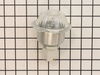
shortage in wiring cause the housing to burn out
Replaced new light housing.
Thanks to you guys for the prompt response
Thanks to you guys for the prompt response
Parts Used:
-
fred from PALM COAST, FL
-
Difficulty Level:Really Easy
-
Total Repair Time:Less than 15 mins
1 person
found this instruction helpful.
Was this instruction helpful to you?
Thank you for voting!
Light burnt out.
Turned the wire protector to the side. Turned out the old bulb and replaced it with the new. Turned the wire protector back in place and I'm like new.
Parts Used:

-
Roscoe G from ROCHESTER, NY
-
Difficulty Level:Very Easy
-
Total Repair Time:Less than 15 mins
2 of 4 people
found this instruction helpful.
Was this instruction helpful to you?
Thank you for voting!
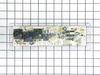
Oven no longer working after running the self clean option. Only Stove top burners worked
I began by turning off the breaker in the panel.
Slide the oven out into the open area.
Removed 3 screws in order to remove rear top panel.
Took 2 pictures of the wiring location on the PCB
Removed all wiring going to the circuit board total of 8.
Removed 4 screws in order to remove bad PCB.
Remove faceplate from bad PCB (you will need to place this faceplate on the new PCB.
To Install.
Reverse steps above
Slide the oven out into the open area.
Removed 3 screws in order to remove rear top panel.
Took 2 pictures of the wiring location on the PCB
Removed all wiring going to the circuit board total of 8.
Removed 4 screws in order to remove bad PCB.
Remove faceplate from bad PCB (you will need to place this faceplate on the new PCB.
To Install.
Reverse steps above
Parts Used:
-
Dominick from THORNWOOD, NY
-
Difficulty Level:Really Easy
-
Total Repair Time:30 - 60 mins
-
Tools:Nutdriver, Pliers, Screw drivers
1 person
found this instruction helpful.
Was this instruction helpful to you?
Thank you for voting!
THE FACE PLATE IS HARD TO GET OFF THE OLD CONTROL BOARD. USE A THIN KNIFE
THE INSTRUCTIONS THAT COME IN THE EMAIL ARE VERY GOOD. BE SURE TO TAKE A PICTURE OF THE WIRING.
Parts Used:
-
Melvin from WEBSTER, TX
-
Difficulty Level:Really Easy
-
Total Repair Time:15 - 30 mins
-
Tools:Nutdriver, Pliers
1 person
found this instruction helpful.
Was this instruction helpful to you?
Thank you for voting!
Oven board went out
One wire at at time then used my razor blade to get front off stuck right back on
Parts Used:
-
Jackie from TICKFAW, LA
-
Difficulty Level:Very Easy
-
Total Repair Time:15 - 30 mins
-
Tools:Pliers
1 person
found this instruction helpful.
Was this instruction helpful to you?
Thank you for voting!
Bad Line fault displayed on range clock
1. Unplug the range power cord from the outlet.
2. Moved range away from the wall and countertop.
3.Using a nut driver removed the 2 screws on each side of the removable panel on the back side of the control knobs and clock.
4. Using a phillips head screwdriver remove 2 screws on top side of the back side panel.
5. Using a nut driver remove 4 screws that secure the main control board in place.
6. Take photo of the wiring on the main control board if not color coded.
7. My control board, and the replacement board were both color coded with the color with the wire placement on the rear of the board.
8. Remove wires with needle nose pliers.
9. Using a hair dryer, heat the plastic control panel face plate that fits onto the front of the old control board.
10.With a putty knife carefully pry the face plate from the old control board.
11. Install the control board face plate onto the new control board.
12. Install the color coded wiring in place on the back side of the control board.
13. Replace the control board into the range, and install screws, and rear panel of the range.
14. Plug cord into outlet and test range for proper operation.
2. Moved range away from the wall and countertop.
3.Using a nut driver removed the 2 screws on each side of the removable panel on the back side of the control knobs and clock.
4. Using a phillips head screwdriver remove 2 screws on top side of the back side panel.
5. Using a nut driver remove 4 screws that secure the main control board in place.
6. Take photo of the wiring on the main control board if not color coded.
7. My control board, and the replacement board were both color coded with the color with the wire placement on the rear of the board.
8. Remove wires with needle nose pliers.
9. Using a hair dryer, heat the plastic control panel face plate that fits onto the front of the old control board.
10.With a putty knife carefully pry the face plate from the old control board.
11. Install the control board face plate onto the new control board.
12. Install the color coded wiring in place on the back side of the control board.
13. Replace the control board into the range, and install screws, and rear panel of the range.
14. Plug cord into outlet and test range for proper operation.
Parts Used:
-
Vincent J Paola, from GREENWEL SPGS, LA
-
Difficulty Level:Very Easy
-
Total Repair Time:Less than 15 mins
-
Tools:Nutdriver, Screw drivers
1 person
found this instruction helpful.
Was this instruction helpful to you?
Thank you for voting!
Bake button stopped registering
This was simple enough to repair for me, a relative novice. Just remember you need a nut driver to take the back panel off, take a photo of the existing board so you remember which wires go where, and you definitely need a hair dryer to heat up the sticker on the old board so you can remove it and put it on the new board.
Parts Used:
-
Ryan from COHOES, NY
-
Difficulty Level:Easy
-
Total Repair Time:30 - 60 mins
-
Tools:Nutdriver, Pliers
1 person
found this instruction helpful.
Was this instruction helpful to you?
Thank you for voting!
Change bulb
-
Louis from LEAGUE CITY, TX
-
Difficulty Level:Really Easy
-
Total Repair Time:30 - 60 mins
-
Tools:Nutdriver
3 of 8 people
found this instruction helpful.
Was this instruction helpful to you?
Thank you for voting!
Went well.
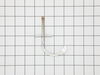
Changed the Temperature Sensor as you suggested, but the problem of 40 minutes to reach a temperature of 375 degrees F. remained the same.
Parts Used:
-
Salih Hindas / from SPRNGFLD GDNS, NY
-
Difficulty Level:Really Easy
-
Total Repair Time:15 - 30 mins
-
Tools:Screw drivers
2 of 6 people
found this instruction helpful.
Was this instruction helpful to you?
Thank you for voting!
fried oven control using raid
replaced oven clock control ref maintenance manual, 4 screws and 8 wires. plugged in new control and op checks good.
Parts Used:
-
Kerry from Loveland, CO
-
Difficulty Level:Really Easy
-
Total Repair Time:15 - 30 mins
-
Tools:Nutdriver, Screw drivers
4 of 13 people
found this instruction helpful.
Was this instruction helpful to you?
Thank you for voting!
Shorted Control Unit -
Control unit was easy to remove ,wires color coded-the face plate(key pad) needed to be separated from the old unit. Carefully used a hair dryer to warm the decal. . . Secured the old unit gently in a vise, warmed ( and separated slowly, with a razor blade and thin putty knife(patience). . Once removed, applied to the new unit. . . 5 Stars to partselect for service. . . . Turned a $400 repair into $100 do-it your self. Partselect will be my 1st "go to" from now-on.
Parts Used:
-
Gerald from Plantsville, CT
-
Difficulty Level:A Bit Difficult
-
Total Repair Time:30 - 60 mins
-
Tools:Nutdriver, Screw drivers
Was this instruction helpful to you?
Thank you for voting!
The electronic board controls failed to illuminate or work after very strong power surge associated with lightening. The stove top burners still worked fine but not the clock and controlls for the oven.
I found a video on Youtube with a similar circuit board repair and decided that I could probably do it. First and most important is to be certain the range is disconnected from its electric circuit. I did this by turning off the breaker at the electrical panel and then unplugging the range. Second, I removed a panel (four screws) on the back of my stove to expose the circuit board, Next I removed the board (four screws) without disconnecting the wiring. Then I removed the flexible plastic covering from the board which has the control button identities on it. This was the most difficult part because the glue was very sticky and I did not want to tear the cover. After removal, I stuck the plastic covering (still sticky) onto the new circuit board and made sure the buttons were in the correct position. Then, I unplugged the wires one at a time from the old circuit board and made sure I plugged them into the new board in the correct position. Finally, I reattached the new board and the back panel on the stove. This repair was easy and no problem for the average "do it yourself" type.
Parts Used:
-
Leon from Cullowhee, NC
-
Difficulty Level:Easy
-
Total Repair Time:30 - 60 mins
-
Tools:Nutdriver, Pliers
Was this instruction helpful to you?
Thank you for voting!
clock, over control, oven light , timer did not work
remove rear panel cover, removered four screws that held control panel, disconnected colored wires, removed circuit control board, reinstall new board and connected color coded wire to the correct spot on the board, plugged in 220 volt cord, switch on circuit breaker, everything worked normal again
Parts Used:
-
Robert from Austin, AR
-
Difficulty Level:Really Easy
-
Total Repair Time:Less than 15 mins
-
Tools:Nutdriver
Was this instruction helpful to you?
Thank you for voting!
Oven lights were burning out regularly
Replaced the Oven light housing. Unscrewed the two screws that hold the housing in place. Pulled out the housing and disconnected the wire tabs from the light housing tabs. Slid the wire tabs onto the tabs of the new light housing fixture. (Each tab is fitted to the tab in goes on so they can not be mixed up) Pushed the housing fixture back into place and screwed the housing into place.
Parts Used:
-
Douglas from Thornton, CO
-
Difficulty Level:Really Easy
-
Total Repair Time:15 - 30 mins
-
Tools:Socket set
Was this instruction helpful to you?
Thank you for voting!
Blew the electronic Control Board
It was easy to replace it. Just remove the screws and unplug each wire and plug them back. The problem was to take off the plate cover that has the printed letters on. The plate cover cost more than the Electronic Control Board.
Parts Used:
-
PETE from MANCHACA, TX
-
Difficulty Level:Really Easy
-
Total Repair Time:15 - 30 mins
-
Tools:Pliers, Screw drivers
Was this instruction helpful to you?
Thank you for voting!