















JFI2089AEP Jenn-Air Refrigerator - Instructions
Keep searches simple. Use keywords, e.g. "leaking", "pump", "broken" or "fit".
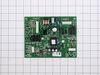
Electronic control panel was dead. Refr did not cool down or operate at all.
The frig. no longer cool downed or operated at all as the electronic control panel was dead. Pulled old part off and put in new part, following instructions on You Tube. However, this part did not solve the issue. I had to call a repairman. The repairman said that another part was needed also, this part costs over $400.00 but, the part was no longer available. I had to purchase a new frig. and not a happy camper to have a 6 year old frig,that a part is no longer available.
Parts Used:
-
Carl from CARLISLE, PA
-
Difficulty Level:Really Easy
-
Total Repair Time:15 - 30 mins
-
Tools:Screw drivers
35 of 49 people
found this instruction helpful.
Was this instruction helpful to you?
Thank you for voting!
While cleaning frig, I broke the right side pin the crisper door pivits on.
First I looked at new replacement part, saw what held the part to the frig. Then removed the crisper drawers and vegie drawers and related support pieces. Used socket wrench to take out three screws and started so remove endcap. Realized endcap was attached to a piece that controls air flow to drawer, located supporting screw, removed and entire assembly came right out. I fumbled my way through the linking mechanism being very careful not to force and break anything. Once I figured out how all this worked, it went back together in a few minutes. Replaced the four screws that held the 2 pieces (endcap and airflow) to frig, replace drawer slid, replaced all draws. Done 30 minutes, start to finish. I found Customer Service VERY helpful while ordering piece, couldn't believe it was under $10 and fit exactly! Thanks PartSelect.com!
Parts Used:

-
Bryan from Panora, IA
-
Difficulty Level:Easy
-
Total Repair Time:15 - 30 mins
-
Tools:Nutdriver, Screw drivers
31 of 38 people
found this instruction helpful.
Was this instruction helpful to you?
Thank you for voting!
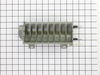
Ice maker mold was cracked and leaking water into the bin which then froze all the cubes together.
I removed the ice maker assembly from the freezer compartment (four nuts/ nut driver) and unplugged the wire harness. I discovered the nature of the problem and I went on the Internet to look for replacement parts expecting I'd have to buy the entire ice maker. When I found PartSelect.com I looked through the pictures of the parts available for my ice maker. I found the correct part quickly and easily. And having an acurate photo on the site, I was able to match all the key features of the mold I had with the one on the screen. I ordered the part, and installed it the day it arrived with just a Phillips screwdriver and a nut driver. It functions perfectly.
Parts Used:
-
George from Cottage Grove, MN
-
Difficulty Level:Really Easy
-
Total Repair Time:Less than 15 mins
-
Tools:Nutdriver, Screw drivers
28 of 30 people
found this instruction helpful.
Was this instruction helpful to you?
Thank you for voting!
The black plastic or teflon coating on the ice mold was coming off in flakes and freezing in the ice cubes
I took out the ice collection box and auger to get access to the three screws holding the ice maker assembly against the left wall of the freezer. You can use a screwdriver or a nut driver. I then unpluged the assembly and wiggled it loose from the water fill tube. I assumed that unplugging the unit would disable the water valve but I put a plastic tub under the fill tube just in case. I studied the assembly on the kitchen table for a few minutes before I disasembled it. After removing a snapon plastick cover I removed three or four screws on the gearbox and was able to pull and wiggle the parts apart. The heater contacts have rubber O rings so you have to be firm pulling the mould out of and into the gearbox mount. Make sure it is fully seated. On reassembly note that the ice kicking arm is notched so it fits into the gearbox only one way and it helps to have it in position when you screw the gearbox back on. I also found the plastic ice guide that fits on top of the mold a little awkward in snaping back together. Make sure its fingers space evenly with the ice kicking arms.
Parts Used:
-
Roger from Sunnyvale, CA
-
Difficulty Level:Easy
-
Total Repair Time:30 - 60 mins
-
Tools:Nutdriver, Screw drivers
32 of 42 people
found this instruction helpful.
Was this instruction helpful to you?
Thank you for voting!
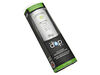
needed to replace filter
-
Marilynn from Holland, MI
-
Difficulty Level:Really Easy
-
Total Repair Time:Less than 15 mins
30 of 41 people
found this instruction helpful.
Was this instruction helpful to you?
Thank you for voting!
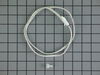
The refrigerator was freezing most products
Remove the light cover. Use a flat head screw driver to push in the tabs on the back of the program mount and pull down to expose the computer board. The Thermistor is clipped on under the vent holes on the right side. Cut both wires to remove the old thermistor strip a 1/4 inch off the remaning wires and the new thermistor wires twist both ends together crimp on the wire caps snap in the new thermistor reinstall the program board until the retainer clips snap into place, slide the light cover back on.
Parts Used:
-
michael from MARION, IL
-
Difficulty Level:Easy
-
Total Repair Time:Less than 15 mins
-
Tools:Pliers, Screw drivers
26 of 29 people
found this instruction helpful.
Was this instruction helpful to you?
Thank you for voting!
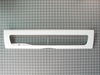
Wife dropped a gallon of milk on the lid and cracked the see through panel
Pushed the hinge pins aside and removed the old lid.. Reversed the process to install the new lid
Parts Used:
-
Stanley from Gurley, AL
-
Difficulty Level:Really Easy
-
Total Repair Time:Less than 15 mins
23 of 23 people
found this instruction helpful.
Was this instruction helpful to you?
Thank you for voting!
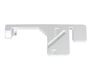
Drain pan failed and had many leaks
Took two times getting the correct part, however after getting the correct part it took about 10-minutes to replace. Had to take the fan out. When you put the new drip pan in make sure it is positioned so that the guides on the pan aligns with slots in the bottom refrig brace, otherwise back pannel will not align correctly. The fan is very easy getting aligned in the new tray. May take a little effort. I do not know why the pan on a refrighterator that is less than 5-years old could start breaking into many pieces.
Parts Used:
-
Malcolm from Parrish, FL
-
Difficulty Level:Easy
-
Total Repair Time:Less than 15 mins
-
Tools:Nutdriver
29 of 44 people
found this instruction helpful.
Was this instruction helpful to you?
Thank you for voting!
Broken Hinge on the pantry drawer and cover.
First I removed the drawers above the pantry drawer. Then I took out the pantry drawer. I unsrewed 3 screws that attached the part to the refreg. I then removed the rails that were attached to the part I was repalcing and put them on the new part. I then install the new part. Put the firg back together. It was extremely easy and took about 5 minutes to do.
Parts Used:

-
Christopher from Huntingdon Valley, PA
-
Difficulty Level:Really Easy
-
Total Repair Time:Less than 15 mins
-
Tools:Screw drivers, Wrench set
22 of 24 people
found this instruction helpful.
Was this instruction helpful to you?
Thank you for voting!
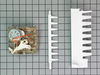
Ice Magic Plus stopped making ice
First I removed the icemaker from the freezer by removing two horizontal screws holding it to the side wall, and one vertical screw holding the front to a bracket coming off the side wall. Then I used a flat screwdriver to unlock the electrical plug. (After doing this, I realized that this wasn't necessary at all, and this part could have been changed just as easily without removing the icemaker.) On the front, there is a white cover with Ice Maker Plus. Use a flat screwdriver to unlock the tangs and remove the cover. There are three screws in the corners that once removed, will allow the motor assy. to be gently pulled straight out. On the back of the part, you will see many gold lands that the timer touches. I don't think there was anything wrong with my motor. I had two spots where the gold plating was worn off, so I suspect it was not making contact, and the whole process would stop. Slide the new part in place making sure the teeth on the gears line up (not a big deal), and secure with the screws. Install cover and you're done. Mine has been making ice like it was brand new.
Parts Used:
-
George from Hammond, LA
-
Difficulty Level:Really Easy
-
Total Repair Time:Less than 15 mins
-
Tools:Screw drivers
25 of 35 people
found this instruction helpful.
Was this instruction helpful to you?
Thank you for voting!
The guide pin, which opens the crisper/pantry lid, broke off. It is integral to the end cap.
First, I removed the drawers at the bottom of the fridge and then I removed the three hex head (7/32) screws that hold the end cap on. Then I disengaged the slider which connects to the temperature control for the pantry drawer. Then, unscrewed the drawer slides with a Phillips from the old end cap. Also the slide push rod has to be disengaged from the clips on the back of the endcap.
Then, I reinserted the push rod to the new end cap and reattached the drawer sliders and the slider itself. At this point I realized I SHOULD have unscrewed the temperature slider at the back where it covers the cold air outlet. The screw had slipped out. I replaced it with a slightly larger wood screw. Reinstall the drawers, all done.
Then, I reinserted the push rod to the new end cap and reattached the drawer sliders and the slider itself. At this point I realized I SHOULD have unscrewed the temperature slider at the back where it covers the cold air outlet. The screw had slipped out. I replaced it with a slightly larger wood screw. Reinstall the drawers, all done.
Parts Used:
-
Dave from Seattle, WA
-
Difficulty Level:Really Easy
-
Total Repair Time:Less than 15 mins
-
Tools:Screw drivers, Socket set
21 of 28 people
found this instruction helpful.
Was this instruction helpful to you?
Thank you for voting!
Refrigerator quit except for the light inside.
Removed the metal cover over the HV electronic board on the back of the unit. Using a flat head screwdriver I unsnapped the plastic cover and removed it. I unplugged the 5 or 6 cables from the electronic board. Bent back the plastic tabs holding the board. You might think they are going to break but they bend. I lifted the board out and replaced it with the new one. Then plugged the cables in being careful to align them first. I then applied power and the refrigerator came to life. I followed the programming instructions that came with the refrigerator. You can get those online also. The unit began to run and in a few minutes the compressor came on. The unit began cooling and life was good again!
Parts Used:

-
Roy from BARTLETT, TN
-
Difficulty Level:Very Easy
-
Total Repair Time:15 - 30 mins
-
Tools:Nutdriver
19 of 22 people
found this instruction helpful.
Was this instruction helpful to you?
Thank you for voting!
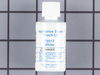
Scratches in Surface
This product comes in a bottle with a brush like Liquid Paper. It goes on incredibly easy. A second coat might be needed. I wanted to prevent rust from setting in so I covered the scratches and dings. The paint is a little brighter since my washer is 10 years old but it still looks great.
Parts Used:
-
Michelle from Richardson, TX
-
Difficulty Level:Really Easy
-
Total Repair Time:Less than 15 mins
79 of 202 people
found this instruction helpful.
Was this instruction helpful to you?
Thank you for voting!
Broken Crisper Pan
Since the crisper didn't come with a front, the old front needed to be removed from the broken cripser and attached to the new one. The easiest way to take off the front is to remove it from the bottom of the crisper. Once the pressure is released it comes off easy. Snap the front on the new crisper by starting with the top and snapping the bottom.
Parts Used:
-
G. Kevin from Roanoke, IN
-
Difficulty Level:Easy
-
Total Repair Time:Less than 15 mins
18 of 20 people
found this instruction helpful.
Was this instruction helpful to you?
Thank you for voting!
A piece of the frame for the crisper drawers had broken off making the drawers sag
This is the 2nd part I have bought for this refrigerator from Part Select. I wish the parts came with some kind of instruction. I had to re-use parts from the original equipment each time. After studying the replacement part I was able to figure out what I needed to do, but it would have been nice to have a little more information. There were 3 pieces which I needed to remove from the damaged piece and add to the replacement part. I would gladly pay more for a complete replacement part.
Parts Used:

-
Marsha from Houston, TX
-
Difficulty Level:A Bit Difficult
-
Total Repair Time:15 - 30 mins
18 of 21 people
found this instruction helpful.
Was this instruction helpful to you?
Thank you for voting!