















JCBS55DM2WW General Electric Range - Instructions
Keep searches simple. Use keywords, e.g. "leaking", "pump", "broken" or "fit".
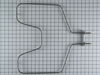
bake element fried and broke in 3 pieces
I removed the two screws that hold the element, then I took the back cover of the range to have access to the wires, after that, I took the old one out, placed the new one and finally hooked the wires and placed the two screws right back. Very easy. I thought about bringing someone to do the job, and after I was done, I couldn't believe how easy it was.
Parts Used:
-
Surya from kingston, PA
-
Difficulty Level:Easy
-
Total Repair Time:Less than 15 mins
-
Tools:Nutdriver, Pliers
1 person
found this instruction helpful.
Was this instruction helpful to you?
Thank you for voting!
Plastic guide Broken
-
NICK from Vernon, CA
-
Difficulty Level:Easy
-
Total Repair Time:15 - 30 mins
-
Tools:Pliers, Screw drivers
9 of 25 people
found this instruction helpful.
Was this instruction helpful to you?
Thank you for voting!
The storage drawer came without supports.
I just removed the drawer and installed the rear supports as instructed on paper included with the part.
Parts Used:
-
Dock from Aurora, CO
-
Difficulty Level:Really Easy
-
Total Repair Time:Less than 15 mins
-
Tools:Nutdriver
2 of 4 people
found this instruction helpful.
Was this instruction helpful to you?
Thank you for voting!
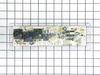
Oven board went out
One wire at at time then used my razor blade to get front off stuck right back on
Parts Used:
-
Jackie from TICKFAW, LA
-
Difficulty Level:Very Easy
-
Total Repair Time:15 - 30 mins
-
Tools:Pliers
1 person
found this instruction helpful.
Was this instruction helpful to you?
Thank you for voting!
oven door gasket needed replaced
Ordered the part, it arrived and 5 minutes later it a complete installation
Parts Used:
-
Mary from LONGS, SC
-
Difficulty Level:Very Easy
-
Total Repair Time:Less than 15 mins
1 person
found this instruction helpful.
Was this instruction helpful to you?
Thank you for voting!
Not Reaching Temperature above 300 Degrees
Take off 6 screws of back cover of the range, unplug the white wire. Go to the inside of oven, pull out racks. At the top of the oven is your Broiler element, in the center you will see a rod sticking out with one screw holding it in place. Take out screw and pull temperature sensor out toward you. Reverse steps to put it back together.
Parts Used:

-
Ron from SAN TAN VLY, AZ
-
Difficulty Level:Very Easy
-
Total Repair Time:Less than 15 mins
-
Tools:Nutdriver
1 person
found this instruction helpful.
Was this instruction helpful to you?
Thank you for voting!
Previous owner left racks in during self clean
-
SHARON from EDMOND, OK
-
Difficulty Level:Very Easy
-
Total Repair Time:Less than 15 mins
1 person
found this instruction helpful.
Was this instruction helpful to you?
Thank you for voting!
Light burnt out.
Turned the wire protector to the side. Turned out the old bulb and replaced it with the new. Turned the wire protector back in place and I'm like new.
Parts Used:

-
Roscoe G from ROCHESTER, NY
-
Difficulty Level:Very Easy
-
Total Repair Time:Less than 15 mins
2 of 4 people
found this instruction helpful.
Was this instruction helpful to you?
Thank you for voting!
Replacing handle spacer
This one is simple. unscrew a portion of the door, install the spacer and screw back together. Worked well.
Parts Used:
-
Sherry from SAINT PAUL, MN
-
Difficulty Level:Easy
-
Total Repair Time:Less than 15 mins
-
Tools:Screw drivers
1 person
found this instruction helpful.
Was this instruction helpful to you?
Thank you for voting!
THE FACE PLATE IS HARD TO GET OFF THE OLD CONTROL BOARD. USE A THIN KNIFE
THE INSTRUCTIONS THAT COME IN THE EMAIL ARE VERY GOOD. BE SURE TO TAKE A PICTURE OF THE WIRING.
Parts Used:
-
Melvin from WEBSTER, TX
-
Difficulty Level:Really Easy
-
Total Repair Time:15 - 30 mins
-
Tools:Nutdriver, Pliers
1 person
found this instruction helpful.
Was this instruction helpful to you?
Thank you for voting!
The previous element decided it was really an arc welder
First cut the power at the breaker and then removed the rear panel of the range. Then removed the two retaninig screws in the oven and then unplugged the old element in the back. Cleaned out the molten metal and remains of dinner and installed new element same way the old one came out and voila, oven is back in operation.
Parts Used:
-
Robert from Clermont, FL
-
Difficulty Level:Really Easy
-
Total Repair Time:15 - 30 mins
-
Tools:Pliers
1 person
found this instruction helpful.
Was this instruction helpful to you?
Thank you for voting!
Replaced oven door gasket
-
Paul from JACKSONVILLE, FL
-
Difficulty Level:Really Easy
-
Total Repair Time:15 - 30 mins
-
Tools:Screw drivers
1 person
found this instruction helpful.
Was this instruction helpful to you?
Thank you for voting!
Bake Element cracked
Pulled the range out from wall (which took most on the repair time to do), removed back cover, pulled of terminals, went inside oven a remove the two screws holding Bake element. Inserted new element, tighten down screws, etc.............
Parts Used:
-
Kevin from Grovetown, GA
-
Difficulty Level:Really Easy
-
Total Repair Time:Less than 15 mins
-
Tools:Socket set
1 person
found this instruction helpful.
Was this instruction helpful to you?
Thank you for voting!
The light socket cup could no longer hold the bracket that holds the light cover in place.
I watched a video of a similar model to familiarize myself with the required steps needed. I opened the back and disconnected the power cord and ground wires connected to the removable socket I then removed the lightbulb and removable socket from the oven interior side. I then removed the defective light socket cup and replaced it with the part I purchased. After replacing the removable socket and lightbulb, the bracket holding the light cover functioned perfectly with the new light socket cup. Final steps were to reconnect the power and ground wires to the removable socket. I then replaced the back cover over the light socket cup area. One word of advise. Be very careful when removing and reconnecting the cables to the removable light socket.
Parts Used:

-
Roger from ALPENA, MI
-
Difficulty Level:Really Easy
-
Total Repair Time:30 - 60 mins
-
Tools:Socket set
1 person
found this instruction helpful.
Was this instruction helpful to you?
Thank you for voting!
Oven no longer working after running the self clean option. Only Stove top burners worked
I began by turning off the breaker in the panel.
Slide the oven out into the open area.
Removed 3 screws in order to remove rear top panel.
Took 2 pictures of the wiring location on the PCB
Removed all wiring going to the circuit board total of 8.
Removed 4 screws in order to remove bad PCB.
Remove faceplate from bad PCB (you will need to place this faceplate on the new PCB.
To Install.
Reverse steps above
Slide the oven out into the open area.
Removed 3 screws in order to remove rear top panel.
Took 2 pictures of the wiring location on the PCB
Removed all wiring going to the circuit board total of 8.
Removed 4 screws in order to remove bad PCB.
Remove faceplate from bad PCB (you will need to place this faceplate on the new PCB.
To Install.
Reverse steps above
Parts Used:
-
Dominick from THORNWOOD, NY
-
Difficulty Level:Really Easy
-
Total Repair Time:30 - 60 mins
-
Tools:Nutdriver, Pliers, Screw drivers
1 person
found this instruction helpful.
Was this instruction helpful to you?
Thank you for voting!