















JBP56GS2 General Electric Range - Instructions
Keep searches simple. Use keywords, e.g. "leaking", "pump", "broken" or "fit".
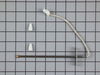
oven shut down code F3
As has been said shut down unit,Breaker fuse.If you do not have install info.Get a copy on line. If you have another set of hands it would not hurt.! this has been stated before. Remove door, Remove 4 screws , to slide unit out,I used a saw horse with some cribing secured to the horse to get height, Pull the oven out so that the two front supports are on the saw horse,and the back two are up to the edge runner.I used about a 1 ft stool for working height. Remove the top elec. cover sheet metal 2 screws. You will see were the wireing runs down the back. Get a small mirror,and flash light. Look down the wire opening in the back, you see the sensor connection ,I made a hook out of a coat hanger to grab it with. Pull it up before you disconnect it ,tie a piece of string to the sensor side of the connector , use 2 Ft. then disconnect remove two screws from inside the oven. And remove,sensor tie string on to new sensor connector pull through and connect.on top.Then replace everything cck every thing Twice!Doing this i didn"t have to pull the unit all the way out! LATER GOOD LUCK!
Parts Used:
-
Richard from Jupiter, FL
-
Difficulty Level:A Bit Difficult
-
Total Repair Time:1- 2 hours
-
Tools:Nutdriver, Screw drivers
17 of 24 people
found this instruction helpful.
Was this instruction helpful to you?
Thank you for voting!
oven would not cook over 325 degrees and sometimes would burn your food.
I removed the unit from the wall,removed the back panel to access the wires to the sensor,cut the plug off of the new sensor and strip the wires back,used the wire nuts to attach the new sensor,put all back together and slid back into the wall and works excellent.
Parts Used:
-
phil from forney, TX
-
Difficulty Level:Really Easy
-
Total Repair Time:15 - 30 mins
-
Tools:Nutdriver, Screw drivers
15 of 19 people
found this instruction helpful.
Was this instruction helpful to you?
Thank you for voting!
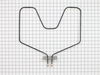
The lower bake element broke
Easiest repair I ever did. Killed the circuit breaker, then removed the oven door, loosened the 2 hex nuts with a nut driver, pulled the old element out a few inches, loosened the nuts holding the wire to the element. I then put the new element in place, connected the wires to the element, pushed it back in to the insulation, and then replaced the nuts on the cover piece. Put the circuit breaker back on, and done!
Parts Used:
-
Michael from Brookfield, CT
-
Difficulty Level:Really Easy
-
Total Repair Time:15 - 30 mins
-
Tools:Nutdriver
13 of 13 people
found this instruction helpful.
Was this instruction helpful to you?
Thank you for voting!
Interior light needed replaced
Unplugged the appliance for safety. Removed two 1/4" screws that held the assembly in place. Carefully removed the wire guard that retains the glass shield. Unscrewed old light bulb and replaced with new part. Reversed the steps after cleaning glass cover.
Parts Used:

-
Leo from TWIN FALLS, ID
-
Difficulty Level:Really Easy
-
Total Repair Time:Less than 15 mins
-
Tools:Nutdriver
22 of 43 people
found this instruction helpful.
Was this instruction helpful to you?
Thank you for voting!
2' crack in the baking element near the plug
I have a 22 year old GE double oven with a range top that I can't live without. I do alot of cooking, baking, and my share of entertaining. To replace this oven I would have to sacrifice having 2 ovens...or remodel my kitchen and reposition their location. So when something goes wrong with this oven I cringe. It needs to keep ticking for another 10 years. A friend recommended PartSelect. looked on line and found the part resembling mine. I called just to confirm the part was correct, and found out it was not. I looked up the part number the said was correct but the shape was wrong. I order it anyhow and when it arrived it was what I needed. The picture on the website was inconsistant with the part number. So I'm really glad I called and spoke to a rep. The part arrived in 4 days and the next day I installed it, needing only one tool. Doing it myself saved me a few hundred dollars and my oven works great again. And their price was lower than a local parts dealer. I added PartSelect to my favorite list for future needs! Thanks!
Parts Used:
-
Shalgit from North Potomac, MD
-
Difficulty Level:Easy
-
Total Repair Time:Less than 15 mins
11 of 11 people
found this instruction helpful.
Was this instruction helpful to you?
Thank you for voting!
Oven not heating
It was very easy I removed two screws unpluged the sensor and wire spliced it together and also replaced the modual on the top of the stove and it was that easy.
Parts Used:
-
Joseph from Stuart, FL
-
Difficulty Level:Really Easy
-
Total Repair Time:15 - 30 mins
-
Tools:Screw drivers
14 of 21 people
found this instruction helpful.
Was this instruction helpful to you?
Thank you for voting!
Oven lower baking unit element broke.
First turned off the circuit breaker. The two screws holding the element in place were removed. Next the element was pulled out about 3 inches. Wires were disconnected. Old element was removed. Wires were then attached to the new replacement element. The element was then re-attached to back of oven, using the two screws. Circuit breaker turned to on. About 5 minutes. Took longer to change the flashlight batteries!
Parts Used:
-
Carol from Germantown, MD
-
Difficulty Level:Really Easy
-
Total Repair Time:Less than 15 mins
-
Tools:Screw drivers
10 of 12 people
found this instruction helpful.
Was this instruction helpful to you?
Thank you for voting!
Oven would not maintain set temperature
No problem installing oven sensor, but I diagnose the problem wrong, I need to change(ERC-11)control p/n wb27k5140
Parts Used:
-
Leonel from Biddeford, ME
-
Difficulty Level:Easy
-
Total Repair Time:30 - 60 mins
-
Tools:Screw drivers
11 of 16 people
found this instruction helpful.
Was this instruction helpful to you?
Thank you for voting!
Bake element burst & went on fire in oven
Moved stove from wall, unplug the stove from the wall outlet, remove the oven racks, unscrew the plate against the oven wall supporting the element with a small adjustable wrench, pull out the element slowly without tearing the insulation & stretching the two wires, unscrew with a phillips screwdriver each wire with care, as a precautionary measurement: do not make contact with the other wire and any other part of the stove, even though it was still unpluged. Install the new element in reverse procedure...turn on Bake Element on low temperature..when it glows when hot..ready to go.
Parts Used:
-
Mrs. Edith from Seaford, DE
-
Difficulty Level:Easy
-
Total Repair Time:Less than 15 mins
-
Tools:Screw drivers, Wrench (Adjustable)
8 of 8 people
found this instruction helpful.
Was this instruction helpful to you?
Thank you for voting!
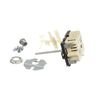
Right front burner out.
Ever the optimist, I'd replaced the burner on this relic of another time to no effect. That left the switch. You guys should know that when a burner element goes bad it can take out the switch. I should have put a meter on it. Wehn I looked for a replacement a few months ago there were still factory parts available, but they were $80 or so and I wasn't inclined to risk that on a 40 year old range. I offered to replace the raange for my daughter as a Christmas present but she like this old thing. It was an unusual size with a pan storage compartment on the left. I went on line and found this universal replacement for about $25 delivered. What the heck. I ordered it and it arrived within a week. I pulled the stove out, killed the breaker, pulled the knob off, used a nut driver to take ther rear panel off, two phillips screws under the knob hold the switch in. The terminals on the old switch are in a slightly different order but are clearly marked L1, L2, H1, H2 and P. The P is the power and has a smaller terminal so you can't put it on the wrong one. Just examine the old switch ( it was marked the same way) take off the L1 and put in on the L1 of the new switch and so on, make sure you use the correct knob adapter to fit your old knob and break the switch stem to the correct length. It will break easilly if you hold it with one pliers and break it with another. Screw the new switch in place with he old screws. At this point, I closed the breakers and tested it. It worked fine. I turned the breakers off again. Buttoned it up and slid the stove back into place. 20 minutes tops. Great product. Good for another forty years.
Parts Used:
-
Larry from Prairie Village, KS
-
Difficulty Level:Really Easy
-
Total Repair Time:15 - 30 mins
-
Tools:Nutdriver, Pliers, Screw drivers
9 of 13 people
found this instruction helpful.
Was this instruction helpful to you?
Thank you for voting!
Twice I ordered the oven light bulb & each time the light bulb was defected
I had to call for a appointment for repair with GE Appliance because I thought then it . .was something electrical. The technician came out & checked everything out, turned out it was not electrical, The technician went out to his truck got a light bulb from his truck, put it in & it worked. It cost me $121.00 for trip charge from GE appliance for a light bulb that worked, your light bulbs were defective twice. Very disappointed with your products, cost me alot of money for a good light bulb thru GE appliance
Parts Used:
-
Barbara from BELLEVUE, WA
-
Difficulty Level:Very Difficult
-
Total Repair Time:Less than 15 mins
15 of 32 people
found this instruction helpful.
Was this instruction helpful to you?
Thank you for voting!
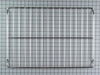
I needed an oven rack.
I was very impressed how quickly the package arrived. I would you your company again. I found you with a google search.
Parts Used:
-
Aubrey from Tuxedo Park, NY
-
Difficulty Level:Really Easy
-
Total Repair Time:Less than 15 mins
7 of 8 people
found this instruction helpful.
Was this instruction helpful to you?
Thank you for voting!
Swicth Stem Broken
Disconnect power. . . Remove control panel, pull wire connectors,[note location] remove old switch, install new, install wires, snip stem to length, set knob . . . Turn on power - works. [Note this is a live part even when not connected]
Parts Used:
-
FRANK from COPAKE, NY
-
Difficulty Level:Easy
-
Total Repair Time:30 - 60 mins
-
Tools:Screw drivers
8 of 13 people
found this instruction helpful.
Was this instruction helpful to you?
Thank you for voting!
Bake Element had burned out
shut off electricity to the range, removed the screws holding the element in place, pulled the element out as far as it would go, removed the screws holding the wires in place, tossed the old element, attached the wires to the new element, pushed the element back into place and reattached the screws holding the element in place. Turned the electricity back on and the oven heated right up.
Also, the part arrived the day after I ordered it. Great Price & Great Service.
Also, the part arrived the day after I ordered it. Great Price & Great Service.
Parts Used:
-
Carol from Sterling, VA
-
Difficulty Level:Really Easy
-
Total Repair Time:Less than 15 mins
-
Tools:Screw drivers
7 of 10 people
found this instruction helpful.
Was this instruction helpful to you?
Thank you for voting!
Element got hot spot
Easiest thing I've done. Shut off breaker. Unplug range. Pull out from wall (because this is a good time to remove the back, clean under and around the unit, check out the insulation and electrical contacts....or skip it, whatever). Open oven. Remove door (while ajar, pull up). Remove racks. Unscrew mounting plate from back interior wall. Set screws aside. Gently pull element forward until the leads and wires come through the insulation. Remove any strands of insulation that stuck to the leads and connectors. Unscrew leads. Keep left wire to the left and right wire to the right. DO NOT CROSS. Set screws aside. Discard old element. (This is a good time to clean your oven, if you haven't in a while.) If you cleaned oven, wait until dry. Position new element, feet down, in bottom of oven. Position left wire on left connector. Screw tightly BUT DO NOT BEND LEAD. IF YOU BEND IT, THEN DO NOT BEND IT BACK. CALL A PROFESSIONAL. Position right wire on right connector. Screw tightly BUT DO NOT BEND. IF YOU BEND IT, THEN DO NOT BEND IT BACK. CALL A PROFESSIONAL. Do not leave screws loose. Connection must be tight. Fire hazard, otherwise. If you bent nothing, then gently push element back through insulation until mounting plate is flush. Screw into position. Replace racks. Replace door. If you decide to check insulation and other leads, now is the time. I checked mine and it's a good thing I did.... Unscrew back plate of oven, keeping screws in order. Remove plate. Check that your new element and insulation aren't bunched up or otherwise in a hazardous state. You may notice burned or greasy insulation. You may see burned leads on light receptacle and broil element. If you do, then replace them, too. When finished with everything, replace back plate. Put range back into position, ensuring level and plumb. Plug in. Turn on breaker. Pat yourself on the back. You just saved $100-$250, depending on where you live.
Parts Used:
-
Shannon from LOUISVILLE, KY
-
Difficulty Level:Very Easy
-
Total Repair Time:Less than 15 mins
-
Tools:Nutdriver, Screw drivers
4 of 4 people
found this instruction helpful.
Was this instruction helpful to you?
Thank you for voting!