















JBC262F2 General Electric Range - Instructions
Keep searches simple. Use keywords, e.g. "leaking", "pump", "broken" or "fit".
No heat on bake.
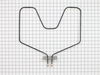
The first thing I did wrong was order the wrong part. Then later I did find the Model number on the side of the bottom drawer. I reordered the right part and turned off the electrical breaker. Removed the old element. I then installed the element in the oven with 2 screw nuts and pulled out the stove, took off the back panel and slipped the wire nuts onto the element. Very simple. I am really thankful there is a place to order the part and it came the next day after I ordered it. WHOW!
Parts Used:
-
Marian from Inglis, FL
-
Difficulty Level:Really Easy
-
Total Repair Time:Less than 15 mins
-
Tools:Nutdriver
1 person
found this instruction helpful.
Was this instruction helpful to you?
Thank you for voting!
Took forever to preheat
When I told my husband I ordered the part and was going to fix it myself, he laughed and said I might not have ordered the right part for the problem and I should just buy a new stove.
The part was delivered the day before Christmas, just 3 days after I placed the order! I had read the stories of others fixing theirs and gave it a shot. It took me longer to find the tools then it did to replace the element!
I took the screws out , pulled the element toward me and disconnected the wires. Put it back the way I found it. Oven heated up in less then 5 minutes!
The part was delivered the day before Christmas, just 3 days after I placed the order! I had read the stories of others fixing theirs and gave it a shot. It took me longer to find the tools then it did to replace the element!
I took the screws out , pulled the element toward me and disconnected the wires. Put it back the way I found it. Oven heated up in less then 5 minutes!
Parts Used:
-
Terri from Edgewater, FL
-
Difficulty Level:Really Easy
-
Total Repair Time:Less than 15 mins
-
Tools:Screw drivers, Socket set
1 person
found this instruction helpful.
Was this instruction helpful to you?
Thank you for voting!
No heat from bake element
Ordered part, took old bake element out, installed new bake element. It was real easy.
Parts Used:
-
Roberta from Southampton, NJ
-
Difficulty Level:Really Easy
-
Total Repair Time:Less than 15 mins
-
Tools:Socket set
1 person
found this instruction helpful.
Was this instruction helpful to you?
Thank you for voting!
Lower (bake) element burned out
Two 1/4" srews to remove the element from its mount, two 1/4" screws to remove wires and then the reverse to install new unit. Delivery was super fast and the price was half the price of the local dealers. I will certainly be a repeat customer.
Gary T.
Gary T.
Parts Used:
-
gary from Broken Arrow, OK
-
Difficulty Level:Really Easy
-
Total Repair Time:Less than 15 mins
-
Tools:Nutdriver
1 person
found this instruction helpful.
Was this instruction helpful to you?
Thank you for voting!
Bake element burned out
I removed the oven door and racks. After turning off the power I raised the old element up to be able to access the screws. I undid the two that connected the element to the back of the oven. After pulling the element forward, I undid the two screws that supplied power. I reconnected everything and, after turning the power back on, tested the element. It worked perfectly. It has been used quite extensively since then with no problems.
Parts Used:
-
Mark from North Richland Hills, TX
-
Difficulty Level:Really Easy
-
Total Repair Time:Less than 15 mins
-
Tools:Nutdriver
1 person
found this instruction helpful.
Was this instruction helpful to you?
Thank you for voting!
Heating Element Was No Longer Working.
Removed oven door by holding sides and pulling upward. It's easy to remove and replace. Removed shelves by sliding back and up, then out. Removed two hex nuts with socket wrench. They are on back wall of oven and secure element to that wall. I then pulled element out about 3 inches and disconnected the two leads.
I put new element in, reconnected two leads, replace two hex nuts and was done.
Turn off power to stove at circuit breaker before starting.
I put new element in, reconnected two leads, replace two hex nuts and was done.
Turn off power to stove at circuit breaker before starting.
Parts Used:
-
Karen from Stuart, FL
-
Difficulty Level:Really Easy
-
Total Repair Time:Less than 15 mins
-
Tools:Screw drivers, Socket set
1 person
found this instruction helpful.
Was this instruction helpful to you?
Thank you for voting!
Element was cut
Removed two screws and take Element out and put new one in.It is very easy to do.
Parts Used:
-
Rosaire from St. Agatha,, ME
-
Difficulty Level:Really Easy
-
Total Repair Time:Less than 15 mins
-
Tools:Nutdriver
1 person
found this instruction helpful.
Was this instruction helpful to you?
Thank you for voting!
elemant had burnt into
First I removed the two screws that hold the element in place. I then pulled the element out about 3 inches and disconnected the two wires, then i connect the new element and and replaced the screwes that held it in very simple and I must say Part select was very fast at getting me the correct part the first time , they have earned a spot in my Favorite list
Parts Used:
-
Tracy from Paris, IL
-
Difficulty Level:Really Easy
-
Total Repair Time:Less than 15 mins
-
Tools:Nutdriver
1 person
found this instruction helpful.
Was this instruction helpful to you?
Thank you for voting!
boken element
remove screws attaching burner plate to back of oven, pull out element, undo wiring to old burner by unscrewing 2 screws, remove old burner, reverse process to put new burner in
Parts Used:
-
cynthia from snyder, NY
-
Difficulty Level:Really Easy
-
Total Repair Time:15 - 30 mins
-
Tools:Wrench set
1 person
found this instruction helpful.
Was this instruction helpful to you?
Thank you for voting!
Bake element developed a hot spot that burned through it.
Easily removed two screws, pulled the wires out of the oven wall, disconnected the old and reconnected the new, pushed it back into the insulation, inserted the screws and tightened them. There was a problem with the model number. It was on a vinyl plate inside the oven drawer wall. The plate was slightly yellowed so I used my finger to wipe the yellow away. When I did, the model number ended up as a black smudge on my finger tip. GE's engineers could have come up with a better method of displaying the model number. GE's customer service operator, however, did an excellent job of helping me to ascertain, at least, some of the number.
Parts Used:
-
Paul from Slatington, PA
-
Difficulty Level:Really Easy
-
Total Repair Time:15 - 30 mins
-
Tools:Nutdriver
1 person
found this instruction helpful.
Was this instruction helpful to you?
Thank you for voting!
elememt not working
Hi, First unplug appliance ,remove the oven door by pulling it up from the hinges, giving room to work deep inside , remove the two screws that hold the element in place. then pull the element out carefully not to stress the wires and replace the element . Note after all is done test with an oven thermometor :)
Parts Used:
-
ROBERT from ORWELL, VT
-
Difficulty Level:Really Easy
-
Total Repair Time:30 - 60 mins
-
Tools:Screw drivers
1 person
found this instruction helpful.
Was this instruction helpful to you?
Thank you for voting!
The bottom bake element burned out.
1. Cut power off. 2. Remove old element, make sure you do not lose the screws, pull the connecting posts out and we used strings on posts so they could not get lost in the wall. 3. We then replaced the new element with little of no problems, it took approximately 30-45 minutes for the whole process.
Parts Used:
-
Pauline from DECATUR, GA
-
Difficulty Level:Really Easy
-
Total Repair Time:30 - 60 mins
-
Tools:Screw drivers
1 person
found this instruction helpful.
Was this instruction helpful to you?
Thank you for voting!
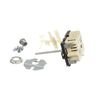
Halogen element staying on
removed the end caps from the stove panel, unscrewed the back, unscrewed the old switch, CAREFULLY noting which wire went to which terminal, removed the wires.
Reversed the process. took a little longer because I felt compelled to do a thorough cleaning while I was there.
Reversed the process. took a little longer because I felt compelled to do a thorough cleaning while I was there.
Parts Used:
-
Arthur from Indian Harbour Beach, FL
-
Difficulty Level:Easy
-
Total Repair Time:30 - 60 mins
-
Tools:Pliers, Screw drivers
2 of 4 people
found this instruction helpful.
Was this instruction helpful to you?
Thank you for voting!
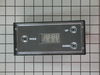
Timer was making noise fol
-
Wally from SEATAC, WA
-
Difficulty Level:Really Easy
-
Total Repair Time:15 - 30 mins
-
Tools:Screw drivers, Socket set
1 person
found this instruction helpful.
Was this instruction helpful to you?
Thank you for voting!
bake element burned out
took cover off back of stove. Removed two screws and wires that were attached to the element. Removed old element and installed new element. An easy repair.
Parts Used:
-
Dave from Maryville, OH
-
Difficulty Level:Easy
-
Total Repair Time:15 - 30 mins
-
Tools:Nutdriver, Screw drivers
1 person
found this instruction helpful.
Was this instruction helpful to you?
Thank you for voting!