















JB710ST3SS General Electric Range - Instructions
Keep searches simple. Use keywords, e.g. "leaking", "pump", "broken" or "fit".
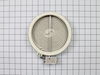
Burner not operational.
Disconnected power supply. Removed damaged element by releasing retainer clips and unplugging wire contacts. Replaced with new element.
Parts Used:
-
Gerald from Philadelphia, PA
-
Difficulty Level:Really Easy
-
Total Repair Time:Less than 15 mins
-
Tools:Screw drivers
Was this instruction helpful to you?
Thank you for voting!
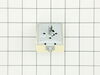
Dual burner on range stopped working.
Changed out the burner with a new replacement and it still didn't work. The socket on the old burner had a burn mark on it. The infinite switch operated sloppy not crisp like the other burners.Ordered a replacement online. Moved the range away from wall and cabinet and shut off electric at panel box. Removed upper back panel. removed switch knob and 2 screws holding switch. Compared electrical connections of both switches and saw that they were different. Read instructions which were included with new switch and found diagram for connecting old lead to new lead correctly. After all leads were connected, remounted new switch powered up and tested OK.
Parts Used:
-
Robert from Estero, FL
-
Difficulty Level:Easy
-
Total Repair Time:Less than 15 mins
-
Tools:Nutdriver, Pliers, Screw drivers
Was this instruction helpful to you?
Thank you for voting!
f-2 or f-3
remove two bolts in on sensor and slip thru back un plug and reverse to put in
Parts Used:

-
daniel from gap, PA
-
Difficulty Level:Easy
-
Total Repair Time:15 - 30 mins
-
Tools:Nutdriver, Screw drivers
Was this instruction helpful to you?
Thank you for voting!
F2 reading
-
lynn from sunnyside, NY
-
Difficulty Level:Really Easy
-
Total Repair Time:15 - 30 mins
-
Tools:Nutdriver, Pliers
Was this instruction helpful to you?
Thank you for voting!
F2 error code
Really easy fix. Unplug oven. With a 5/16 nut driver take the 5 screws out of the center long tin cover and remove. Unplug little white temperature sensor plug located between broil heating element. Open oven door and remove one screw holding temp. sensor using same nut driver and simply pull out old sensor. Install new sensor. It's that easy. No more f2 been working like a champ!!!
Parts Used:
-
jud from gatesville, TX
-
Difficulty Level:Really Easy
-
Total Repair Time:Less than 15 mins
-
Tools:Nutdriver
Was this instruction helpful to you?
Thank you for voting!
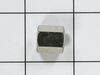
Convection fan came loose from shaft
Convection fan came loose from the shaft with a lout rattle and grinding as the fan spun down. Had to remove four metal screws to remove the fan cover. Initially tried to just put the nut back on to hold the fan. However, I could not get the nut to start, so I assumed that threads were stripped on the nut or the shaft. Ordered the replacement nut, hoping that it was the nut that was the problem. However, I had the same problem with the new nut. I could see no damage on the shaft. It finally occurred to me that the nut and shaft had left-hand threads (counter-clockwise to tighten). At that point, it was extremely easy to put the nut back on and tighten it. I did not try using the old nut, since I had already received the new one, but I'm certain that if I had come to that realization earlier, I could have saved time and money. So, if you have the same problem, try putting the nut on "backwards."
Parts Used:
-
Thomas from Albuquerque, NM
-
Difficulty Level:Easy
-
Total Repair Time:15 - 30 mins
-
Tools:Socket set
Was this instruction helpful to you?
Thank you for voting!
Flashing F2 and erratic temperature readings.
Unplugged from wall outlet, then opened oven front door. Reached in and removed two screws. Pulled oven sensor threw and detached electrical connector from old sensor. Plugged in new oven sensor and reversed removal procedure. No more Flashing F2 and oven temperature came to ready. Very easy.
Parts Used:
-
Kenneth from Salem, OR
-
Difficulty Level:Really Easy
-
Total Repair Time:Less than 15 mins
-
Tools:Nutdriver
Was this instruction helpful to you?
Thank you for voting!