















JB680ST2SS General Electric Range - Instructions
Keep searches simple. Use keywords, e.g. "leaking", "pump", "broken" or "fit".
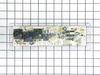
Bad control board
Removed top back plate of oven. unpluged all of the wiring plugs on the control board. Removed two screws on the control board. Removed face plate from old control board and put it on the new control board. Atteched new board with the two screws. Connected all of the plugs to new board ( all plugs are color coded to board). Re-installed oven back plate. Pluged oven in. Works great.
Parts Used:
-
Daryl from Savannah, TN
-
Difficulty Level:Really Easy
-
Total Repair Time:Less than 15 mins
-
Tools:Nutdriver, Pliers
Was this instruction helpful to you?
Thank you for voting!
F2 error code
Really easy fix. Unplug oven. With a 5/16 nut driver take the 5 screws out of the center long tin cover and remove. Unplug little white temperature sensor plug located between broil heating element. Open oven door and remove one screw holding temp. sensor using same nut driver and simply pull out old sensor. Install new sensor. It's that easy. No more f2 been working like a champ!!!
Parts Used:

-
jud from gatesville, TX
-
Difficulty Level:Really Easy
-
Total Repair Time:Less than 15 mins
-
Tools:Nutdriver
Was this instruction helpful to you?
Thank you for voting!
oven not warming, f2 indicating overheat
Removed 4 screws from back panel, disconnected small electricsl connector from sensor, removed one mounting screw from sensor inside oven,pulled wires through and removed old sensor. Fed wires for new sensor through and connected electrical connector, installed panel, installed mounting screw on sensor and checked oven, worked like a champ. Took 5 minutes.
Parts Used:
-
David from Lisle, IL
-
Difficulty Level:Really Easy
-
Total Repair Time:Less than 15 mins
-
Tools:Nutdriver
Was this instruction helpful to you?
Thank you for voting!
Hard to move drawer in and out because the rear drawer supports broke off.
Repair was very easy - less than a few minutes - just had to screw in 2 screws to the new drawer supports.
Parts Used:
-
Steven from Lansdale, PA
-
Difficulty Level:Really Easy
-
Total Repair Time:Less than 15 mins
-
Tools:Screw drivers
Was this instruction helpful to you?
Thank you for voting!
Left front burner would only heat on high setting.
Identified part and part # using schematic found on GE website, contacted PartSelect and confirmed part number, ordered and paid for part. Two days later I recieved part. Unplugged stove, removed two screws on bottom side of front panel and two on top back of same panel, pulled panel forward, pulled the control knob off, removed two small screws that hold the control switch in place, situated new control switch next to bad switch and removed one wire at the time from the bad switch and connected to the same terminal on the new switch. Put everything back together and Bingo, works like a new one. Thanks PartSelect for the friendly, personal phone service, the fast shipment and competitive pricing on my part.
Parts Used:
-
Morris from Ardmore, TN
-
Difficulty Level:Really Easy
-
Total Repair Time:Less than 15 mins
-
Tools:Screw drivers, Wrench (Adjustable)
Was this instruction helpful to you?
Thank you for voting!
one burner not working
Removed two screws to access burner. Removed three power clips from burner, reattached the clips to new burner, removed brace clips and attach to new burner, close lid and reattach stove cover.
Parts Used:
-
Edwin from HIGHLANDS RANCH, CO
-
Difficulty Level:Really Easy
-
Total Repair Time:15 - 30 mins
-
Tools:Socket set
Was this instruction helpful to you?
Thank you for voting!
f-2 or f-3
remove two bolts in on sensor and slip thru back un plug and reverse to put in
Parts Used:
-
daniel from gap, PA
-
Difficulty Level:Easy
-
Total Repair Time:15 - 30 mins
-
Tools:Nutdriver, Screw drivers
Was this instruction helpful to you?
Thank you for voting!
Convection fan came loose from shaft
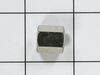
Convection fan came loose from the shaft with a lout rattle and grinding as the fan spun down. Had to remove four metal screws to remove the fan cover. Initially tried to just put the nut back on to hold the fan. However, I could not get the nut to start, so I assumed that threads were stripped on the nut or the shaft. Ordered the replacement nut, hoping that it was the nut that was the problem. However, I had the same problem with the new nut. I could see no damage on the shaft. It finally occurred to me that the nut and shaft had left-hand threads (counter-clockwise to tighten). At that point, it was extremely easy to put the nut back on and tighten it. I did not try using the old nut, since I had already received the new one, but I'm certain that if I had come to that realization earlier, I could have saved time and money. So, if you have the same problem, try putting the nut on "backwards."
Parts Used:
-
Thomas from Albuquerque, NM
-
Difficulty Level:Easy
-
Total Repair Time:15 - 30 mins
-
Tools:Socket set
Was this instruction helpful to you?
Thank you for voting!
F2 reading
-
lynn from sunnyside, NY
-
Difficulty Level:Really Easy
-
Total Repair Time:15 - 30 mins
-
Tools:Nutdriver, Pliers
Was this instruction helpful to you?
Thank you for voting!
rear drawer supports broke
Directtions were by diagram only, no written instructions. Drawing was small and difficult to follow but the repair itself was easy.
Parts Used:
-
TERRY from RICHMOND, VA
-
Difficulty Level:Really Easy
-
Total Repair Time:15 - 30 mins
-
Tools:Socket set
Was this instruction helpful to you?
Thank you for voting!
Dual Burner was not turning off or turning on by itself
Pulled the top back panel off, pulled off burner control knob, removed 2 screws which released switch, removed 5 wires from switch and connected them to new switch (pulled off faily easily). Reconnected the 2 screws to range and pushed knob back on. Replaced panel and reconnect the electric. Now works as it should.
Parts Used:
-
Michael from North Miami Beach, FL
-
Difficulty Level:Easy
-
Total Repair Time:15 - 30 mins
-
Tools:Nutdriver, Screw drivers
Was this instruction helpful to you?
Thank you for voting!
Shorted Control Unit -
Control unit was easy to remove ,wires color coded-the face plate(key pad) needed to be separated from the old unit. Carefully used a hair dryer to warm the decal. . . Secured the old unit gently in a vise, warmed ( and separated slowly, with a razor blade and thin putty knife(patience). . Once removed, applied to the new unit. . . 5 Stars to partselect for service. . . . Turned a $400 repair into $100 do-it your self. Partselect will be my 1st "go to" from now-on.
Parts Used:
-
Gerald from Plantsville, CT
-
Difficulty Level:A Bit Difficult
-
Total Repair Time:30 - 60 mins
-
Tools:Nutdriver, Screw drivers
Was this instruction helpful to you?
Thank you for voting!
one leg of the terminal block was loose and overheated under load.the terminal block melted and could have caused a fire.
I took a picture of the setup and damage . I then disconnected the burnt wires and replaced the wires . Then I installed the new terminal block and connected the wires to the proper positions. The reason for the failure was that the delivery people didn't tighten the cord when they installed the stove . I would check the connections periodically as to avoid another situation like this .
Parts Used:
-
brendan from lebanon, NH
-
Difficulty Level:Easy
-
Total Repair Time:30 - 60 mins
-
Tools:Pliers, Screw drivers, Socket set, Wrench set
Was this instruction helpful to you?
Thank you for voting!
The electronic board controls failed to illuminate or work after very strong power surge associated with lightening. The stove top burners still worked fine but not the clock and controlls for the oven.
I found a video on Youtube with a similar circuit board repair and decided that I could probably do it. First and most important is to be certain the range is disconnected from its electric circuit. I did this by turning off the breaker at the electrical panel and then unplugging the range. Second, I removed a panel (four screws) on the back of my stove to expose the circuit board, Next I removed the board (four screws) without disconnecting the wiring. Then I removed the flexible plastic covering from the board which has the control button identities on it. This was the most difficult part because the glue was very sticky and I did not want to tear the cover. After removal, I stuck the plastic covering (still sticky) onto the new circuit board and made sure the buttons were in the correct position. Then, I unplugged the wires one at a time from the old circuit board and made sure I plugged them into the new board in the correct position. Finally, I reattached the new board and the back panel on the stove. This repair was easy and no problem for the average "do it yourself" type.
Parts Used:
-
Leon from Cullowhee, NC
-
Difficulty Level:Easy
-
Total Repair Time:30 - 60 mins
-
Tools:Nutdriver, Pliers
Was this instruction helpful to you?
Thank you for voting!
Pilot light out
Removed the power plug from the wall, screwdriver and small socket allowed me to remove the front control panel. Once I located the pilot light I pulled off the holding clips and placed a new light into the holding clips...problem solved.
Parts Used:
-
Henry from Sonoita, AZ
-
Difficulty Level:Really Easy
-
Total Repair Time:15 - 30 mins
-
Tools:Screw drivers, Socket set
Was this instruction helpful to you?
Thank you for voting!