















JB655FKBDS General Electric Range - Instructions
Keep searches simple. Use keywords, e.g. "leaking", "pump", "broken" or "fit".
Flashing F2 and erratic temperature readings.
Unplugged from wall outlet, then opened oven front door. Reached in and removed two screws. Pulled oven sensor threw and detached electrical connector from old sensor. Plugged in new oven sensor and reversed removal procedure. No more Flashing F2 and oven temperature came to ready. Very easy.
Parts Used:

-
Kenneth from Salem, OR
-
Difficulty Level:Really Easy
-
Total Repair Time:Less than 15 mins
-
Tools:Nutdriver
Was this instruction helpful to you?
Thank you for voting!
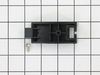
Our bottom drawer support broke and the bottom drawer was canted
Simply removed drawer and lined up the newsupports. Made sure the guide pin was lined up and installed with single screw
Parts Used:
-
Robert from Woodinville, WA
-
Difficulty Level:Really Easy
-
Total Repair Time:Less than 15 mins
-
Tools:Screw drivers
Was this instruction helpful to you?
Thank you for voting!
F2 error code
Really easy fix. Unplug oven. With a 5/16 nut driver take the 5 screws out of the center long tin cover and remove. Unplug little white temperature sensor plug located between broil heating element. Open oven door and remove one screw holding temp. sensor using same nut driver and simply pull out old sensor. Install new sensor. It's that easy. No more f2 been working like a champ!!!
Parts Used:
-
jud from gatesville, TX
-
Difficulty Level:Really Easy
-
Total Repair Time:Less than 15 mins
-
Tools:Nutdriver
Was this instruction helpful to you?
Thank you for voting!
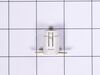
Pilot light out
Removed the power plug from the wall, screwdriver and small socket allowed me to remove the front control panel. Once I located the pilot light I pulled off the holding clips and placed a new light into the holding clips...problem solved.
Parts Used:
-
Henry from Sonoita, AZ
-
Difficulty Level:Really Easy
-
Total Repair Time:15 - 30 mins
-
Tools:Screw drivers, Socket set
Was this instruction helpful to you?
Thank you for voting!
oven not warming, f2 indicating overheat
Removed 4 screws from back panel, disconnected small electricsl connector from sensor, removed one mounting screw from sensor inside oven,pulled wires through and removed old sensor. Fed wires for new sensor through and connected electrical connector, installed panel, installed mounting screw on sensor and checked oven, worked like a champ. Took 5 minutes.
Parts Used:
-
David from Lisle, IL
-
Difficulty Level:Really Easy
-
Total Repair Time:Less than 15 mins
-
Tools:Nutdriver
Was this instruction helpful to you?
Thank you for voting!
Plastic slide for storage drawer broken.
Took part out of package, looked at instructions and followed them. Required a screwdriver to screw part on to the drawer.
Parts Used:
-
James from Stuart, VA
-
Difficulty Level:Really Easy
-
Total Repair Time:Less than 15 mins
-
Tools:Screw drivers
Was this instruction helpful to you?
Thank you for voting!