















JB620DR5WW General Electric Range - Instructions
Keep searches simple. Use keywords, e.g. "leaking", "pump", "broken" or "fit".
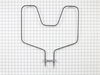
Bottom element burned out.i ordered the part.from partselect.
I took the racks out . took the two screws out holding the element.removed the two wires remove the element.then cleaned the oven.put the wires on new element. Put element back in holes.replaced screws.replaced racks.worked like new. I would recommend partselect to any one thanks Lewis
Parts Used:
-
Lewis from ZIRCONIA, NC
-
Difficulty Level:Really Easy
-
Total Repair Time:15 - 30 mins
-
Tools:Wrench (Adjustable)
2 of 2 people
found this instruction helpful.
Was this instruction helpful to you?
Thank you for voting!
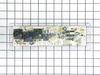
Just didn't work no pwr to it
Killed braker first, removed four screws from back, then unplugged all the wiring, then removed four screw that hold the unit on stove, pealed off the face decal, put that on the new on and just reversed the take off press.
Parts Used:
-
Jerry from HOPEWELL, VA
-
Difficulty Level:Really Easy
-
Total Repair Time:15 - 30 mins
-
Tools:Nutdriver, Screw drivers
2 of 2 people
found this instruction helpful.
Was this instruction helpful to you?
Thank you for voting!
Stove overheated with an F2 error
Removed screws holding temp sensor, pulled wire out from behind wall until found connector, disconnected old sensor.
Measured resistance of old sensor and compared with new sensor, they measured nearly the same. Installed the new sensor and tested the stove. Came up to temp ok. No problem since, about 2 weeks.
Measured resistance of old sensor and compared with new sensor, they measured nearly the same. Installed the new sensor and tested the stove. Came up to temp ok. No problem since, about 2 weeks.
Parts Used:

-
Richard from PHOENIX, AZ
-
Difficulty Level:Easy
-
Total Repair Time:15 - 30 mins
-
Tools:Nutdriver
2 of 2 people
found this instruction helpful.
Was this instruction helpful to you?
Thank you for voting!
When you touched any button on the controls LOC on appeared.
Talked to parts select tech after ordering the control board. Tech advised me that he felt the range could be repaired without installing any parts. Advised me to contact manufacture tech support and explain the problem. I did to find that the child safety lock was on, probably from cleaning and touching too many buttons at once while whipping surface. Told me to hold down + and - at the same time for three seconds and it was fixed.
Parts select tech had told me don’t worry the parts are guaranteed so I called for a RMA and returned the parts for a refund. Thanks Parts Select, y’all are real professionals and that is greatly appreciated.
Thank you all.
Parts select tech had told me don’t worry the parts are guaranteed so I called for a RMA and returned the parts for a refund. Thanks Parts Select, y’all are real professionals and that is greatly appreciated.
Thank you all.
Parts Used:
-
Roger from HUNTSVILLE, AL
-
Difficulty Level:Very Easy
-
Total Repair Time:Less than 15 mins
2 of 2 people
found this instruction helpful.
Was this instruction helpful to you?
Thank you for voting!
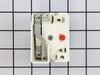
Burner remained on "high" as contacts were fused together
Easy removal of switch and installation of new switch block.
Parts Used:
-
Bruce from HOLMEN, WI
-
Difficulty Level:Easy
-
Total Repair Time:Less than 15 mins
-
Tools:Nutdriver, Screw drivers
2 of 2 people
found this instruction helpful.
Was this instruction helpful to you?
Thank you for voting!
The light inside the oven had burned out
0. As a safety precaution, unplug the range or hit the relevant fuse breaker before you start. You might also want to grab a flashlight. Definitely do not try to do this while the oven is hot.
1. Pinch the wire over the light bulb cap to remove it. This is inside the oven at the back.
2. Pop off the hemispherical glass cap.
3. Unscrew the old light bulb, and screw the new light bulb in its place.
4. Put the cap back.
5. Secure the cap by putting the wire back in its slots on the cap.
No tools needed, the cap is just held in place with pressure from the wire.
1. Pinch the wire over the light bulb cap to remove it. This is inside the oven at the back.
2. Pop off the hemispherical glass cap.
3. Unscrew the old light bulb, and screw the new light bulb in its place.
4. Put the cap back.
5. Secure the cap by putting the wire back in its slots on the cap.
No tools needed, the cap is just held in place with pressure from the wire.
Parts Used:

-
Catherine from SEATTLE, WA
-
Difficulty Level:Very Easy
-
Total Repair Time:Less than 15 mins
3 of 5 people
found this instruction helpful.
Was this instruction helpful to you?
Thank you for voting!
Replace Thermostat
Pull oven out away from the wall, unplugged from outlet, removed center cover by removing 5 sheet metal screws. disconnected thermostat sensor from control cable. Opened oven door and removed screw that holds thermostat sensor. Pulled thermostat sensor out replaced with new sensor. Plugged sensor in to control cable. Replace panel and screws. Then my wife made me clean the oven. I recommend making the repair when your wife is not home.
Parts Used:
-
Russell from Morgantown, WV
-
Difficulty Level:Really Easy
-
Total Repair Time:Less than 15 mins
-
Tools:Socket set
2 of 2 people
found this instruction helpful.
Was this instruction helpful to you?
Thank you for voting!
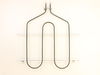
Electrode burnt off on left side
First I removed the five screws that hold the
element in place and pulled the element out
about 3 inches and disconnected the two wires
and hooked a piece of wire on the leads to make sure they did not fall behind the cabinet.
Then I connected the new element to the lead
wires and removed the piece of wire and secured the new element in place with the mounting screws. Took about 25 minutes to remove and replace.
element in place and pulled the element out
about 3 inches and disconnected the two wires
and hooked a piece of wire on the leads to make sure they did not fall behind the cabinet.
Then I connected the new element to the lead
wires and removed the piece of wire and secured the new element in place with the mounting screws. Took about 25 minutes to remove and replace.
Parts Used:
-
Kenneth from Wisconsin Rapids, WI
-
Difficulty Level:Easy
-
Total Repair Time:15 - 30 mins
-
Tools:Nutdriver
2 of 2 people
found this instruction helpful.
Was this instruction helpful to you?
Thank you for voting!
Oven temp wouldn't regulate.
-
Ronald from Crumpler, NC
-
Difficulty Level:Very Easy
-
Total Repair Time:15 - 30 mins
-
Tools:Nutdriver, Pliers, Screw drivers
2 of 2 people
found this instruction helpful.
Was this instruction helpful to you?
Thank you for voting!
Oven could not be turned off once settings were turned on except by unplugging hookup.
Took back cover panel off (upper) and removed the 4 1/4 inch nut screws. Used nut driver and removed the 4 screws holding control panel in place. Put new panel in place and unhooked electrical connections and installed on new panel. Plugged stove back in and checked operation. All OK, so then put back cover on and everybody is happy.
Parts Used:
-
Charles from BENNETTSVILLE, SC
-
Difficulty Level:Really Easy
-
Total Repair Time:30 - 60 mins
-
Tools:Nutdriver
2 of 2 people
found this instruction helpful.
Was this instruction helpful to you?
Thank you for voting!
Mostly Easy
I replaced the element by taking out the screws that held the old element. Removed the old element but the wires went back into the insulation and I tried fishing them out. They just wouldn't come back down after much prying. I ended up taking the back panel off and pushing them back into the oven. Once I did that the replacement was easy.
Parts Used:
-
Sharon from HUNTINGDON, PA
-
Difficulty Level:Easy
-
Total Repair Time:30 - 60 mins
-
Tools:Nutdriver, Pliers
2 of 2 people
found this instruction helpful.
Was this instruction helpful to you?
Thank you for voting!
The baking element needed replaced.
The new element didn’t come with instructions, but a previous customer had left a review on the website that he had found a helpful YouTube video. So, I also found a video that walked me right through the steps.
Parts Used:
-
KARLA from WICHITA, KS
-
Difficulty Level:Really Easy
-
Total Repair Time:15 - 30 mins
-
Tools:Nutdriver
2 of 2 people
found this instruction helpful.
Was this instruction helpful to you?
Thank you for voting!
lights blown out
-
Gerald from WINTERVILLE, GA
-
Difficulty Level:Very Easy
-
Total Repair Time:Less than 15 mins
6 of 14 people
found this instruction helpful.
Was this instruction helpful to you?
Thank you for voting!
The bottom trim Chanel was very rusted.
The part was exactly what we needed. However, we didn't find the video online to show how to replace the part until we were almost finished. (https://www.youtube.com/watch?v=ovwcJhfWHXQ) If we had found the video, it would have saved us a lot of time because we undid more of the door than we needed to. Also, the video tells you exactly what size tools to use. However, taking the door more apart allowed us to clean more of the inside of the door. So, watch the video before you start, and also, be prepared to spend time cleaning the insides of the door. Also, when we put the door back together, we accidentally turned the front glass panel of the door upside down and it wasn't noticeable until we had put the door back on the oven. So, we had to take it apart again to fix it. All said, we're very happy with the new part. Thank you PartSelect!
Parts Used:

-
Janet from NORTH ANDOVER, MA
-
Difficulty Level:A Bit Difficult
-
Total Repair Time:More than 2 hours
-
Tools:Nutdriver, Pliers, Screw drivers
2 of 2 people
found this instruction helpful.
Was this instruction helpful to you?
Thank you for voting!
Burned out broiler element.
Pulled the stove out from between the cabinets, used a blade screwdriver to pop the oven door retainers down and lifted the oven door out, removed the racks. used a 1/4'' nut driver to remove the 5 screws holding the broiler in place. From the time I unplugged the stove from the outlet until I plugged the stove back in was 15 min. I would suggest wearing gloves because the metal frame around the burner element has sharp edges.
Parts Used:
-
Jack from YORK, PA
-
Difficulty Level:Really Easy
-
Total Repair Time:15 - 30 mins
-
Tools:Nutdriver, Pliers, Screw drivers
2 of 2 people
found this instruction helpful.
Was this instruction helpful to you?
Thank you for voting!