















JB551G*P2 General Electric Range - Instructions
Keep searches simple. Use keywords, e.g. "leaking", "pump", "broken" or "fit".
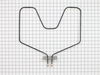
element burned out
Could not believe how fast the part shipped. 2 days and it was here. All it took was using a nut driver to remove 4 screws and then put the new one in.
Parts Used:
-
Randy from Seagoville, TX
-
Difficulty Level:Really Easy
-
Total Repair Time:Less than 15 mins
-
Tools:Nutdriver
1 of 2 people
found this instruction helpful.
Was this instruction helpful to you?
Thank you for voting!
Oven Element wouldn't heat
My 17 year old son and I (his mom) replaced the oven element in less than 15 minutes!!! It was so easy. We first unplugged the stove since I didn't want to go and shut off the circuit breaker in the dark!! We then removed the two screws that hold the element in place and started to pulled out the element. It was actually corroding in my hands as I pulled it out. We disconnected the wires and then put in the new element by reconnecting the wires, pushing the connections back in and replacing the two screws that hold the element in. The oven heated right up!!! What a savings to do it yourself and not have a repairman charge us extra to do a 10 minute job!! Thank you Part Select for your fast service. I will definitely look here before I shop anywhere else. Thanks,
Parts Used:
-
Rachelle from Oakdale, CA
-
Difficulty Level:Really Easy
-
Total Repair Time:Less than 15 mins
-
Tools:Socket set
1 of 2 people
found this instruction helpful.
Was this instruction helpful to you?
Thank you for voting!
oven would not get hot when on the BAKE setting
-
Kathy from Lincoln Park, NJ
-
Difficulty Level:Really Easy
-
Total Repair Time:Less than 15 mins
-
Tools:Screw drivers, Socket set
1 of 2 people
found this instruction helpful.
Was this instruction helpful to you?
Thank you for voting!
Element died
The hardest part was working in the oven.
Turn off power
Open Oven Door, remove racks
Remove two mounting screws with nut driver.
Slide the element out to expose the wire connections.
Remove the screws and pull the element out.
Place the new element in oven.
Clamp on to each of the terminals with vice grips to keep from bending the element and install the screws.
Slide the element back into place and put the two mounting screws back in.
Put the racks back in and turn on the power and test. You may get a little smoke off the new coil.
Like I said the hardest part is leaning into the oven to attach the screws, do not sit on the oven door.
Turn off power
Open Oven Door, remove racks
Remove two mounting screws with nut driver.
Slide the element out to expose the wire connections.
Remove the screws and pull the element out.
Place the new element in oven.
Clamp on to each of the terminals with vice grips to keep from bending the element and install the screws.
Slide the element back into place and put the two mounting screws back in.
Put the racks back in and turn on the power and test. You may get a little smoke off the new coil.
Like I said the hardest part is leaning into the oven to attach the screws, do not sit on the oven door.
Parts Used:
-
John from Mount Airy, MD
-
Difficulty Level:Easy
-
Total Repair Time:Less than 15 mins
-
Tools:Nutdriver, Screw drivers
1 of 2 people
found this instruction helpful.
Was this instruction helpful to you?
Thank you for voting!
bake element burned out
removed the two screws, unsnapped the burnedout element and snapped new element in place, replaced two screws.
Parts Used:
-
Joe from Ashland, MO
-
Difficulty Level:Really Easy
-
Total Repair Time:Less than 15 mins
-
Tools:Nutdriver
1 of 2 people
found this instruction helpful.
Was this instruction helpful to you?
Thank you for voting!
Element had a crack in it and was shooting sparks from it
Unplugged range. Removed old element from back of oven which was held in by two screws. Unscrewed the wires that were attached to old element and screwed them into the new one.
Parts Used:
-
Tiffany from WINCHESTER, KY
-
Difficulty Level:Very Easy
-
Total Repair Time:Less than 15 mins
-
Tools:Screw drivers, Socket set
1 of 2 people
found this instruction helpful.
Was this instruction helpful to you?
Thank you for voting!
Oven element was shorted out
No. 1 thing I did is I unplugged power supply to oven, second- unscrewed two screws that was holding cover plate and removed cover plate with a set of pliers, pulled element out and unscrewed two screw with power wires and installed new element, tightened screws and re-installed cover plate, tested oven turning on oven and in a few seconds element got hot, job done!
Parts Used:
-
KEVIN from WAUSEON, OH
-
Difficulty Level:Really Easy
-
Total Repair Time:Less than 15 mins
-
Tools:Pliers
1 of 2 people
found this instruction helpful.
Was this instruction helpful to you?
Thank you for voting!
Oven took long time to reach desired temp. Element sparkled and burned up.
First I turned off the breaker to the oven,
then I removed the two screws that hold the element in place. I then pulled the element out about 3 inches and disconnected the two wires. I placed the new element in the oven, reconnected the wiring and replaced the two screws in the mounting bracket. I reset the breaker and turned the oven on to about 450 degrees for 30 minutes to burn off the new smell of the element. This job was very easy and I saved about $100 from paying a service to do it.
then I removed the two screws that hold the element in place. I then pulled the element out about 3 inches and disconnected the two wires. I placed the new element in the oven, reconnected the wiring and replaced the two screws in the mounting bracket. I reset the breaker and turned the oven on to about 450 degrees for 30 minutes to burn off the new smell of the element. This job was very easy and I saved about $100 from paying a service to do it.
Parts Used:
-
Joe from Raleigh, NC
-
Difficulty Level:Really Easy
-
Total Repair Time:Less than 15 mins
-
Tools:Nutdriver
1 of 2 people
found this instruction helpful.
Was this instruction helpful to you?
Thank you for voting!
Bad Bake Element
The bake element in my 17 year old GE free standing electric range became defective. This element has 2 terminals -- black (240V) and white (neutral). While removing the element from the range, a 2nd black wire was pulled out of the back of the oven. This wire had a bare terminal connection and apparently had been loose behind the oven shell for all these 17 years. Inspection of this wire showed it carried 115V. I wrapped this wire with electrical tape and reinserted it into the insulation behind the oven shell.
Parts Used:
-
John from Spring Grove, PA
-
Difficulty Level:Easy
-
Total Repair Time:Less than 15 mins
-
Tools:Nutdriver, Screw drivers
1 of 2 people
found this instruction helpful.
Was this instruction helpful to you?
Thank you for voting!
Bake unit had burned out
With great ease. Only thing I would have appreciated was knowing the size ofvthevrequired socket wrench. Otherwise it was easy and fun as the instructions were crystal clear.
Parts Used:
-
Margaret from Brookland, NY
-
Difficulty Level:Really Easy
-
Total Repair Time:Less than 15 mins
-
Tools:Socket set
1 of 2 people
found this instruction helpful.
Was this instruction helpful to you?
Thank you for voting!
old heating element burned out
unplugged oven. removed oven racks.Disconnected old unit. Installed new unit. Very very simple
Parts Used:
-
Lee from Franklin, TN
-
Difficulty Level:Easy
-
Total Repair Time:Less than 15 mins
-
Tools:Pliers
1 of 2 people
found this instruction helpful.
Was this instruction helpful to you?
Thank you for voting!
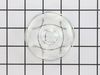
dropped & broke the oven light bulb cover
-
joseph from san jose, CA
-
Difficulty Level:Really Easy
-
Total Repair Time:Less than 15 mins
1 of 2 people
found this instruction helpful.
Was this instruction helpful to you?
Thank you for voting!
lower element did not heat
First shut off power to the store and used a socket set to remove 2 screws and disconnnect the element. Connected the new element but had to use the old screws as the new ones did not work with my appliance.
Parts Used:
-
mary from cape coral, FL
-
Difficulty Level:Easy
-
Total Repair Time:15 - 30 mins
-
Tools:Screw drivers, Socket set
1 of 2 people
found this instruction helpful.
Was this instruction helpful to you?
Thank you for voting!
Bake element burned out
Turned off power. Removed oven racks. Removed the 2 screws that held the element in place. Pulled element out about 3 in. & disconnected 3 wires. Placed new element, reconnected 3 wires & reconnected the 2 screws that hold element in place. Turned power back on & it works great!!. Was very pleased at how easy it was & also how fast I received the part, which was day after I ordered it.
Parts Used:
-
Dora from Port Orange, FL
-
Difficulty Level:Really Easy
-
Total Repair Time:15 - 30 mins
-
Tools:Nutdriver, Screw drivers
1 of 2 people
found this instruction helpful.
Was this instruction helpful to you?
Thank you for voting!
Oven would not heat, but broiler, burners and thermostat was clicking, so we figured it was the bake element.
Had to take back panel off of the inside of the oven to get to the screws to remove the old element and attache the new. Removed the two screws to remove the old, pulled it out unattached the wires and attached the new one.
Parts Used:
-
Patricia from Reading, MA
-
Difficulty Level:Easy
-
Total Repair Time:15 - 30 mins
-
Tools:Nutdriver, Screw drivers
1 of 2 people
found this instruction helpful.
Was this instruction helpful to you?
Thank you for voting!