















JB551G*P2 General Electric Range - Instructions
Keep searches simple. Use keywords, e.g. "leaking", "pump", "broken" or "fit".
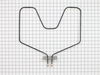
Element got hot spot
Easiest thing I've done. Shut off breaker. Unplug range. Pull out from wall (because this is a good time to remove the back, clean under and around the unit, check out the insulation and electrical contacts....or skip it, whatever). Open oven. Remove door (while ajar, pull up). Remove racks. Unscrew mounting plate from back interior wall. Set screws aside. Gently pull element forward until the leads and wires come through the insulation. Remove any strands of insulation that stuck to the leads and connectors. Unscrew leads. Keep left wire to the left and right wire to the right. DO NOT CROSS. Set screws aside. Discard old element. (This is a good time to clean your oven, if you haven't in a while.) If you cleaned oven, wait until dry. Position new element, feet down, in bottom of oven. Position left wire on left connector. Screw tightly BUT DO NOT BEND LEAD. IF YOU BEND IT, THEN DO NOT BEND IT BACK. CALL A PROFESSIONAL. Position right wire on right connector. Screw tightly BUT DO NOT BEND. IF YOU BEND IT, THEN DO NOT BEND IT BACK. CALL A PROFESSIONAL. Do not leave screws loose. Connection must be tight. Fire hazard, otherwise. If you bent nothing, then gently push element back through insulation until mounting plate is flush. Screw into position. Replace racks. Replace door. If you decide to check insulation and other leads, now is the time. I checked mine and it's a good thing I did.... Unscrew back plate of oven, keeping screws in order. Remove plate. Check that your new element and insulation aren't bunched up or otherwise in a hazardous state. You may notice burned or greasy insulation. You may see burned leads on light receptacle and broil element. If you do, then replace them, too. When finished with everything, replace back plate. Put range back into position, ensuring level and plumb. Plug in. Turn on breaker. Pat yourself on the back. You just saved $100-$250, depending on where you live.
Parts Used:
-
Shannon from LOUISVILLE, KY
-
Difficulty Level:Very Easy
-
Total Repair Time:Less than 15 mins
-
Tools:Nutdriver, Screw drivers
4 of 4 people
found this instruction helpful.
Was this instruction helpful to you?
Thank you for voting!
no burnt wire
-
Bernard from N CHARLESTON, SC
-
Difficulty Level:Very Easy
-
Total Repair Time:Less than 15 mins
-
Tools:Screw drivers
5 of 8 people
found this instruction helpful.
Was this instruction helpful to you?
Thank you for voting!
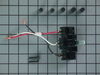
infinite switch would not shut off at times.
First shut the power to the stove,then had to slide the stove out so I could get at the back to remove the panel screws.Once you have the back off remove the knob on the front.Under the knob is 2 phillips screws that you need to remove.Next I took the new switch and matched up the wires to the old switch.Reinstall is the reverse.Once the switch is in place you must remove the excess shaft to match the length of the old one.This is done with the use of 2 pliers,you grasp the shaft with both pliers and snap it off where you need it.The kit comes with spacers so you have got to match up the right one so the switch is solid on the shaft.This finishes the project,next turn the power back on and check that all is working ok.Job finished.
Parts Used:
-
Ervin from Milford, DE
-
Difficulty Level:Really Easy
-
Total Repair Time:30 - 60 mins
-
Tools:Screw drivers
6 of 11 people
found this instruction helpful.
Was this instruction helpful to you?
Thank you for voting!
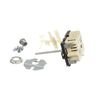
Electric Burner Control Broken
New one a little different ,but it was marked for wiring!
Had to install upside down because wires would not reach right side up!
Had to pull back side of knob out and turn 180 degrees and glue in knob, so knob would be right side up!
Works fine! Now all burners work again!
Had to install upside down because wires would not reach right side up!
Had to pull back side of knob out and turn 180 degrees and glue in knob, so knob would be right side up!
Works fine! Now all burners work again!
Parts Used:
-
Robert from VINELAND, NJ
-
Difficulty Level:A Bit Difficult
-
Total Repair Time:30 - 60 mins
4 of 5 people
found this instruction helpful.
Was this instruction helpful to you?
Thank you for voting!
Old infinite switch WB21X36771 broke...heating element stopped heating
1. Bought replacement part said to replace old switch.
2. Pulled old switch out.
3. Replacement part did not match. Would have to take entire switch panel apart to change to this part.
4. Multiple-part instructions very poor. For my switch unreadable.
5. Old part was "push to turn". New part was not.
6. Knob did not fit new switch. Old shaft was "D" shaped. New is square.
7. Gave up. Need to call repair shop.
8. Hope this helps.
2. Pulled old switch out.
3. Replacement part did not match. Would have to take entire switch panel apart to change to this part.
4. Multiple-part instructions very poor. For my switch unreadable.
5. Old part was "push to turn". New part was not.
6. Knob did not fit new switch. Old shaft was "D" shaped. New is square.
7. Gave up. Need to call repair shop.
8. Hope this helps.
Parts Used:
-
Richard from PLANO, TX
-
Difficulty Level:Very Difficult
-
Total Repair Time:More than 2 hours
-
Tools:Pliers, Screw drivers
5 of 8 people
found this instruction helpful.
Was this instruction helpful to you?
Thank you for voting!
Oven/ No Heat
Partselect made this job a breeze. Due to the user friendly process to order and receive the part. I repaired the stove after turning off the breaker in the main box. There were two screws that held the baking unit in place, removed them and then replaced with new unit.
Parts Used:
-
A K from LITHIA SPRINGS, GA
-
Difficulty Level:Really Easy
-
Total Repair Time:Less than 15 mins
-
Tools:Nutdriver, Screw drivers
3 of 3 people
found this instruction helpful.
Was this instruction helpful to you?
Thank you for voting!
Bake element did not work
Got new part! Unplug range!!!
Remove oven door by opening and lifting up at the same time, set aside.
Remove two screws with a nutdriver or screwdriver.
Pull on element far enough to unhook wires and throw away old element and install the wires on the new element and reinstall!!
Remove oven door by opening and lifting up at the same time, set aside.
Remove two screws with a nutdriver or screwdriver.
Pull on element far enough to unhook wires and throw away old element and install the wires on the new element and reinstall!!
Parts Used:
-
Kenny from CALDWELL, ID
-
Difficulty Level:Really Easy
-
Total Repair Time:Less than 15 mins
-
Tools:Nutdriver, Screw drivers
3 of 4 people
found this instruction helpful.
Was this instruction helpful to you?
Thank you for voting!
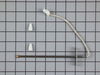
F2 error code when oven was set at a higher temperature.
I pretty much followed the youtube video posted under the part that I needed. Turned off electricity to that area of the house. Unplugged stove. Took out the old sensor, pushed new sensor cord through the back hole. I did put a small amount of tape,so I could pull it through from the back better. It was impossible to get the clip disconnected in the back and the new clip didn't match up correctly anyway. Ended up having to cut the wires and strip them. I twisted them together and put on the ceramic wire nuts on. Reversed ever thing I did and F3 appeared. Looked that code up on internet. It was from an open or shorted oven. Suggested I check the connections. Pulled stove out again, unscrewed caps on wires and noticed the sensor's wire had another cloth type coating on it. I gentle cut that off, twisted and capped wires again. Plugged in oven, turn on electricity, and tried out stove. Everything is working just fine. Everything took a little longer because this was first time doing this type of repair.
Parts Used:
-
Rachele from OCEANSIDE, CA
-
Difficulty Level:A Bit Difficult
-
Total Repair Time:30 - 60 mins
-
Tools:Socket set
3 of 4 people
found this instruction helpful.
Was this instruction helpful to you?
Thank you for voting!
Alarm would sound whenever oven turned on - with an error message code
Watched the video on the PartSelect site. Could not have been an easier repair and I saved the cost of a service call - probably saved at least $100 - $150 in service call and I can only guess what the labor cost would have been. Will use this business again for other appliance repairs on my older stove, washer, etc. By the way - the official Kenmore site said this part was no longer made and unavailable --- Thank you PartSelect for having the part and saving me the cost of buying a new stove!
Parts Used:
-
Carolyn from MASON, MI
-
Difficulty Level:Really Easy
-
Total Repair Time:30 - 60 mins
-
Tools:Screw drivers
2 of 2 people
found this instruction helpful.
Was this instruction helpful to you?
Thank you for voting!
Up to 1 hour for oven to preheat
Removed 2 nuts holding the baking unit to the oven back, removed 2 nuts holding wires in place, installed new unit following procedure backwards. It takes longer to get the tools,take the oven door off, and take racks out than it does to remove and replace the baking unit.
Parts Used:
-
Joel from Avon, OH
-
Difficulty Level:Really Easy
-
Total Repair Time:15 - 30 mins
-
Tools:Screw drivers, Socket set
2 of 2 people
found this instruction helpful.
Was this instruction helpful to you?
Thank you for voting!
terminal block not working
simple remove the old one, strip old wires to make longer, twist wires together, put on wire nuts.
Parts Used:

-
JAMES from SAN JOSE, CA
-
Difficulty Level:Really Easy
-
Total Repair Time:15 - 30 mins
2 of 2 people
found this instruction helpful.
Was this instruction helpful to you?
Thank you for voting!
Burner wouldn't operate
Took Switch panel off range. Disconnected Infinite switch. Reinstalled infinite switch.. Replaced panel. Repair was very simple and self explainatory.
Knott County Housing Authority Maintenance Personnel
Knott County Housing Authority Maintenance Personnel
Parts Used:
-
Linda from Hindman, KY
-
Difficulty Level:Really Easy
-
Total Repair Time:15 - 30 mins
-
Tools:Nutdriver, Screw drivers
3 of 5 people
found this instruction helpful.
Was this instruction helpful to you?
Thank you for voting!
lights blown out

-
Gerald from WINTERVILLE, GA
-
Difficulty Level:Very Easy
-
Total Repair Time:Less than 15 mins
6 of 14 people
found this instruction helpful.
Was this instruction helpful to you?
Thank you for voting!
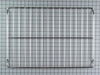
Bottom oven rack had been NUKED!
This is far to simple to even be a worthy story ,other than that the cause is a bit interesting. My wife had placed a plastic cutting board and some meat into the oven to get it away from my counter-cruising dog.
Later, without remembering the cutting board she turned the oven on to "broil." Hmmmm...
REPAIR:
Open oven door
Put in new rack
Close door
Later, without remembering the cutting board she turned the oven on to "broil." Hmmmm...
REPAIR:
Open oven door
Put in new rack
Close door
Parts Used:
-
Ronald from Thornton, CO
-
Difficulty Level:Really Easy
-
Total Repair Time:Less than 15 mins
3 of 5 people
found this instruction helpful.
Was this instruction helpful to you?
Thank you for voting!
Bake element began to spark and short out when I tried to use it.
When the part arrived, I used the diagram provided by the website to see what really needed to be done. Keep in mind, if you're doing it correctly and disconnect the range from the power source, it's going to be dark inside the oven. Get a good flashlight or electric lantern. There are two screws holding the element in. Mine were 8MM hex-head screws, but be prepared for anything. I removed the with a socket attachment/adapter to my cordless drill/screwdriver, and the part came right out. Some insulation will come as well - don't panic. Installation is similar, just in reverse order. Pay attention to the feet on the element. Make certain they are down. Don't lean on them when you think you're finished and discover that you installed it upside down like someone I know, and have to pull it out to correct this.
Parts Used:
-
Bill from MANHATTAN, KS
-
Difficulty Level:Really Easy
-
Total Repair Time:1- 2 hours
-
Tools:Screw drivers
2 of 2 people
found this instruction helpful.
Was this instruction helpful to you?
Thank you for voting!