















JB400G0H2 General Electric Range - Instructions
Keep searches simple. Use keywords, e.g. "leaking", "pump", "broken" or "fit".
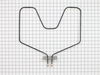
oven wouldn't heat because coil had burned through
The part was delivered in 24 hours with regular
shipping and was simple to replace. Uncrewed
it, disconnected wires from the old one and connected
the new one. Cost a little more than $30 including shipping and the oven works great!
shipping and was simple to replace. Uncrewed
it, disconnected wires from the old one and connected
the new one. Cost a little more than $30 including shipping and the oven works great!
Parts Used:
-
Carolyn from Harvard, MA
-
Difficulty Level:Really Easy
-
Total Repair Time:Less than 15 mins
-
Tools:Screw drivers
1 person
found this instruction helpful.
Was this instruction helpful to you?
Thank you for voting!
Baking element went out
First I removed the two screws that hold the element in place. I then pulled the element out about 3 inches and disconnected the two wires. Removed the old piece and connected the wires to the new piece. I'm a woman and this took me less that 15 minutes to complete. Easy as pie. On top of that, I received my order within 3 days! Very impressive, PartSelect. Thanks.
Parts Used:
-
Shannon from Birmingham, AL
-
Difficulty Level:Really Easy
-
Total Repair Time:Less than 15 mins
-
Tools:Pliers
1 person
found this instruction helpful.
Was this instruction helpful to you?
Thank you for voting!
Oven wouldn't heat
Couldn't be a much simpler repair. You pull the old element off by removing two screws. Then you slide the old element toward you several inches and remove the two screws holding the wires that are attached to the old element. To replace, just do everything in reverse. One cautionary measure, even though the oven is off, there is still a small amount of electricity going to the element. Turn the stove off at the circuit breaker, or unplug the stove before you attempt the repair.
Parts Used:
-
Doug from Sewickley, PA
-
Difficulty Level:Really Easy
-
Total Repair Time:Less than 15 mins
-
Tools:Nutdriver
1 person
found this instruction helpful.
Was this instruction helpful to you?
Thank you for voting!
element went out on oven
Made sure oven was turned off. I used nut driver to remove nuts holding old element to back of oven. gently pulled element out of wall, taking care not to yank because of wires attached to back of element. Made sure oven was off again and then used nut driver to carefully remove wire leads from receptors on element. removed old element from oven and got the new element. carefully used nut driver to attach wire leads to new element. When snugging the bolts to leads, used pliers to keep leads on the element from bending. carefully replaced wires and rear of element into the space behind oven, and used nut driver to attach the back of element to the back of oven. shut oven and turned on to make sure it worked. it did. I was very pleased with my experience with part select dot com, and will be buying another element soon to replace the one in my other oven! Thank you
Parts Used:
-
Brian from Deer Park, TX
-
Difficulty Level:Really Easy
-
Total Repair Time:Less than 15 mins
-
Tools:Nutdriver, Pliers
1 person
found this instruction helpful.
Was this instruction helpful to you?
Thank you for voting!
elememt not working
Hi, First unplug appliance ,remove the oven door by pulling it up from the hinges, giving room to work deep inside , remove the two screws that hold the element in place. then pull the element out carefully not to stress the wires and replace the element . Note after all is done test with an oven thermometor :)
Parts Used:
-
ROBERT from ORWELL, VT
-
Difficulty Level:Really Easy
-
Total Repair Time:30 - 60 mins
-
Tools:Screw drivers
1 person
found this instruction helpful.
Was this instruction helpful to you?
Thank you for voting!
The bottom bake element burned out.
1. Cut power off. 2. Remove old element, make sure you do not lose the screws, pull the connecting posts out and we used strings on posts so they could not get lost in the wall. 3. We then replaced the new element with little of no problems, it took approximately 30-45 minutes for the whole process.
Parts Used:
-
Pauline from DECATUR, GA
-
Difficulty Level:Really Easy
-
Total Repair Time:30 - 60 mins
-
Tools:Screw drivers
1 person
found this instruction helpful.
Was this instruction helpful to you?
Thank you for voting!
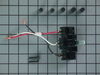
When moving the range, the 220 wire popped off the terminal and arced melting the plastic terminal
I looked for a new terminal locally, but no one had s terminal that would fit a 40-year old range. I went on line to PartSelect and could not find my model range, so I looked through all the terminals listed on the website (about 500) but found only one that was close to mine. Mounting holes did not match, but it had 3 connectors with 220 capability, so I ordered it. I requested express shipping by UPS and thought I paid for the extra charge. When I got notification of shipment. I saw it was via ground. It went from Louisville to Jacksonville to Clearwater, FL. I ordered it on Thursday night and received it the following Tuesday night. Meanwhile, we had no stove to cook on. When the part came, it took two days to get the contractor back to our condo. He drilled new holes on the mounting box and jerry-rigged the wiring to make it fit. The range is now working, but I was disappointed in the delay in shipping which I agreed to express shipping.
Parts Used:
-
Randall from ST PETERSBURG, FL
-
Difficulty Level:Difficult
-
Total Repair Time:30 - 60 mins
-
Tools:Nutdriver, Pliers, Screw drivers
1 person
found this instruction helpful.
Was this instruction helpful to you?
Thank you for voting!
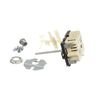
Halogen element staying on
removed the end caps from the stove panel, unscrewed the back, unscrewed the old switch, CAREFULLY noting which wire went to which terminal, removed the wires.
Reversed the process. took a little longer because I felt compelled to do a thorough cleaning while I was there.
Reversed the process. took a little longer because I felt compelled to do a thorough cleaning while I was there.
Parts Used:
-
Arthur from Indian Harbour Beach, FL
-
Difficulty Level:Easy
-
Total Repair Time:30 - 60 mins
-
Tools:Pliers, Screw drivers
2 of 4 people
found this instruction helpful.
Was this instruction helpful to you?
Thank you for voting!
The small element blew out consequently shorting out the infinite switch.
The very first thing we did was turned the circuit breaker off and unplugged the range.
My husband removed the back panel and unplugged the switch. Drew a diaghram of the color coded wires. When we received the new one he broke the extension bar off to fit the knob, plugged it in and we were back in business. It was very easy for my husband as he is a mechanic (millwright). However, if you are mechanically inclined it is an easy fix.
My husband removed the back panel and unplugged the switch. Drew a diaghram of the color coded wires. When we received the new one he broke the extension bar off to fit the knob, plugged it in and we were back in business. It was very easy for my husband as he is a mechanic (millwright). However, if you are mechanically inclined it is an easy fix.
Parts Used:
-
Susan from Bend, OR
-
Difficulty Level:Really Easy
-
Total Repair Time:15 - 30 mins
-
Tools:Screw drivers
3 of 7 people
found this instruction helpful.
Was this instruction helpful to you?
Thank you for voting!
Bake element shorted and broke
TURN OFF CIRCUIT BREAKER before doing anything even if oven is not turned on! If I hadn't checked voltage with tester before starting I would have made a shocking discovery.
1) unscrewed shield cover to get get at the element screws.
2) unscrewed element screws and removed old element - pulling connecting wires out about 3 inches
3)attached new element to connecting wires (2 screws)
4) pushed new element into place and reattached element connector plate to wall of oven
5) reattached shield cover to wall of oven
1) unscrewed shield cover to get get at the element screws.
2) unscrewed element screws and removed old element - pulling connecting wires out about 3 inches
3)attached new element to connecting wires (2 screws)
4) pushed new element into place and reattached element connector plate to wall of oven
5) reattached shield cover to wall of oven
Parts Used:
-
David from Littleton, CO
-
Difficulty Level:Easy
-
Total Repair Time:15 - 30 mins
-
Tools:Nutdriver, Screw drivers
1 person
found this instruction helpful.
Was this instruction helpful to you?
Thank you for voting!
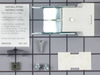
Terminal blocks "burned out"
The terminal blocks become brittle and carbonized with age resulting in very poor contact with the electric burners. The burners lose capacity to heat fully and eventually stop working.
Unplug the stove first! There is a risk of dangerous electrical shock if the power is not disconnected.
Repair involves removing the burner and the drip cup to expose the terminal block. Remove one screw on top to detach the block from the stove top. Remove the insulating cover and the clip that holds it in place on the back of the block. Detatch the two wires. At this point the age and brittleness of the blocks became apparent as they crumbled in my hand while removing the terminal screws. One screw had several layers of carbonization covering it and required needle nose pliers to get a firm grip in order to loosen it.
Inspect the wires to make sure there are no holes or cracks in the insulation.
Attach the wires to the new terminal block using the new screws provided. The new kit also included quick lock screw fastener clips to place over the holes in the stove top. It's a good idea to use these for more secure mounting and better grounding. Place the new terminal block under the stove top and mount it with the new screw provided. I had to unbend the mounting clip slightly to get it to fit, but it was easy enough to do with bare fingers.
Replace the drip pan and the burner. Plug the stove back in.
A pot of water now boils in under a minute compared to the 5 to 10 minutes it used to take.
Unplug the stove first! There is a risk of dangerous electrical shock if the power is not disconnected.
Repair involves removing the burner and the drip cup to expose the terminal block. Remove one screw on top to detach the block from the stove top. Remove the insulating cover and the clip that holds it in place on the back of the block. Detatch the two wires. At this point the age and brittleness of the blocks became apparent as they crumbled in my hand while removing the terminal screws. One screw had several layers of carbonization covering it and required needle nose pliers to get a firm grip in order to loosen it.
Inspect the wires to make sure there are no holes or cracks in the insulation.
Attach the wires to the new terminal block using the new screws provided. The new kit also included quick lock screw fastener clips to place over the holes in the stove top. It's a good idea to use these for more secure mounting and better grounding. Place the new terminal block under the stove top and mount it with the new screw provided. I had to unbend the mounting clip slightly to get it to fit, but it was easy enough to do with bare fingers.
Replace the drip pan and the burner. Plug the stove back in.
A pot of water now boils in under a minute compared to the 5 to 10 minutes it used to take.
Parts Used:
-
Kelly from Hobart, NY
-
Difficulty Level:Easy
-
Total Repair Time:Less than 15 mins
-
Tools:Pliers, Screw drivers
1 person
found this instruction helpful.
Was this instruction helpful to you?
Thank you for voting!
Replacing the bake element
I couldn't find the oven model number so I just looked at the shapes from partselect.com. This would have been fine except I didn't know my Kenmore model had 4" leads so the one I ordered were only 2". I had to return the first element but the process to do this was FAST and EASY. With help I found the model number and had the correct part shipped. It took less than 5 minutes to install. It took longer to mop and clean behind the oven that hadn't seen the light of day in 10 years.
Parts Used:
-
Ken from Lexington, KY
-
Difficulty Level:Really Easy
-
Total Repair Time:Less than 15 mins
-
Tools:Pliers
1 person
found this instruction helpful.
Was this instruction helpful to you?
Thank you for voting!
Lower baking element had burned out.
Using a nut driver, I removed the two screws holding the baking element to the firewall of the oven. I then pulled the baking element out exposing the two wires connected to it. I then used the same nutdriver to remove the nuts and detached the old element. I then connected the new element to the wires, pushed the wires inside the firewall and reattached the element to the firewall of the oven.
The time it took was literally a few minutes. Works like a new oven!
The time it took was literally a few minutes. Works like a new oven!
Parts Used:
-
Rob from Las Cruces, NM
-
Difficulty Level:Really Easy
-
Total Repair Time:Less than 15 mins
-
Tools:Nutdriver
1 person
found this instruction helpful.
Was this instruction helpful to you?
Thank you for voting!
Oven lower Bake Element exploded
First observed the situation to determine if I should try and repair. I decided I could and should. Got the element and proceeded. I first turned the power off at the circuit breaker to cut the electrical power to the stove then I removed the two screws that holds the unit in place and then pulled unit out to where I could see the wire connection; removed the two screws on the wire connection and replaced the old element with the new element. reinserted the unit back into position and replaced the two screws that holds the unit in the stove. Turned power back on and tested the oven for any problems. Stove is working great.
Parts Used:
-
Fred from Renton, WA
-
Difficulty Level:Really Easy
-
Total Repair Time:15 - 30 mins
-
Tools:Nutdriver, Socket set
1 person
found this instruction helpful.
Was this instruction helpful to you?
Thank you for voting!
Element either shorted or burned out.
Removed two socket head screws form inside oven rear wall. Pulled element out and disconnected two screws attaching wiring. Replaced with new.
Parts Used:
-
Patrick from Durham, NC
-
Difficulty Level:Really Easy
-
Total Repair Time:15 - 30 mins
-
Tools:Pliers, Socket set
1 person
found this instruction helpful.
Was this instruction helpful to you?
Thank you for voting!