















JB250DF1CC General Electric Range - Instructions
Keep searches simple. Use keywords, e.g. "leaking", "pump", "broken" or "fit".
I kept getting An F2 error and the temperature did not seem accurate
1) pull out the stove
2) remove the 7 sheet metal screws holding the back panel on. (the panel that also covers where the cord splits and connects to the oven.
3) Find the small plastic connector located in the middle of the back of the range and unplug it.
4) open the front of the oven and remove the one screw holding in the oven temp sensor.
5) replace the sensor and make sure to "feed" the new cord through as best you can.
6) I had to dig through the insulation a little bit to find the new wiring harness
7) connect the wiring harness and put the back of the range back on
note: this was very simple to do if you think this might be the problem don't hesitate to handle this one yourself.
2) remove the 7 sheet metal screws holding the back panel on. (the panel that also covers where the cord splits and connects to the oven.
3) Find the small plastic connector located in the middle of the back of the range and unplug it.
4) open the front of the oven and remove the one screw holding in the oven temp sensor.
5) replace the sensor and make sure to "feed" the new cord through as best you can.
6) I had to dig through the insulation a little bit to find the new wiring harness
7) connect the wiring harness and put the back of the range back on
note: this was very simple to do if you think this might be the problem don't hesitate to handle this one yourself.
Parts Used:

-
Chad from Bloomington, IN
-
Difficulty Level:Really Easy
-
Total Repair Time:Less than 15 mins
-
Tools:Screw drivers, Socket set, Wrench (Adjustable), Wrench set
29 of 38 people
found this instruction helpful.
Was this instruction helpful to you?
Thank you for voting!
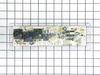
Yje electronic control panel was shorted out. I orderd a new one and in a timely mannor your service delivered the part via Fed Ex.
The repair was simple. All wires were color coded and the new part had the same color codes marked. Simply unplugged the wires from the bad part and plugged them into the new part a reinstalled the part to the back panel of the range.
Parts Used:
-
Gary from Wichita, KS
-
Difficulty Level:Really Easy
-
Total Repair Time:15 - 30 mins
-
Tools:Nutdriver
28 of 36 people
found this instruction helpful.
Was this instruction helpful to you?
Thank you for voting!
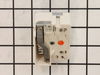
Surface element indicator remained on.
The known problem: a short occured between the surface element and the INF switch. After replacing the wire between the surface element and INF switch. The surface indicator light remained on - indicating a power surge/spike. Prior to removing the old INF switch I disconnected the wires from the old switch one at a time and plugged each into the new switch terminals. Then I removed the knob from the front of the control panel and the 2 screws holding the old INF switch in place. Removed the old switch and replaced it with the new switch. Reinstalling the 2 screws and the knob. Surface indicator light was no longer illuminated and surface element works fine.
Parts Used:
-
Ed from Plymouth, MA
-
Difficulty Level:Really Easy
-
Total Repair Time:30 - 60 mins
-
Tools:Screw drivers
25 of 29 people
found this instruction helpful.
Was this instruction helpful to you?
Thank you for voting!
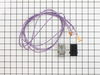
Surface burner coil did not work.
TURN OFF ALL POWER TO KITCHEN. Took off all burner coils and plates below them. Lift hood. Locate part. Remove old part and replace with new part in same way as was previously installed. The wire that comes with the kit is actually too much wire, but just arrange it the best you can and leave it....no big deal. I didn't have a magnet, but needed one. The wire from burner coil to switch runs through a harness which is screwed on to the body of the oven (below the range). Be careful NOT to drop it behind oven when taking it out. I dropped it and took forever to get it. That turned a 20 minuate job into an hour and a half. Otherwise this is an easy job that anyone can do. Refrigerator compressor is next. Have fun.
Parts Used:
-
Gregory from Mont Belvieu, TX
-
Difficulty Level:Easy
-
Total Repair Time:30 - 60 mins
-
Tools:Nutdriver, Screw drivers, Socket set
23 of 33 people
found this instruction helpful.
Was this instruction helpful to you?
Thank you for voting!
Oven Overheating upto 200 degrees!!
Replaced temperature sensor in the oven first ($10 part, always start with least expensive possibility!), but that didn't solve the problem. 5-10 minute repair, not counting moving the range in and out of it's home between cabinets. Next replaced the control board ($90 part) which solved the overheating problem. 15 to 30 minute repair, don't be intimidated by all the wires. Remember to turn off power at the breaker (duh). Order the faceplate graphic ($37 part) because chances are the old one won't peel off cleanly (ours didn't, "I was really careful Honey!!) and the otherwise excellent PartSelect.com website doesn't suggest the part might be needed. Anyway, I saved a minimum of $80 plus Labor by doing it myself. I had the advantage of living about 100 miles from their warehouse and got NEXT DAY delivery from FedEx instead of 3-5 business days. Suggest you order before noon.
Parts Used:
-
Lee from Greenfield, IN
-
Difficulty Level:A Bit Difficult
-
Total Repair Time:15 - 30 mins
-
Tools:Nutdriver
20 of 25 people
found this instruction helpful.
Was this instruction helpful to you?
Thank you for voting!
oven would not heat; temperature sensor failed; needed replacement
Replacing the sensor was a snap and not as involved as I feared. 1) open the oven door; 2) remove the one hex screw holding the old sensor to the back of the oven; 3) gently pull the sensor, pulling the wiring out to access the plastic wire connector (carefully guide the plastic wire connector through the opening); 4) loop a small piece of wire (stiff enough to form a hook) around the base of the wire connector to keep the wire from falling into the back wall of the oven; 5) unclip the connector and remove the bad sensor; 6) clip in the new sensor; 7) remove your catch wire; 8) thread the wiring back through the opening; 9)position the new sensor and secure with the hex screw; and 10) turn on the oven and prove to your wife you do know what you are doing!
Parts Used:
-
Roger from MARIETTA, GA
-
Difficulty Level:Easy
-
Total Repair Time:Less than 15 mins
-
Tools:Socket set
18 of 21 people
found this instruction helpful.
Was this instruction helpful to you?
Thank you for voting!
Oven wouldn't heat
Remove upper rear cover (4 hex screws), then I removed the 4 phillips screws that mount the control panel, I memorized the wire positions (easy since they are color coded) unplug the wires and remove the old control panel. The face plate of the control panel did not come off easily and the adhesive pulled off some of the white paint, leaving an unsightly clear edge. So I used white-out, and painted the areas where the finish had pulled off. It worked beautifully, and the color match is perfect. Then I reapplied the face plate, put the new control panel in position, connected wires, screwed screws, repositioned rear cover, screwed screws, plugged it in and it was done. The longest pare of the job was waiting for the white-out to dry.
Parts Used:
-
Jeffrey from Hilton Head, SC
-
Difficulty Level:Really Easy
-
Total Repair Time:1- 2 hours
-
Tools:Nutdriver, Screw drivers
17 of 19 people
found this instruction helpful.
Was this instruction helpful to you?
Thank you for voting!
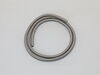
Oven door gasket needed replacement
Replacement was extremely easy. The new part fit perfectly and installed very easily without tools. Also, I received the part within a few days
Parts Used:
-
JUDITH from DANVILLE, NH
-
Difficulty Level:Really Easy
-
Total Repair Time:Less than 15 mins
21 of 32 people
found this instruction helpful.
Was this instruction helpful to you?
Thank you for voting!
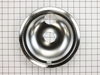
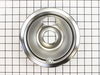
Simply replaced the drip pans. Came to realize that I had the skill set.
First dressed out with my hard hat, work gloves, dust mask then locked all the doors to prevent intruders from disturbing my concentration. During the installation took video for you tube broadcast and then invited friends and neighbors to witness the accomplishment! Made a sloppy soup to see how the drip pans worked. A+. Received quite a few back pats and atta boys. Most challenging aspect to this endeavor was unwrapping the packaging which was well done thank you. The whole experience left me refreshed and ready to take on the world! Thanks for asking!
Parts Used:

-
Doug from HARRISVILLE, NH
-
Difficulty Level:Very Easy
-
Total Repair Time:Less than 15 mins
17 of 27 people
found this instruction helpful.
Was this instruction helpful to you?
Thank you for voting!
Interior light needed replaced
Unplugged the appliance for safety. Removed two 1/4" screws that held the assembly in place. Carefully removed the wire guard that retains the glass shield. Unscrewed old light bulb and replaced with new part. Reversed the steps after cleaning glass cover.
Parts Used:
-
Leo from TWIN FALLS, ID
-
Difficulty Level:Really Easy
-
Total Repair Time:Less than 15 mins
-
Tools:Nutdriver
22 of 43 people
found this instruction helpful.
Was this instruction helpful to you?
Thank you for voting!
Burner not heating
Originally the burner had a hole burnt through it, which resulted in a hole being burnt through the bottom of a pan. I replaced the burner and it would not heat up. I removed the top control panel, after securing power to the stove outlet, turned the power back on checked both sides of the swith with a meter (with the switch on) and had no power on one side. I went to two stores that did not have the switch in stock and ended up ordering from this site at about half the price! It arrived a couple of days later. I marked the wire colors on the old switch, took off the knob, removed two phillips head screws, pulled out the old switch and installed the new one and I was back in business. The hardest part was getting the sheet metal / heat gaurd positioned right upon re-assembly. To remove the panel there are two screws in the rear (nut driver) and a screw on either side of the front under each corner that require a torx driver to remove.
Parts Used:
-
jeffrey from geneva, FL
-
Difficulty Level:Easy
-
Total Repair Time:Less than 15 mins
-
Tools:Nutdriver, Screw drivers
12 of 14 people
found this instruction helpful.
Was this instruction helpful to you?
Thank you for voting!
Actual temperature in oven was not consistent with the temperature setting
I am a 69 year old woman. I watched the Repair Clinic YouTube Video before I started. I then pulled stove away from wall and unplugged it. Took off oven door and removed the top oven rack. Loosened and removed the screw holding the temperature sensor located inside at the top center back wall of the oven. Pulled the sensor through the opening until the plastic plug came through. Unplugged and removed it and plugged in the new sensor. Fished it back through the opening. Replaced the bracket to the back wall of the oven and tightened the screw. Replaced the oven rack and stove door. Plugged it back in and moved it back into place. I turned on the oven and let is heat for over 30 minutes and the internal temperature was correct with the setting.
Parts Used:
-
Martha from WILMINGTON, OH
-
Difficulty Level:Very Easy
-
Total Repair Time:Less than 15 mins
-
Tools:Socket set
11 of 11 people
found this instruction helpful.
Was this instruction helpful to you?
Thank you for voting!
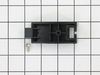
rear supports were broken
The draw pictorial was not very clear. I orderd the two rear supports for the over storage draw, not sure they were correct.
They were correct and the design had been upgraded to add strength to the support.
The draw is now operational..better then ever.
They were correct and the design had been upgraded to add strength to the support.
The draw is now operational..better then ever.
Parts Used:
-
TED from herndon, VA
-
Difficulty Level:Really Easy
-
Total Repair Time:Less than 15 mins
-
Tools:Screw drivers
11 of 12 people
found this instruction helpful.
Was this instruction helpful to you?
Thank you for voting!
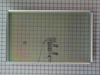
Inner oven door glass broke
-
Micheal from SHEPHERDSVLLE, KY
-
Difficulty Level:Really Easy
-
Total Repair Time:15 - 30 mins
-
Tools:Nutdriver, Screw drivers
10 of 12 people
found this instruction helpful.
Was this instruction helpful to you?
Thank you for voting!
infinate switch stem broke
took of the back panel with a nut driver,pulled off the wires one at a time ,put them on the new switch in same position as the old switch.removed old switch with a screwdriver ,screwed in new switch,replaced back panel,put on switch knob
Parts Used:
-
stephen from salem, OR
-
Difficulty Level:Easy
-
Total Repair Time:15 - 30 mins
-
Tools:Nutdriver, Screw drivers
9 of 9 people
found this instruction helpful.
Was this instruction helpful to you?
Thank you for voting!