















J322*R2 General Electric Range - Instructions
Keep searches simple. Use keywords, e.g. "leaking", "pump", "broken" or "fit".
After being invited to my mom's house for supper, the oven lower baking element had shorted out and self destructed.
After supper, without biscuits, I removed the element by simply removing 4 screws with my nut driver. We went home and I immediately went online to your web site, inserted the old element part number, followed the ordering instructions, and in 3 dayd the new element had been delivered to our door. Several days later we were invited to mom's for dinner once again. I quickly installed the new element (perfect fit and works great) and enjoyed a great supper........with biscuits this time. Thank you.
Parts Used:
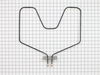
-
Arthur from Dallas, PA
-
Difficulty Level:Really Easy
-
Total Repair Time:Less than 15 mins
-
Tools:Nutdriver
1 person
found this instruction helpful.
Was this instruction helpful to you?
Thank you for voting!
The oven heating element was broken
I removed the 2 screws and the 2 wires from the broken heating element. I removed the broken oven heating element. Then I attached the 2 wires to the new heating element and put the 2 screws in to attach the new heating element into the oven. The new oven heating element worked just fine and I was done.
Parts Used:
-
Daniel from Denver, CO
-
Difficulty Level:Really Easy
-
Total Repair Time:15 - 30 mins
-
Tools:Pliers
1 person
found this instruction helpful.
Was this instruction helpful to you?
Thank you for voting!
Element at the bottom of oven cracked
First I turned off the circuit breaker leading to the oven. Then I removed the two screws that held the old element in place. I pulled out the element and disconnected the wires. I reconnected the wires to the new element and pushed it back in place. I then secured it with the two screws. I turned the circuit breaker back on and turned on the oven. Works just great!!!
Parts Used:
-
AMELDA from BRYANS ROAD, MD
-
Difficulty Level:Really Easy
-
Total Repair Time:15 - 30 mins
-
Tools:Pliers
1 person
found this instruction helpful.
Was this instruction helpful to you?
Thank you for voting!
The bottom oven heat element didn't work
1. Removed the old element. Had a little trouble loosening the screws. After we got them loose, everything was easy.
2. Pulled out the element and disconnected the wires.
3. Connected the wires on the new element.
4. Screwed the element back in.
5. Connected the stove and turned on the oven.
6. It works like a new one.
2. Pulled out the element and disconnected the wires.
3. Connected the wires on the new element.
4. Screwed the element back in.
5. Connected the stove and turned on the oven.
6. It works like a new one.
Parts Used:
-
Marilee from Newburgh, IN
-
Difficulty Level:Easy
-
Total Repair Time:15 - 30 mins
-
Tools:Pliers, Socket set
1 person
found this instruction helpful.
Was this instruction helpful to you?
Thank you for voting!
boken element
remove screws attaching burner plate to back of oven, pull out element, undo wiring to old burner by unscrewing 2 screws, remove old burner, reverse process to put new burner in
Parts Used:
-
cynthia from snyder, NY
-
Difficulty Level:Really Easy
-
Total Repair Time:15 - 30 mins
-
Tools:Wrench set
1 person
found this instruction helpful.
Was this instruction helpful to you?
Thank you for voting!
Bake element developed a hot spot that burned through it.
Easily removed two screws, pulled the wires out of the oven wall, disconnected the old and reconnected the new, pushed it back into the insulation, inserted the screws and tightened them. There was a problem with the model number. It was on a vinyl plate inside the oven drawer wall. The plate was slightly yellowed so I used my finger to wipe the yellow away. When I did, the model number ended up as a black smudge on my finger tip. GE's engineers could have come up with a better method of displaying the model number. GE's customer service operator, however, did an excellent job of helping me to ascertain, at least, some of the number.
Parts Used:
-
Paul from Slatington, PA
-
Difficulty Level:Really Easy
-
Total Repair Time:15 - 30 mins
-
Tools:Nutdriver
1 person
found this instruction helpful.
Was this instruction helpful to you?
Thank you for voting!
Bake element burned out in oven
First shut off power to the range in the electrical
breaker box (its the 220 breaker) as marked.
Remove the oven door ( open part way and lift up) the
door will come off.
Remove the 2 screws that the element is attached to the
back of the oven wall. Pull element out part way and
disconnect the 2 wires. Take out element.
The new element had different connections so I cut off
the clips stripped the wires and attached to the element
connection . The element had connections that this was
possible. Push wires back into oven wall and install the
new element with the 2 screws that were removed. You
could also put on clips to the 2 wires that attach to the
element if so desired. (Eye hole clips.)
breaker box (its the 220 breaker) as marked.
Remove the oven door ( open part way and lift up) the
door will come off.
Remove the 2 screws that the element is attached to the
back of the oven wall. Pull element out part way and
disconnect the 2 wires. Take out element.
The new element had different connections so I cut off
the clips stripped the wires and attached to the element
connection . The element had connections that this was
possible. Push wires back into oven wall and install the
new element with the 2 screws that were removed. You
could also put on clips to the 2 wires that attach to the
element if so desired. (Eye hole clips.)
Parts Used:
-
AL from GENOA, NE
-
Difficulty Level:Really Easy
-
Total Repair Time:15 - 30 mins
-
Tools:Nutdriver, Screw drivers
1 person
found this instruction helpful.
Was this instruction helpful to you?
Thank you for voting!
Bake element burnt out
Firs I shut the power off to the range. Then I removed the bottom oven rack, then removed the two screws holding the element in place. I pulled the element out about 3 inches to pull the connecting wires off. However, when I pulled the element towards me a lost on of the connecting wires that attached to the element. I then had to pull the range away from the wall and remove the back cover panel.I then fed the new element into the wholes from the inside of the range and having the back panel removed gave me full access for reconnecting the element wires. I put the back cover panel into place , put the bottom oven rack in and that was it. I was done with the repair. I turned the power back on and everything worked fine. I would recommend removing the back cover panel prior to trying to remove the element. This will save you some time and give you full access to the wiring before attempting to remove the bake element.
Parts Used:
-
David from West Union, AL
-
Difficulty Level:Easy
-
Total Repair Time:15 - 30 mins
-
Tools:Nutdriver
1 person
found this instruction helpful.
Was this instruction helpful to you?
Thank you for voting!
The Bake Element broke and when powered on it started to spark and flame.
First I read the already posted repair stories to give me confidence I could perform the repair.
Followed their steps -
Removed the two screws holding the plate to the oven.
Pulled out the element.
Removed the two screws holding the wires to the element.
Installed the new element by attaching the two screws (which were supplied) to the element.
Reinstalled the plate to the oven.
Tested it and it worked perfectly saving a costly service call.
Followed their steps -
Removed the two screws holding the plate to the oven.
Pulled out the element.
Removed the two screws holding the wires to the element.
Installed the new element by attaching the two screws (which were supplied) to the element.
Reinstalled the plate to the oven.
Tested it and it worked perfectly saving a costly service call.
Parts Used:
-
Phillip from Cary, NC
-
Difficulty Level:Really Easy
-
Total Repair Time:Less than 15 mins
-
Tools:Screw drivers, Socket set
1 person
found this instruction helpful.
Was this instruction helpful to you?
Thank you for voting!
The lower heating elemen went out. It looked like a welding rod
It was so easy. Just removed the cover and then unscrewed the wires (keep track of which wires go to which side). Do teh reverse to reinstall
Parts Used:
-
Scott from Tekoa, WA
-
Difficulty Level:Really Easy
-
Total Repair Time:Less than 15 mins
-
Tools:Nutdriver, Screw drivers
1 person
found this instruction helpful.
Was this instruction helpful to you?
Thank you for voting!
Oven wouldn't heat, bake element burned out.
Repair was as easy as one, two three. Turned off the power and removed the two screws holding the element in place. Then pulled the element out approx. 3 inches and removed the two screws connecting the wires to the element.
From there I reversed the process and the repair was complete in less then 5 minutes, and I am not a electrician.
From there I reversed the process and the repair was complete in less then 5 minutes, and I am not a electrician.
Parts Used:
-
Russ from Chimacum, WA
-
Difficulty Level:Really Easy
-
Total Repair Time:Less than 15 mins
-
Tools:Socket set
1 person
found this instruction helpful.
Was this instruction helpful to you?
Thank you for voting!
Bake element burned up
This was extremely easy to replace. When I told my mom I would replace it for her, she thought I was crazy. When she saw how easy it was, she finally understood. I had to remove the two screws holding the element in place. I pulled it out about 3 inches and unscrewed one screw for one wire. I didn't want to lose the wire, so I immediately connected the wire to the new element. I disconnected the second wire and attached it to the new bake element. Then attached the two screws putting the plate back up, securing the element. So easy! Just unscrewing and replacing 4 screws and I was done!! Took less than 10 minutes. I didn't have any real tools available, so I used a small adjustable wrench and it worked fine. The best part was it was so easy we were able to have a working oven in time for Thanksgiving!
Parts Used:
-
Fran from Goldsboro, NC
-
Difficulty Level:Really Easy
-
Total Repair Time:Less than 15 mins
-
Tools:Wrench (Adjustable)
1 person
found this instruction helpful.
Was this instruction helpful to you?
Thank you for voting!
The bottom element in my oven quit working.
Pulled out the bottom drawer of the stove and discovered the plug. So the plug was pulled from the wall socket.
Before this I had sprayed the screws with WD-40 and let it sit for 2 days.
Screws came out easily. Pulled out the old element and removed screws. Screwed on new element on both sides. Put in place and put old screws back.
Plugged stove back in. Turned on stove. Element came right on.
Before this I had sprayed the screws with WD-40 and let it sit for 2 days.
Screws came out easily. Pulled out the old element and removed screws. Screwed on new element on both sides. Put in place and put old screws back.
Plugged stove back in. Turned on stove. Element came right on.
Parts Used:
-
Suzanne from Burlington, NC
-
Difficulty Level:Really Easy
-
Total Repair Time:Less than 15 mins
-
Tools:Socket set
1 person
found this instruction helpful.
Was this instruction helpful to you?
Thank you for voting!
bake element burnt out
super easy - unpluged stove - unscrewed old element w/nutdriver from back of stove. unwired element - discarded. wired new element (2 wires). secured new element to back of stove. pluged stove back in. works great. Ordered part on Sunday, recieved it on Tuesday- VERY NICE SERVICE
Parts Used:
-
MIKE from CHATHAM, IL
-
Difficulty Level:Really Easy
-
Total Repair Time:Less than 15 mins
-
Tools:Nutdriver, Pliers, Screw drivers
1 person
found this instruction helpful.
Was this instruction helpful to you?
Thank you for voting!
Original element stopped working
First I removed the two screws that hold the element in place. I then pulled the element out about 3 inches and disconnected the two wires...I copy and pasted this from their example - it really is that easy - this is a simple repair.
Parts Used:
-
Brian from Clayton, DE
-
Difficulty Level:Really Easy
-
Total Repair Time:Less than 15 mins
-
Tools:Nutdriver, Screw drivers
1 person
found this instruction helpful.
Was this instruction helpful to you?
Thank you for voting!