















HVM1540LP2CS General Electric Microwave - Instructions
Keep searches simple. Use keywords, e.g. "leaking", "pump", "broken" or "fit".
burned out microwave light bulb and base broke off in light socket
Replaced light socket and bulb. Real easy repair.
Parts Used:
-
KENNETH from STRONGSVILLE, OH
-
Difficulty Level:Really Easy
-
Total Repair Time:Less than 15 mins
-
Tools:Screw drivers
Was this instruction helpful to you?
Thank you for voting!
light bulb fused it self to socket
-
CHRIS from SPRING, TX
-
Difficulty Level:Really Easy
-
Total Repair Time:Less than 15 mins
-
Tools:Pliers, Screw drivers
Was this instruction helpful to you?
Thank you for voting!
Motor and fan turned on when door was opened.
Loosen the two long anchor bolts that screw into the top of the microwave cabinet. These are usually in a shelf or cabinet directly above the microwave. Tilt the microwave forward enough to remove the 2 Phillips head screws from the top of the microwave cabinet. They are near the front. When these two screws are out, remove the fan vent. Once the fan vent is off, remove one screw that holds the control pad in place. Let it hang down. Just to the left of the control pad, you will see wires leading to three switches that close when the door is closed. Use a torx driver to remove the two screws that hold the switch bracket in place. With the bracket out, unplug the wire harnesses. On the opposite side of the wiring connected, a tab holds each switch in place. Lift the tab and slide the switches out. Usually, the bad switch will be identified by a loose or broken spring. Test them by pressing down on the switch. If you notice the bad switch spring, this is usually the bad one. When you have the new one, simply push it back into the appropriate slot and be sure that the holding tab snaps back in place. Plug the wires back in and re-attach the bracket. Put the control pad back on, then the fan vent. When down with those, push on the bottom of the microwave to lift it back into place and tighten the two anchor bolts in the top.
Parts Used:
-
Neal from White House, TN
-
Difficulty Level:Easy
-
Total Repair Time:15 - 30 mins
-
Tools:Screw drivers
Was this instruction helpful to you?
Thank you for voting!
Fan stayed running when door was open...all else working fine
First, unplug microwave. Unscrew two screws at top of microwave, slide grill cover left and remove. This allows access to single screw holding control panel. Remove this screw and lift up control panel to remove. Secondary door switch is black switch at lowest position. The switch is held in place by a lever in back and very hard to get to. Remove the wires plugged into the switch, then remove two screws holding the plastic switch mount that holds all three switches. These screws use a "star" type screwdriver. Once the plastic mount is free, lift it up, right, and tip it slightly to find the lever that will release the black secondary door switch (the lowest switch)...release the broken switch, snap the new switch in its place. Replace the plastic mount by lifting and replacing back into position and replace the two "star" screws. Now, replace the wires onto the new switch, and test operation. Replace control panel, and top grill. It goes faster than it writes...getting the old switch out through that difficult to reach lever was the hardest part...still less than thirty minutes.
Parts Used:
-
Marla from Arlington, TX
-
Difficulty Level:A Bit Difficult
-
Total Repair Time:15 - 30 mins
-
Tools:Screw drivers
Was this instruction helpful to you?
Thank you for voting!
Microwave worked but oven fan came on when door was opened - should onlly come on when oven is operating.
Removed the microwave with the buit in housing from the cabinet. Removed microwave from built in housing. Removed outer cabinet giving access to remove control panel and smart board where switches are located. Removed control panel to get to smartboard. Removed smart board after disconnecting a few wires to allow easy removal. Individually removed and then tested each switch using multimeter. Found seondary Door Switch (bottom of smart board) operation to be intermittent (switch trip button extremely loose and rattle inside this particular switch) Ordered replacement part which came very quickly on standard shipping order. Put new switch on smart board and remounted, reinstalled control panel and reconnected various wire connectors previously disconnected. Then plugged in oven and tested for opertation - didn't work at all! But, after bleeding off capacior charge by removing connectors and discharging capacitor to ground, then reassembling control board and smart board into oven, then trying agian, it has worked perfectly ever since. Do not understand why capacitor disconnect/discharge was required but suspect this reset the control electronics. Easy fix and hope to get another 12 years out of this appliance which is used multiple times every day. Also have two other identical micorwave ovens, one is 20 years old, but these get used relatively infrequently.
Parts Used:
-
Gerald from Mountain View, AR
-
Difficulty Level:Easy
-
Total Repair Time:15 - 30 mins
-
Tools:Screw drivers
Was this instruction helpful to you?
Thank you for voting!
Burned out lightbulbs.
Changing 2 lightbulbs is NOT ROCKRT SCIENCE. With a screw-driver, remove the under MW light lens, unscrew the 2 burned out light bulbs, and replace with 2 new quality light bulbs. Test out that both are lite and working as they should, replace the lens and you are done, Until you find out one of the new (made in Chins) light bulbs is burned out after about 6 hours of being lite, call the parts phonr number and order a new replace bulb.
Parts Used:
-
William from Bluffton, SC
-
Difficulty Level:Easy
-
Total Repair Time:15 - 30 mins
-
Tools:Screw drivers
Was this instruction helpful to you?
Thank you for voting!
Microwave light bulbs went out
Because the microwave is old and the bulbs, I believe, had never been changed I carefully tried to unscrew the bulb. However, when I went to unscrew the bulbs the end of the bulb broke off and remained in the socket. I used a few different tools then remembered that sometimes a raw potatoe can be used to unscrew the remainder of the bulb, but to no avail. Finally had to unscrew the whole underside of the microwave to remove the broken bulb. May I suggest that you have the socket face away from the wall to screw in the bulb instead of the socket pointing toward the wall. You need to know yoga just to manuver the bulb into the socket.
Parts Used:
-
Barbara from Wixom, MI
-
Difficulty Level:A Bit Difficult
-
Total Repair Time:15 - 30 mins
-
Tools:Pliers, Screw drivers
Was this instruction helpful to you?
Thank you for voting!
Microwave came on when door open
Turn off main power bracker. Removed fan vent, removed control panel, disconnect leads to the three monitor switches. Replaced the secondary switch (top). Reversed procedures.
Parts Used:
-
Barry from Navarre, FL
-
Difficulty Level:Really Easy
-
Total Repair Time:15 - 30 mins
-
Tools:Screw drivers
Was this instruction helpful to you?
Thank you for voting!
Light bulbs in the night lights kept blowing out
Removed 5 screws from the bottom of the over the range microwave to expose the light sockets. Removed the 1 screw holding the socket, disconnected the wires. Attached the wires to the new socket, Put in the bulb, reattached it with the screw. Repeated on the other light... It took about 20 minutes and now the lights work just like they should :)
Parts Used:
-
Anne from Allen Park, MI
-
Difficulty Level:Really Easy
-
Total Repair Time:15 - 30 mins
-
Tools:Screw drivers
Was this instruction helpful to you?
Thank you for voting!
glass light lens, light bulb, bulb socket
The order was easy and promptly received. I lowered the cover by removing retainer screws underneath. Simply lowered it and removed the broken glass and replaced it. The bulb was broken and the base of it was stuck in the socket. I didn't bother to remove it because the socket was brittle. I disconnected the socket by unplugging the wires, removing the retainer screws,and removing it. I replaced it with the new one. Screwed in the bulb. I replaced the cover and it was done. Ps: I used an Hitachi cordless screwdriver, which greatly helped when doing this alone.
Parts Used:
-
Leo from Canton, TX
-
Difficulty Level:Easy
-
Total Repair Time:15 - 30 mins
-
Tools:Screw drivers
Was this instruction helpful to you?
Thank you for voting!
Oven failed to heat food.
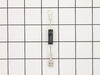
Remove the microwave cover. Requires a phillips screwdriver and a torx security bit/nut driver (there are two security type screws on the back...guess they don't want you to do this at home!). I had to buy the a security bit set (about $7). The diode is easily accessible on the right side under the fan. Requires removing on small phillips screw and unplugging on electrical connection. GE provides some instructions in an envelope on top (after cover removed). There is a warning/instruction to discharge the capacitor before service. This was not a problem for me. Actual diode replacement took 30 seconds. Whole job = 15 minutes.
Parts Used:
-
Jeffrey from Gaithersburg, MD
-
Difficulty Level:Easy
-
Total Repair Time:15 - 30 mins
-
Tools:Nutdriver, Pliers, Screw drivers
Was this instruction helpful to you?
Thank you for voting!
light socket crumbling apart
Unplugged microwave before doing anything.Removed 6 screws holding the bottom of the microwave on. Disconnected 1 wire connector connecting the light sockets.Removed 1 screw on each socket to remove and install new socket. Reconnect the 1 wire connector and reinstall the 6 screws holding the bottom of the microwave on. Removed 1 screw holding the glass lens in place on each light and installed 1 bulb in each and reinstall 1 screw in each lens. Replug power cord. DONE !!
Parts Used:
-
Mike from Buford, GA
-
Difficulty Level:Really Easy
-
Total Repair Time:15 - 30 mins
-
Tools:Screw drivers
Was this instruction helpful to you?
Thank you for voting!
Oven light bulb burned out
After discovering Parts Select website and reading the experiences and installation instructions of others with similar experiences, it gave me the confidence to give it a try. I order the parts, and in a few days, they arrived. I did the following, as read from others: 1. unscrewed the 5 screws on bottom panel of microwave. 2. Had wife hold panel while I unscrewed the 1 screw holding the lamp socket 3. Pulled lamp socket out of hole 4. Used needle nose pliers to pull wiring from old lamp socket 5. plugged the two wires into new lamp socket 6. removed old bulbs (which would have been a nightmare to do by just dropping down the bulb cover - bulb had been factored glued to lamp socket and even after I removed the glue, the bulb still broke when trying to remove the bulb - had to use needle nose pliers to unscrew the base of the broken bulb) 7. placed lamp socket with new bulb back into its slot and screwed the one screw holding the lamp socket back 8. screwed back in the 5 screws that held the bottom panel.
Parts Used:
-
Phillip from Myrtle Beach, SC
-
Difficulty Level:Really Easy
-
Total Repair Time:15 - 30 mins
-
Tools:Screw drivers
Was this instruction helpful to you?
Thank you for voting!
Lights broke and stuck in socket
As suggested, I placed a towel over the stove. Only had 3 main screws to remove from bottom of microwave. Dropped the bottom and changed the sockets and light bulbs. After replacing the bottom tray, I put the new glass light lens in. The clips on glass holder bent back like a photo frame-really easy. Turned on the lights and was done.
Parts Used:
-
Mary J from Bayside, NY
-
Difficulty Level:Easy
-
Total Repair Time:15 - 30 mins
-
Tools:Screw drivers, Socket set
Was this instruction helpful to you?
Thank you for voting!
no hot
-
charlie from spring, TX
-
Difficulty Level:Difficult
-
Total Repair Time:30 - 60 mins
-
Tools:Pliers, Screw drivers
Was this instruction helpful to you?
Thank you for voting!