















HTC0934W002 General Electric Microwave - Instructions
Keep searches simple. Use keywords, e.g. "leaking", "pump", "broken" or "fit".
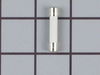
CERAMIC FUSE BLEW WHILE HEATING VEGETABLES
I found an exploded view diagram of of my microwave model which was very helpful. You need only remove outside metal skin by removing 4 screws on either side and 4 more on the back. Remove 4 plastic hole plugs from the top mounting inserts. Gently pull sides out and lift up and back to remove outer skin. The fuse is located on the back right corner behind the control panel. You access from the side. The fuse is under the spreader bar. Lift fuse up gently to remove.
P.S. It was the MSP Capaciter and or the interlock switch, snap apart 21A (19) failure that actually caused the ceramic fuse to blow.
P.S. It was the MSP Capaciter and or the interlock switch, snap apart 21A (19) failure that actually caused the ceramic fuse to blow.
Parts Used:
-
Richard from SAN JOSE, CA
-
Difficulty Level:Really Easy
-
Total Repair Time:15 - 30 mins
-
Tools:Screw drivers
2 of 3 people
found this instruction helpful.
Was this instruction helpful to you?
Thank you for voting!
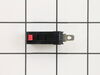
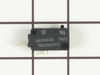
Microwave will not start
Removed three screws from the top front cover and slide it out and following I removed the touch panel and the housing that holds the switches and replaced the bad one.
Parts Used:
-
Carlos from GLENDALE, NY
-
Difficulty Level:Very Easy
-
Total Repair Time:15 - 30 mins
-
Tools:Nutdriver, Screw drivers
3 of 6 people
found this instruction helpful.
Was this instruction helpful to you?
Thank you for voting!
microwave Quit working but lights worked
-
Rick from Muncie, IN
-
Difficulty Level:Really Easy
-
Total Repair Time:15 - 30 mins
-
Tools:Screw drivers
5 of 12 people
found this instruction helpful.
Was this instruction helpful to you?
Thank you for voting!
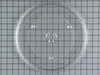
rotating plate broke
-
regina from weston, FL
-
Difficulty Level:Really Easy
-
Total Repair Time:Less than 15 mins
2 of 3 people
found this instruction helpful.
Was this instruction helpful to you?
Thank you for voting!
Microwave would run but not heat
Removed the control panel, one screw at the top. Removed 2 screws on the door switch holder and removed the door switch. VERY EASY.
Parts Used:
-
Timothy from MAYSVILLE, GA
-
Difficulty Level:Really Easy
-
Total Repair Time:Less than 15 mins
-
Tools:Screw drivers
1 person
found this instruction helpful.
Was this instruction helpful to you?
Thank you for voting!
Glass Carousel Cooking Tray Broke
I received the tray and place it in the microwave for a perfect fit. My wife is so happy.
Parts Used:
-
Gary from Fernandina Beach, FL
-
Difficulty Level:Really Easy
-
Total Repair Time:Less than 15 mins
1 of 2 people
found this instruction helpful.
Was this instruction helpful to you?
Thank you for voting!
glass cooking tray broken
First and foremost the service was superb. Ordered on a Monday and had it on Wednesday - WOW. I opened the package and put it in the microwave.
I thank you very much for your fast, efficient and professional service.
C. Brown
I thank you very much for your fast, efficient and professional service.
C. Brown
Parts Used:
-
Cathy from Palm Harbor, FL
-
Difficulty Level:Really Easy
-
Total Repair Time:Less than 15 mins
1 of 2 people
found this instruction helpful.
Was this instruction helpful to you?
Thank you for voting!
Replaced Glass Tray
-
Christina from Mount Pleasant, SC
-
Difficulty Level:Really Easy
-
Total Repair Time:Less than 15 mins
1 of 3 people
found this instruction helpful.
Was this instruction helpful to you?
Thank you for voting!
Broken glass cooking tray
Cannot believe how fast I received the tray. It was shipped from Lenexa warehouse, which is just 100 miles south of us so I received it in like nextday. Popped it in Microwave and was good as new. Will definitely order from parts select again. Thank you.
Parts Used:
-
Barbara from Falls City, NE
-
Difficulty Level:Really Easy
-
Total Repair Time:Less than 15 mins
1 of 3 people
found this instruction helpful.
Was this instruction helpful to you?
Thank you for voting!
I dropped the glass tray
My husband wanted to use super glue to put it back together. I totally disagreed - googled the problem - order the replacement tray. It works great!!!
Parts Used:
-
Jan from North Las Vegas, NV
-
Difficulty Level:Really Easy
-
Total Repair Time:Less than 15 mins
1 of 3 people
found this instruction helpful.
Was this instruction helpful to you?
Thank you for voting!
time would count down but unit would not run & heat.
remove cover, unplug secondary door switch (top switch)
remove switch from holder, install new switch, plug in wires, replace cover, very easy. door switches are a common problem
with microwave ovens.
remove switch from holder, install new switch, plug in wires, replace cover, very easy. door switches are a common problem
with microwave ovens.
Parts Used:
-
Bill from Shawnee, OK
-
Difficulty Level:Really Easy
-
Total Repair Time:15 - 30 mins
-
Tools:Screw drivers
2 of 6 people
found this instruction helpful.
Was this instruction helpful to you?
Thank you for voting!
threw away broken glasss tray and put in new one
-
William from Basking Ridge, NJ
-
Difficulty Level:Really Easy
-
Total Repair Time:Less than 15 mins
1 of 4 people
found this instruction helpful.
Was this instruction helpful to you?
Thank you for voting!
the glass tray was broken in a move
just set the new carousel tray into place inside the microwave.
but your site made it so easy to order. will keep the site as a favorites.
thank you
but your site made it so easy to order. will keep the site as a favorites.
thank you
Parts Used:
-
Harriet from Crystal Spring, PA
-
Difficulty Level:Easy
-
Total Repair Time:Less than 15 mins
1 of 4 people
found this instruction helpful.
Was this instruction helpful to you?
Thank you for voting!
oven wouldn't heat
remove cover-unplug wires from secondary switch-remove switch-snap in new switch-plug in wires-replace cover-works great. very easy to do.
Parts Used:
-
Bill from Shawnee, OK
-
Difficulty Level:Really Easy
-
Total Repair Time:15 - 30 mins
-
Tools:Screw drivers
3 of 12 people
found this instruction helpful.
Was this instruction helpful to you?
Thank you for voting!
Motor and fan turned on when door was opened.
Loosen the two long anchor bolts that screw into the top of the microwave cabinet. These are usually in a shelf or cabinet directly above the microwave. Tilt the microwave forward enough to remove the 2 Phillips head screws from the top of the microwave cabinet. They are near the front. When these two screws are out, remove the fan vent. Once the fan vent is off, remove one screw that holds the control pad in place. Let it hang down. Just to the left of the control pad, you will see wires leading to three switches that close when the door is closed. Use a torx driver to remove the two screws that hold the switch bracket in place. With the bracket out, unplug the wire harnesses. On the opposite side of the wiring connected, a tab holds each switch in place. Lift the tab and slide the switches out. Usually, the bad switch will be identified by a loose or broken spring. Test them by pressing down on the switch. If you notice the bad switch spring, this is usually the bad one. When you have the new one, simply push it back into the appropriate slot and be sure that the holding tab snaps back in place. Plug the wires back in and re-attach the bracket. Put the control pad back on, then the fan vent. When down with those, push on the bottom of the microwave to lift it back into place and tighten the two anchor bolts in the top.
Parts Used:
-
Neal from White House, TN
-
Difficulty Level:Easy
-
Total Repair Time:15 - 30 mins
-
Tools:Screw drivers
Was this instruction helpful to you?
Thank you for voting!