












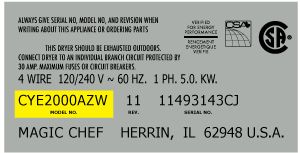

GTD42EASJ2WW General Electric Dryer - Instructions
Keep searches simple. Use keywords, e.g. "leaking", "pump", "broken" or "fit".
Dryer would not start
After checking the obvious things such as household circuit breaker and verifying that the dryer power outlet did indeed have the proper voltage supply, I started troubleshooting the dryer itself. The "partselect.com" website has a lot of good troubleshooting information. I used it to narrow my search and began by checking the fuse located where the power cord connects to the dryer. From there I used the information that the website provided for finding and checking the overtempt switch for the dryer. It's located in a very hard position to get to, and it was indeed bad. I ordered a new one from the "partselect.com" website and started checking my dryer exhaust vent hose for a blockage, as that was the most practical cause for the overtempt switch to fail. Once I verified that the exhaust was clear from any obstruction, I set my sights on removing the bad overtempt switch.
I have over 30 years' experience troubleshooting and repairing both AC and DC electrical and electronic circuits and systems. I'm 6'4" and have very big hands and it was next to impossible for me to get my hands in a position to loosen and remove the 1 screw that was holding the switch in place. After an hour or so I was finally able to remove the switch. There was no way that I was going to be able to successfully install the new switch due to the lack of space. I ended up going back to the "partselect.com" website to see if anyone else had this same issue and found a way to overcome it. After few minutes of reading thru different installation comments from other people, I found one that had the key to quickly and accurately installing the switch. This person used a drill and drilled a hole in the back panel of the dryer to gain access to the screw that holds the switch in place. So, I drilled a small 1/8" hole in the back panel directly across from where the head of the screw was. I used several more drill bits and worked my way up to a 1/2" sized bit. Then, I used a 1/4" drive socket set with a 10" extension and 1/4" socket to install the screw retaining the switch. I reassembled the dryer and have had no other trouble since.
I have over 30 years' experience troubleshooting and repairing both AC and DC electrical and electronic circuits and systems. I'm 6'4" and have very big hands and it was next to impossible for me to get my hands in a position to loosen and remove the 1 screw that was holding the switch in place. After an hour or so I was finally able to remove the switch. There was no way that I was going to be able to successfully install the new switch due to the lack of space. I ended up going back to the "partselect.com" website to see if anyone else had this same issue and found a way to overcome it. After few minutes of reading thru different installation comments from other people, I found one that had the key to quickly and accurately installing the switch. This person used a drill and drilled a hole in the back panel of the dryer to gain access to the screw that holds the switch in place. So, I drilled a small 1/8" hole in the back panel directly across from where the head of the screw was. I used several more drill bits and worked my way up to a 1/2" sized bit. Then, I used a 1/4" drive socket set with a 10" extension and 1/4" socket to install the screw retaining the switch. I reassembled the dryer and have had no other trouble since.
Parts Used:

-
DENNIS from ELIZABETHTOWN, KY
-
Difficulty Level:A Bit Difficult
-
Total Repair Time:30 - 60 mins
-
Tools:Nutdriver, Pliers, Screw drivers, Socket set, Wrench (Adjustable), Wrench set
4 of 5 people
found this instruction helpful.
Was this instruction helpful to you?
Thank you for voting!
Replace dryer front bearing slides
If your dryer is making a grinding or loud plastic rubbing noise, you likely need to replace the slides. Here is how I did it.
TIP: Before beginning, set out a hand towel on the washing machine to set the screws onto, in the order and position you removed them.
IMPORTANT: Before beginning, turn off the gas to the unit and unplug it! This repair is all done from the front side of the machine, so you should only need to slide it out enough to unplug it.
Step 1: Remove the control panel
To do this, you need to pull out on the round silver control knob to remove it. This will expose a long screw. With the long screw removed, grab the panel with both hands and slide it straight up. Be careful, the control board is still connected with a 40-pin ribbon cable. Set the control board on top of the dryer temporarily.
Step 2: Remove the lid
There are three screws to remove the lid. Remove them and set them on the screw holding towel. The lid is attached at the back, so to remove it you need to slide it forward towards the front of the unit. Once the lid is loose, you can have a helper hold the control panel while you set the lid aside, or gently let the control panel dangle.
Step 3: Disconnect the control panel and wiring harnesses
Gently pull on the 40-pin ribbon connector until the control panel ribbon cable is removed. There is a notch to designate which direction the ribbon cable it goes back in. Set the control panel to the side. At the same time, you can disconnect the two wiring harnesses that feed the door light and sensor. These wiring harnesses are secured to a silver plate with a zip tie. Cut the zip tie with your diagonal cutters. (You can trim the old zip tie and replace it by feeding the extra small zip tie through the original opening later.)
Step 4: Remove the steel plate that the wiring harnesses were attached to
There are 6 screws to remove the steel plate. Pay attention to where the extra large head screws go, because these are what the control panel slides onto, when you put things back together. Pull out on each side to release the bottom clips, then slide it upwards. Set this piece aside.
Step 4: Remove the front panel (the door panel)
There are 4 screws to loosen the door panel. Two silver screws at the top, and 2 white screws at the bottom. Loosen the white screws about half way. These do not need to be completely removed because the door can rest on them. Remove the top silver screws. Gently lift the dryer drum off the front bezel while you tilt the front panel towards you. At this point you should be able to see the white and dark green slides. I found it easier to lift the front door off the white screws and set it up against the wall.
Step 5: Replace the slides
The slides have plastic hooks that go through the round holes on one end to hold them in place. You should be able to remove the slides with your fingers (maybe with a little help from a flat-head screwdriver), and replace them. There are dozens of YouTube videos on how to do this if you need help. Be careful not to break the plastic hooks that hold the slide to the front plastic bezel. Replace white slides with the white, and the dark green slides with dark green.
Step 6: Putting it all back together
Do everything in reverse. Set the front panel in the white screws, lift the drum, and slide the door panel back to rest on the slides while you put back the silver screws. Give the drum a few good spins manually to make sure there isn't anything still rubbing. Keep in mind the sliding noise is slightly louder than normal until all the panels are replaced.
It will help the process to only tighten the screws half way while putting them all back in. Once everything aligns, then you can tighten them down. DO NOT over tighten, use hand tightness only or you will strip them out. With the front door panel back on, you can put the steel panel back in place. Once you have the 6 screws done, remember to slide a small zip tie through the previous hole to secure the wiring harnesses. Connect the harnesses, and the front panel ribbon cable before putting the lid back on. Insert the screws to the lid, then slide the control panel back down, and replace the single long screw. Note that the control knob is notched, so align the flat sides as you put it back in.
Plug it back in, and turn back on the gas, you are done!
TIP: Before beginning, set out a hand towel on the washing machine to set the screws onto, in the order and position you removed them.
IMPORTANT: Before beginning, turn off the gas to the unit and unplug it! This repair is all done from the front side of the machine, so you should only need to slide it out enough to unplug it.
Step 1: Remove the control panel
To do this, you need to pull out on the round silver control knob to remove it. This will expose a long screw. With the long screw removed, grab the panel with both hands and slide it straight up. Be careful, the control board is still connected with a 40-pin ribbon cable. Set the control board on top of the dryer temporarily.
Step 2: Remove the lid
There are three screws to remove the lid. Remove them and set them on the screw holding towel. The lid is attached at the back, so to remove it you need to slide it forward towards the front of the unit. Once the lid is loose, you can have a helper hold the control panel while you set the lid aside, or gently let the control panel dangle.
Step 3: Disconnect the control panel and wiring harnesses
Gently pull on the 40-pin ribbon connector until the control panel ribbon cable is removed. There is a notch to designate which direction the ribbon cable it goes back in. Set the control panel to the side. At the same time, you can disconnect the two wiring harnesses that feed the door light and sensor. These wiring harnesses are secured to a silver plate with a zip tie. Cut the zip tie with your diagonal cutters. (You can trim the old zip tie and replace it by feeding the extra small zip tie through the original opening later.)
Step 4: Remove the steel plate that the wiring harnesses were attached to
There are 6 screws to remove the steel plate. Pay attention to where the extra large head screws go, because these are what the control panel slides onto, when you put things back together. Pull out on each side to release the bottom clips, then slide it upwards. Set this piece aside.
Step 4: Remove the front panel (the door panel)
There are 4 screws to loosen the door panel. Two silver screws at the top, and 2 white screws at the bottom. Loosen the white screws about half way. These do not need to be completely removed because the door can rest on them. Remove the top silver screws. Gently lift the dryer drum off the front bezel while you tilt the front panel towards you. At this point you should be able to see the white and dark green slides. I found it easier to lift the front door off the white screws and set it up against the wall.
Step 5: Replace the slides
The slides have plastic hooks that go through the round holes on one end to hold them in place. You should be able to remove the slides with your fingers (maybe with a little help from a flat-head screwdriver), and replace them. There are dozens of YouTube videos on how to do this if you need help. Be careful not to break the plastic hooks that hold the slide to the front plastic bezel. Replace white slides with the white, and the dark green slides with dark green.
Step 6: Putting it all back together
Do everything in reverse. Set the front panel in the white screws, lift the drum, and slide the door panel back to rest on the slides while you put back the silver screws. Give the drum a few good spins manually to make sure there isn't anything still rubbing. Keep in mind the sliding noise is slightly louder than normal until all the panels are replaced.
It will help the process to only tighten the screws half way while putting them all back in. Once everything aligns, then you can tighten them down. DO NOT over tighten, use hand tightness only or you will strip them out. With the front door panel back on, you can put the steel panel back in place. Once you have the 6 screws done, remember to slide a small zip tie through the previous hole to secure the wiring harnesses. Connect the harnesses, and the front panel ribbon cable before putting the lid back on. Insert the screws to the lid, then slide the control panel back down, and replace the single long screw. Note that the control knob is notched, so align the flat sides as you put it back in.
Plug it back in, and turn back on the gas, you are done!
Parts Used:


-
Darin from MEDINA, MN
-
Difficulty Level:Easy
-
Total Repair Time:30 - 60 mins
-
Tools:Screw drivers
3 of 3 people
found this instruction helpful.
Was this instruction helpful to you?
Thank you for voting!
Dryer's drum doesn't run
-
ruoli from Germantown, MD
-
Difficulty Level:Really Easy
-
Total Repair Time:1- 2 hours
-
Tools:Screw drivers
3 of 3 people
found this instruction helpful.
Was this instruction helpful to you?
Thank you for voting!
Defective timer. Wouldn't advance (turn)

-
Michael from GLEN ALLEN, VA
-
Difficulty Level:Very Easy
-
Total Repair Time:Less than 15 mins
-
Tools:Nutdriver, Screw drivers
3 of 3 people
found this instruction helpful.
Was this instruction helpful to you?
Thank you for voting!
Dryer bulb burned out
Son found out where the bulb was by using YouTube. I googled lamp for model number and your website came up. I ordered the part, it arrived promptly, and my son installed it.
Parts Used:
-
Mary from NEW BRITAIN, CT
-
Difficulty Level:Very Easy
-
Total Repair Time:Less than 15 mins
3 of 3 people
found this instruction helpful.
Was this instruction helpful to you?
Thank you for voting!
Broken dryer knob/wouldn’t connect to select cycle
-
Jean from MC ARTHUR, OH
-
Difficulty Level:Really Easy
-
Total Repair Time:Less than 15 mins
3 of 4 people
found this instruction helpful.
Was this instruction helpful to you?
Thank you for voting!
Dryer wouldn’t run-knob wouldn’t catch when turned
I researched the problem-ordered the part-watched a tutorial on Part Select website and replaced the old part with the new-couldn’t have been used asier
Parts Used:
-
mary jane from NEW BERN, NC
-
Difficulty Level:Very Easy
-
Total Repair Time:15 - 30 mins
3 of 4 people
found this instruction helpful.
Was this instruction helpful to you?
Thank you for voting!
belt broke
-
joseph a from VALLEY STREAM, NY
-
Difficulty Level:Easy
-
Total Repair Time:30 - 60 mins
-
Tools:Pliers, Screw drivers
2 of 2 people
found this instruction helpful.
Was this instruction helpful to you?
Thank you for voting!
Timer on dryer
-
Ruth from MILLSBORO, DE
-
Difficulty Level:Very Easy
-
Total Repair Time:30 - 60 mins
2 of 2 people
found this instruction helpful.
Was this instruction helpful to you?
Thank you for voting!
no heat from dryer
used you tube and with your info. actually took apart dryer replaced part & reassemble
Parts Used:
-
Susan from LEVITTOWN, PA
-
Difficulty Level:A Bit Difficult
-
Total Repair Time:30 - 60 mins
-
Tools:Nutdriver, Pliers, Screw drivers, Socket set, Wrench (Adjustable)
4 of 8 people
found this instruction helpful.
Was this instruction helpful to you?
Thank you for voting!
Noise when drum is spinning.
I removed the top and front panel with door. Removed the bearing top assembly and install the new one. Then I reinstall the front panel with door and top panel in that order. Plug and play!!!
Parts Used:
-
Gonzalo from Haines City, FL
-
Difficulty Level:Really Easy
-
Total Repair Time:30 - 60 mins
-
Tools:Screw drivers, Socket set
2 of 2 people
found this instruction helpful.
Was this instruction helpful to you?
Thank you for voting!
Dryer belt was broken
I removed the top cover and the back cover to install new belt.
Once i put new belt i discovered that the pulley was also broken so now i have order the pulley so that i can complete the repair
Once i put new belt i discovered that the pulley was also broken so now i have order the pulley so that i can complete the repair
Parts Used:
-
Alvino from newtown, CT
-
Difficulty Level:A Bit Difficult
-
Total Repair Time:1- 2 hours
-
Tools:Screw drivers
4 of 8 people
found this instruction helpful.
Was this instruction helpful to you?
Thank you for voting!
Dryer leaving stains on clothes
Shortly after a piece of felt (the duct felt seal) was visible on the drum intererior, the dryer started making metal-on-metal squeaks. A few weeks later it started leaving'machine part' type brown/black marks on clothes. With the model # it was quite easy to find and order the correct part, which arrived a few days later. The accompanying video made installation quite straightforward, even for someone who's NEVER worked on a dryer before - even though the model used wasn't the same. Over half the repair time was to clean out lint and dirt from the various exposed parts. Overall, an easy and effective repair that solved the staining issue. Follow the video and you won't go wrong.
Parts Used:
-
Tahir from ARLINGTON, MA
-
Difficulty Level:Easy
-
Total Repair Time:1- 2 hours
-
Tools:Screw drivers
3 of 5 people
found this instruction helpful.
Was this instruction helpful to you?
Thank you for voting!
When the door is closed the dryer didn't work
Easy watch YouTube and open door placed screwdriver under door switch pry lightly and switch will pop out unplug wire connectors and replace on new switch reinsert switch should be done
Parts Used:
-
Cary from SILVER SPGS, FL
-
Difficulty Level:Really Easy
-
Total Repair Time:30 - 60 mins
-
Tools:Pliers, Screw drivers
2 of 2 people
found this instruction helpful.
Was this instruction helpful to you?
Thank you for voting!
The dryer was making a lot of noise and clothing would get stuck along the drum
UNPLUG THE DRYER FIRST!!!
1. Open the dryer door and unscrew two screws connecting to the the top of the dryer.
2. Lift the dryer top and then pull the front of the dryer away from the frame (it should be a lift and pull motion)
3. Disconnect the power cord that runs to the dryer light
4. Unscrew the bearing top from the dryer front and pop the old bearing top assembly out
5. Insert the new bearing top assembly and reverse steps 1-4 to finish the install.
I recommend that while you have the dyer opened, you take the time to clean out any dust and lint from the interior.
1. Open the dryer door and unscrew two screws connecting to the the top of the dryer.
2. Lift the dryer top and then pull the front of the dryer away from the frame (it should be a lift and pull motion)
3. Disconnect the power cord that runs to the dryer light
4. Unscrew the bearing top from the dryer front and pop the old bearing top assembly out
5. Insert the new bearing top assembly and reverse steps 1-4 to finish the install.
I recommend that while you have the dyer opened, you take the time to clean out any dust and lint from the interior.
Parts Used:
-
Lauren from WESTLAKE, OH
-
Difficulty Level:Really Easy
-
Total Repair Time:30 - 60 mins
-
Tools:Screw drivers
2 of 2 people
found this instruction helpful.
Was this instruction helpful to you?
Thank you for voting!