















GSRC3KLXAFWW General Electric Refrigerator - Instructions
Keep searches simple. Use keywords, e.g. "leaking", "pump", "broken" or "fit".
Can of fruit fell from shelf and broke the switch cover.
Removed broken switch with plastic scraper (press tension latch on bottom), moved two wire terminals to the new switch and pressed the new switch into the hole.
Parts Used:
-
James from KNOXVILLE, TN
-
Difficulty Level:Really Easy
-
Total Repair Time:Less than 15 mins
3 of 3 people
found this instruction helpful.
Was this instruction helpful to you?
Thank you for voting!
clickking sounds
Unplugged unit.. Removed control board cover.. Removed all plugs from control board then removed board its self.. Replaced in reverse order.. Unit is working as new..
Parts Used:
-
Aurelio from MAYS LANDING, NJ
-
Difficulty Level:Very Easy
-
Total Repair Time:Less than 15 mins
3 of 3 people
found this instruction helpful.
Was this instruction helpful to you?
Thank you for voting!
replace filter
-
Marie from Philidelphia, PA
-
Difficulty Level:Really Easy
-
Total Repair Time:Less than 15 mins
5 of 9 people
found this instruction helpful.
Was this instruction helpful to you?
Thank you for voting!
clicking nose from mother board
pulled the board away from the 4 plastic pins, unplugged the wires and plugged them directly into the new noard, pushed board back onto the four plastic pins.......job completed in under 5 minutes. Fridge working fine now for over a week......no problems.
Parts Used:
-
LEE from WILMINGTON, DE
-
Difficulty Level:Easy
-
Total Repair Time:Less than 15 mins
-
Tools:Pliers
3 of 3 people
found this instruction helpful.
Was this instruction helpful to you?
Thank you for voting!
Nothing to tell it was a replacement
Nothing to tell it was just a replacement part that the old part was removed and the new one inserted. Works like a dream Thanks
Parts Used:
-
Royce from Pasadena, TX
-
Difficulty Level:Really Easy
-
Total Repair Time:Less than 15 mins
3 of 3 people
found this instruction helpful.
Was this instruction helpful to you?
Thank you for voting!
No ice or water at the despenser. Compressor would turn off when the dispenser lever was pushed. There was also a loud buzzer sound for a couple of weeks prior to the board failing.
Pulled out the fridge and unplugged electric cord. Took off the back lower right side panel. Unplugged all the connectors and removed the motherboard. Replaced the motherboard and reconnected connectors. Replaced the panel and plugged it in. Works great!
Parts Used:
-
Pat from Pensacola, FL
-
Difficulty Level:Easy
-
Total Repair Time:Less than 15 mins
-
Tools:Nutdriver
3 of 3 people
found this instruction helpful.
Was this instruction helpful to you?
Thank you for voting!
replace solenoid on ice door
remove the front plate. use screwdriver to pry the cover off from the bottom of the cover, remove the wiring from the front cover.remove the 4 screws and pull out the shute. remove three screws from the solonide and replace . very easy fix. save yourself $100.00 labor.
Parts Used:
-
Allan from Ponce Inlet, FL
-
Difficulty Level:Easy
-
Total Repair Time:15 - 30 mins
-
Tools:Screw drivers
3 of 3 people
found this instruction helpful.
Was this instruction helpful to you?
Thank you for voting!
Compressor Would not come on. Found the relay on the Main Board burned up. There was no electrical power to the compressor .
Ordered a new Main circuit Board. It arrived next day. Unplug the fridge to take away electrical power. Unscrewed the panel on the back of the fridge near the top. I then pulled the wire connectors off the circuit board. Gently pull the board off the plastic tabs. Push the new board onto the tabs. Reconnect the wire connectors. Screw the panel back on.
Parts Used:
-
James from Akron, PA
-
Difficulty Level:Really Easy
-
Total Repair Time:15 - 30 mins
-
Tools:Screw drivers
3 of 3 people
found this instruction helpful.
Was this instruction helpful to you?
Thank you for voting!
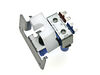
Water Leak behind Refrigerator
Shut water behind the refrigerator, unplugged the unit. Unscrewed the back tin panel and simply unscrewed the brace scew for the Double Outlet Water Valve. Disconnected the hoss - inspected the hosed for wear. Next detached the hoses and power source to the unit... reconnected both hoses & power source, plug the refrigator back in and inspected for any water leaks. Simple!
Parts Used:
-
Theodore from Carteret, NJ
-
Difficulty Level:Easy
-
Total Repair Time:15 - 30 mins
-
Tools:Socket set
4 of 6 people
found this instruction helpful.
Was this instruction helpful to you?
Thank you for voting!
Refrigerator ran too much, condensor fan not running
Removed cover plate on rear of unit - 3 screws
Removed connectors and ground wire
Removed board (use needle-nose pliers to compress plastic mountig posts)
Replaced board, inserted connectors, attached ground wire, put cover on
Everything worked properly
Removed connectors and ground wire
Removed board (use needle-nose pliers to compress plastic mountig posts)
Replaced board, inserted connectors, attached ground wire, put cover on
Everything worked properly
Parts Used:
-
Dan from Ellicott City, MD
-
Difficulty Level:Really Easy
-
Total Repair Time:15 - 30 mins
-
Tools:Pliers, Screw drivers
3 of 3 people
found this instruction helpful.
Was this instruction helpful to you?
Thank you for voting!
Freezer never kept a consistant temperature. One night heard a clicking noice which was followed by the temperature display showing temps like -31. Researched to find other with the same issue and ordered the replacement board to repair.
I must admit - I thought I'd attempt to do this repair and end up calling a service guy to finish it. I'm not mechanically inclined AT ALL but thought I'd give it a shot after reading others experiences. I'm glad I did. The fix was easy, but there was initial anxiety while reading the instructions that came with the part - as they mentioned the possible need to cut some wires. Fortunately that was not necessary..... Removed three screws from the rear plate to expose the part needing to be replaced. Remove the fittings from the old board (needed plyers to do that - be gentle), take the old board out by using needle nose pliers to squeeze the white plastic tabs and pull the board free. Reconnect fittings to new board and you are done. Works better now than ever - obviously the old board had an issue that GE should have recalled, as many others had the same problem.
Parts Used:
-
David from Barrington, IL
-
Difficulty Level:Really Easy
-
Total Repair Time:15 - 30 mins
-
Tools:Pliers, Screw drivers
3 of 3 people
found this instruction helpful.
Was this instruction helpful to you?
Thank you for voting!
Was very helpful to have a video giving you instructions
Of course being a women to say I repair my refrigirator is very self gratifying specially when share with other womens like me divorce,having to do on their own, great site, very simple explain on the video with words I could understand, no surprices right to the penny. I save a lot of money, thank you so much, i recomend the site to anybody.
Parts Used:
-
Katherine from Converse, TX
-
Difficulty Level:Really Easy
-
Total Repair Time:15 - 30 mins
-
Tools:Nutdriver, Screw drivers, Wrench (Adjustable)
4 of 6 people
found this instruction helpful.
Was this instruction helpful to you?
Thank you for voting!
Cracked the head by over tightening the water filter in2 it.
It was much easier than I had anticipated it was going 2B. All it intaled was 2 undue the 2 water lines w/a 1/2 inch wrench, take out the 2 screws on the top of the head on the inside of the refrigerator, then pull it out. I then just slipped the new head in, replaced the 2 screws, replaced the filter (definitely not overly tightening it this time) by putting some waterproof food grade grease, making it much easier 2 push up & turn. After, I went 2 the back of the refrigerator & reconnected the 1 line 2 the fridge & then the other 2 the water supply. "Walla" we were making ice again & able 2 get ice cold water again, also. The entire process took approximately 30 minutes 2 complete & that's bcuz of my limited disabilities. A younger person could probably be able 2 do it possibly faster.
Parts Used:
-
Joseph from LAKELAND, FL
-
Difficulty Level:Very Easy
-
Total Repair Time:15 - 30 mins
-
Tools:Nutdriver
3 of 3 people
found this instruction helpful.
Was this instruction helpful to you?
Thank you for voting!
Refrigerator/Freezer Warm & Condenser Fan Not Running
The control board and access panel are on the back of the refrigerator, so you will need to roll/slide the refrigerator away from the wall to gain access to the panel. Be careful not kink the water line if you have an ice maker connection.
Unplug the power cord from power outlet on the wall.
On this model the control board is located behind a rectangular panel that is about 8" x 10". The panel is about 3 feet above the floor on the left side (as viewed looking at the back of the refrigerator).
Using a Phillips (cross point) screwdriver, remove the screws and the access panel cover. Look closely at the control circuit board and you will see 4 small white plastic protrusions sticking through the board -- these are the plastic posts that hold the board in place. There is a small tab that locks the board to the plastic mounting post. Use your needle nose pliers (or other small pliers) to compress the small tab on the post; and while squeezing, pull on the control board until it releases from the post/clip. Repeat this for each of the four posts and the board will now be free from the mounts.
Look at the plugs that connect the wires to the board and note the orientation of each plug. Each plug is a different size, so they will only fit into the socket of the correct size. On my refrigerator, there is one plug that is not connected to the board and is hanging loose, so don't get confused when connecting plugs to the new board - this one remains unconnected.
Firmly pull each plug from its socket on the board -- try not to pull by the wires. If you have a stubborn plug, grab it with your pliers and pull it out. There is a green ground wire connected by a screw into the refrigerator cabinet. Remove this screw and ground wire. (Note: on some models the green ground wire is fastened with a screw that holds the cover in place - just be sure to reconnect the wire when replacing the cover).
Insert all of the plugs into the new board -- be sure they are seated firmly. Reinstall the ground wire. Place the board over the plastic posts and push until the tab locks the board in place. Replace the cover.
On the sheet that comes with the refrigerator they instruct you to remove the lower panel on the refrigerator that covers the compressor motor compartment. They instruct you to look at the power cord connection to the compressor and to locate a green wire from a capacitor. If your power cord does not have a capacitor exactly like the one pictured, there is no need to proceed on this step. Replace the lower panel. If it does have a capacitor as illustrated, follow those instructions and then replace the panel.
Now plug in the power cord to the wall power outlet. Before pushing the refrigerator back into place you want to make sure it is operating properly. To make sure that there is no "Glitch" during start up, I suggest that you set the temperature control inside of the refrigerator to "OFF" and wait about 3 minutes. After 3 minutes, set the control to the desired temperature (about 37 Deg for Refrigerator and 0 Deg for the Freezer).
If the refrigerator is running, you are finished. Being careful not to kink the water line, push the refrigerator back into place.
Unplug the power cord from power outlet on the wall.
On this model the control board is located behind a rectangular panel that is about 8" x 10". The panel is about 3 feet above the floor on the left side (as viewed looking at the back of the refrigerator).
Using a Phillips (cross point) screwdriver, remove the screws and the access panel cover. Look closely at the control circuit board and you will see 4 small white plastic protrusions sticking through the board -- these are the plastic posts that hold the board in place. There is a small tab that locks the board to the plastic mounting post. Use your needle nose pliers (or other small pliers) to compress the small tab on the post; and while squeezing, pull on the control board until it releases from the post/clip. Repeat this for each of the four posts and the board will now be free from the mounts.
Look at the plugs that connect the wires to the board and note the orientation of each plug. Each plug is a different size, so they will only fit into the socket of the correct size. On my refrigerator, there is one plug that is not connected to the board and is hanging loose, so don't get confused when connecting plugs to the new board - this one remains unconnected.
Firmly pull each plug from its socket on the board -- try not to pull by the wires. If you have a stubborn plug, grab it with your pliers and pull it out. There is a green ground wire connected by a screw into the refrigerator cabinet. Remove this screw and ground wire. (Note: on some models the green ground wire is fastened with a screw that holds the cover in place - just be sure to reconnect the wire when replacing the cover).
Insert all of the plugs into the new board -- be sure they are seated firmly. Reinstall the ground wire. Place the board over the plastic posts and push until the tab locks the board in place. Replace the cover.
On the sheet that comes with the refrigerator they instruct you to remove the lower panel on the refrigerator that covers the compressor motor compartment. They instruct you to look at the power cord connection to the compressor and to locate a green wire from a capacitor. If your power cord does not have a capacitor exactly like the one pictured, there is no need to proceed on this step. Replace the lower panel. If it does have a capacitor as illustrated, follow those instructions and then replace the panel.
Now plug in the power cord to the wall power outlet. Before pushing the refrigerator back into place you want to make sure it is operating properly. To make sure that there is no "Glitch" during start up, I suggest that you set the temperature control inside of the refrigerator to "OFF" and wait about 3 minutes. After 3 minutes, set the control to the desired temperature (about 37 Deg for Refrigerator and 0 Deg for the Freezer).
If the refrigerator is running, you are finished. Being careful not to kink the water line, push the refrigerator back into place.
Parts Used:
-
H E from St Simons Island, GA
-
Difficulty Level:Easy
-
Total Repair Time:15 - 30 mins
-
Tools:Pliers, Screw drivers
4 of 6 people
found this instruction helpful.
Was this instruction helpful to you?
Thank you for voting!
no cooling hrs display
I removed the board, unplugged all the sockets, took the new board, plugged in all the sockets, and replaced the new board into the refrigerator. I was to applaud this business. I was first able to diagnose the problem by finding this site, then one of the customers explained how to fix the problem ourselves. It save us at least $100. The $25 overnight shipping fee was well worth it. We could have lost $100's of dollars worth of food.
Parts Used:
-
Debbie from Tujunga, CA
-
Difficulty Level:Easy
-
Total Repair Time:15 - 30 mins
-
Tools:Nutdriver
3 of 3 people
found this instruction helpful.
Was this instruction helpful to you?
Thank you for voting!