















FRT21INGJQ1 Frigidaire Refrigerator - Instructions
Keep searches simple. Use keywords, e.g. "leaking", "pump", "broken" or "fit".
I had a broken fan blade due to ice build up from a leaking ice maker.
1. I took out one screw on the ice maker and loosened the other two screws and unplugged and removed the ice maker.
2. Next I took out 2 screws from the bottom of the auger drive box and unplugged the wiring harness and removed the box. The wiring harness was a little tricky. The lock on the plug pushes in to unlock even though it looks like it pulls out,.
3.next you must remove 2 screws from the left side bracket that holds the auger box and remove the bracket.
4.Now take out 8 screws that hold the back panel in place and remove the back panel.
5. now your looking at the evaporator fan blade and motor. The simple way to replace the fan blade is to unplug the motor and remove it from the freezer. It just sits in with nothing holding it. The fan requires a little pressure but should pull right off. Install new fan blade and put everything back in the same order it was removed.
2. Next I took out 2 screws from the bottom of the auger drive box and unplugged the wiring harness and removed the box. The wiring harness was a little tricky. The lock on the plug pushes in to unlock even though it looks like it pulls out,.
3.next you must remove 2 screws from the left side bracket that holds the auger box and remove the bracket.
4.Now take out 8 screws that hold the back panel in place and remove the back panel.
5. now your looking at the evaporator fan blade and motor. The simple way to replace the fan blade is to unplug the motor and remove it from the freezer. It just sits in with nothing holding it. The fan requires a little pressure but should pull right off. Install new fan blade and put everything back in the same order it was removed.
Parts Used:

-
gary from ARANSAS PASS, TX
-
Difficulty Level:Easy
-
Total Repair Time:30 - 60 mins
-
Tools:Nutdriver
5 of 7 people
found this instruction helpful.
Was this instruction helpful to you?
Thank you for voting!
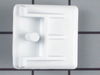
Broken crisper holder (bracket)
Removed broke bracket. Installed new bracket (part #100). Now, everything is O-TAY!
Parts Used:
-
Charles from LECANTO, FL
-
Difficulty Level:Very Easy
-
Total Repair Time:Less than 15 mins
-
Tools:Screw drivers
4 of 4 people
found this instruction helpful.
Was this instruction helpful to you?
Thank you for voting!
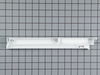
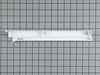
Both sides of the meat drawer hanging rails had been broken, and the drawer kept falling out.
First, I removed the shelf holding the meat drawer . Next, I used a screwdriver to remove the 4 screws that held the old rails to the shelf. Finally, I positioned the new rails and reinserted the screws into the holes and tightened. Less than 10 minutes and super easy!
Parts Used:
-
Linda from Colchester, CT
-
Difficulty Level:Really Easy
-
Total Repair Time:Less than 15 mins
-
Tools:Screw drivers
5 of 7 people
found this instruction helpful.
Was this instruction helpful to you?
Thank you for voting!
Fridge made a hellacious noise and wasn't cooling well
From discussions with friends, I determined the problem might be easy to fix. The fridge made a lot of noise, but the compressor DID come on, and inside the freezer was cold, but the main fridge was warming.
After unplugging the fridge, I removed the fan assembly in the freezer (there were about 4 nuts and a couple of plugs to uncouple.
I could see right away the fan blades has broken off, but the motor looked good. The new new fan pushed easily onto the shift and fit perfectly in the housing.
I reinstalled the fan assembly, plugged in the fridge, and right away heard the new fan come on - very quietly. What was a roar became a whisper and the fridge was down to 38 degrees with a few hours.
After unplugging the fridge, I removed the fan assembly in the freezer (there were about 4 nuts and a couple of plugs to uncouple.
I could see right away the fan blades has broken off, but the motor looked good. The new new fan pushed easily onto the shift and fit perfectly in the housing.
I reinstalled the fan assembly, plugged in the fridge, and right away heard the new fan come on - very quietly. What was a roar became a whisper and the fridge was down to 38 degrees with a few hours.
Parts Used:
-
Bruce from MARTINEZ, CA
-
Difficulty Level:Really Easy
-
Total Repair Time:Less than 15 mins
-
Tools:Nutdriver
4 of 4 people
found this instruction helpful.
Was this instruction helpful to you?
Thank you for voting!
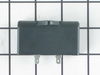
Fridge would not cool at all, because the compressor was not running. Fan running, lights working, just no cool.
Remove the cardboard access cover at the bottom back of the fridge. On the left side, locate the run capacitor. Remove it by prying it loose from its socket, after first removing the wire hold down clamp. One wonders why the clamp is there, which makes it difficult to get the run capacitor out. Be careful not to disrupt in any way the copper refrigerant tubes. If you mess them up, you will have wasted your time and effort trying to repair the machine. I was lucky, since a failed run capacitor is the problem only about 12% of the time, based on what I’ve read. Hallelujah! It was the problem with my fridge.
Parts Used:
-
David from ABINGDON, VA
-
Difficulty Level:Easy
-
Total Repair Time:15 - 30 mins
-
Tools:Screw drivers
4 of 4 people
found this instruction helpful.
Was this instruction helpful to you?
Thank you for voting!
8 loud pops and then dump ice .
Turn off power. Remove ice tray. Back out the two screws with nut driver and just lift ice maker off screws. Do not bend the water fill tube in the back . Now unplug the wire and remove ice maker .
To replace, match the color of wires on plug. Adjust wires in place and water fill tube and back on to the screws. Hold in place and snug screws. Turn power back on. In 4 to 5 hours your ice will start .
FED-EX UT to MN was 13 days to deliver .
To replace, match the color of wires on plug. Adjust wires in place and water fill tube and back on to the screws. Hold in place and snug screws. Turn power back on. In 4 to 5 hours your ice will start .
FED-EX UT to MN was 13 days to deliver .
Parts Used:
-
Douglas from INVER GROVE, MN
-
Difficulty Level:Very Easy
-
Total Repair Time:Less than 15 mins
-
Tools:Nutdriver
4 of 4 people
found this instruction helpful.
Was this instruction helpful to you?
Thank you for voting!
Ice Maker ffss2614qpo
Looked it up on how to, follow the video
. Very easy 1-2-3 it was out and new one in..........??.
. Very easy 1-2-3 it was out and new one in..........??.
Parts Used:
-
Dante from SOUTHOLD, NY
-
Difficulty Level:Really Easy
-
Total Repair Time:15 - 30 mins
-
Tools:Nutdriver, Screw drivers
4 of 5 people
found this instruction helpful.
Was this instruction helpful to you?
Thank you for voting!
Freezer drawer rail caps and crisper drawer supports were broken
I removed the old parts, installed the new parts and reassembled the crisper drawer and rails. For less than $50 delivered I was able to bring the unit back to service for our family.
Parts Used:

-
Raymond from Anchorage, AK
-
Difficulty Level:Really Easy
-
Total Repair Time:15 - 30 mins
-
Tools:Pliers
4 of 5 people
found this instruction helpful.
Was this instruction helpful to you?
Thank you for voting!
ice maker went bad
take the ice bin out of freezer. there are 2- 1/4" screws. these screws only need to be loosened a few turns. the ice maker can be slightly lifted up and will come off the screws. unhook the wire harness. take the "L" bracket off the old ice maker and put on the new one. set the new ice maker in. hook up the wire harness. put the new ice maker over the screws, tuck the wires out of the way and pull down into place. tighten the screws.
Parts Used:
-
nathan from gillette, WY
-
Difficulty Level:Really Easy
-
Total Repair Time:Less than 15 mins
-
Tools:Nutdriver
4 of 5 people
found this instruction helpful.
Was this instruction helpful to you?
Thank you for voting!
Every thing went smooth
But I have back ground mechanical skills, I did see the video one time, and everything went smooth......
Parts Used:
-
Micu from MOJAVE, CA
-
Difficulty Level:Really Easy
-
Total Repair Time:15 - 30 mins
-
Tools:Screw drivers, Socket set
4 of 5 people
found this instruction helpful.
Was this instruction helpful to you?
Thank you for voting!
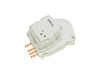
freezer defrost would melt the food
Looked up similar problems and found it to be the defrost timer. All I had to do was remove the plastic portion in the fridge section to get to the old timer. Popped the new one in and put it back together. Works great now. Would have been almost $150 to have a repair company come out and fix it.
Parts Used:
-
Joseph from West Allis, WI
-
Difficulty Level:Really Easy
-
Total Repair Time:Less than 15 mins
-
Tools:Nutdriver
4 of 5 people
found this instruction helpful.
Was this instruction helpful to you?
Thank you for voting!
Freezer too cold
Removed the housing with the light, 4 hexhead screws. This exposed the defrost timer, removed 2 hexhead screws, electrical connector and reassembled the unit.
Great resource and service, thank you.
Great resource and service, thank you.
Parts Used:
-
Curt from Maple Grove, MN
-
Difficulty Level:Really Easy
-
Total Repair Time:15 - 30 mins
-
Tools:Nutdriver
3 of 3 people
found this instruction helpful.
Was this instruction helpful to you?
Thank you for voting!
Freezer wouldn't shut off and wouldn't reach cold enough temperature.
Removed existing part, tested it, found it to be defective. OrderEd a new one and replaced the existing one.
Parts Used:
-
Tunis from NOLANVILLE, TX
-
Difficulty Level:Easy
-
Total Repair Time:15 - 30 mins
-
Tools:Screw drivers
3 of 3 people
found this instruction helpful.
Was this instruction helpful to you?
Thank you for voting!
Ice maker stopped making ice.
The repair was fast and easy .I removed the ice tray , disconnected the wiring connector and lossend two screws. I removed ice maker assy.and repeated in reverse order to install. I also installed a new water filter. I had ice in about 20 minutes.
Parts Used:
-
Thomas from WESTAMPTON, NJ
-
Difficulty Level:Really Easy
-
Total Repair Time:30 - 60 mins
-
Tools:Nutdriver
4 of 6 people
found this instruction helpful.
Was this instruction helpful to you?
Thank you for voting!
Drive great stripped for ice eject. Heater bad
Loosened the 2 bolts 4 turns where it mounts inside the freezer. Lift maker off the bolts unplug 1 plug. Reverse to install.
Parts Used:
-
Danny from PUEBLO, CO
-
Difficulty Level:Really Easy
-
Total Repair Time:Less than 15 mins
-
Tools:Nutdriver
4 of 6 people
found this instruction helpful.
Was this instruction helpful to you?
Thank you for voting!