















FPCI19TFW0 Frigidaire Refrigerator - Instructions
Keep searches simple. Use keywords, e.g. "leaking", "pump", "broken" or "fit".
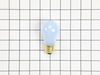
Oven light bulb went dark; it needed replacing
-
Lise from CEDAR GROVE, NJ
-
Difficulty Level:Very Easy
-
Total Repair Time:Less than 15 mins
10 of 17 people
found this instruction helpful.
Was this instruction helpful to you?
Thank you for voting!
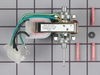
fan motor worn out
Removed the old and installed the new. Electrical plug/socket made connection easy. Biggest problem is working space in freezer side of a side by side with the fan in the back. If I can do it anyone can.
Parts Used:
-
Richard from Norman, OK
-
Difficulty Level:A Bit Difficult
-
Total Repair Time:15 - 30 mins
-
Tools:Screw drivers
7 of 9 people
found this instruction helpful.
Was this instruction helpful to you?
Thank you for voting!
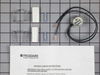
Freezer frosted up
-
Gregg from Mohnton, PA
-
Difficulty Level:Really Easy
-
Total Repair Time:15 - 30 mins
-
Tools:Screw drivers, Wrench set
6 of 7 people
found this instruction helpful.
Was this instruction helpful to you?
Thank you for voting!
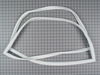
replaced door seal
-
Doug from Jonesville, MI
-
Difficulty Level:Easy
-
Total Repair Time:15 - 30 mins
-
Tools:Nutdriver
6 of 7 people
found this instruction helpful.
Was this instruction helpful to you?
Thank you for voting!
Coils freezing up and refrigerator would get warm
Wasn't sure if it was the derost timer or the heating element. Since the timer was much cheaper, I bought it and crossed my fingers.
My story is like the others. Unplug the refrigerator, snip the old wires, strip back the wire insulation, use the supplied connectors to attach the new defrost timer to the existing wiring.
Success! My coils no longer freeze up.
Only difficulty is I am a large guy, and fitting my upper body into the freezer was challenging.
My story is like the others. Unplug the refrigerator, snip the old wires, strip back the wire insulation, use the supplied connectors to attach the new defrost timer to the existing wiring.
Success! My coils no longer freeze up.
Only difficulty is I am a large guy, and fitting my upper body into the freezer was challenging.
Parts Used:
-
Richard from Scranton, KS
-
Difficulty Level:Easy
-
Total Repair Time:15 - 30 mins
-
Tools:Nutdriver
6 of 7 people
found this instruction helpful.
Was this instruction helpful to you?
Thank you for voting!
Refrigerator Light bulb went out
I replaced the bulb using my hands to twist the bulb in the socket located at the top of the refrigerator.
Parts Used:
-
ANGELA from MEBANE, NC
-
Difficulty Level:Very Easy
-
Total Repair Time:Less than 15 mins
7 of 10 people
found this instruction helpful.
Was this instruction helpful to you?
Thank you for voting!
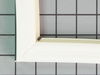
Both the Freezer and Refrigerator Seals were defeated.
You lift the old seal and unscrew the nut, being careful not to break the plastic holding the seal down, do not remove the screw the whole way. If you take your time and be methodic it is not difficult, just time consuming. Remove the old seal and start putting the new seal in. I would advise finger tightening the screws every 12 inches or so as you go. Then go back and tighten each side as you complete it.
Parts Used:
-
Laura from Beaver, PA
-
Difficulty Level:Easy
-
Total Repair Time:1- 2 hours
-
Tools:Nutdriver
6 of 7 people
found this instruction helpful.
Was this instruction helpful to you?
Thank you for voting!
Freezer was getting a build up of frost on the condenser and wasn't cooling.
First I remove the back panel which had 4 screws. Then I removed the ice maker. The icemaker is held in place by the 2 screws that requires backing the screws out just a litter, than lift up and remove the electrical connector. Used a volt ohm meter to check the resisitant in the heater element and the defrost timing switch. Both tested good and that left only the thermostat. Removed and replaced the thermastat swich. I cut the ends of the old switch and crimp the ends of wire with the crimps that came with the swict i purchased from parts select. My refrigerator is working properly and making ice like normal.
Parts Used:
-
Arthur from Lithonia, GA
-
Difficulty Level:Really Easy
-
Total Repair Time:15 - 30 mins
-
Tools:Nutdriver
5 of 5 people
found this instruction helpful.
Was this instruction helpful to you?
Thank you for voting!
freezer would not defrost
tested defrost timer and heater. And then tested defrost timer with ohm test($6 at hard ware store) Closed and would not open replace and tested freezer take 30mins to get switch cold and retest.
Parts Used:
-
Fernando from La Grange, AL
-
Difficulty Level:Easy
-
Total Repair Time:30 - 60 mins
-
Tools:Screw drivers, Wrench set
5 of 6 people
found this instruction helpful.
Was this instruction helpful to you?
Thank you for voting!
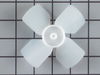
I had a broken fan blade due to ice build up from a leaking ice maker.
1. I took out one screw on the ice maker and loosened the other two screws and unplugged and removed the ice maker.
2. Next I took out 2 screws from the bottom of the auger drive box and unplugged the wiring harness and removed the box. The wiring harness was a little tricky. The lock on the plug pushes in to unlock even though it looks like it pulls out,.
3.next you must remove 2 screws from the left side bracket that holds the auger box and remove the bracket.
4.Now take out 8 screws that hold the back panel in place and remove the back panel.
5. now your looking at the evaporator fan blade and motor. The simple way to replace the fan blade is to unplug the motor and remove it from the freezer. It just sits in with nothing holding it. The fan requires a little pressure but should pull right off. Install new fan blade and put everything back in the same order it was removed.
2. Next I took out 2 screws from the bottom of the auger drive box and unplugged the wiring harness and removed the box. The wiring harness was a little tricky. The lock on the plug pushes in to unlock even though it looks like it pulls out,.
3.next you must remove 2 screws from the left side bracket that holds the auger box and remove the bracket.
4.Now take out 8 screws that hold the back panel in place and remove the back panel.
5. now your looking at the evaporator fan blade and motor. The simple way to replace the fan blade is to unplug the motor and remove it from the freezer. It just sits in with nothing holding it. The fan requires a little pressure but should pull right off. Install new fan blade and put everything back in the same order it was removed.
Parts Used:
-
gary from ARANSAS PASS, TX
-
Difficulty Level:Easy
-
Total Repair Time:30 - 60 mins
-
Tools:Nutdriver
5 of 7 people
found this instruction helpful.
Was this instruction helpful to you?
Thank you for voting!
Fridge made a hellacious noise and wasn't cooling well
From discussions with friends, I determined the problem might be easy to fix. The fridge made a lot of noise, but the compressor DID come on, and inside the freezer was cold, but the main fridge was warming.
After unplugging the fridge, I removed the fan assembly in the freezer (there were about 4 nuts and a couple of plugs to uncouple.
I could see right away the fan blades has broken off, but the motor looked good. The new new fan pushed easily onto the shift and fit perfectly in the housing.
I reinstalled the fan assembly, plugged in the fridge, and right away heard the new fan come on - very quietly. What was a roar became a whisper and the fridge was down to 38 degrees with a few hours.
After unplugging the fridge, I removed the fan assembly in the freezer (there were about 4 nuts and a couple of plugs to uncouple.
I could see right away the fan blades has broken off, but the motor looked good. The new new fan pushed easily onto the shift and fit perfectly in the housing.
I reinstalled the fan assembly, plugged in the fridge, and right away heard the new fan come on - very quietly. What was a roar became a whisper and the fridge was down to 38 degrees with a few hours.
Parts Used:
-
Bruce from MARTINEZ, CA
-
Difficulty Level:Really Easy
-
Total Repair Time:Less than 15 mins
-
Tools:Nutdriver
4 of 4 people
found this instruction helpful.
Was this instruction helpful to you?
Thank you for voting!
the evaporator fan quit when we had a power surge
A screw driver was used to remove two screws that held the old fan in place the new fan ws installed exactly where the old one came out and presto the job was complete. No major deal.
Parts Used:
-
Darrell from Bentley, ND
-
Difficulty Level:Easy
-
Total Repair Time:15 - 30 mins
-
Tools:Screw drivers
5 of 7 people
found this instruction helpful.
Was this instruction helpful to you?
Thank you for voting!
Repaired Oven Range Light Bulb
The bulb has a plastic clear cover. That cover can just be carefully removed using a screwdriver. It's held in by a metal bracket. After you remove the cover. You'll just need to replace the bulb and then re-install the cover and bracket.
Parts Used:
-
Alan from SAN MATEO, CA
-
Difficulty Level:Very Easy
-
Total Repair Time:Less than 15 mins
-
Tools:Screw drivers
3 of 3 people
found this instruction helpful.
Was this instruction helpful to you?
Thank you for voting!
Freezer coils kept freezing over.
1. Turned off the cooling cycle and unplugged the refrigerator.
2. Removed all of the shelving and bottom basket.
3. Removed rear covering in the freezer section.
4. If frosted over, manually defrost coils with hairdryer.
5. Located original thermostat and after marking the wire locations cut the wires and removed the Thermostat.
6. Connected matching wires using a lighter to melt the wires together. Wrapped repaired wires with electricians tape.
7. Unable to install the thermostat in the recommended location (freezer is a tight fit) the new part was installed at the original location.
8. Replaced the rear cover and shelves.
9. Plugged in the refrigerator and set the cycle back to cooling.
10. Monitored freezer coils couple of days/weeks depending on how fast they freeze over (slots at bottom of cover) to validate if problem solved.
2. Removed all of the shelving and bottom basket.
3. Removed rear covering in the freezer section.
4. If frosted over, manually defrost coils with hairdryer.
5. Located original thermostat and after marking the wire locations cut the wires and removed the Thermostat.
6. Connected matching wires using a lighter to melt the wires together. Wrapped repaired wires with electricians tape.
7. Unable to install the thermostat in the recommended location (freezer is a tight fit) the new part was installed at the original location.
8. Replaced the rear cover and shelves.
9. Plugged in the refrigerator and set the cycle back to cooling.
10. Monitored freezer coils couple of days/weeks depending on how fast they freeze over (slots at bottom of cover) to validate if problem solved.
Parts Used:
-
Kyle from Porter, OK
-
Difficulty Level:Really Easy
-
Total Repair Time:Less than 15 mins
-
Tools:Nutdriver
4 of 6 people
found this instruction helpful.
Was this instruction helpful to you?
Thank you for voting!
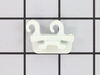
door racks bent and broke, could no longer put frozen food in doors
Repair was very simple. I only had to snap the end caps in and fit the door racks over those and snap them in.
Parts Used:


-
Cathy from Bowling Green, KY
-
Difficulty Level:Really Easy
-
Total Repair Time:Less than 15 mins
4 of 6 people
found this instruction helpful.
Was this instruction helpful to you?
Thank you for voting!