















ET18XMXSW01 Whirlpool Refrigerator - Instructions
Keep searches simple. Use keywords, e.g. "leaking", "pump", "broken" or "fit".
freezer would not freeze
inst said,"50 pct of the time this calls for new capacitor," so we changed the capacitor. Same prob. It also said,"25 pct of the time it's the bi-metal thermostat" So we ordered it. We removed the plastic rear panel from inside the freezer comp. using small nut driver. Here we found much ICE surrounding the defrost unit, three inches thick. We thawed the whole mess. and the freezer has worked fine ever since. I think my habit of getting ice cubes from the inside container rather than from the ice cube dispenser, had kep t the freezer door open too much, interfering with the normal defrost cycle and allowing ice to build up over time so that it finally defeated the system. My new rule, "get ice cubes only from the front."
Parts Used:

-
Michael from HELENDALE, CA
-
Difficulty Level:A Bit Difficult
-
Total Repair Time:30 - 60 mins
-
Tools:Nutdriver, Screw drivers
1 person
found this instruction helpful.
Was this instruction helpful to you?
Thank you for voting!
freezer and refrigerator compartments not cold enough
Used the suggested problem list here to narrow down that the repair was most likely the run capacitor. Poped the new one in and I now have better control of my compartment ranges. I have a temperature gauge in each compartment. Check them every opening of the doors.
Parts Used:
-
Michael from Colorado Springs, CO
-
Difficulty Level:Really Easy
-
Total Repair Time:Less than 15 mins
-
Tools:Nutdriver
1 person
found this instruction helpful.
Was this instruction helpful to you?
Thank you for voting!
compressor not running
Removed the access panel on back of unit located the Run Capacitor on the compressor and removed the bad one and put the new one on and pugged refrigerator back in and it started up and works fine now
Parts Used:
-
Doug from Lancaster, CA
-
Difficulty Level:Really Easy
-
Total Repair Time:15 - 30 mins
1 person
found this instruction helpful.
Was this instruction helpful to you?
Thank you for voting!
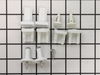
My wife broke the shelf support
The new shelf support part fit perfectly. I needed no tools just slid it on the existing bracket. Super easy.
Parts Used:
-
Hamid from Owasso, OK
-
Difficulty Level:Really Easy
-
Total Repair Time:Less than 15 mins
1 person
found this instruction helpful.
Was this instruction helpful to you?
Thank you for voting!
Freezer occasionally had a temperature alarm.Clicking noise also.
Was told capacitor was problem 90% of the time.Capacior was not the problem.Bad start relay.
Parts Used:
-
Barry from FORD CITY, PA
-
Difficulty Level:Really Easy
-
Total Repair Time:Less than 15 mins
1 person
found this instruction helpful.
Was this instruction helpful to you?
Thank you for voting!
A couple supports broke
-
Michael from Cary, IL
-
Difficulty Level:Really Easy
-
Total Repair Time:Less than 15 mins
2 of 4 people
found this instruction helpful.
Was this instruction helpful to you?
Thank you for voting!
freezer quit working
replaced relay switch
when I finally got started to do the repair it took 15 minutes my biggest delay was no instructions were sent with the part and it took time to get some
when I finally got started to do the repair it took 15 minutes my biggest delay was no instructions were sent with the part and it took time to get some
Parts Used:
-
Anthony from CIRCLEVILLE, OH
-
Difficulty Level:Really Easy
-
Total Repair Time:Less than 15 mins
-
Tools:Pliers
1 person
found this instruction helpful.
Was this instruction helpful to you?
Thank you for voting!
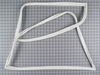
Old door gasket became hard, and corners had rubber breaking apart some leakage of cold air
Each side of the door had a metal strip bracket that was held in place by 1/4" sheet metal screws apprx. 8in. apart.. the outer lip of the gasket was tightened into these brackets..loosening the screws allowed the removal of the gasket from all 4 sides and corners..It was just the process of fitting the new gasket into the brackets that took the most time..making sure the new gasket was fitted all the way in for aligned proper fit,then tightening the screws evenly around the door frame..Then, 2 weeks later, this 27-year-old refrigerator's lower compressor went out,,and the refrigerator was history! YEAH!!
Parts Used:
-
lee from PORTLAND, OR
-
Difficulty Level:Easy
-
Total Repair Time:30 - 60 mins
-
Tools:Socket set
1 person
found this instruction helpful.
Was this instruction helpful to you?
Thank you for voting!
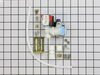
Ice maker was not working.
Ordered new single outlet water valve, received in less than two days. Removed old one, and the repair pretty much feel in place. Instructions were there as a backup. ........ Just curious if the connection from the water source to the valve outlet connection could b a quick connect just the like the water line going directly to the ice maker. Gregg in PA.
Parts Used:
-
GREGG from WEST CHESTER, PA
-
Difficulty Level:Really Easy
-
Total Repair Time:30 - 60 mins
-
Tools:Nutdriver
1 person
found this instruction helpful.
Was this instruction helpful to you?
Thank you for voting!
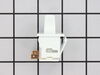
Light rocker switch broke and refrigerator light couldn't go on.
I just popped out the old switch with a flat head screwdriver. Removed the connections and then installed new switch by reversing steps. Popped in back in and the light went on.
Parts Used:
-
Cathy from HOPATCONG, NJ
-
Difficulty Level:Very Easy
-
Total Repair Time:Less than 15 mins
2 of 4 people
found this instruction helpful.
Was this instruction helpful to you?
Thank you for voting!
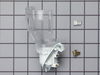
The Light Socket Burned Out.
I pulled the socket out and unplugged the wires. I replaced the light socket by plugging in the wires and snapping the light socket into place. A very simple fix.
Parts Used:
-
MATTHEW from STOCKTON, CA
-
Difficulty Level:Really Easy
-
Total Repair Time:Less than 15 mins
5 of 13 people
found this instruction helpful.
Was this instruction helpful to you?
Thank you for voting!
Light switch broke
Pried out old part with screwdriver. Unplugged. When new part came, just plugged it in and pushed the part into place.
Parts Used:
-
Carolee from Spokane Valley, WA
-
Difficulty Level:Really Easy
-
Total Repair Time:Less than 15 mins
-
Tools:Screw drivers
2 of 4 people
found this instruction helpful.
Was this instruction helpful to you?
Thank you for voting!
Nonr
-
Gaynell P from Spring, TX
-
Difficulty Level:Really Easy
-
Total Repair Time:Less than 15 mins
1 of 2 people
found this instruction helpful.
Was this instruction helpful to you?
Thank you for voting!
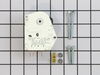
Refrigerator compartment warm
first confirm that freezer is cold. if is frozen solid it needs to be defrosted. take the freezer items out,take shelf out, bottom cover, 2 screws. then ice maker, 3 screws and unplug wires. then back panel 2 screws. In refrigerator compartment were the controllers are located, look under it you will see 1 hole, insert a flat end screw driver and turn clockwise till it stops. this action will turn on your defroster, also the compressor will stop. is the heater melting the ice? if so soak up water and clean tray, use hair dryer in drain hole to aid in the defrost, check tray under fridge and if its dry keep defrosting. it should take half an hour. now take the flat head screw driver and turn the defrost timer clock wise out of defrost mode a quarter turn or so. the compressor should come back on, soon after the fan in the freezer compartment should also come on. this steps lets you no that the defrost heater works, fan works and drain hole is clear. if its defrosted place parts back in the reverse order. if not defrosted replace heater or mother board. in refrigerator compartment were the dials are located their are 2 screws, one on the left and the other on the right side take them out, the cover will drop down, you will find wiring schematics you will need them to install defrost timer. is timer making ticking sound? if no replace timer. new timer will be different from original so follow instructions that come with it. timer is above were the hole is located. the plastic hold downs will break when you try to take them off, unplug fridge, lift timer out and remove from wire harness. the new timer has a black wire that slips over either 1 or 2 depending on color of wire on the wire harness. check schematics. some silicone adhesive will keep unit in place, ad some into the plastic shaft prior to installation, plug wire harness return wiring instruction along with new one inside of cover, plug in fridge, turn defrost timer clock wise with flat head screw driver making sure that you hold timer from above so it wont move. did compressor come on?. put all paper work inside of cover before installing cover
Parts Used:
-
alfonso from Fairfield, CA
-
Difficulty Level:Easy
-
Total Repair Time:30 - 60 mins
-
Tools:Nutdriver, Screw drivers
1 of 2 people
found this instruction helpful.
Was this instruction helpful to you?
Thank you for voting!
Rocker on switch broke off
Eased the putty knife under the edge of the switch housing and pried it off. Pulled two wires off the old terminals and hooked them onto the new one and reinstalled into the refrigerator body.
Parts Used:
-
David Barnes from ROSWELL, NM
-
Difficulty Level:Very Easy
-
Total Repair Time:Less than 15 mins
1 of 2 people
found this instruction helpful.
Was this instruction helpful to you?
Thank you for voting!