















DVM1850DM3BB General Electric Microwave - Instructions
Keep searches simple. Use keywords, e.g. "leaking", "pump", "broken" or "fit".
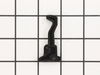
Broken Hook on Microwave Door
This particular model has 2 hooks that are separate.
1. Remove the plastic trim on the inside of the door. Use a spatula and be care not to break any of the snapping parts. It will come apart.
2. There will be a metal trim that needs to be removed in order to get to the "screw" or "rod" that holds the hook in place.
3. All around the metal trim, there are plastic snaps. Use a screw driver to release the snaps from the metal trim.
4. My metal trim did not want to fully be removed... I was able to release the side where the hooks were and the bottom snaps.
5. Use the needle nose pliers to remove the spring. I found it easier to remove the bottom part of the spring to free the hook.
6. I had to pull on the metal trim enough to get the rod out of the hook so the hook could be removed. Very difficult with one person, but I got it done.
7. Put the spring in the new hook before you install it.
8. Put the rod back in, then the hook, then through the right hole.
9. Attach the bottom of the spring back to the lower hole.
10. Snap the metal trim back onto the microwave door.
11. Snap the plastic trim back onto the door.
12. Move the hooks up and down and feel there is tension. This should probably be done after Step 9.
13. Breathe!!!!
1. Remove the plastic trim on the inside of the door. Use a spatula and be care not to break any of the snapping parts. It will come apart.
2. There will be a metal trim that needs to be removed in order to get to the "screw" or "rod" that holds the hook in place.
3. All around the metal trim, there are plastic snaps. Use a screw driver to release the snaps from the metal trim.
4. My metal trim did not want to fully be removed... I was able to release the side where the hooks were and the bottom snaps.
5. Use the needle nose pliers to remove the spring. I found it easier to remove the bottom part of the spring to free the hook.
6. I had to pull on the metal trim enough to get the rod out of the hook so the hook could be removed. Very difficult with one person, but I got it done.
7. Put the spring in the new hook before you install it.
8. Put the rod back in, then the hook, then through the right hole.
9. Attach the bottom of the spring back to the lower hole.
10. Snap the metal trim back onto the microwave door.
11. Snap the plastic trim back onto the door.
12. Move the hooks up and down and feel there is tension. This should probably be done after Step 9.
13. Breathe!!!!
Parts Used:
-
Barbara from GLENDALE, AZ
-
Difficulty Level:A Bit Difficult
-
Total Repair Time:30 - 60 mins
-
Tools:Screw drivers
1 person
found this instruction helpful.
Was this instruction helpful to you?
Thank you for voting!
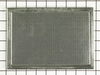
No problem in replacing the charcoal filter
I just followed your instructions that came with the filter removed the screws and slid the cover to the left
Parts Used:
-
WALTER from SEATTLE, WA
-
Difficulty Level:Really Easy
-
Total Repair Time:30 - 60 mins
-
Tools:Screw drivers
1 person
found this instruction helpful.
Was this instruction helpful to you?
Thank you for voting!
Previoous glass lens was broken
This repair was easy and could be done by anyone. If you undertake to do this replacement, remember to slowly bend the medal tabs back that hold the lens. Handled roughly these tabs could break off.
This repair can be don in under 5 minutes, easily !!
This repair can be don in under 5 minutes, easily !!
Parts Used:
-
Tommy from Santa clarita, CA
-
Difficulty Level:Really Easy
-
Total Repair Time:15 - 30 mins
-
Tools:Screw drivers
1 person
found this instruction helpful.
Was this instruction helpful to you?
Thank you for voting!
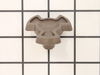
The coupler broke , glass turntable not turning
Received part installed in less than one minute, easy fix alignment of part in shaft pressing down into position
Parts Used:
-
Timothy from LAKE WALES, FL
-
Difficulty Level:Really Easy
-
Total Repair Time:30 - 60 mins
1 person
found this instruction helpful.
Was this instruction helpful to you?
Thank you for voting!
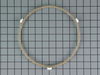
replace plastic ring in microwave
-
Georgina from WAYNE, NJ
-
Difficulty Level:Really Easy
-
Total Repair Time:Less than 15 mins
1 person
found this instruction helpful.
Was this instruction helpful to you?
Thank you for voting!
part was cracked
-
BRUCE from MONROE TWP, NJ
-
Difficulty Level:Very Easy
-
Total Repair Time:Less than 15 mins
1 person
found this instruction helpful.
Was this instruction helpful to you?
Thank you for voting!
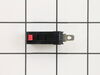
Microwave would run but not heat
Removed the control panel, one screw at the top. Removed 2 screws on the door switch holder and removed the door switch. VERY EASY.
Parts Used:
-
Timothy from MAYSVILLE, GA
-
Difficulty Level:Really Easy
-
Total Repair Time:Less than 15 mins
-
Tools:Screw drivers
1 person
found this instruction helpful.
Was this instruction helpful to you?
Thank you for voting!
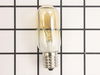
bulb burned out light that is under the microwave, which lights the oven below.
thank you for the video--very clear, responsible, applicable although the illustration was not exactly of our kind of light. the bulb was exactly like the one Hotpoint used in its microwave made in 1989! I will come back to you for parts in the future. (You have the model # from my original order.)
Parts Used:
-
Gary from UNIVERSITY PA, MD
-
Difficulty Level:Really Easy
-
Total Repair Time:Less than 15 mins
-
Tools:Screw drivers
1 person
found this instruction helpful.
Was this instruction helpful to you?
Thank you for voting!
The center of turn table broke. A small plastic part that goes under the glass in center.
We took out the broken part, it came right out,and put new part .
Parts Used:
-
Kathy from LEWISTON, MI
-
Difficulty Level:Really Easy
-
Total Repair Time:Less than 15 mins
1 person
found this instruction helpful.
Was this instruction helpful to you?
Thank you for voting!
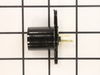
Bulb broke in light socket
Tyring to get bulb out i ruined the light socket. Unscrewed the bottom cover of microware. Took out screw holding light socket, removed wires to socket with pliers, intsalled new socket. It was a piece of cake and the part was a perfect match.
Parts Used:
-
Douglas from Ludington, MI
-
Difficulty Level:Easy
-
Total Repair Time:Less than 15 mins
-
Tools:Pliers, Screw drivers
1 of 2 people
found this instruction helpful.
Was this instruction helpful to you?
Thank you for voting!
The bulbs burned out, the glass lens cracked and the light socket broke when trying to remove the bulb
Replaced the sockets, lens and bulbs. The first time the new bulb was touching the lens and the heat broke the lens and burnt out the bulb. The second time I adjusted the socket so that the bulb does not touch the lens.
Impressed by how quickly the parts arrived after the order was submitted. Two days.
Thank you.
Impressed by how quickly the parts arrived after the order was submitted. Two days.
Thank you.
Parts Used:
-
Warren from Council Bluffs, IA
-
Difficulty Level:Easy
-
Total Repair Time:15 - 30 mins
-
Tools:Screw drivers
1 of 2 people
found this instruction helpful.
Was this instruction helpful to you?
Thank you for voting!
Burned out bulb
-
John from Waterford, WI
-
Difficulty Level:Very Difficult
-
Total Repair Time:More than 2 hours
-
Tools:Nutdriver, Pliers, Screw drivers, Socket set, Wrench (Adjustable), Wrench set
1 of 2 people
found this instruction helpful.
Was this instruction helpful to you?
Thank you for voting!
Light bulb wouldn't light.
Removed difuser (one screw), removed old bulb, screwed in new bulb, replaced difuser.
Parts Used:
-
Steven from Marina Del Rey, CA
-
Difficulty Level:Really Easy
-
Total Repair Time:Less than 15 mins
-
Tools:Screw drivers
1 of 2 people
found this instruction helpful.
Was this instruction helpful to you?
Thank you for voting!
Replace charcoal filter
-
Clyde from Audubon, PA
-
Difficulty Level:Really Easy
-
Total Repair Time:Less than 15 mins
-
Tools:Screw drivers
1 of 2 people
found this instruction helpful.
Was this instruction helpful to you?
Thank you for voting!
Light in Microwave burnd out glas broken over lights
-
Charles from HOME, PA
-
Difficulty Level:Easy
-
Total Repair Time:15 - 30 mins
-
Tools:Pliers, Screw drivers
1 of 2 people
found this instruction helpful.
Was this instruction helpful to you?
Thank you for voting!