















CGLES385FB2 Frigidaire Range - Instructions
Keep searches simple. Use keywords, e.g. "leaking", "pump", "broken" or "fit".
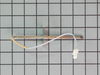
oven not reheating after initial heat up
unscrew the sensor inside the oven; took off the back of range to access harness of sensor; the replacement part harness did not match up to the original, so we stripped the clip from the end of the part and also the end of the harness in should clip into. after joining the wires together with ceramic wire nuts we tested the oven to make sure all worked AND IT DID!
Parts Used:
-
christine from addison, PA
-
Difficulty Level:Easy
-
Total Repair Time:15 - 30 mins
-
Tools:Screw drivers
3 of 4 people
found this instruction helpful.
Was this instruction helpful to you?
Thank you for voting!
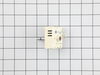
Dual burner would only work on high and only the large burner worked
Replaced the dual infinite switch behind the panel. The wires were easily matched, even though the switch looked a little different. Works perfectly now.
Parts Used:
-
Misty from CUNNINGHAM, TN
-
Difficulty Level:Very Easy
-
Total Repair Time:Less than 15 mins
2 of 2 people
found this instruction helpful.
Was this instruction helpful to you?
Thank you for voting!
F10 Error. Temp sensor at 1189 room temp ohms
1. Loosened 2 sensor mounting screws and removed them. 2. Tripped range circuit breaker to off. 3. Pulled out the range but left gas connected. 4. Loosened the 4 screws on RH side of the top back panel and carefully pried that side of the panel open. 5. Using fingers, threaded the sensor's wiring harness through insulation and into the oven. 6. Unplugged old probe. 7. plugged in new probe. 8. tugged wiring harness back through insulation behind the oven. 9. Using 2 screws removed in 1 above, mounted new sensor. 10. Repositioned top back panel and fastened it in place. 11. Shoved range back in. 12. Tripped range circuit breaker to on. 13. Reset clock. 14. Set oven to 450 for test tun. 15.
Parts Used:
-
Oscar from Scranton, KS
-
Difficulty Level:Easy
-
Total Repair Time:Less than 15 mins
-
Tools:Screw drivers
2 of 3 people
found this instruction helpful.
Was this instruction helpful to you?
Thank you for voting!
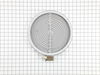
There was no instructions. The wires don't match up old vs new. I read the reviews and this helped.
However the 1a 1b etc. Are very hard to see thus the need to magnify. Then it was easy.
I must say the guy I talked to was very nice.
I must say the guy I talked to was very nice.
Parts Used:
-
Lisa from APACHE JCT, AZ
-
Difficulty Level:A Bit Difficult
-
Total Repair Time:15 - 30 mins
-
Tools:Pliers, Screw drivers
2 of 3 people
found this instruction helpful.
Was this instruction helpful to you?
Thank you for voting!
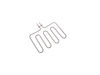
Bake element burnt out
-
glyndon from BOWLING GREEN, KY
-
Difficulty Level:Really Easy
-
Total Repair Time:30 - 60 mins
1 person
found this instruction helpful.
Was this instruction helpful to you?
Thank you for voting!
wrong part
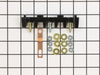
my original part arrived and it did not fit. When I called to explain the problem I was told it was the wrong part. The big problem is... Frigidaire calls the receptacle a terminal block kit as well as a terminal block kit which is a totally different part. I tried to explain that to several different folks I spoke to at your company as well as Frigidaire but I'm not sure if I got that point across. Take a look at part # 530 393 5058 and part # 530 440 9888 and you will see that they both mention terminal block kit. Hopefully the part I am getting from Frigidaire is an OEM part and will fit.
Parts Used:
-
Barbara from WICKENBURG, AZ
-
Difficulty Level:Very Difficult
-
Total Repair Time:30 - 60 mins
2 of 4 people
found this instruction helpful.
Was this instruction helpful to you?
Thank you for voting!
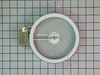
Element would not heat up
Removed 2 screws located underneath the front lip of the range top. Lifted range top and supported. Removed the 2 screws at either end of the support bracket. This bracket holds the elements in position. Be careful not to let the elements fall out when removing. The elements are now free to replace. Swap out the old with the new and be sure to reconnect the wires to the correct terminals on the new element. I did 1 wire at a time so as to not make a mistake at reconnecting the wires. Then replace the support bracket with the 2 screws and lower the range top in place and put back the 2 screws that hold the range top in position. VOILA!! Success. It works. The wife is now happy again:)
Parts Used:
-
Everett from Colchester, CT
-
Difficulty Level:Really Easy
-
Total Repair Time:15 - 30 mins
-
Tools:Nutdriver, Screw drivers
1 person
found this instruction helpful.
Was this instruction helpful to you?
Thank you for voting!
door latch motor not working
remove oven door, disassemble front of glass top range then basically
it was just plug and play then reassemble be careful oven door is heavy
it was just plug and play then reassemble be careful oven door is heavy
Parts Used:

-
Daniel from REYNOLDSBURG, OH
-
Difficulty Level:Really Easy
-
Total Repair Time:30 - 60 mins
-
Tools:Screw drivers
1 of 2 people
found this instruction helpful.
Was this instruction helpful to you?
Thank you for voting!
No Power to the Oven
Watching the video showed an easy, unscrew and screw back on process while connecting the wires back. It was really that simple. Once it was complete (not even 10mins), plugged it back in, and its been working great since.
Parts Used:
-
Tony from Hartford, CT
-
Difficulty Level:Really Easy
-
Total Repair Time:Less than 15 mins
-
Tools:Screw drivers
1 of 3 people
found this instruction helpful.
Was this instruction helpful to you?
Thank you for voting!
light bilb went out
-
Denise from Landover, MD
-
Difficulty Level:Really Easy
-
Total Repair Time:Less than 15 mins
2 of 6 people
found this instruction helpful.
Was this instruction helpful to you?
Thank you for voting!
Lens cover for oven light broke.
Really a no brainer, but I do have to say that PartSelect customer service is excellent. My part was located and on it's way within a day and arrived a couple of days later.
Parts Used:
-
Amy from Corona, CA
-
Difficulty Level:Really Easy
-
Total Repair Time:Less than 15 mins
0 of 1 people
found this instruction helpful.
Was this instruction helpful to you?
Thank you for voting!
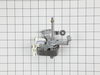
Convection fan making noise
Removed old fan and replaced with new fan. To replace fan, the over interior fan blade was removed, then the two slip on wires were removed from the old fan motor, then the three screws securing the old fan motor were removed. The process was reversed to install replacement fan
Parts Used:
-
Willis from Friendsville, TN
-
Difficulty Level:Easy
-
Total Repair Time:15 - 30 mins
-
Tools:Screw drivers, Wrench (Adjustable)
0 of 1 people
found this instruction helpful.
Was this instruction helpful to you?
Thank you for voting!
The screw head was stripped and couldn't be extracted with a Phillips head screwdriver
If you do not intend to take apart the oven door to clean the interior glass, I would recommend you use a clamp to hold the handle and oven door tightly together while you replace the screw. There is a spacer between the back and front panels which could otherwise be shifted out of position. I used a screw extractor to remove the damaged screw and then installed the replacement. Wish all appliance repairs were this easy!
Parts Used:
-
Robert from GLEN BURNIE, MD
-
Difficulty Level:Very Easy
-
Total Repair Time:Less than 15 mins
-
Tools:Screw drivers
1 of 5 people
found this instruction helpful.
Was this instruction helpful to you?
Thank you for voting!
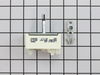
Bad control switch for burner
Turn power to range off at electrical panel. Loosened control panel exposing switch. remove old switch and replace. reassemble.
Parts Used:
-
Harry from Huntingtown, MD
-
Difficulty Level:Really Easy
-
Total Repair Time:15 - 30 mins
-
Tools:Screw drivers
0 of 2 people
found this instruction helpful.
Was this instruction helpful to you?
Thank you for voting!
Control will not work - only clock blinks
Took 3 panels off to get to the electric block. Replaced electrical block and put it back together. Still no change.
Parts Used:
-
Sue from Lampasas, TX
-
Difficulty Level:Really Easy
-
Total Repair Time:15 - 30 mins
-
Tools:Nutdriver, Pliers, Screw drivers
0 of 4 people
found this instruction helpful.
Was this instruction helpful to you?
Thank you for voting!