















CGEF3031KWB Frigidaire Range - Instructions
Keep searches simple. Use keywords, e.g. "leaking", "pump", "broken" or "fit".
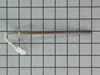
oven would not heat up error code F10 showing on veiw screen
move the range out and unplug power supply, removing the back cover allows access to the probe, this can be done with screw driver or nut driver, loosen clamp that holds power cord in place and move backing out of the way, be careful sheet metal can be sharp, locate the probe unplug the connector and remove screw holding probe, pull old probe out install new probe, fasten down and plug in connector. attach backing and tighten clamp on power cord, plug in to power supply, turn on oven and give it several minutes for probe to work, it took only 20 minutes to replace the bad probe and the oven works like new hop this helps
Parts Used:
-
Jess from DEWEY, OK
-
Difficulty Level:Very Easy
-
Total Repair Time:15 - 30 mins
-
Tools:Nutdriver, Screw drivers
17 of 20 people
found this instruction helpful.
Was this instruction helpful to you?
Thank you for voting!
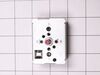
Large burner would turn on high and not cycle off
TURN BREAKER TO RANGE OFF! Move range out to access rear of the unit. Remove 6 screws to gain access to rear of controls panel. Pull knob off switch. Remove 2 pan head Phillips screws to take switch out. Lugs not in matching pattern but are clearly labled, swap wires one at a time. Reverse the disassembly steps and push the range back in place. DONE
Parts Used:
-
Kevin from Nashville, TN
-
Difficulty Level:Really Easy
-
Total Repair Time:Less than 15 mins
-
Tools:Nutdriver, Pliers, Screw drivers
17 of 20 people
found this instruction helpful.
Was this instruction helpful to you?
Thank you for voting!
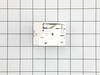
new switch was not wired like old one
i first replaced element after old smoked & quit. replaced switch but i noticed when i started to replace the wires one at a time something didn't seem right. after checking the #s on the old one, they didn't match up with the new one.luckily i had the stove diagram from a packet on the back of the stove. i traced each wire according to the diagram and everything worked out fine. i'm just glad i didn't replace each wire to wire.the #'s were on the switch where each wire went which was different than the org. even though they looked the same.
Parts Used:
-
PERRY from LECANTO, FL
-
Difficulty Level:A Bit Difficult
-
Total Repair Time:30 - 60 mins
-
Tools:Screw drivers
20 of 33 people
found this instruction helpful.
Was this instruction helpful to you?
Thank you for voting!
Range would start beeping and needed to be unplugged.
Remove 4 screws on back panel. Unclip wire connector and remove probe and install new probe.
Parts Used:
-
George from TURNERSVILLE, NJ
-
Difficulty Level:Very Easy
-
Total Repair Time:Less than 15 mins
-
Tools:Nutdriver
15 of 18 people
found this instruction helpful.
Was this instruction helpful to you?
Thank you for voting!
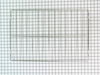
Needed an extra rack to bake more bread
I opened the door of the gas range and slid the rack in. No one can do this! I am amazing.
Parts Used:
-
Albert from Havertown, PA
-
Difficulty Level:Easy
-
Total Repair Time:Less than 15 mins
19 of 31 people
found this instruction helpful.
Was this instruction helpful to you?
Thank you for voting!
Aluminum foil accidentally put on bottom panel ....burnt up, left non removable residue.
After 15 minutes of frustration and back breaking I removed the oven door and had much better access to the panel, from there on it was all down hill.
Parts Used:
-
lewis from COLDWATER, MI
-
Difficulty Level:Easy
-
Total Repair Time:15 - 30 mins
-
Tools:Screw drivers
10 of 11 people
found this instruction helpful.
Was this instruction helpful to you?
Thank you for voting!
Center of dual burner was broken
Removed screws on the sides and front.
Labeled the wire sets connected to the front control panel.
Gently lifted up the stove top and flipped it over on to a towel.
Removed the piece of metal holding down the burner.
Disconnected the cables to the old burner.
Repeated steps above in reverse.
Labeled the wire sets connected to the front control panel.
Gently lifted up the stove top and flipped it over on to a towel.
Removed the piece of metal holding down the burner.
Disconnected the cables to the old burner.
Repeated steps above in reverse.
Parts Used:
-
German from SELLERSBURG, IN
-
Difficulty Level:Easy
-
Total Repair Time:1- 2 hours
-
Tools:Screw drivers
9 of 11 people
found this instruction helpful.
Was this instruction helpful to you?
Thank you for voting!
Electric burner switch shorted out.
First I unpluggd the range and removed the back cover using a nut driver. Then I removed the knob by pulling (using a little force),Not very hard to do. I uscrewed two screws that hold the switch from the front of the range. Then I pulled the switch out about three inches and used pliers to disconnect the wires one at a time and connect them to the new switch. finally I finished the installation by reversing all the steps. Total time to install the switch took approximately 5(five) minutes.
Parts Used:
-
Armando G from Alice, TX
-
Difficulty Level:Really Easy
-
Total Repair Time:Less than 15 mins
-
Tools:Nutdriver, Pliers, Screw drivers
9 of 12 people
found this instruction helpful.
Was this instruction helpful to you?
Thank you for voting!
Large burner wouldn't heat
Removed back off of stove. Removed two screws that held in the switch, removed the wires that were connected to the switch and replaced the part.
Parts Used:
-
Phyllis from Elberon, IA
-
Difficulty Level:Really Easy
-
Total Repair Time:Less than 15 mins
-
Tools:Nutdriver, Screw drivers
15 of 31 people
found this instruction helpful.
Was this instruction helpful to you?
Thank you for voting!
Oven light bulb went dark; it needed replacing
-
Lise from CEDAR GROVE, NJ
-
Difficulty Level:Very Easy
-
Total Repair Time:Less than 15 mins
10 of 17 people
found this instruction helpful.
Was this instruction helpful to you?
Thank you for voting!
Both front burners began heating too fast and too high. One damaged the finish on the splash pan.
At the Frigidaire parts website, I found the parts and saw that there are videos that show how to replace the burner controls. In brief:
1) Slide the range/oven out so you can get to the back of the control hood.
2) There are three screws that hold the cover in place (the video showed four).
2a) The video also suggests using a #1 square bit. I found that there was indeed a square hole in the caps of the screws, but they also had a hex head that a 1/4" hex nut driver fits. So I used that.
2b) Be careful taking out the last (top center) screw. When it comes free, the cover can drop and bruise or cut your foot or the floor. Having a helper is worth it!
3) The switch for the larger elements has a red dot on front and back. Match it with the one in place that has a red dot. The switch for the small element doesn't have a dot.
3a) Holding a new switch in your hand, remove one wire at a time from the switch in the control hood and put it in the same place on the new switch. I found that for my stove, there was a fixture holding two wires and another holding three wires. This made it impossible to put the wires on wrong.
3b) When all wires have been transferred, pull off the control knob in front and unscrew the two screws that hold the old switch in place. Take out the old switch and replace it with the new switch.
3c) Use the two screws to attach the new switch in its place and replace the control knob.
4) Repeat for as many switches as you purchased. I did all four.
5) Replace the cover.
6) Slide the range back into place.
I found black deposits on all the switches, that must have come from a contactor inside, so I was glad I replaced them all.
Another tip: while the unit is out, clean off the sides and back that you couldn't get to while it was in place. For us, this took as long or longer than the steps above for replacing the switches.
1) Slide the range/oven out so you can get to the back of the control hood.
2) There are three screws that hold the cover in place (the video showed four).
2a) The video also suggests using a #1 square bit. I found that there was indeed a square hole in the caps of the screws, but they also had a hex head that a 1/4" hex nut driver fits. So I used that.
2b) Be careful taking out the last (top center) screw. When it comes free, the cover can drop and bruise or cut your foot or the floor. Having a helper is worth it!
3) The switch for the larger elements has a red dot on front and back. Match it with the one in place that has a red dot. The switch for the small element doesn't have a dot.
3a) Holding a new switch in your hand, remove one wire at a time from the switch in the control hood and put it in the same place on the new switch. I found that for my stove, there was a fixture holding two wires and another holding three wires. This made it impossible to put the wires on wrong.
3b) When all wires have been transferred, pull off the control knob in front and unscrew the two screws that hold the old switch in place. Take out the old switch and replace it with the new switch.
3c) Use the two screws to attach the new switch in its place and replace the control knob.
4) Repeat for as many switches as you purchased. I did all four.
5) Replace the cover.
6) Slide the range back into place.
I found black deposits on all the switches, that must have come from a contactor inside, so I was glad I replaced them all.
Another tip: while the unit is out, clean off the sides and back that you couldn't get to while it was in place. For us, this took as long or longer than the steps above for replacing the switches.
Parts Used:
-
Larry from WILMINGTON, DE
-
Difficulty Level:Easy
-
Total Repair Time:30 - 60 mins
-
Tools:Nutdriver, Screw drivers
7 of 8 people
found this instruction helpful.
Was this instruction helpful to you?
Thank you for voting!
switch not always turn off
Took upper back off ( 6 screws), chech to be sure was right switch, pulled spade clip wires of, put on new switch, checked to see that it worked, replace cover.
Parts Used:
-
Jerrold from San Marcos, TX
-
Difficulty Level:Really Easy
-
Total Repair Time:15 - 30 mins
-
Tools:Pliers, Screw drivers
7 of 9 people
found this instruction helpful.
Was this instruction helpful to you?
Thank you for voting!
Watch the video on line and it was really that easy to replaced the elements
-
Joseph from HATBORO, PA
-
Difficulty Level:Very Easy
-
Total Repair Time:Less than 15 mins
-
Tools:Screw drivers
6 of 6 people
found this instruction helpful.
Was this instruction helpful to you?
Thank you for voting!
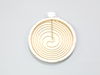
Large electric burner (front of oven top) acted intermittenly
First unplug the stove before staring any of this task. loosen and remove three cross tip screws at the upper front of the stove top. You will need a piece of 1x3 wood about 1 1/2 feet long to hold the stove top up (sets at an angle upwards to the front). Loosen remove the bracket holding the burner you wish to replace. Disconnect the electrical wires connected to the burner. The burner is held in place with bracket clamps, remove the clamps from the oven bracket holding it. The burner will have a series if numbers in the back side, remove the brackets one at a time and reinstall on the same number on the new burner. do this to all 3 or four brackets. Install the new burner, install the bracket holding the burner, reconnect the wires. remove the wood brace and all tools. lay the stove top back down on the stove. plug the stove in and test the burner to make sure it works. turn off the burner and install the screws hold the stove to in place. Ta-Da your done. Also you tube has movie shots to give you a much better picture of what I just wrote about...
Parts Used:
-
Sheldon from NORTHBOROUGH, MA
-
Difficulty Level:Really Easy
-
Total Repair Time:30 - 60 mins
-
Tools:Nutdriver, Screw drivers
6 of 6 people
found this instruction helpful.
Was this instruction helpful to you?
Thank you for voting!
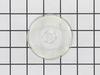
broken lens over oven light
Your service was OUTSTANDING...Ordered one afternoon, and before lunch time the next day, the delivery man rang my door bell...Thanks a bunch for you excellent service.....
Parts Used:
-
Leslie from Warsaw, VA
-
Difficulty Level:Really Easy
-
Total Repair Time:Less than 15 mins
11 of 22 people
found this instruction helpful.
Was this instruction helpful to you?
Thank you for voting!