















CFGF337ESE Frigidaire Range - Instructions
Keep searches simple. Use keywords, e.g. "leaking", "pump", "broken" or "fit".
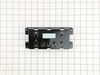
electronic temp controller went bad
first unplug oven. then remove upper back panel(6 screws)with a 1/4 nut driver. next unplug electical connector from control unit. then remove unit by removing (4 screws on corners of unit with 1/4 nut driver. replace unit with new one and reassemble in reverse order.
Parts Used:
-
david from reynoldsville, PA
-
Difficulty Level:Easy
-
Total Repair Time:15 - 30 mins
-
Tools:Nutdriver
Was this instruction helpful to you?
Thank you for voting!
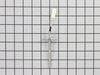
no heat in oven
replaced temp probe per your suggestion. No improvement! checked both heating elements with ohm meter. OK Next suggestion was replace circuit boards. Bought new range for less than cost of 2 oven/range control boards.
Parts Used:
-
BARBARA from NORTH PORT, FL
-
Difficulty Level:Easy
-
Total Repair Time:15 - 30 mins
-
Tools:Nutdriver, Pliers
Was this instruction helpful to you?
Thank you for voting!
oven wouldn't work
Pulled stove away from the wall and unplugged it. Removed probe and cut the wires because the connection clip on the new probe was different from the original. Leave the wires as long as possible because you will need the extra length to splice the clip from the old probe to the wires on the new one. Replaced probe and plugged the oven back in. Done.
Parts Used:
-
Steve from Hiram, OH
-
Difficulty Level:Easy
-
Total Repair Time:15 - 30 mins
-
Tools:Nutdriver
Was this instruction helpful to you?
Thank you for voting!
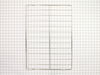
Just had to replace the racks in the stove.
Did just want to comment on the customer service. It was great. The easiest to order that I have ever dealt with. Received prompt attention to the order and processing the same. JUST GREAT> Thanks
Parts Used:
-
charles from El Paso, TX
-
Difficulty Level:Really Easy
-
Total Repair Time:Less than 15 mins
Was this instruction helpful to you?
Thank you for voting!
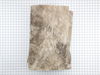
Foul ordor coming from stove
The foul order was the cause of a "Mummified Rat" that I found on the bottom Left /outside wall of the oven. I first Unplugged the stove and turned off the gas. I removed the grates and the burners. Each burner is held down with two (2) 3/16" screws which makes it a total of eight (8) screws in all. After removing all eight screws, you can now pop up the burner lid with a putty knife or a large Screw Driver. I used a large screw driver, After removing the "Lid" you will then see the "Insulation Blanket" draped over the oven, to remove this blanket there are two (2) copper wires securing the blanket in place, you'll have to cut these in order to install your New Blanket. Removing the "Blanket " is a "No Brainer" just be cautious and don't snag any of the "Igniter Wires" The "Insulation Blanket" goes on one way, this can be identified by the pre-cuts on the blanket. I started out on the left side of the stove, and had the right side of the "Blanket rolled up. As I tucked the "Blanket" under the "igniter Wires" and slowly and gently feeding it with my left hand till it lines up with the pre-cut and drapes itself into place as you maneuver it down with your hands Now start with the right side by unrolling the "Blanket" and following the same procedure making sure the "Insulation Blanket" is fully extended on both sides of the oven.
Parts Used:
-
Joe De from Montgomery, AL
-
Difficulty Level:Easy
-
Total Repair Time:15 - 30 mins
-
Tools:Socket set
Was this instruction helpful to you?
Thank you for voting!
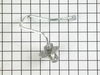
burner would not light
We took off all of the bolts holding the burner assembly's in place . Then took the top of the s range off. Used a wrench to remove the old assembly and re-placed it with the new one. It took longer to get all of the top and under cover off then to put the new part in. Very good service from Part Select. MATT
Parts Used:
-
Matthew from Gladwin, MI
-
Difficulty Level:Really Easy
-
Total Repair Time:15 - 30 mins
-
Tools:Nutdriver, Pliers, Wrench set
Was this instruction helpful to you?
Thank you for voting!
The housing around the clock/timer shattered
We turned off the gas, moved the stove out from the wall and unplugged it. Then we removed the metal back (using an adjustable wrench because we didn't have a square headed screwdriver.) We then removed the four screws that had held the clock/timer in place before the plastic shattered. We inserted the new part and reinserted the screws. Then we replaced the back cover. When we plugged the range back in and set the clock everything worked beautifully.
Parts Used:
-
Sara from Tomball, TX
-
Difficulty Level:Easy
-
Total Repair Time:15 - 30 mins
-
Tools:Screw drivers, Wrench (Adjustable)
Was this instruction helpful to you?
Thank you for voting!
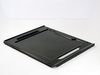
Bottom Panel of over rusted out.
Unplug the stove from the wall socket. Remove the oven door as shown in the instructions for replacing the door. This makes the job a lot easier. At the rear of the bottom panel there is a screw at each corner. Remove these screws, a screwdriver will loosen them, then remove by hand. If you have a convection oven remove the fan cover as this prevents the bottom panel from coming out. There is a screw at the top and the bottom of the cover. You can then gently lift the bottom panel at the rear and work it out of the front lip. Install the new bottom panel in reverse order.
Parts Used:
-
Michael from Manasquan, NJ
-
Difficulty Level:A Bit Difficult
-
Total Repair Time:15 - 30 mins
-
Tools:Screw drivers
Was this instruction helpful to you?
Thank you for voting!
The oven control board did not respond and was kicking out the GFI
I replaced the oven control board. I used the old overlay because I could not find a model # but I was able to locate the exact replacement part. it took some to find, but it paided off.Thanks for your help. I Got the replacement part # from the old control board.
Parts Used:
-
MELVIN from ST LOUIS, MO
-
Difficulty Level:Really Easy
-
Total Repair Time:15 - 30 mins
-
Tools:Screw drivers
Was this instruction helpful to you?
Thank you for voting!
Oven Temperture probe.
Would have been simple if Frigidare had not changed the plastic snap wire connector on the part. The replacement part had a different snap together wire connection. After a couple of phone calls stating that the new part and the old part had different part numbers was informed that you have to snip off the ends and use wire connects but it was the right part. Once I knew that it was a simple repair if you have the wire connects to connect the wires.
Parts Used:
-
Kenneth from Edgemount, SD
-
Difficulty Level:Really Easy
-
Total Repair Time:15 - 30 mins
-
Tools:Pliers, Socket set
Was this instruction helpful to you?
Thank you for voting!
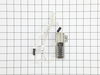
The Oven ignitor did not turn spark for the oven to turn on and heat up.
I pulled the top cover from inside the oven off and unscrewed 2 screws to remove the heat plate. After i unplugged the adapter for the old ignitor apart and unplugged 2 wires and removed 2 screws that hole the ignitor to the plate. i replaced with the new ignitor, screwed back in place , plugged the 2 wires and the adaptor plug in and i was done , in less that 30 mins.. I also saved $180 (Sears $260) on this do it yourself repair.. Thanks PartSelect for having the part in stock.... R Diaz (Bklyn N.Y.)
Parts Used:
-
Ricardo from Brooklyn, NY
-
Difficulty Level:Really Easy
-
Total Repair Time:15 - 30 mins
-
Tools:Pliers, Screw drivers
Was this instruction helpful to you?
Thank you for voting!
old oven racks were nasty!
We recently purchased condo and WhiteWestinghouse range needed some love. the old racks were not in very good shape so we ordered new.
Parts Used:
-
Richard from Fort Wayne, IN
-
Difficulty Level:Really Easy
-
Total Repair Time:Less than 15 mins
Was this instruction helpful to you?
Thank you for voting!
Oven Wouldn't Turn On (F-10) Displayed
I thought it was the temperature sensor. I was wrong it was the e. O. C. It wasn't that hard to change,just alot of small screws. Once I plugged it in I tryed to turn on the oven it turned on right away. Only thing is I wish the part was cheaper & also there should have been a white cover on it. Not peel off the old one and re-use it???? The oven is only 2yr's old, but never the less it got fixed. . . Works fine now.
Parts Used:
-
DAVID from PALMDALE, CA
-
Difficulty Level:Easy
-
Total Repair Time:Less than 15 mins
-
Tools:Screw drivers, Socket set
Was this instruction helpful to you?
Thank you for voting!
I needed an extra oven rack to bake more at one time.
I just installed the extra rack and re-arranged the existing ones. Works great!
Parts Used:
-
Sally from Cincinnati, OH
-
Difficulty Level:Really Easy
-
Total Repair Time:Less than 15 mins
Was this instruction helpful to you?
Thank you for voting!
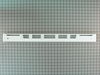
Replacing the Oven Door Vent Trim
1. Remove the old Trim by opening the door and unscrewing the two top screws holding the trim and glass to the door. 2. Lift the trim piece off of the glass, being careful as the glass will be a bit loose, and unscrew the handle from the trim piece, discard those two screws. 3. Place the new trim piece on the glass so that it fits snugly. 4. Place the screws back through the holes on the inside of the door, through the new trim piece and attach them to the handle. 5. Tighten down snugly and close door. You are done!
Parts Used:
-
daniel from fargo, ND
-
Difficulty Level:Easy
-
Total Repair Time:Less than 15 mins
-
Tools:Nutdriver, Screw drivers
Was this instruction helpful to you?
Thank you for voting!