















CFEF366EMH Frigidaire Range - Instructions
Keep searches simple. Use keywords, e.g. "leaking", "pump", "broken" or "fit".
Oven was over heating. In bake mode broiler would glow red and didn’t cut off after preheat
Removed 4 screws on back cover removed 1 screw holding probe and unplugged the probe took it out and installed new probe.
Parts Used:
-
James from S CHESTERFLD, VA
-
Difficulty Level:Very Easy
-
Total Repair Time:15 - 30 mins
-
Tools:Nutdriver
3 of 4 people
found this instruction helpful.
Was this instruction helpful to you?
Thank you for voting!
Range not heating properly
The youtube video clearly described how to remove the back panel and how to replace the probe.
The repair took maybe 20 minutes to complete and 1/2 of that time was spent cleaning behind and underneath the range!
Range is working perfectly now!
The repair took maybe 20 minutes to complete and 1/2 of that time was spent cleaning behind and underneath the range!
Range is working perfectly now!
Parts Used:
-
Eloisa from SPOKANE VLY, WA
-
Difficulty Level:Very Easy
-
Total Repair Time:15 - 30 mins
-
Tools:Screw drivers
4 of 7 people
found this instruction helpful.
Was this instruction helpful to you?
Thank you for voting!
Burner switch work sometime.
-
junius from WICOMICO, VA
-
Difficulty Level:Really Easy
-
Total Repair Time:1- 2 hours
-
Tools:Nutdriver
3 of 4 people
found this instruction helpful.
Was this instruction helpful to you?
Thank you for voting!
Burnt E/CT
-
Luis from SEVIERVILLE, TN
-
Difficulty Level:Really Easy
-
Total Repair Time:30 - 60 mins
3 of 4 people
found this instruction helpful.
Was this instruction helpful to you?
Thank you for voting!
Bake Element caught on fire
First we turned off the electic, then we took the back off the stove and pulled the wire off the bad element then replace the new element. It was very easy to do.
Parts Used:
-
Judy from Spencerville, OH
-
Difficulty Level:Really Easy
-
Total Repair Time:Less than 15 mins
-
Tools:Nutdriver, Screw drivers
4 of 7 people
found this instruction helpful.
Was this instruction helpful to you?
Thank you for voting!
Oven did not heat after replacing element
First unplug range. Remove 6 screws on back of range( 1/4 socket). Remove 4 screws holding Clock/Timer (cross point driver). Peal off plastic front cover from old Clock/Timer and place on new Clock/Timer. Remove electrical connections from old unit and insert on new. Replace all screws and plug range in.
Parts Used:
-
Ron from ORLANDO, FL
-
Difficulty Level:Very Easy
-
Total Repair Time:Less than 15 mins
-
Tools:Nutdriver, Screw drivers
3 of 4 people
found this instruction helpful.
Was this instruction helpful to you?
Thank you for voting!
broke
-
Richard from COFFEYVILLE, KS
-
Difficulty Level:Very Easy
-
Total Repair Time:Less than 15 mins
-
Tools:Socket set
2 of 2 people
found this instruction helpful.
Was this instruction helpful to you?
Thank you for voting!
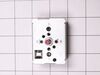
Burner not controlable
Removed rear panal, removed screws from of switch. Unplued wires and installed new switch and put back together. Very easy.
Parts Used:
-
Royce from KEENE, TX
-
Difficulty Level:Very Easy
-
Total Repair Time:Less than 15 mins
-
Tools:Screw drivers
2 of 2 people
found this instruction helpful.
Was this instruction helpful to you?
Thank you for voting!
Heating element went out
Simply...2 hex head screws removed. Unplug old element...plug in new element...place 2 screws back into place...test
Parts Used:
-
ROBERT from MAINEVILLE, OH
-
Difficulty Level:Very Easy
-
Total Repair Time:Less than 15 mins
-
Tools:Nutdriver
3 of 5 people
found this instruction helpful.
Was this instruction helpful to you?
Thank you for voting!
The baking element developed hot spots and stoped working.
I removed the baking racks then unscrewed the default screws for the baking element.I then disconnected the electrical leads from the damaged element. I then removed the old damaged baking element and installed the new baking element, attaching the electrical leads after cheking for weak spots in the element. I then re installed the baking racks and started the oven to burn off any factory oils on the baking element.
Parts Used:
-
Jeremiah from Crawfordsville, IA
-
Difficulty Level:Really Easy
-
Total Repair Time:Less than 15 mins
-
Tools:Screw drivers, Socket set
2 of 2 people
found this instruction helpful.
Was this instruction helpful to you?
Thank you for voting!
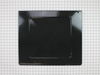
Oven bottom panel rusted away
-
Ron from CINCINNATI, OH
-
Difficulty Level:Really Easy
-
Total Repair Time:Less than 15 mins
-
Tools:Screw drivers
2 of 2 people
found this instruction helpful.
Was this instruction helpful to you?
Thank you for voting!
oven was over heating temp. of oven keep climbing
removed screws from back cover then pulled elect. plug apart. removed screw pulled out probe installed new probe put cover back on very easy only problem was that it said that 88% of time would fix the problem. will this time it didn't work oven still over heating.
Parts Used:
-
Herbert from MARIETTA, OH
-
Difficulty Level:Very Easy
-
Total Repair Time:Less than 15 mins
-
Tools:Nutdriver
2 of 2 people
found this instruction helpful.
Was this instruction helpful to you?
Thank you for voting!
Oven element broke
It took me more time to find the right tool then to remove and replace the element. If I can do it anybody can do it. Removed two (2) screws with a nutdriver. Detached the element replaced with new element and replaced screws. Easy job!
Parts Used:
-
Irving from Germantown, MD
-
Difficulty Level:Easy
-
Total Repair Time:Less than 15 mins
-
Tools:Nutdriver
2 of 2 people
found this instruction helpful.
Was this instruction helpful to you?
Thank you for voting!
Stove was dropped and had broken, bent frame and adjuster feet
New ones fit perfectly. Take a minute to bend the frame straight. Then and I used oversize screws on the replacement parts as the drop had stripped out the screw holes of the frame.
Parts Used:

-
Paul from PORT ORANGE, FL
-
Difficulty Level:Really Easy
-
Total Repair Time:15 - 30 mins
-
Tools:Screw drivers
2 of 2 people
found this instruction helpful.
Was this instruction helpful to you?
Thank you for voting!
Range displayed error code F10
Unplugged range; removed back cover; removed old oven probe. Installed new probe; replaced cover; connected power and turned on range - that simple. My only issue was probe was shipped in bubble rap and unit was slightly damaged (bent). Once straightened, the probe could be installed. Probe should have been shipped in sturdy cardboard cylinder or box. I called customer service, they were very nice, and noted my feedback on my account in case the unit fails prematurely.
Parts Used:
-
Timothy from Palm City, FL
-
Difficulty Level:Very Easy
-
Total Repair Time:15 - 30 mins
-
Tools:Nutdriver, Screw drivers
2 of 2 people
found this instruction helpful.
Was this instruction helpful to you?
Thank you for voting!