















AMV1150VAS3 Amana Microwave - Instructions
Keep searches simple. Use keywords, e.g. "leaking", "pump", "broken" or "fit".
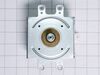
Microwave not heating very well
Took microwave off the mount, removed all the outer covers except the face, used metal screwdriver to short the big capacitor to keep from being shocked, removed magnetron and replaced with new part. Put back together, hung on wall, and finished. I used a youtube video and it turned into a very simple fix.
Parts Used:
-
CHRIS A from NEOSHO, MO
-
Difficulty Level:Easy
-
Total Repair Time:1- 2 hours
-
Tools:Screw drivers
1 person
found this instruction helpful.
Was this instruction helpful to you?
Thank you for voting!
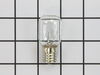
Burned out light bulb which lit the surface of the range.
Unscrewed glass panel, removed old bulb, cleaned glass panel and installed new bulb. Screwed panel back into place.
Parts Used:
-
Michael J from LORAIN, OH
-
Difficulty Level:Very Easy
-
Total Repair Time:Less than 15 mins
-
Tools:Screw drivers
1 of 2 people
found this instruction helpful.
Was this instruction helpful to you?
Thank you for voting!
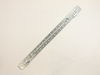
Mounting plate support edge broken
I removed the microwave to install a back splash and found the support edge on the backplate had broken off and was missing. I searched for parts for the microwave and found them on PartsSelect.com. Easy to order, and was shipped promptly.
Once the part arrived, install was simple, lining up the existing holes. The only hard part was setting the microwave up on the bracket due to the weight and awkwardness of the microwave.
Overall a very simple repair.
Once the part arrived, install was simple, lining up the existing holes. The only hard part was setting the microwave up on the bracket due to the weight and awkwardness of the microwave.
Overall a very simple repair.
Parts Used:
-
Glen from GLIDDEN, WI
-
Difficulty Level:Really Easy
-
Total Repair Time:30 - 60 mins
-
Tools:Screw drivers
1 of 2 people
found this instruction helpful.
Was this instruction helpful to you?
Thank you for voting!
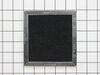
Replaced the charcoal filter.
On top front of the microwave are two Philip's head screws holding the rail on. Remove these screws and the rail snap out the old filter (noting the dark side down) then snapping the new filter in. Replace rail. 10 to 15 minute task.
Parts Used:
-
John from BILLINGS, MT
-
Difficulty Level:Really Easy
-
Total Repair Time:15 - 30 mins
-
Tools:Screw drivers
2 of 5 people
found this instruction helpful.
Was this instruction helpful to you?
Thank you for voting!
Charcoal Filter getting old, needed replaced
Removed the face plate above the door (2 Phillips screws.) Removed existing filter and replaced with the new one purchased. Reinstalled the face plate.
Parts Used:
-
Richard L from PRESCOTT VLY, AZ
-
Difficulty Level:Easy
-
Total Repair Time:15 - 30 mins
-
Tools:Screw drivers
1 of 3 people
found this instruction helpful.
Was this instruction helpful to you?
Thank you for voting!
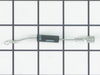
On Turning on the Microwave, it was sparking, was not sure where the sparks are coming from, initially I thought mica at the end of megnatron duct could be the issue
when I opened the back cover of microwave, the diode was kind of blackish blown, since there was light bulb and fan were still working, i thought it could be problem with any one of the components like; magnatron or capacitor or diode, so first replaced the diode and mica at the end of the magnatron duct, there was problem with door switch as well. i fixed that too. Now it is working. It cooks bit faster, Wondering why?
Parts Used:
-
RaviShankar from Artesia, CA
-
Difficulty Level:Easy
-
Total Repair Time:1- 2 hours
-
Tools:Pliers, Screw drivers
0 of 1 people
found this instruction helpful.
Was this instruction helpful to you?
Thank you for voting!
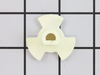
The support became distorted and needed to be replaced.
I simply lifted out the glass rotating plate and inserted the new support. How complicated can that be?!!!!!!!!!!!!!!!!!!!!!!!!!!!
Parts Used:
-
Mary from Wilmington, OH
-
Difficulty Level:Really Easy
-
Total Repair Time:Less than 15 mins
0 of 1 people
found this instruction helpful.
Was this instruction helpful to you?
Thank you for voting!
Lightbulb burned out
Removed one screw lowered glass cover removed burned out bulb replaced with new one put glass back reinstalled screw. Dune 5 minutes back in business
Parts Used:
-
Roland R from NORTH ANDOVER, MA
-
Difficulty Level:Very Easy
-
Total Repair Time:Less than 15 mins
-
Tools:Screw drivers
1 of 4 people
found this instruction helpful.
Was this instruction helpful to you?
Thank you for voting!
Charcoal Filter Replacement
This is an under the counter microwave. Simply removed the two screws holidng the vent grille on top of the unit, lift out the old charcoal filter, clean the vent fan exit surfaces then replace the filter and put the vent grille back. Be careful to not drop either of the two screws after one is installed as you will have to take the grill off and start the screw installation again unless you have a magnetic to retrieve the dropped screw. An easy five minutes at most to change.
Parts Used:
-
Charles from Meridian, MS
-
Difficulty Level:Really Easy
-
Total Repair Time:Less than 15 mins
-
Tools:Screw drivers
0 of 1 people
found this instruction helpful.
Was this instruction helpful to you?
Thank you for voting!
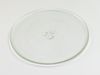
broke glass plate
-
Thomas C from Reminderville, OH
-
Difficulty Level:Really Easy
-
Total Repair Time:Less than 15 mins
0 of 2 people
found this instruction helpful.
Was this instruction helpful to you?
Thank you for voting!
Broken turntable tray
-
Nelson from Orlando, FL
-
Difficulty Level:Really Easy
-
Total Repair Time:Less than 15 mins
0 of 2 people
found this instruction helpful.
Was this instruction helpful to you?
Thank you for voting!
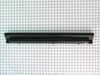
vent grille mounting brackets were broken.
Installed new vent grillein ten minutes. New part was correct replacement part and fit perfectly.
Parts Used:
-
jason from ridgeland, SC
-
Difficulty Level:Really Easy
-
Total Repair Time:Less than 15 mins
-
Tools:Screw drivers
0 of 3 people
found this instruction helpful.
Was this instruction helpful to you?
Thank you for voting!
Burnt Out Light Bulb Replacement
-
alfred from summerville, SC
-
Difficulty Level:Easy
-
Total Repair Time:Less than 15 mins
-
Tools:Screw drivers
9 of 30 people
found this instruction helpful.
Was this instruction helpful to you?
Thank you for voting!
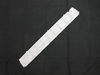
The vent grille mounting brackets broke
The old grille would not stay in place since the mounting brackets disintegrated. I wired the old grille in place for aesthetics and ordered a new one. When the new grille arrived (very promptly I might add)I removed the old grille and mounted the new one with the old screws. It would have been nice if the new part had included new screws because I lost one of the old ones. But I have a cache of old screws so I found a replacement that worked. I was very pleased to find the new part so easily!
Parts Used:
-
William from Anniston, AL
-
Difficulty Level:Really Easy
-
Total Repair Time:Less than 15 mins
-
Tools:Screw drivers
Was this instruction helpful to you?
Thank you for voting!
Vent grille had broken off screws.
Thanks to the instruction video the repair was done right and extremely fast and easy.
Parts Used:
-
Evelyn from Bay Shore, NY
-
Difficulty Level:Really Easy
-
Total Repair Time:Less than 15 mins
-
Tools:Screw drivers
Was this instruction helpful to you?
Thank you for voting!