















8C43B Magic Chef Refrigerator - Instructions
Keep searches simple. Use keywords, e.g. "leaking", "pump", "broken" or "fit".
Fan was making noise, Freezer temperature was erratic
First, watched video on Part Select Website. Very good. Pulled Appliance out from wall, Pulled the power plug, and removed the back shield covering the working parts of the unit. Found the fan and it was almost the same setup as on the video except that I could not get to one of the screws holding the motor in place so had to remove the entire bracket with the fan. Not too hard. Cleaned away dust and gunk around the site and noticed that the fan pulled air through a tunnel-like condenser coil that was packed with gunky lint...this is what probably killed the motor. I cleaned out the tunnel with the bottle brushes and vacuum and installed the new motor / bracket assembly. Then replaced the shielding around the fan and the back cover .panel. This is important because these form the channel that guides air flow throughout the condenser coils. This particular refrigerator has a barrier underneath which guides air flow from the front left to the condenser, through the fan, over the evaporator drip pan and out the right front. I cleaned all the lint and gunk from this area as well. I also made an air filter (cut from a furnace filter) and wedged it in front of the air entry section. This should keep the condenser coil cleaner over time but you have to remember to change the filter once a year. Probably should clean the condenser coil every 5 years as well. This unit has been very reliable over 20 years and may well go for another 20. Good luck with your repair.
Parts Used:

-
Dik from Quincy, MA
-
Difficulty Level:A Bit Difficult
-
Total Repair Time:1- 2 hours
-
Tools:Nutdriver, Screw drivers
Was this instruction helpful to you?
Thank you for voting!
Fan motor worn out
My Son who is not an appliance repairman did it for me. He had some difficulty getting the nuts and bolts loose mainly. Sorry I'm not much help other than that! I would like to compliment you on your fast service, first time ordering from you and it was for an older model refrigerator that my repairman said he couldn't find. It's working fine now and I'm a satisfied customer!
Parts Used:
-
Myrna from Decatur, IL
-
Difficulty Level:Difficult
-
Total Repair Time:1- 2 hours
Was this instruction helpful to you?
Thank you for voting!
Refrig ran and ran with a lot of hot air coming from the back. Temps in freezer and refrig areas would fluctuate with the unit running almost constantly. Discovered the fan was intermittently running, mostly not.
Removed the old fan; cut the wire and spliced in the new fan and reassembled. A little over one hour. Refrig is working perfectly now with lower settings. It is definitely off much more than on now.
Parts Used:
-
Donald from Strafford, NH
-
Difficulty Level:Easy
-
Total Repair Time:1- 2 hours
-
Tools:Socket set
Was this instruction helpful to you?
Thank you for voting!
blower motor was going out
just had to remove the fan motor the hard thing is getting down to it
Parts Used:
-
Robert from Batavia, OH
-
Difficulty Level:A Bit Difficult
-
Total Repair Time:1- 2 hours
-
Tools:Pliers, Screw drivers
Was this instruction helpful to you?
Thank you for voting!
Frozen Lettuce In Crisper
My husband put in in, no problem and all is well. My husband is a mechanic for large machinery/motors so installation was no problem. Thanks, better than buying a new fridge!!!
Parts Used:
-
Mary E. from Chicago, IL
-
Difficulty Level:Really Easy
-
Total Repair Time:30 - 60 mins
-
Tools:Screw drivers, Socket set
Was this instruction helpful to you?
Thank you for voting!
condenser fan wore out
The kit I recieved was perfect. All parts fit and where a perfect match. I will give you an A+ in handling my order and shocked by speed of your delivery.
Parts Used:
-
Nancy from Gallatin, TN
-
Difficulty Level:Easy
-
Total Repair Time:30 - 60 mins
-
Tools:Nutdriver, Screw drivers
Was this instruction helpful to you?
Thank you for voting!
light socket in fridge corroded, kills light bulbs
The old light fixture and socket were easily removed. This was done with the power connected, but I already knew the switch didn't need to be handled. The solderless connectors are all insulated, so I just had to be careful. The new socket would not accept the connector for the "hot" (red) wire in the fridge, due to a design change. This is, of course, why you furnished a loose 3/16 inch crimpon connector. Rather than cutting the red wire (remember, the power is still connected), I obtained an insulated 3/16 connector of the opposite gender, and a short piece of red-insulated wire from an old fluorescent tube ballast, and made a jumper. The connector I provided (male) did not fit tightly in the original fridge connector, so I put a layer of resin-core solder on my male connector. You need tight connections. If the solder layer is too thick, it's easy to file down. Make sure to heat the solder sufficiently that the solidified solder is shiny and not dull gray. I used a 100-watt gun. 20 watts would probably work too. DO NOT USE ACID-CORE SOLDER OR FLUX ON ELECTRICAL WORK! I knew the switch was good, because I had checked for voltage at the socket terminals using my voltmeter, before I ordered the socket. It read 120 volts every time the door switch was open, and zero volts every time the door switch was pushed closed. A simple voltage tester would work here, too. Be very careful if you do this test or this repair with the power connected to the fridge; there is considerable potential to find yourself touching 120 volts with one hand while your other hand is touching a perfect "ground". There doesn't seem to be any choice if you want to test the switch. You do have a choice with the socket replacement - - the jumper described above. If you're not going to use the jumper approach, cut the power! If you are going to make a jumper and are not comfortable working on a "live" circuit, cut the power.
Parts Used:

-
Lynn from Phoenix, AZ
-
Difficulty Level:A Bit Difficult
-
Total Repair Time:30 - 60 mins
-
Tools:Pliers
Was this instruction helpful to you?
Thank you for voting!
Condenser motor stopped working
Removed bad motor with socket set and pliers then removed the connectors from the old motor and soldered them on the new one. Then installed new motor. Works like new! Problem Solved! Easy fix!
Parts Used:
-
Chris from Greenville, OH
-
Difficulty Level:Easy
-
Total Repair Time:30 - 60 mins
-
Tools:Pliers, Screw drivers, Socket set
Was this instruction helpful to you?
Thank you for voting!
not cooling
removed condenser fan -located behind refrigerator next to compressor, Not much clearance to work, there are 3 screws to remove from condensing motor,sounds easy but clearance is lacking to remove them ,(takes alot of PATIENCE). Then you have to remove the fan blades to be able to get clearance to remove motor!! I wouldn't reccommend trying this repair unless you are a pro.
Parts Used:
-
larry from indianapolis, IN
-
Difficulty Level:Difficult
-
Total Repair Time:More than 2 hours
-
Tools:Pliers, Socket set, Wrench set
Was this instruction helpful to you?
Thank you for voting!
Not cooling properly/ door divider getting hot.
The video of the repair is a helpful guide, but my refrigerator has the compressor very close to the condenser fan motor. With the compressor comes the copper tubing that is all in the way. I had to carefully bend them now and then to allow me to get my hands in position. The how to is easy, but the working with tools in cramped quarters was difficult. I think my Maytag side by side model makes for this job to be difficult, maybe yours may not be so bad. I took a couple of hours to complete. After the first hour, I covered the bare wires, and plugged the frig back in so it could do some cooling. I placed a small in front on the condenser to blow across it. Had a little break, then finished the job.
Parts Used:
-
Timothy from Granite City, IL
-
Difficulty Level:Difficult
-
Total Repair Time:More than 2 hours
-
Tools:Nutdriver, Wrench set
Was this instruction helpful to you?
Thank you for voting!
Light switch went bad
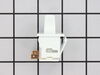
Simply stick a putty knife between the switch and refrig wall. Pop out old swith, remove both wires by pulling off switch by terminals. Throw switch out. Put wires on new switch and push into slot and all done. Nothing to it! Took me 5 minutes if th
Parts Used:
-
Joseph T. from Morgantown, WV
-
Difficulty Level:Really Easy
-
Total Repair Time:Less than 15 mins
Was this instruction helpful to you?
Thank you for voting!
Light bulb failure
Received the part the day after ordering. Appreciated the quick service and repair took less than a minute.
Parts Used:

-
Grant from Alexandria, VA
-
Difficulty Level:Really Easy
-
Total Repair Time:Less than 15 mins
Was this instruction helpful to you?
Thank you for voting!
light switch sticking
I watched the video and thought "I can do this". Made some notes and then proceeded to remove the old switch and replace with the new one. Thank you.
Parts Used:
-
Paula from Rush, NY
-
Difficulty Level:Easy
-
Total Repair Time:Less than 15 mins
-
Tools:Pliers, Screw drivers
Was this instruction helpful to you?
Thank you for voting!
Light did not come on (bad bulb!) on TC18KL
I have never before seen a bulb with the filament intact not light. If the bulb's filament seems intact, screw the bulb into a known working lamp and see if it lights. When screwing it back into the socket in the fridge, it takes a bit of extra effort to fully seat (until it does, it won't light!). For replacing the switch, I unplugged the unit, used a paint scraper and worked it under the switch bezel from the right side. A bit of moxie, and the switch came out. The replacement switch had a different spade contact spacing than the original. I used a pair of scissors to cut the rubber bridge between the two switch wire connectors so I could connect to the new switch. In the end, it turned out to be the bulb. NOTE: The Model TC18KL is _not_ listed! What I finally found that the number "P7803211WL" on the sticker is actually a manufacturing code. Found this out by searching, and Sears' part search came up with matches.
Parts Used:
-
Louis from Beloit, WI
-
Difficulty Level:A Bit Difficult
-
Total Repair Time:Less than 15 mins
Was this instruction helpful to you?
Thank you for voting!
Light switch in the refrigerator was faulty from the first day we installed the fridge.
I had ordered some other parts for something entirely different off your website and service was great. So after almost ten years of a dark refrigerator, because of a defective switch, I decided to see if you had the part to fix it... You did and the part got here in 3 days. I had a working light switch and all the light in the world where my husband needed it most (in the fridge). It took me at the most ten minutes to replace the part. All is well now and I have a happy husband who can find the leftovers just fine. Thanks for your great service!
Parts Used:
-
Mary from Wasilla, AK
-
Difficulty Level:Easy
-
Total Repair Time:Less than 15 mins
-
Tools:Screw drivers
Was this instruction helpful to you?
Thank you for voting!