















7A51A Admiral Refrigerator - Instructions
Keep searches simple. Use keywords, e.g. "leaking", "pump", "broken" or "fit".
Freezer was not getting cold enough
Mine was alittle different than the online instructions. 1. I removed the motor. 2. I took the fan off the old motor and cut the wires about 3" back from old motor. 3. Mounted the new fan on bracket and put the fan on the new motor. 4.connected wires that were cut and used wire nuts to connect. 5. Mounted bracket and motor/fan to unit and it works like its brand new. Thank you PartSelect!
Parts Used:

-
David from Salem, WI
-
Difficulty Level:Easy
-
Total Repair Time:15 - 30 mins
-
Tools:Nutdriver, Pliers
Was this instruction helpful to you?
Thank you for voting!
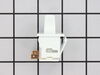
Light switch went bad
Simply stick a putty knife between the switch and refrig wall. Pop out old swith, remove both wires by pulling off switch by terminals. Throw switch out. Put wires on new switch and push into slot and all done. Nothing to it! Took me 5 minutes if th
Parts Used:
-
Joseph T. from Morgantown, WV
-
Difficulty Level:Really Easy
-
Total Repair Time:Less than 15 mins
Was this instruction helpful to you?
Thank you for voting!
light switch sticking
I watched the video and thought "I can do this". Made some notes and then proceeded to remove the old switch and replace with the new one. Thank you.
Parts Used:
-
Paula from Rush, NY
-
Difficulty Level:Easy
-
Total Repair Time:Less than 15 mins
-
Tools:Pliers, Screw drivers
Was this instruction helpful to you?
Thank you for voting!
Light did not come on (bad bulb!) on TC18KL
I have never before seen a bulb with the filament intact not light. If the bulb's filament seems intact, screw the bulb into a known working lamp and see if it lights. When screwing it back into the socket in the fridge, it takes a bit of extra effort to fully seat (until it does, it won't light!). For replacing the switch, I unplugged the unit, used a paint scraper and worked it under the switch bezel from the right side. A bit of moxie, and the switch came out. The replacement switch had a different spade contact spacing than the original. I used a pair of scissors to cut the rubber bridge between the two switch wire connectors so I could connect to the new switch. In the end, it turned out to be the bulb. NOTE: The Model TC18KL is _not_ listed! What I finally found that the number "P7803211WL" on the sticker is actually a manufacturing code. Found this out by searching, and Sears' part search came up with matches.
Parts Used:
-
Louis from Beloit, WI
-
Difficulty Level:A Bit Difficult
-
Total Repair Time:Less than 15 mins
Was this instruction helpful to you?
Thank you for voting!