















79090930601 Kenmore Range - Instructions
Keep searches simple. Use keywords, e.g. "leaking", "pump", "broken" or "fit".
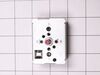
L.F. large burner element either on full hot or off. Would not cycle in and out with element control switch setting.
Disconnect power to Range at Electrical Service Panel control box. Remove 240 volt service electrical plug to range. Remove back top panel to expose element control switches. Remove element control switch to L.F. burner by first pulling off the control knob. You may need to use a large flat screw driver to pry behind knob to get it started but it should come straight off. There are two screws revealed under knob that need to come off. Then the element control is easily, but carefully, removed out the back. Be careful you do not pull the "Hot Surface Indicator Light" switch off right above the element control switch. If you do, this will break the end off the plastic "Hot Surface Indicator Light" lens. If this happens you can still replace it but you will need to use super glue to make the "Hot Surface Indicator Light" switch stay connected to the clear lens. Install new element control in reverse order before gluing the "Hot Surface Indicator Light" switch as stated above or you will knock it off again. While holding the old element control in your hand with wires still attached, remove one wire at a time (making note of the location code for each wire) from old element control and install on new control. The new element control layout for the wire prongs will be different so you need to make sure you look for the code (like L1, H1, P) located on each prong location and put the same coded wire from old element control location onto new control prong code location. Reinstall new element control (with wires pushed fully onto prongs of new control) into panel with screws removed before. Reinstall knob, reinstall panel cover and reconnect range power plug. Restore power to Range at Electrical Service Panel control box With electric power restored, test element control by turning it on and see if it properly cycles on and off at different settings. If working properly you should be able to hear it click on and off and element heating and going off accordingly.
Parts Used:
-
Gerald from MADISON HTS, VA
-
Difficulty Level:Easy
-
Total Repair Time:30 - 60 mins
-
Tools:Nutdriver, Pliers, Screw drivers
4 of 4 people
found this instruction helpful.
Was this instruction helpful to you?
Thank you for voting!
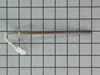
Oven was not heating up properly
I followed the video on the website. The probe is on back of the oven. Just unplug part and replace. That was not our fix all though as I later found that the igniter was not working. The igniter is also an easy fix but you access it through the front of the oven. Also an easy swap.
Oven is working great now.
Our issues kind of fell between two of the descriptions so I went with high percentage cheaper fix first.
If your oven is intermittingly getting hot or to temperature of 100, it is probably the igniter.
Have used PartsSelect for Washing Machine, Dryer, Refridgerator and now the Range. Super easy to figure out needed parts and videos walk you through the repair.
Thanks
Oven is working great now.
Our issues kind of fell between two of the descriptions so I went with high percentage cheaper fix first.
If your oven is intermittingly getting hot or to temperature of 100, it is probably the igniter.
Have used PartsSelect for Washing Machine, Dryer, Refridgerator and now the Range. Super easy to figure out needed parts and videos walk you through the repair.
Thanks
Parts Used:
-
Robert from GILROY, CA
-
Difficulty Level:Really Easy
-
Total Repair Time:30 - 60 mins
-
Tools:Nutdriver, Screw drivers
4 of 5 people
found this instruction helpful.
Was this instruction helpful to you?
Thank you for voting!
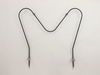
Bottom burner wouldn’t heat
-
cynthia from SEBRING, FL
-
Difficulty Level:Really Easy
-
Total Repair Time:Less than 15 mins
-
Tools:Screw drivers, Wrench (Adjustable)
5 of 8 people
found this instruction helpful.
Was this instruction helpful to you?
Thank you for voting!
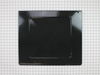
Bottom panel burned through
Remove two back knurled screws, lift out old bottom, screw in new bottom panel. Removal of oven door (two flip out handles at hinge( makes this a little easier. Our oven did not need any other dis-assembly.
Parts Used:
-
Barry from MENDON, NY
-
Difficulty Level:Really Easy
-
Total Repair Time:Less than 15 mins
-
Tools:Screw drivers
4 of 5 people
found this instruction helpful.
Was this instruction helpful to you?
Thank you for voting!
oven baking element burnt into
my husband did the repair.He unplugged the stove removed the element and installed the new element.plugged the stove in and checked operation of element.Stove works great
Parts Used:
-
Teresa from Marengo, OH
-
Difficulty Level:Really Easy
-
Total Repair Time:Less than 15 mins
-
Tools:Nutdriver, Socket set
4 of 5 people
found this instruction helpful.
Was this instruction helpful to you?
Thank you for voting!
F10 code going off
-
edward from BRISTOL, IN
-
Difficulty Level:Really Easy
-
Total Repair Time:30 - 60 mins
-
Tools:Screw drivers
4 of 5 people
found this instruction helpful.
Was this instruction helpful to you?
Thank you for voting!
the old bake element was corroded and non-funtional
Using a socket set and Robertson #3 (smallest) driver head,with the breaker shut off before working I removed the old element and disconnected the old element from the wire connections.I then installed the new element by connecting the terminals to the wire connection in the range before screwing the old retaining clips to the back of the oven compartment wall.Then I flipped the breaker switch back on and turned on the oven dial to 425 degrees to see the element heat up and glow red affirming the success of the repair.Total time to repair about 15 minutes.
Parts Used:
-
Stephen from RONAN, MT
-
Difficulty Level:Really Easy
-
Total Repair Time:Less than 15 mins
-
Tools:Screw drivers
5 of 9 people
found this instruction helpful.
Was this instruction helpful to you?
Thank you for voting!
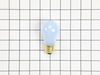
Repaired Oven Range Light Bulb
The bulb has a plastic clear cover. That cover can just be carefully removed using a screwdriver. It's held in by a metal bracket. After you remove the cover. You'll just need to replace the bulb and then re-install the cover and bracket.
Parts Used:
-
Alan from SAN MATEO, CA
-
Difficulty Level:Very Easy
-
Total Repair Time:Less than 15 mins
-
Tools:Screw drivers
3 of 3 people
found this instruction helpful.
Was this instruction helpful to you?
Thank you for voting!
Had aluminum foil stuck on bottom
Removed 2 screws, pulled out the panel, replaced the new panel and replaced the two screws. Less than 5 minutes.
Parts Used:
-
George from JACKSON, MI
-
Difficulty Level:Very Easy
-
Total Repair Time:Less than 15 mins
-
Tools:Screw drivers
3 of 3 people
found this instruction helpful.
Was this instruction helpful to you?
Thank you for voting!
Bake element went out
The broil element and range were both working so I removed the bake element to test for continuity. Use a 1/4” socket or wrench to remove the two screws holding the bake element to the rear wall of the inside of the oven. Pull the ends of the element out of their recesses taking care not to lose a wire inside the back panel of the oven. Pull the wires off the element ends. You should be able to do this by hand; use a flathead screwdriver for a little prying if necessary. Visually inspect the element for physical damage. If you don’t see any, test the element with an ohmmeter or multimeter. If it reads anything other than 0 ohms (continuity), your element is defective. Installation process is reverse of removal.
Parts Used:
-
Nicholas from COTTONDALE, AL
-
Difficulty Level:Really Easy
-
Total Repair Time:Less than 15 mins
-
Tools:Socket set
4 of 6 people
found this instruction helpful.
Was this instruction helpful to you?
Thank you for voting!
Oven would not heat
Pulled stove away from wall and unplug .Removed grates for better access. Unscewed element scews removed element & tested for continuity.there was none element is bad . Replaced with new one . Time about 20 minutes.
Parts Used:
-
Kevin from Swanville, ME
-
Difficulty Level:Very Easy
-
Total Repair Time:15 - 30 mins
-
Tools:Screw drivers
3 of 3 people
found this instruction helpful.
Was this instruction helpful to you?
Thank you for voting!
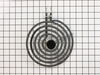
Cooktop burner was wore out from age
Just pulled the old cook top burner out and put the new one in .it took about 1 1/2 minutes
Parts Used:
-
John from HAYDEN, AL
-
Difficulty Level:Very Easy
-
Total Repair Time:Less than 15 mins
3 of 3 people
found this instruction helpful.
Was this instruction helpful to you?
Thank you for voting!
Bake element began burning itself up.
Originally I had anticipated a major problem requiring the removal of the back of the range and perhaps the necessity of employing the services of a repairman ($$!). Fortunately I waited for the arrival of the replacement element, which, upon inspection, was not configured to go through to the back of the range. What a relief!
The hardest part of the repair was finding the correct nutdriver (5/16"). Removal of the damaged element was simply backing out the two retaining screws inside the oven and pulling the element out far enough to expose the clips to the wire. Pulling them apart was easy enough, and then the element I disposed of immediately.
Reverse of removal of the old element was the installation of the new: Reconnect the clips to the element, push the wires back into the insulation, re-inserting the two retaining screws and tightening them gently.
The final step was to plug the range 220 cord into the outlet. Testing whether the element was functional was a breeze; the oven and the range elements worked perfectly.
The hardest part of the repair was finding the correct nutdriver (5/16"). Removal of the damaged element was simply backing out the two retaining screws inside the oven and pulling the element out far enough to expose the clips to the wire. Pulling them apart was easy enough, and then the element I disposed of immediately.
Reverse of removal of the old element was the installation of the new: Reconnect the clips to the element, push the wires back into the insulation, re-inserting the two retaining screws and tightening them gently.
The final step was to plug the range 220 cord into the outlet. Testing whether the element was functional was a breeze; the oven and the range elements worked perfectly.
Parts Used:
-
Don L from La Grande, OR
-
Difficulty Level:Really Easy
-
Total Repair Time:15 - 30 mins
-
Tools:Nutdriver
3 of 3 people
found this instruction helpful.
Was this instruction helpful to you?
Thank you for voting!
Oven wasn’t heating
-
Felicia from FORT MILL, SC
-
Difficulty Level:Very Easy
-
Total Repair Time:15 - 30 mins
-
Tools:Nutdriver
3 of 3 people
found this instruction helpful.
Was this instruction helpful to you?
Thank you for voting!
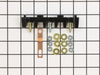
Oven wires arced and caused the terminal block to melt and become detached from the back of the range
Removed the wires that I could, then terminal block. Installing the new terminal block was very easy; however the wires that arced were fused to the terminal bock screws and needed to be cut and new connectors had to be put on the wires to allow them to be reattached to the block safely.
Once all was replaced and reinstalled the oven has worked great. The length of the repair was increased because of the melted parts and having to run to the store to get the new wire connectors big enough to fit on the wires. If we were simply replacing the block and had not encountered the melted ends, it would have been a very quick and easy repair.
Once all was replaced and reinstalled the oven has worked great. The length of the repair was increased because of the melted parts and having to run to the store to get the new wire connectors big enough to fit on the wires. If we were simply replacing the block and had not encountered the melted ends, it would have been a very quick and easy repair.
Parts Used:
-
Daniel from Falmouth, MA
-
Difficulty Level:A Bit Difficult
-
Total Repair Time:30 - 60 mins
-
Tools:Nutdriver, Pliers, Screw drivers, Wrench set
3 of 3 people
found this instruction helpful.
Was this instruction helpful to you?
Thank you for voting!