















79046892905 Kenmore Range - Instructions
Keep searches simple. Use keywords, e.g. "leaking", "pump", "broken" or "fit".
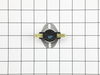
Thermostat for oven cook elements. Cooling fan is a misnomer-the fan still worked!
First of all I am not Betty, I am her husband. Second I and a friend pulled the range out of the countertop (which was not necessary). The top can be raised on it hinges and the plate under the burners can be removed by taking out 8 to 19 screws and there is the thermostat looking at you. After doing this once and knowing where the thermostat is, the job could be done in less that an hour.. INSTRUCTIONS: Turn OFF the circuit breaker. Remove the burners. Remove the plate under the burners. Change the thermostat (making sure to place in correct direction as the one removed). Reassemble, turn on circuit breaker, test oven heat.
Parts Used:
-
Betty from OLIVE BRANCH, MS
-
Difficulty Level:Very Easy
-
Total Repair Time:1- 2 hours
-
Tools:Screw drivers
6 of 9 people
found this instruction helpful.
Was this instruction helpful to you?
Thank you for voting!
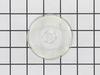
While removing burned out light bulb, the glass cover fell to the floor of the oven and broke!!
Husband very ill in bed. It's up to me!! Got a new bulb at HomeDepot and figured out how to get that wire 'thing' back in and the new glass cover installed. I DID IT!! WOW! My husband has always done these jobs around the house.......but now it's up to me.......and I'm not so dumb after all! I DID IT!! Now everyone who comes in the house.....I show them what I DID!! :-)
Parts Used:
-
Phyllis from GAINESVILLE, GA
-
Difficulty Level:Easy
-
Total Repair Time:Less than 15 mins
5 of 7 people
found this instruction helpful.
Was this instruction helpful to you?
Thank you for voting!
Both oven bake and broil elements lost power suddenly at the same time.
Installation of the temparature sensor, one of the technician recommended parts took no time, just two screws and a snap off/snap on part. It did not fix the problem. I then replaced the main control panel, which requires more work, but didn't solce the ussue either. I then replaced the thermal fuse, which wasn't mentioned by tech support, and required much more disassebly of the top panels of the stove, with still no fix to the problem. I am waiting to replace the thermostat heat sensor unit, the only other part in the circuit controlling power supply, requiring removal of the stove top again,
Parts Used:
-
Alexander from DELMAR, NY
-
Difficulty Level:Really Easy
-
Total Repair Time:30 - 60 mins
8 of 17 people
found this instruction helpful.
Was this instruction helpful to you?
Thank you for voting!
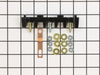
Oven wires arced and caused the terminal block to melt and become detached from the back of the range
Removed the wires that I could, then terminal block. Installing the new terminal block was very easy; however the wires that arced were fused to the terminal bock screws and needed to be cut and new connectors had to be put on the wires to allow them to be reattached to the block safely.
Once all was replaced and reinstalled the oven has worked great. The length of the repair was increased because of the melted parts and having to run to the store to get the new wire connectors big enough to fit on the wires. If we were simply replacing the block and had not encountered the melted ends, it would have been a very quick and easy repair.
Once all was replaced and reinstalled the oven has worked great. The length of the repair was increased because of the melted parts and having to run to the store to get the new wire connectors big enough to fit on the wires. If we were simply replacing the block and had not encountered the melted ends, it would have been a very quick and easy repair.
Parts Used:
-
Daniel from Falmouth, MA
-
Difficulty Level:A Bit Difficult
-
Total Repair Time:30 - 60 mins
-
Tools:Nutdriver, Pliers, Screw drivers, Wrench set
3 of 3 people
found this instruction helpful.
Was this instruction helpful to you?
Thank you for voting!
Repaired Oven Range Light Bulb
The bulb has a plastic clear cover. That cover can just be carefully removed using a screwdriver. It's held in by a metal bracket. After you remove the cover. You'll just need to replace the bulb and then re-install the cover and bracket.
Parts Used:
-
Alan from SAN MATEO, CA
-
Difficulty Level:Very Easy
-
Total Repair Time:Less than 15 mins
-
Tools:Screw drivers
3 of 3 people
found this instruction helpful.
Was this instruction helpful to you?
Thank you for voting!
Lens cover for the oven light
-
Larry from COZAD, NE
-
Difficulty Level:Really Easy
-
Total Repair Time:30 - 60 mins
3 of 4 people
found this instruction helpful.
Was this instruction helpful to you?
Thank you for voting!
Crack in inner door glass
Removed two screws that are attached to handle then removed four screws from bottom edge of oven door. I was then able to remove the outer door glass,this gave me access to the three inner glasses. After removing the retainer for the glass assembly,I was able to remove all three and replace the inner one.I reversed this proceedure to reassemble.
Parts Used:
-
Robert from Richmond, IN
-
Difficulty Level:Really Easy
-
Total Repair Time:1- 2 hours
-
Tools:Screw drivers
4 of 7 people
found this instruction helpful.
Was this instruction helpful to you?
Thank you for voting!
Change on e of the inside glass
removed the screws holding the front part of the door and from there worked my way, untill the third glass.
It took a couple hours, my first time,. Overall easy,
It took a couple hours, my first time,. Overall easy,
Parts Used:
-
Ronald from Ozone Park, NY
-
Difficulty Level:Easy
-
Total Repair Time:1- 2 hours
-
Tools:Screw drivers
4 of 7 people
found this instruction helpful.
Was this instruction helpful to you?
Thank you for voting!
sensor should pull into oven enough to easily unsnap and snap but didn't pull out
on the back side of the wall oven the sensor wire was ziptied tight. we had to totally pull oven out of its wall space, remove back panel, unhook zip tie, feed through sensor hole around insulation, connect and then replace back and return and relevel the oven. I have
Parts Used:
-
Mary from EDGAR, WI
-
Difficulty Level:A Bit Difficult
-
Total Repair Time:30 - 60 mins
-
Tools:Screw drivers
3 of 5 people
found this instruction helpful.
Was this instruction helpful to you?
Thank you for voting!
Dual burner would only work on high and only the large burner worked
Replaced the dual infinite switch behind the panel. The wires were easily matched, even though the switch looked a little different. Works perfectly now.
Parts Used:
-
Misty from CUNNINGHAM, TN
-
Difficulty Level:Very Easy
-
Total Repair Time:Less than 15 mins
2 of 2 people
found this instruction helpful.
Was this instruction helpful to you?
Thank you for voting!
Element would not heat up
Removed 2 screws located underneath the front lip of the range top. Lifted range top and supported. Removed the 2 screws at either end of the support bracket. This bracket holds the elements in position. Be careful not to let the elements fall out when removing. The elements are now free to replace. Swap out the old with the new and be sure to reconnect the wires to the correct terminals on the new element. I did 1 wire at a time so as to not make a mistake at reconnecting the wires. Then replace the support bracket with the 2 screws and lower the range top in place and put back the 2 screws that hold the range top in position. VOILA!! Success. It works. The wife is now happy again:)
Parts Used:
-
Everett from Colchester, CT
-
Difficulty Level:Really Easy
-
Total Repair Time:15 - 30 mins
-
Tools:Nutdriver, Screw drivers
1 person
found this instruction helpful.
Was this instruction helpful to you?
Thank you for voting!
wrong part
my original part arrived and it did not fit. When I called to explain the problem I was told it was the wrong part. The big problem is... Frigidaire calls the receptacle a terminal block kit as well as a terminal block kit which is a totally different part. I tried to explain that to several different folks I spoke to at your company as well as Frigidaire but I'm not sure if I got that point across. Take a look at part # 530 393 5058 and part # 530 440 9888 and you will see that they both mention terminal block kit. Hopefully the part I am getting from Frigidaire is an OEM part and will fit.
Parts Used:
-
Barbara from WICKENBURG, AZ
-
Difficulty Level:Very Difficult
-
Total Repair Time:30 - 60 mins
2 of 4 people
found this instruction helpful.
Was this instruction helpful to you?
Thank you for voting!
light bilb went out
-
Denise from Landover, MD
-
Difficulty Level:Really Easy
-
Total Repair Time:Less than 15 mins
2 of 6 people
found this instruction helpful.
Was this instruction helpful to you?
Thank you for voting!
No Power to the Oven
Watching the video showed an easy, unscrew and screw back on process while connecting the wires back. It was really that simple. Once it was complete (not even 10mins), plugged it back in, and its been working great since.
Parts Used:
-
Tony from Hartford, CT
-
Difficulty Level:Really Easy
-
Total Repair Time:Less than 15 mins
-
Tools:Screw drivers
1 of 3 people
found this instruction helpful.
Was this instruction helpful to you?
Thank you for voting!
Lens cover for oven light broke.
Really a no brainer, but I do have to say that PartSelect customer service is excellent. My part was located and on it's way within a day and arrived a couple of days later.
Parts Used:
-
Amy from Corona, CA
-
Difficulty Level:Really Easy
-
Total Repair Time:Less than 15 mins
0 of 1 people
found this instruction helpful.
Was this instruction helpful to you?
Thank you for voting!